
Mint
Your Mac, tidy by default

Mac
Версія 1.0.83
macOS 14.0 чи новіша
140.8 MB
11 мов(и)
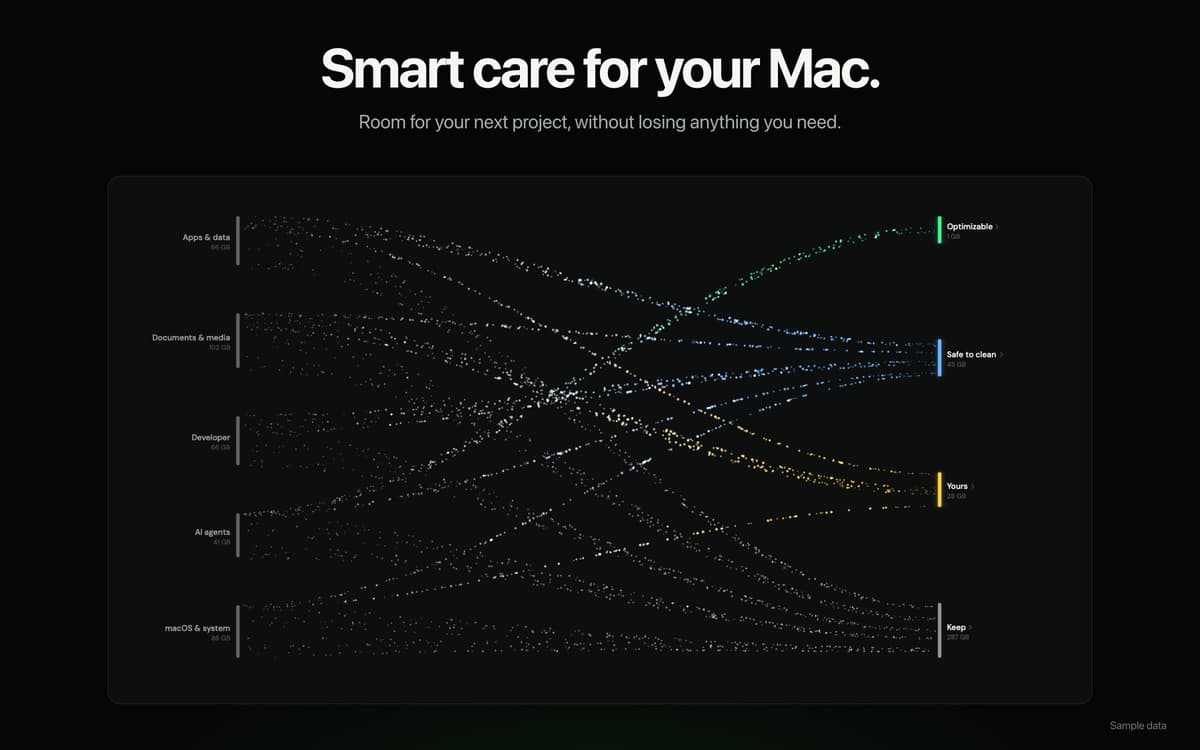
Mint is a Mac cleanup and file organizer app. Pick any folder, set rules for how it should stay organized, and let Mint handle the rest — on schedule, from the menu bar. It also helps you reclaim storage, free up memory, remove apps cleanly, and redact sensitive details before sharing files. Everything happens on-device, every action is logged, and nothing moves without your say-so.
Organize files by type, date, or topic
Find and remove storage hogs
Uninstall apps without leftovers
Redact sensitive data before sharing
Можливості Mint
Keep your folders organized, automatically
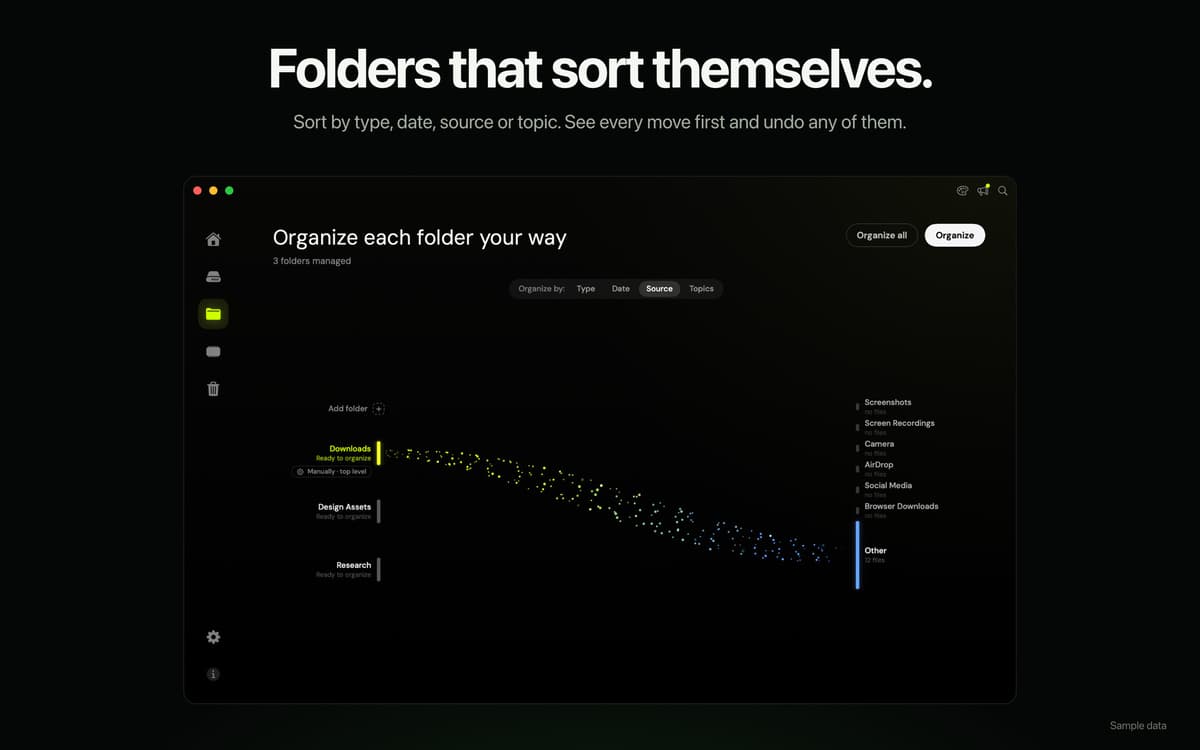
Choose any folder and tell Mint how to sort it — by file type, date, source, or topic. Mint shows you a preview before moving anything, remembers your rules per folder, and can run them on a schedule straight from the menu bar. Your Downloads folder will never be a mystery again.
Reclaim storage without the guesswork
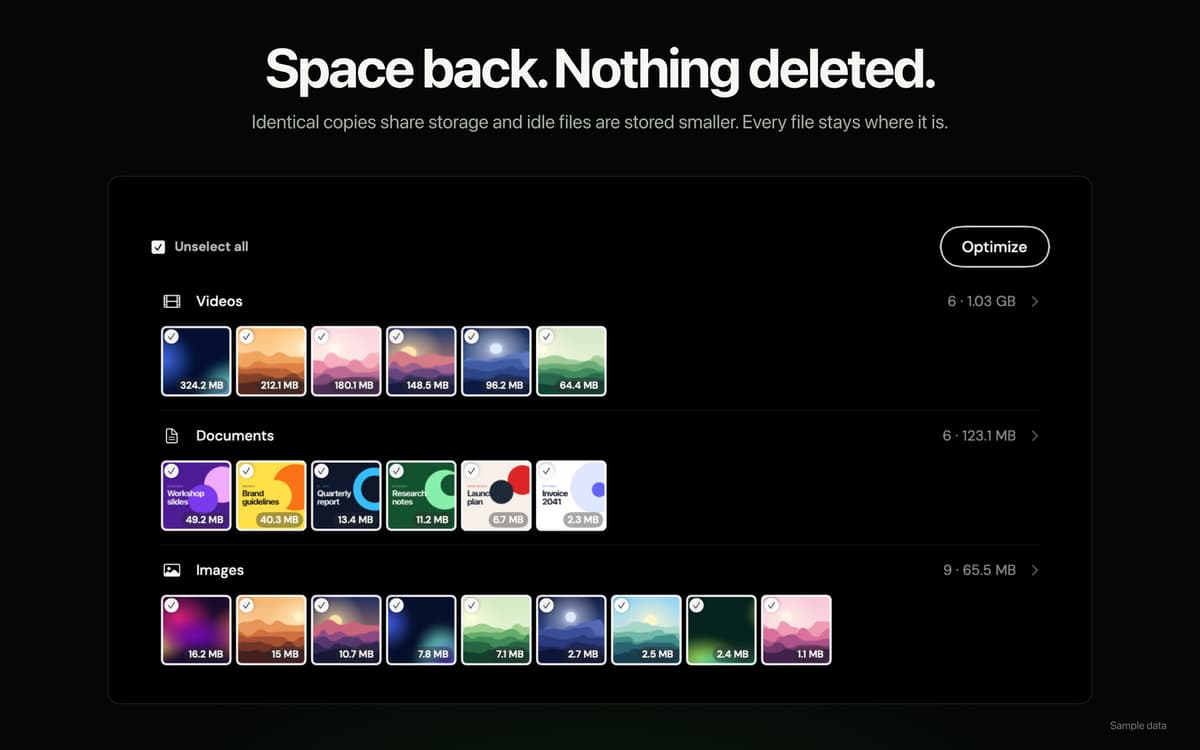
Mint scans for caches, duplicates, large files, old installers, and other things quietly eating up your disk. See exactly what's taking up space and clear it out — no random deletion, no surprises. Just a cleaner Mac with more room to breathe.
Free up memory when it matters
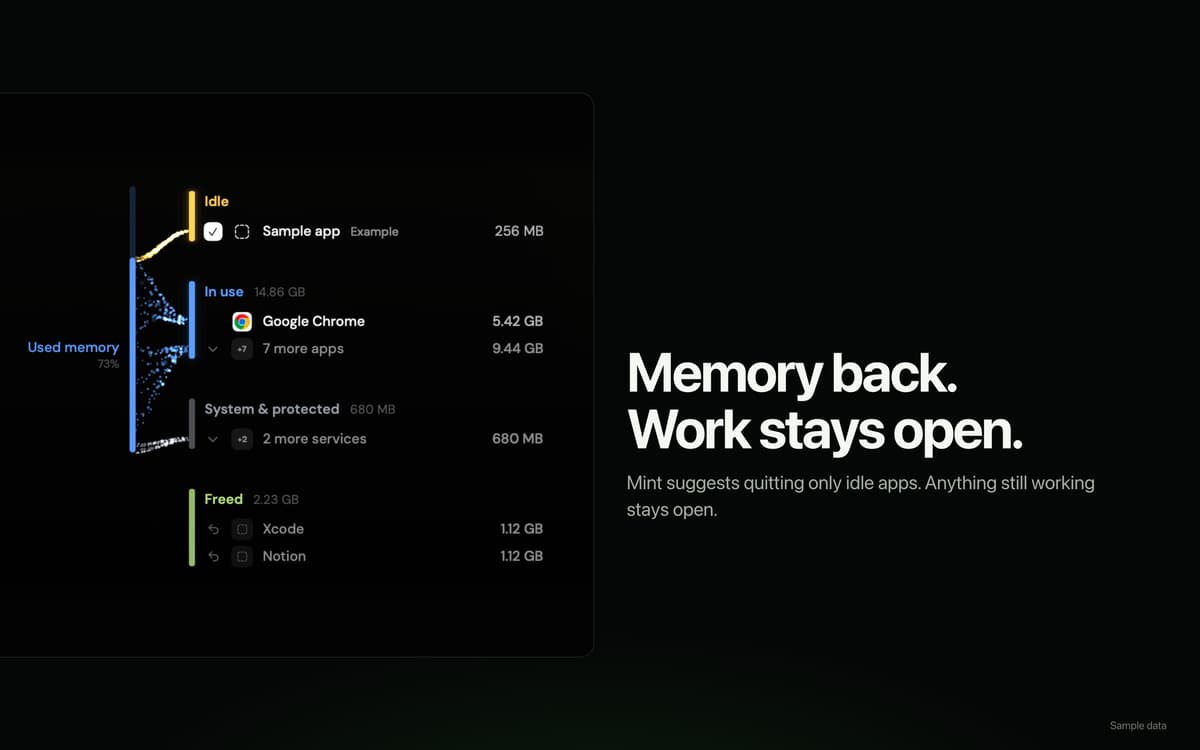
See memory usage broken down by app, and politely quit background processes that are hogging resources. Mint keeps things running smoothly without you having to open Activity Monitor every time your Mac starts dragging.
Uninstall apps the right way
Moving an app to Trash doesn't actually remove everything it left behind. Mint finds and removes the support files, preferences, and caches that go along with it — so your Mac stays genuinely clean, not just tidier on the surface.
Redact sensitive details before you share
Need to send a file but want to scrub out account numbers, IDs, or other private details first? Mint lets you redact sensitive content before sharing, so you don't have to worry about what slips through.
Safe by design, private by default
File analysis and content processing happen entirely on-device. Mint doesn't upload your filenames, folder structure, file contents, or activity history. Every operation is logged in a searchable activity log, and anything Mint touches can be undone or restored from Trash.
Оцінки та відгуки
Mint
•
Оцінок: 1
Rachel
6 жовт. 2026 р.
Версія: 1.0.83
Love the disk optimization and automation! Frees up space without deleting my files
Отримайте сотні програм з Membership
Підпишіться на Setapp і користуйтесь сотнями чудових програм.
Перші 7 днів безплатно, а далі – в єдиному простому плані.
Завантажити Setapp на Mac
Знайдіть в Setapp застосунок для macOS, iOS або web, що допоможе вирішити ваше завдання.

Установіть знайдену програму
Виконайте завдання за допомогою новенької програми зі Setapp.

Mint
Виберіть план підписки
Один застосунок або всі разом в підписці Setapp. Користуйтеся застосунками на своїх умовах.

Отримайте сотні програм з Membership
Підпишіться на Setapp і користуйтесь сотнями чудових програм.
Перші 7 днів безплатно, а далі – в єдиному простому плані.
1
Завантажити Setapp на Mac
Знайдіть в Setapp застосунок для macOS, iOS або web, що допоможе вирішити ваше завдання.
2
Установіть знайдену програму
Виконайте завдання за допомогою новенької програми зі Setapp.
Mint
3
Виберіть план підписки
Один застосунок або всі разом в підписці Setapp. Користуйтеся застосунками на своїх умовах.
Нагору
Від планування та рутинних завдань до програмування і творчості – працюйте ефективніше зі Setapp.

TypingMind
ШІ зі зручним інтерфейсом
генеруйте й обробляйте текст
користуйтеся бібліотекою
ШІ

Spark Mail
Упорядкуйте імейли
ШІ

CleanMyMac
Видаляйте тільки непотрібне

Bartender
Налаштуйте меню під себе

CleanShot X
Робіть будь-які скриншоти

Luminar Neo
Редагуйте фото
ШІ

ClearVPN
Безпечний звʼязок

Craft
Робота з документами
ШІ
Mint
Your Mac, tidy by default