
Notepad.exe
Code fast. Skip the setup
Mac
Версія 1.6.10
macOS 15.6 чи новіша
497.2 MB
1 мов(и)
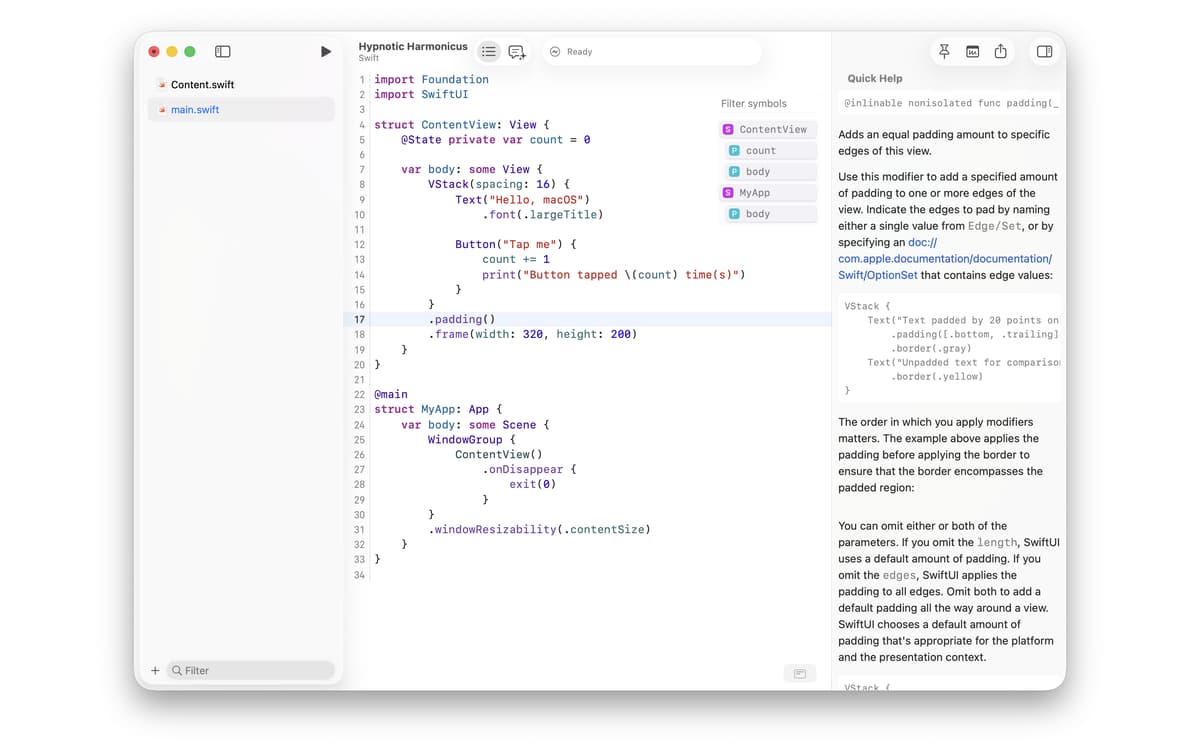
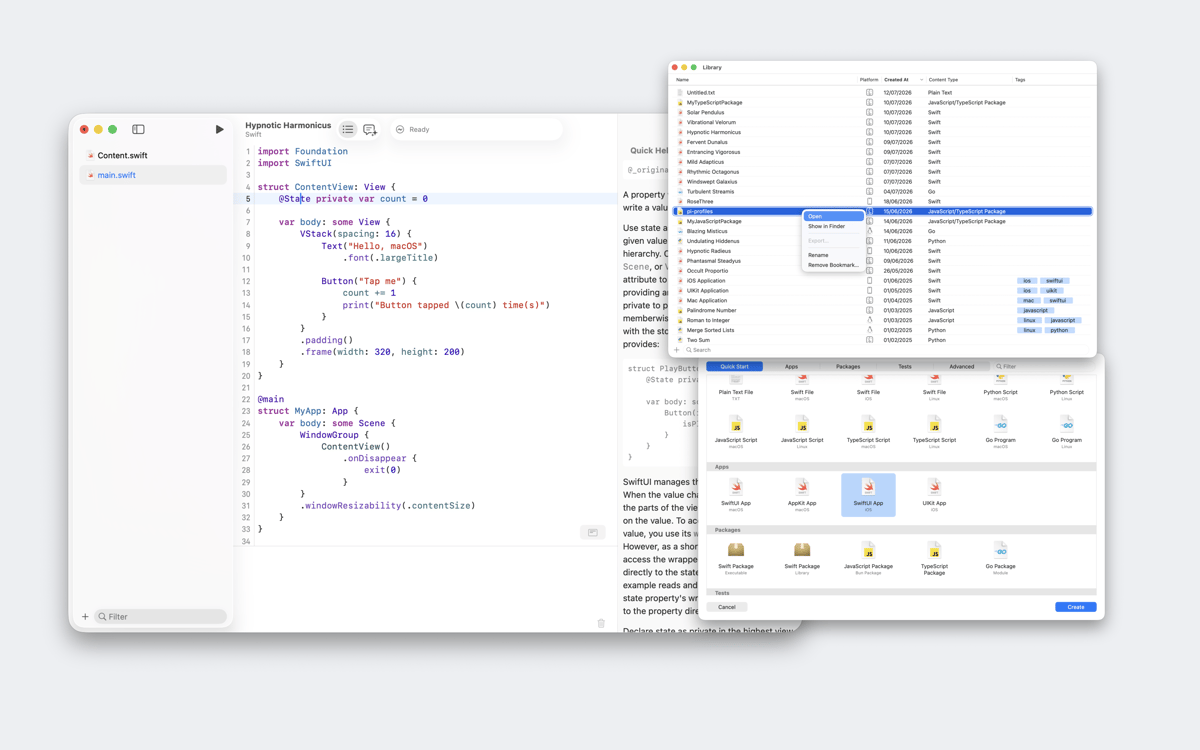
Notepad.exe is a lightweight Mac code editor for Swift, Python, JavaScript, TypeScript, and Go. Most editors want you to set up a project before you write a single line — Notepad.exe doesn't. Open it, write something, hit run. Your experiments live in a searchable library instead of a forgotten folder, and a built-in coding assistant called Doctor Marvin can run your code, read the output, and help you fix errors without you ever leaving the app.
Run Swift or Python in seconds
Prototype without a full project
Keep all your snippets searchable
Ask an AI that can fix your code
Можливості Notepad.exe
Start with a note, not a project
Most code editors make you configure before you create. Notepad.exe skips all of that. Open the app, write your code, and run it. There's no interpreter to pick, no build settings to wrestle with — just a blank note and whatever idea you had five seconds ago. Structure's there if you need it; it just doesn't get in the way first.
Run code in five languages
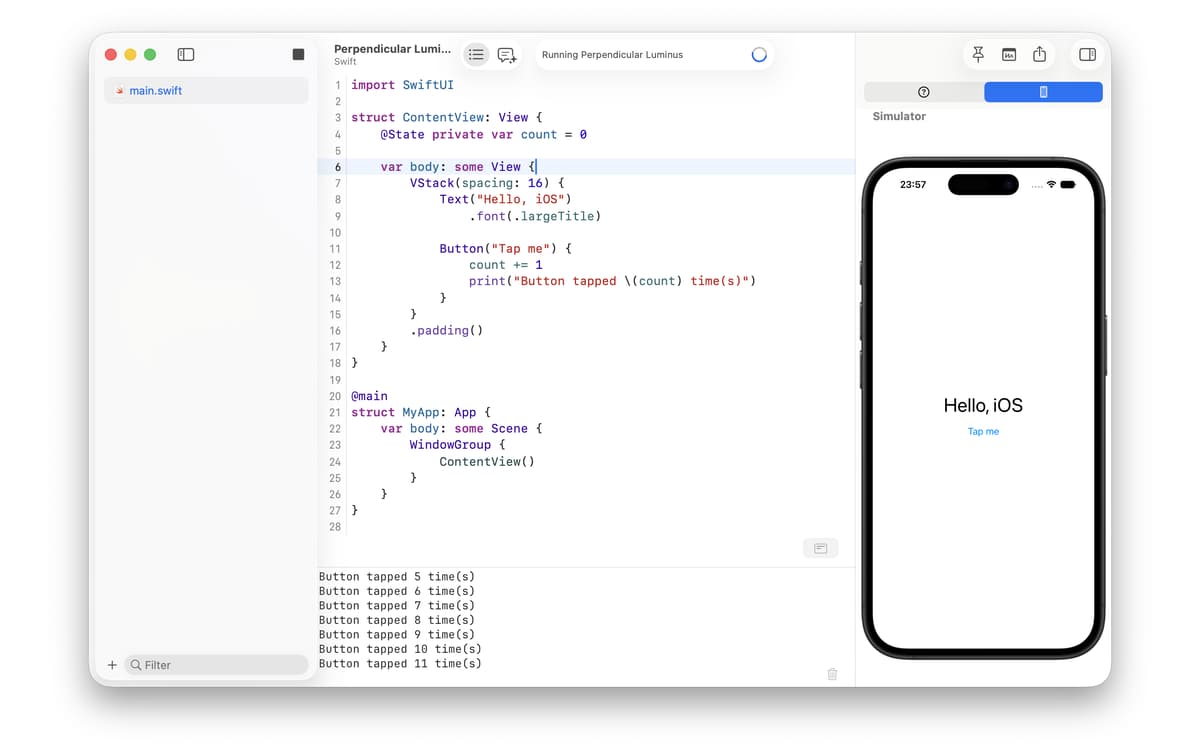
Write and run Swift, Python, JavaScript, TypeScript, and Go with zero configuration. Want to prototype SwiftUI or UIKit in the iOS Simulator? Launch it straight from a note. Need to cross-compile Swift, Python, or Go to Linux? It happens on your Mac — no VM involved. Notepad.exe handles the runtime so you don't have to think about it.
A library that never loses your work
Every note lives in a searchable, taggable library. Filter by language, tag by project, or pull up any snippet in a second. No more digging through a mess of loose files on your Desktop. Notes can even float above other apps while you work, so your reference code stays visible while you use it.
Doctor Marvin: the assistant that actually helps
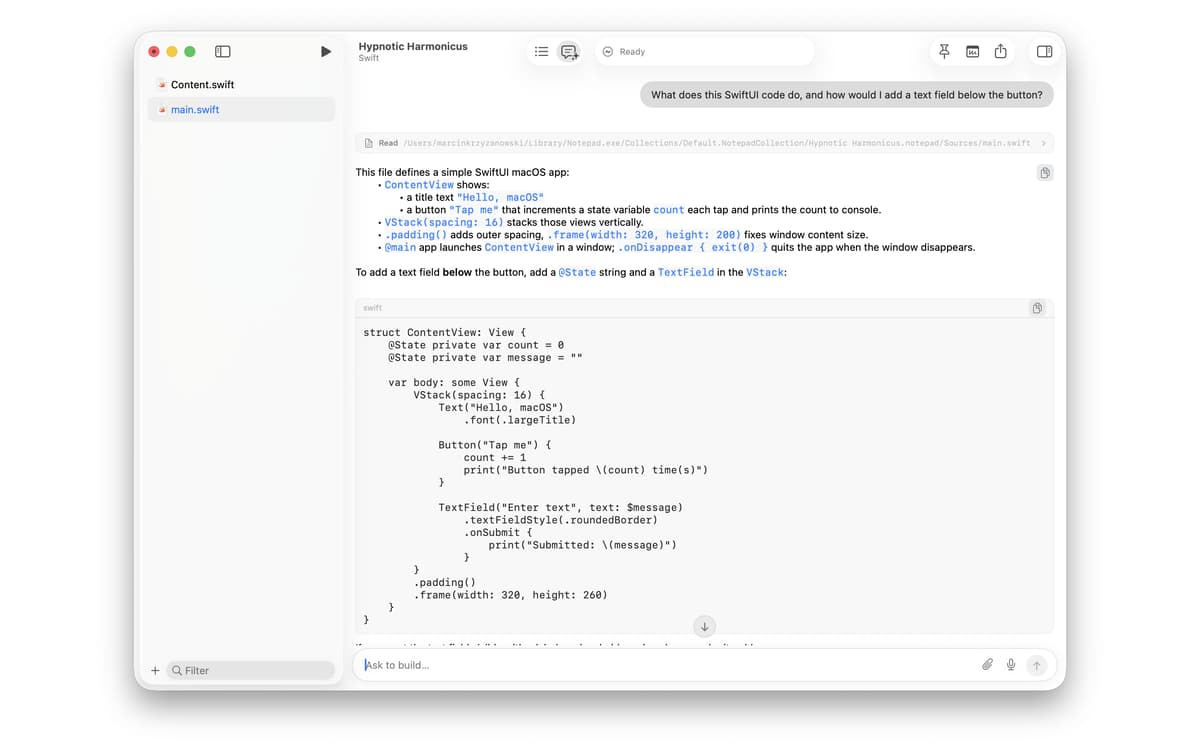
The built-in AI coding assistant, Doctor Marvin, streams answers as you type. It can run your project, read the output, and edit your files to fix errors — all without switching apps. Sign in with a ChatGPT Plus or Pro subscription to use it right away, bring your own API key, or choose from a range of cloud and local models. It fits whatever setup you already have.
A proper terminal, built in
Notepad.exe includes a fast built-in terminal with color themes that follow your editor. It's not an afterthought — it's part of the same environment. Run commands, check output, and stay in flow without opening a separate window.
Open almost anything
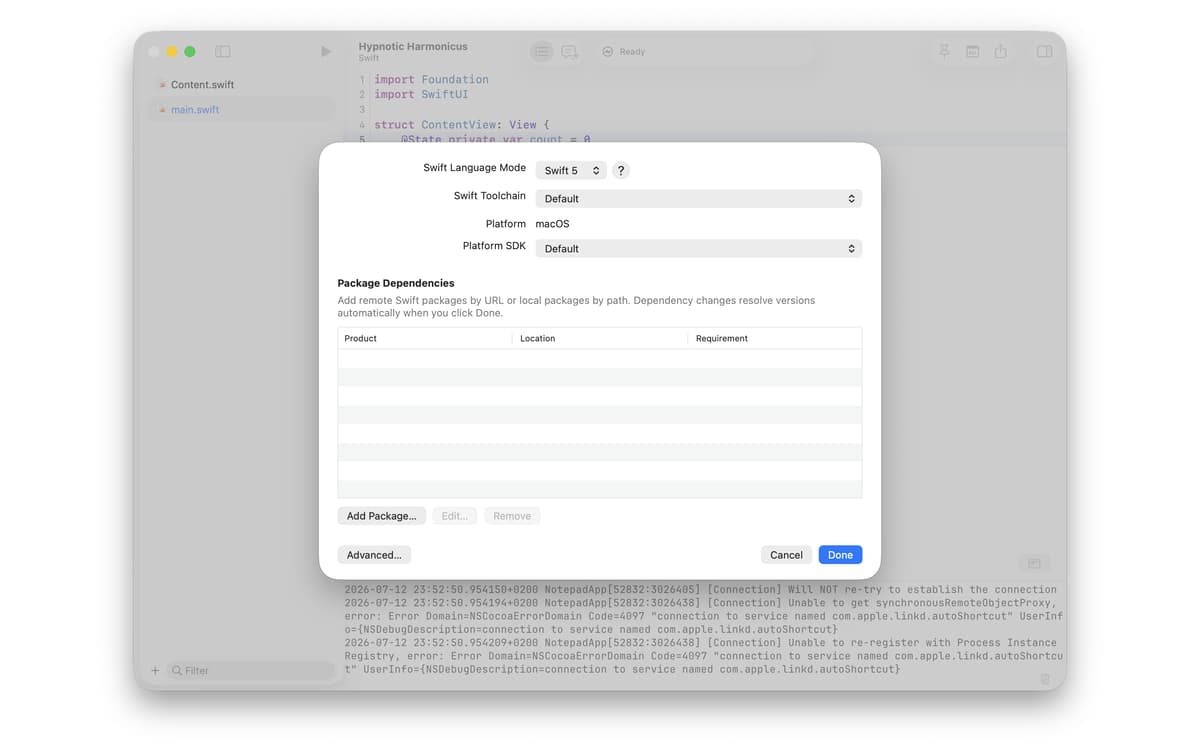
Need to inspect an unfamiliar file? Notepad.exe opens almost any file as plain text, with syntax highlighting whenever it recognizes the type. It also supports Swift Package Manager: bookmark packages, pick a build target, and manage dependencies. When a project does grow, you can export it as a working macOS app right from the editor.
Оцінки та відгуки
Notepad.exe
•
Оцінок: 1
Sean C
22 лип. 2026 р.
Версія: 1.5.5
Unfortunately no simple support for using Python venv with uv or mise
Отримайте сотні програм з Membership
Підпишіться на Setapp і користуйтесь сотнями чудових програм.
Перші 7 днів безплатно, а далі – в єдиному простому плані.
Завантажити Setapp на Mac
Знайдіть в Setapp застосунок для macOS, iOS або web, що допоможе вирішити ваше завдання.

Установіть знайдену програму
Виконайте завдання за допомогою новенької програми зі Setapp.

Notepad.exe
Виберіть план підписки
Один застосунок або всі разом в підписці Setapp. Користуйтеся застосунками на своїх умовах.

Отримайте сотні програм з Membership
Підпишіться на Setapp і користуйтесь сотнями чудових програм.
Перші 7 днів безплатно, а далі – в єдиному простому плані.
1
Завантажити Setapp на Mac
Знайдіть в Setapp застосунок для macOS, iOS або web, що допоможе вирішити ваше завдання.
2
Установіть знайдену програму
Виконайте завдання за допомогою новенької програми зі Setapp.
Notepad.exe
3
Виберіть план підписки
Один застосунок або всі разом в підписці Setapp. Користуйтеся застосунками на своїх умовах.
Нагору
Від планування та рутинних завдань до програмування і творчості – працюйте ефективніше зі Setapp.

TypingMind
ШІ зі зручним інтерфейсом
генеруйте й обробляйте текст
користуйтеся бібліотекою
ШІ

Spark Mail
Упорядкуйте імейли
ШІ

CleanMyMac
Видаляйте тільки непотрібне

Bartender
Налаштуйте меню під себе

CleanShot X
Робіть будь-які скриншоти

Luminar Neo
Редагуйте фото
ШІ

ClearVPN
Безпечний звʼязок

Craft
Робота з документами
ШІ
Notepad.exe
Code fast. Skip the setup