RAW to HEIC
Turn RAW photos into HEIC
Mac
Версія 2.14
macOS 15.0 чи новіша
18 MB
1 мов(и)
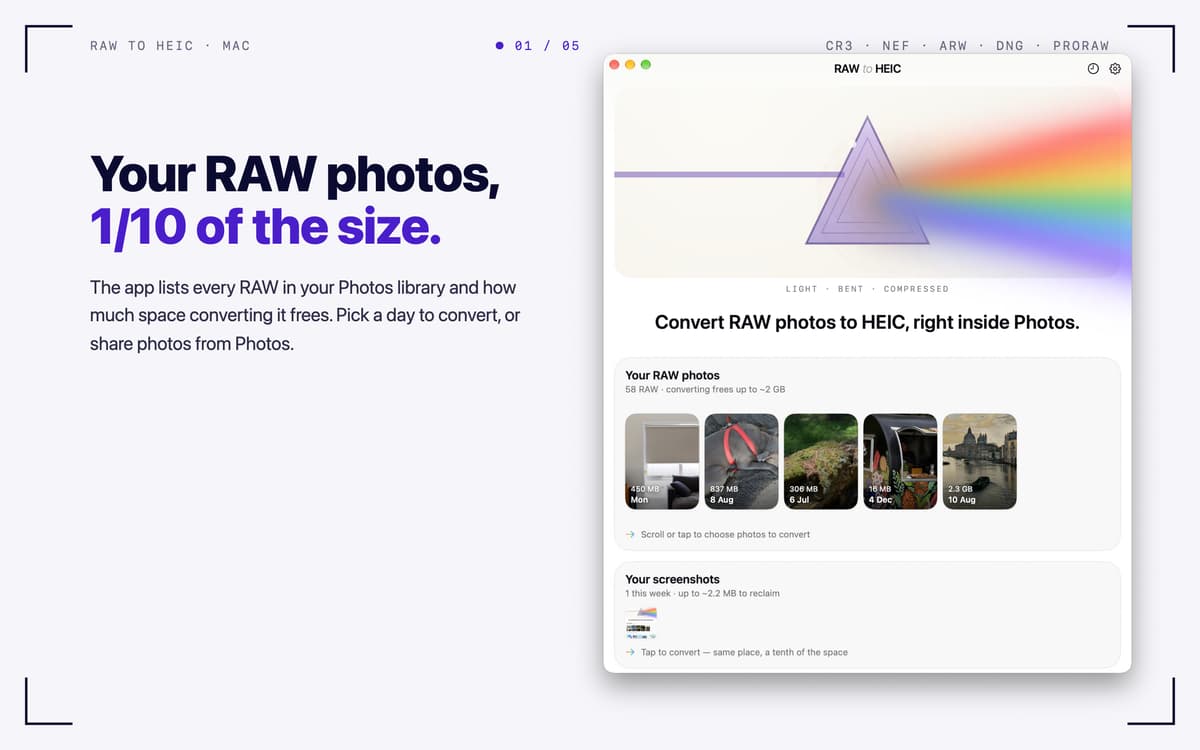
RAW to HEIC — RAW photo converter for Mac. It turns camera RAW files and iPhone ProRAW into HEIC, the format Apple Photos uses natively. You keep the look of your photos and often win back 70–90% of the storage. Convert right from Photos, Finder, or the app window, and your lens details, albums, edits, and HDR come along. You decide what happens to the originals, and everything stays on your Mac.
Free up storage after a big shoot
Convert iPhone ProRAW right in Photos
Keep HDR and metadata intact
Batch-convert RAW files from any camera
Можливості RAW to HEIC
Convert where you already work
Select RAWs in Photos, share them to RAW to HEIC, and the converted HEICs land back in your library, in the same albums. In Finder, share files or drop them on the app window, and each HEIC is saved next to its original. You can also pick photos from your library with one click.
Keep what matters
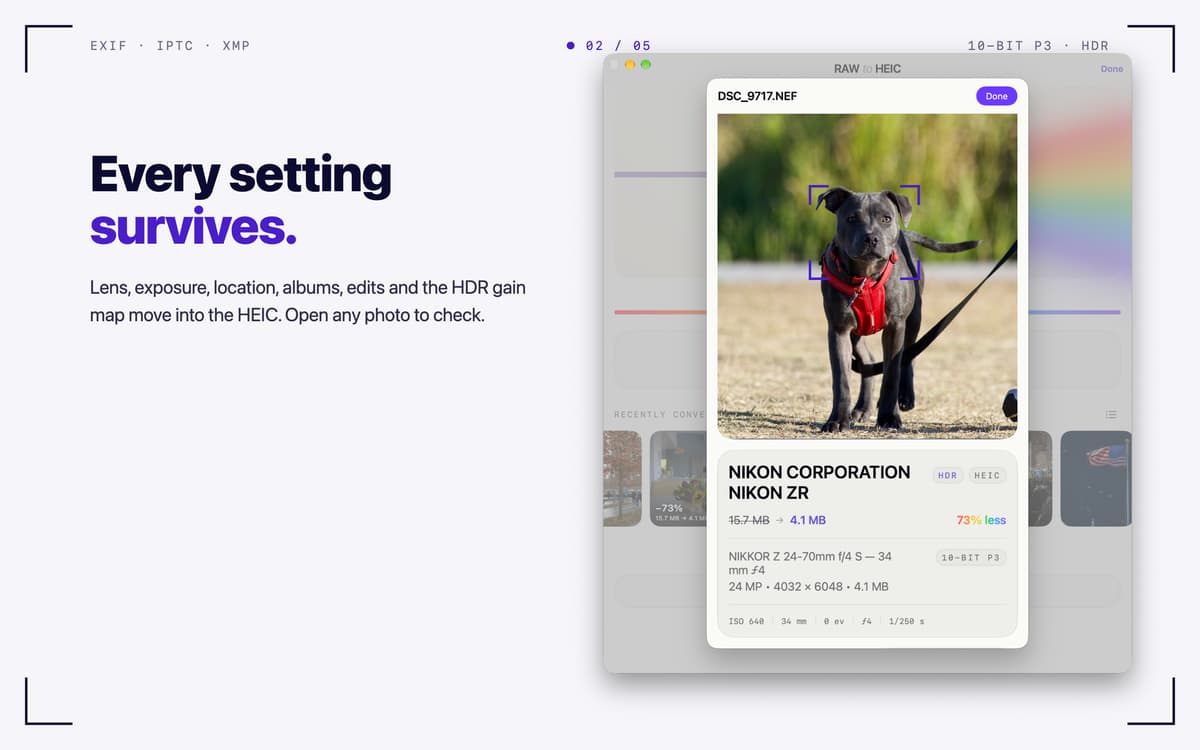
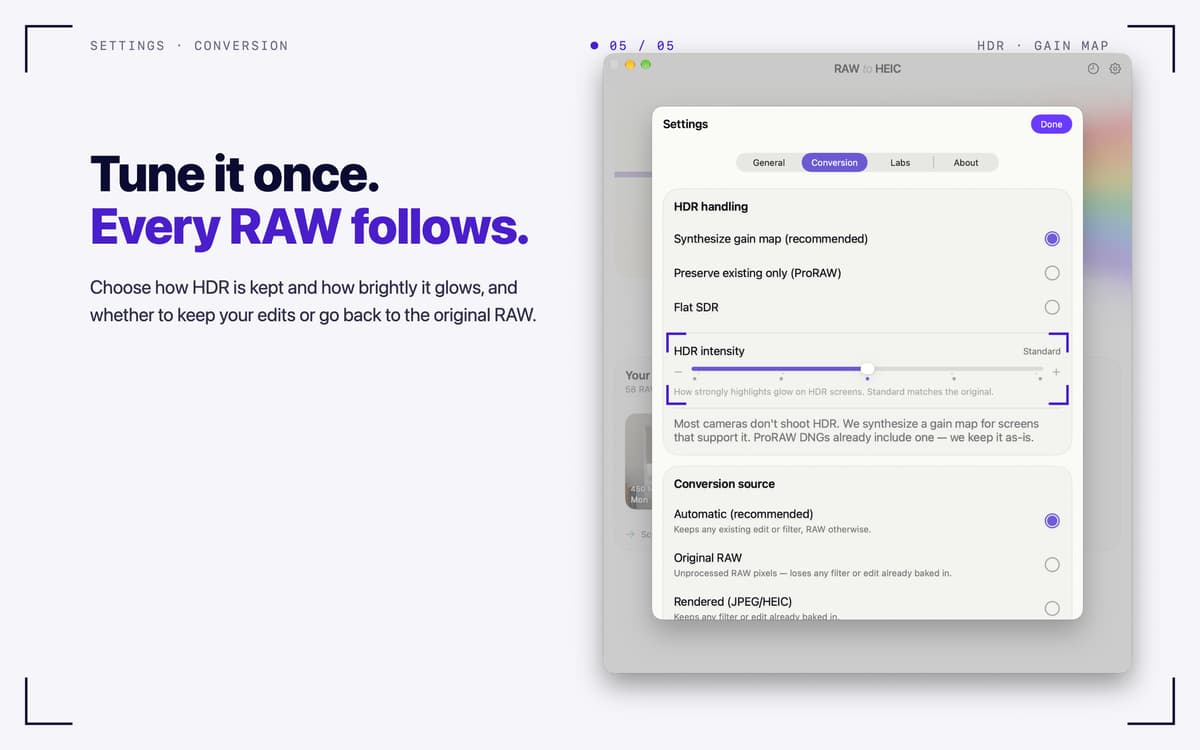
Lens, exposure, date, and location (EXIF, IPTC, XMP) carry over into the HEIC. Your albums and edits in Photos stay put. HDR photos stay HDR, thanks to a gain map in the ISO standard that Photos and macOS display. Output is 10-bit Display P3.
Your originals, your call
After conversion, delete the RAWs (macOS always asks first), move them to an archive folder, or keep them. A RAW is only removed once its HEIC is safely in your library and verified. Files you dropped in are never deleted.
Built for big shoots
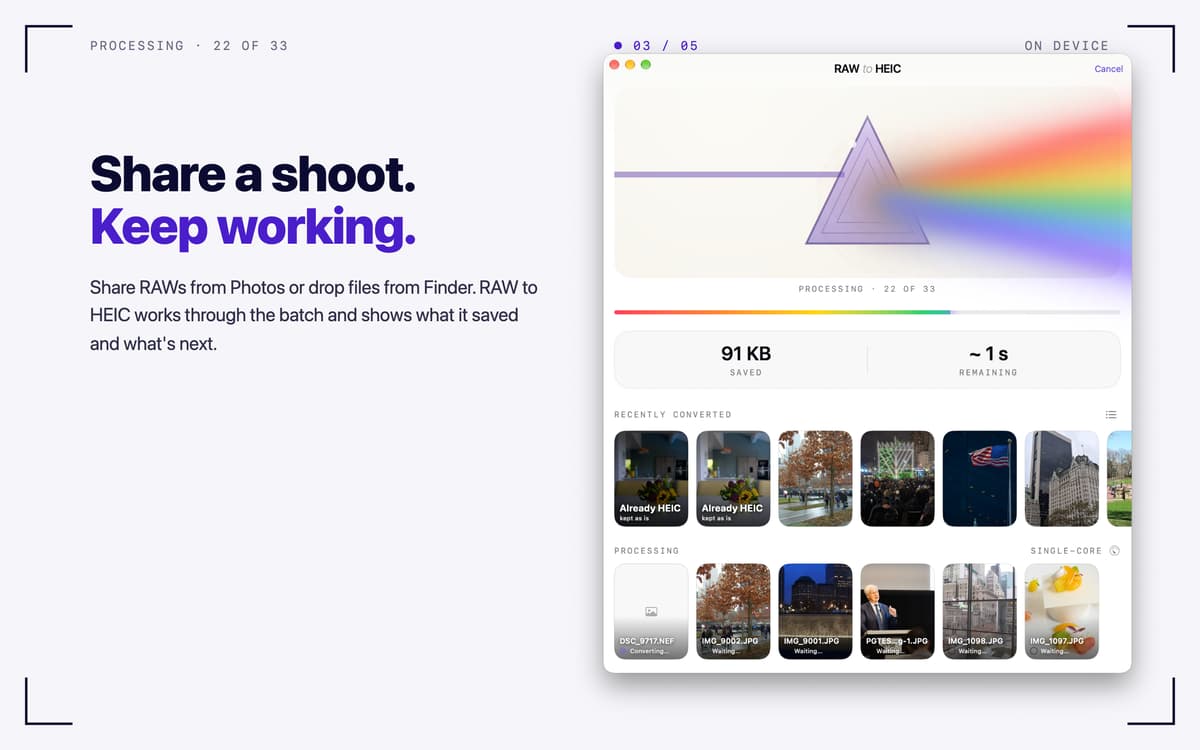
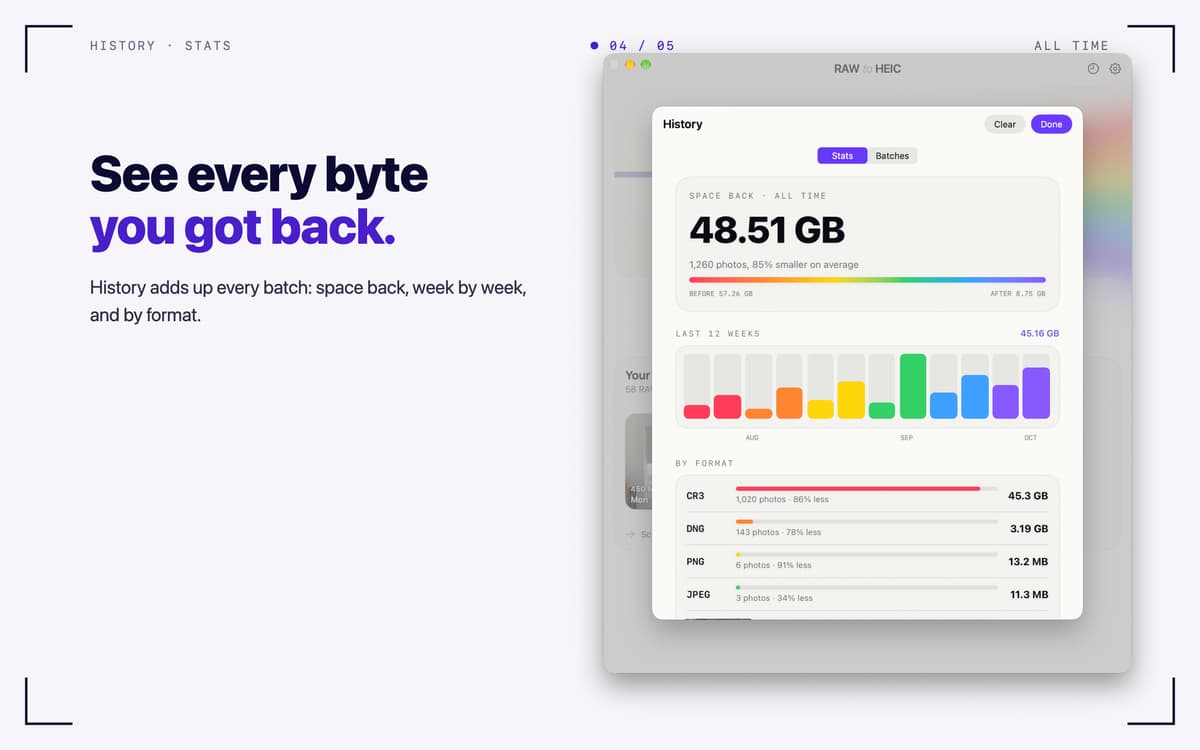
Turbo Mode converts several photos at once on Apple silicon. Keep working while it runs, and check progress in the menu bar. History lists every batch, and Stats show how much space you got back, week by week and by format.
Works with the files you have
Canon CR3/CR2, Sony ARW, Nikon NEF, Fujifilm RAF, Adobe DNG, iPhone ProRAW, and other RAW formats macOS can read. It also handles JPEG, PNG, TIFF, and HEIC.
Private by design
Everything runs on your Mac. No accounts, no analytics, no uploads.
Отримайте сотні програм з Membership
Підпишіться на Setapp і користуйтесь сотнями чудових програм.
Перші 7 днів безплатно, а далі – в єдиному простому плані.
Завантажити Setapp на Mac
Знайдіть в Setapp застосунок для macOS, iOS або web, що допоможе вирішити ваше завдання.

Установіть знайдену програму
Виконайте завдання за допомогою новенької програми зі Setapp.

RAW to HEIC
Виберіть план підписки
Один застосунок або всі разом в підписці Setapp. Користуйтеся застосунками на своїх умовах.

Отримайте сотні програм з Membership
Підпишіться на Setapp і користуйтесь сотнями чудових програм.
Перші 7 днів безплатно, а далі – в єдиному простому плані.
1
Завантажити Setapp на Mac
Знайдіть в Setapp застосунок для macOS, iOS або web, що допоможе вирішити ваше завдання.
2
Установіть знайдену програму
Виконайте завдання за допомогою новенької програми зі Setapp.
RAW to HEIC
3
Виберіть план підписки
Один застосунок або всі разом в підписці Setapp. Користуйтеся застосунками на своїх умовах.
Нагору
Від планування та рутинних завдань до програмування і творчості – працюйте ефективніше зі Setapp.

TypingMind
ШІ зі зручним інтерфейсом
генеруйте й обробляйте текст
користуйтеся бібліотекою
ШІ

Spark Mail
Упорядкуйте імейли
ШІ

CleanMyMac
Видаляйте тільки непотрібне

Bartender
Налаштуйте меню під себе

CleanShot X
Робіть будь-які скриншоти

Luminar Neo
Редагуйте фото
ШІ

ClearVPN
Безпечний звʼязок

Craft
Робота з документами
ШІ
RAW to HEIC
Turn RAW photos into HEIC