
SmashTunes
Твоя музика завжди на виду
Mac
Версія 5.12.1
macOS 13.5 чи новіша
27.1 MB
3 мов(и)
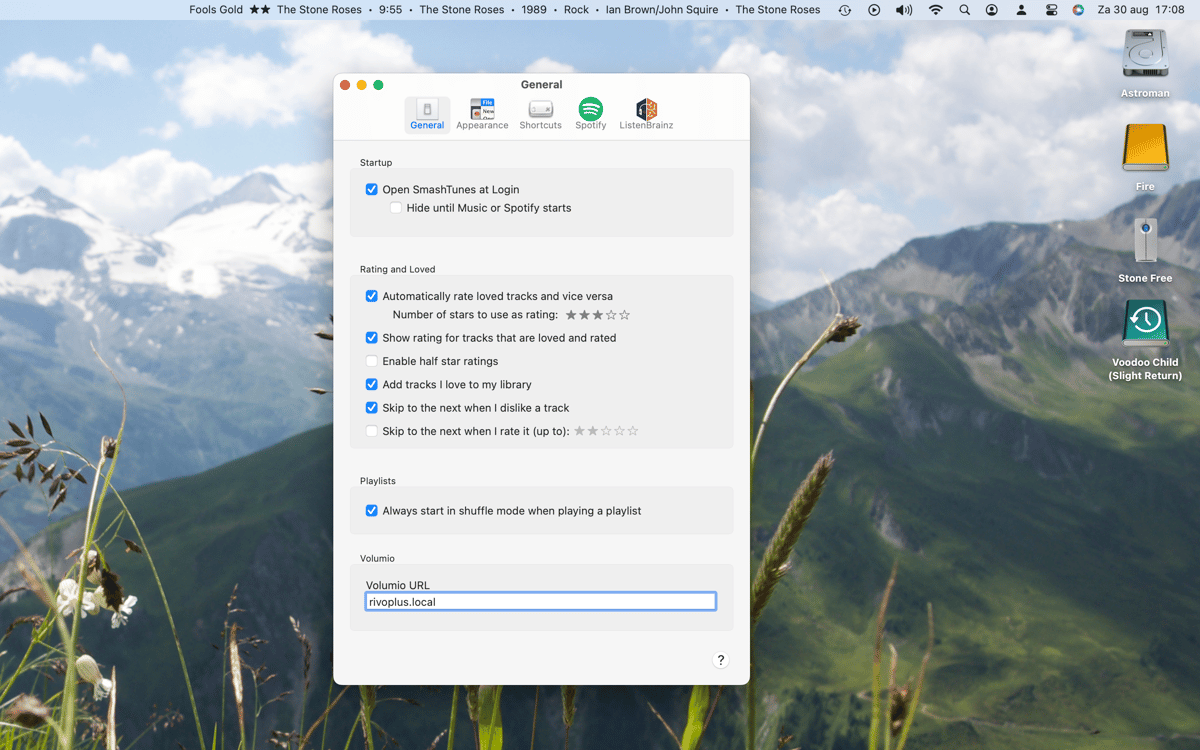
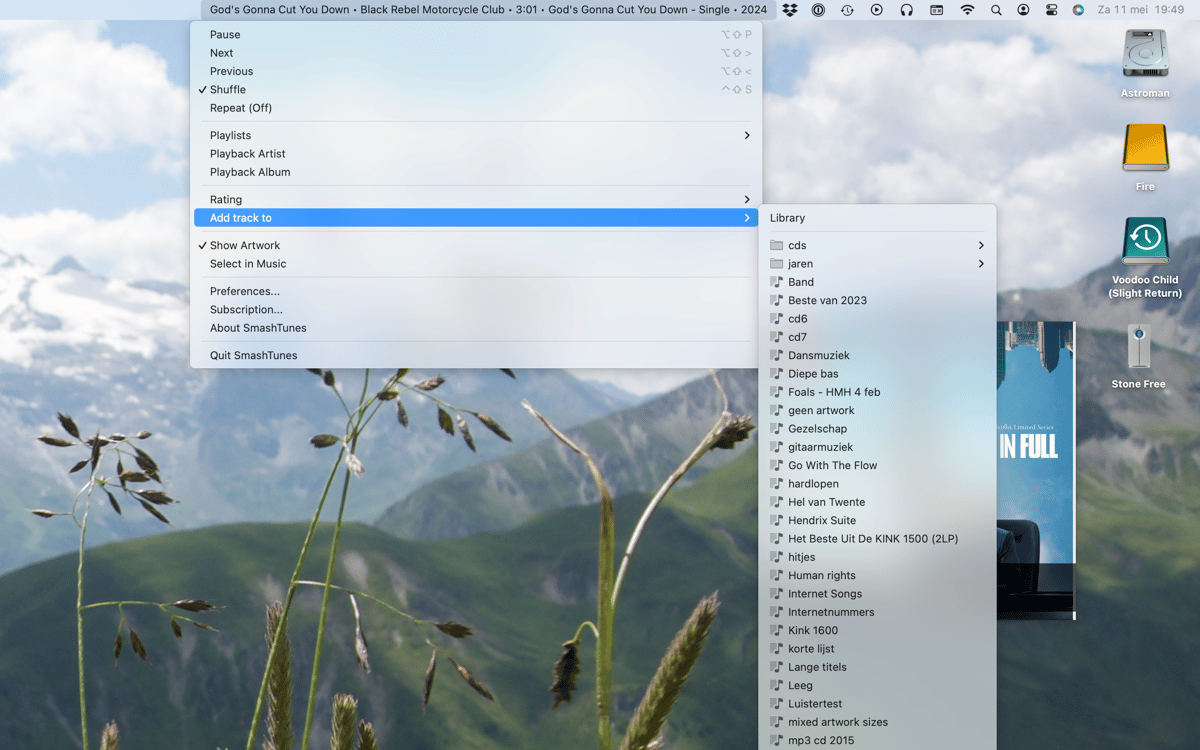
SmashTunes — музичний плеєр у рядку меню для Mac. Застосунок показує поточний трек зі Spotify або Apple Music прямо в рядку меню — ти обираєш, яку інформацію відображати та скільки місця вона може займати. Керуй відтворенням, зберігай пісні до медіатеки та керуй плейлистами — не відриваючись від того, що ти робиш. Також підтримує скробблінг ListenBrainz і має віджет для робочого столу, який відображає обкладинку альбому та інформацію про трек.
Одразу бачи, що зараз грає
Керуй музикою, не перемикаючись між програмами
Зберігай треки до своєї бібліотеки або плейлистів
Скроблюй своє прослуховування на ListenBrainz
Можливості SmashTunes
Завжди знай, що зараз грає
SmashTunes розміщує поточний трек прямо в рядку меню — тож тобі ніколи не доведеться перемикатись між застосунками, щоб перевірити, що зараз грає. Працює як зі Spotify, так і з Apple Music та підлаштовується під будь-який доступний простір. Вибери саме ті деталі треку для відображення — назву, виконавця, альбом — і дозволь SmashTunes непомітно вписатися у твій робочий процес.
Керуйте відтворенням з будь-якого місця
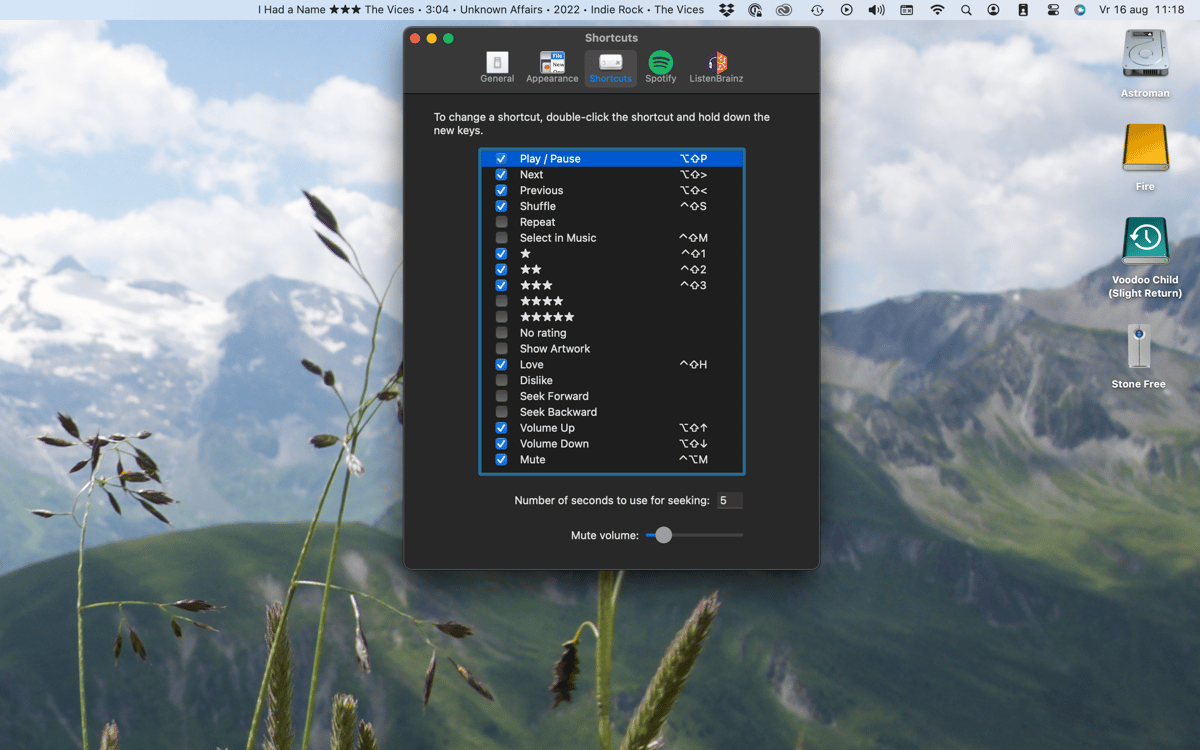
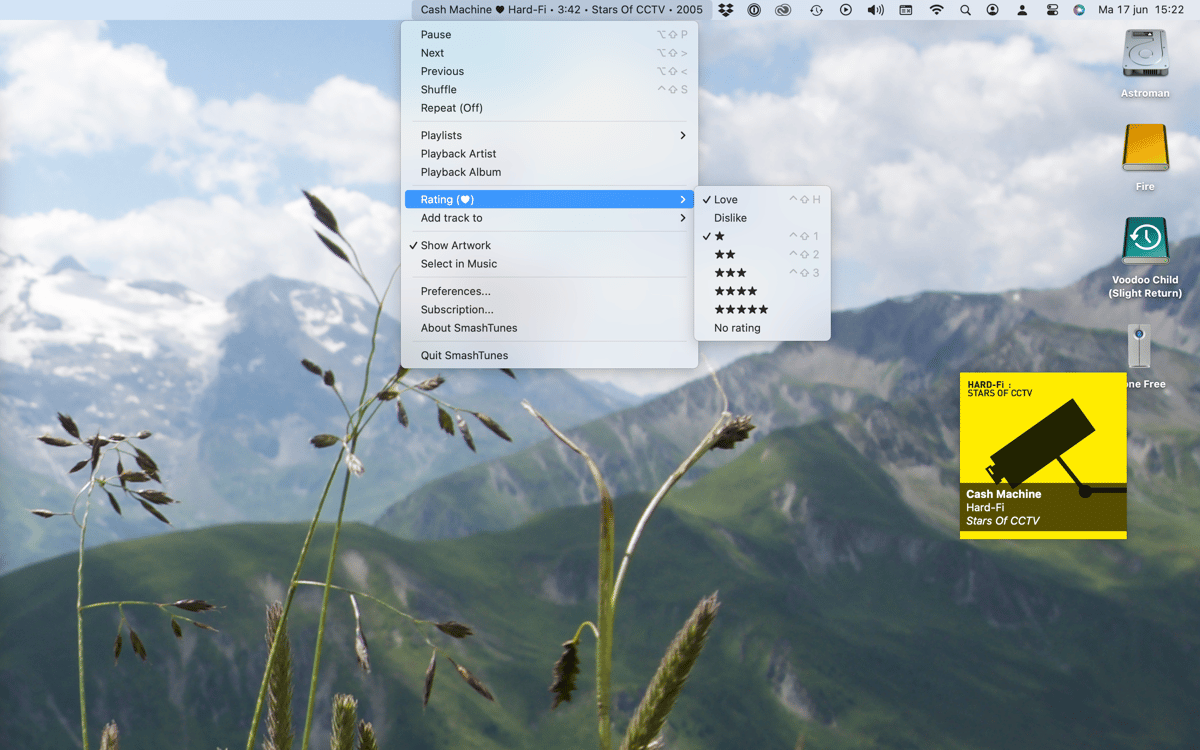
Пропустити, призупинити або повернутися назад, не відкриваючи Spotify чи Music. SmashTunes дає повне керування відтворенням прямо з рядка меню. Віддаєш перевагу тримати руки на клавіатурі? Налаштуй власні комбінації клавіш і керуй усім без миші.
Зберігай треки одразу
Чуєте щось, що вам подобається? Додай до бібліотеки чи плейлиста прямо з рядка меню. Не потрібно перемикатися на плеєр, шукати трек і копатися в меню — SmashTunes тримає все це за один клік.
Scrobble для ListenBrainz
SmashTunes інтегрується з ListenBrainz, тому твоя історія прослуховування записується автоматично — просто слухай музику. Якщо ти відстежуєш свої музичні звички або просто хочеш вести журнал того, що тебе захоплювало, — додаток подбає про все це у фоновому режимі.
Віджет для робочого столу з ілюстрацією
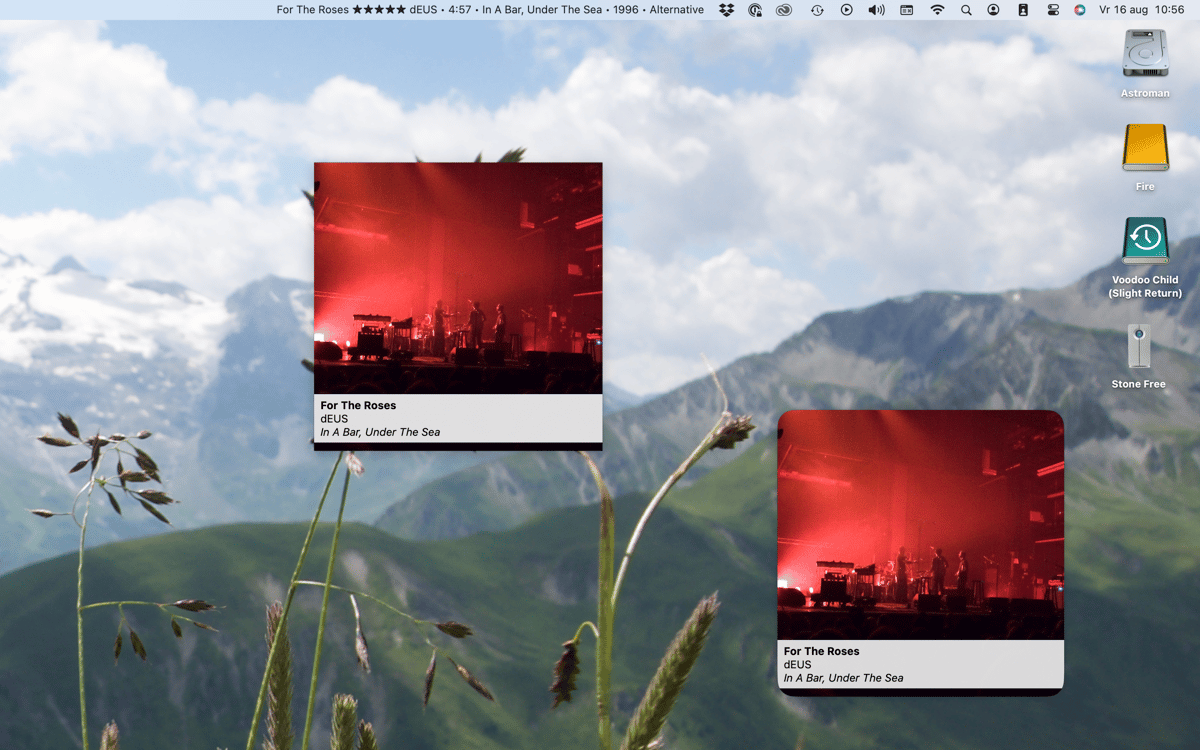
SmashTunes містить нативний віджет для робочого столу macOS, який показує обкладинку альбому та інформацію про трек, що зараз відтворюється. Це чистий інтерфейс, де все видно одразу і який добре працює на будь-якому робочому столі — жодних зайвих кліків.
Отримайте сотні програм з Membership
Підпишіться на Setapp і користуйтесь сотнями чудових програм.
Перші 7 днів безплатно, а далі – в єдиному простому плані.
Завантажити Setapp на Mac
Знайдіть в Setapp застосунок для macOS, iOS або web, що допоможе вирішити ваше завдання.

Установіть знайдену програму
Виконайте завдання за допомогою новенької програми зі Setapp.

SmashTunes
Виберіть план підписки
Один застосунок або всі разом в підписці Setapp. Користуйтеся застосунками на своїх умовах.

Отримайте сотні програм з Membership
Підпишіться на Setapp і користуйтесь сотнями чудових програм.
Перші 7 днів безплатно, а далі – в єдиному простому плані.
1
Завантажити Setapp на Mac
Знайдіть в Setapp застосунок для macOS, iOS або web, що допоможе вирішити ваше завдання.
2
Установіть знайдену програму
Виконайте завдання за допомогою новенької програми зі Setapp.
SmashTunes
3
Виберіть план підписки
Один застосунок або всі разом в підписці Setapp. Користуйтеся застосунками на своїх умовах.
Нагору
Від планування та рутинних завдань до програмування і творчості – працюйте ефективніше зі Setapp.

TypingMind
ШІ зі зручним інтерфейсом
генеруйте й обробляйте текст
користуйтеся бібліотекою
ШІ

Spark Mail
Упорядкуйте імейли
ШІ

CleanMyMac
Видаляйте тільки непотрібне

Bartender
Налаштуйте меню під себе

CleanShot X
Робіть будь-які скриншоти

Luminar Neo
Редагуйте фото
ШІ

ClearVPN
Безпечний звʼязок

Craft
Робота з документами
ШІ
SmashTunes
Твоя музика завжди на виду