
Strongbox
Безпечне зберігання паролів


Mac, iOS
Версія 1.64.2
macOS 12.0 чи новіша
153.3 MB
17 мов(и)
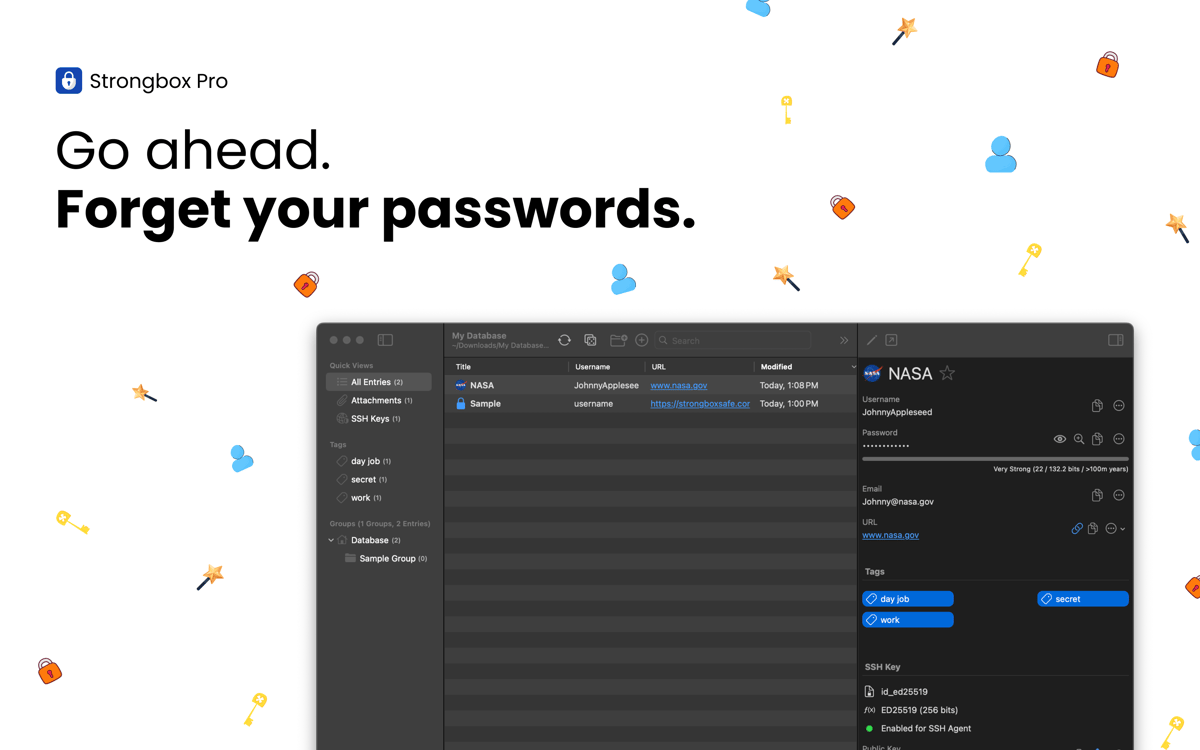
Strongbox надійно зберігає ваші паролі, банківські реквізити, ключі відновлення та приватні нотатки в повністю зашифрованій базі даних KeePass. Ви можете створювати кілька сховищ, додавати власні поля, генерувати надійні паролі тощо. Глибоко інтегрований з екосистемою Apple, додаток бездоганно працює з Face ID, Touch ID та AutoFill, тому ви можете швидше та безпечніше отримувати доступ до своєї інформації на iPhone, iPad та Mac.
Захистіть усі паролі та конфіденційну інформацію
Виправте слабкі або повторно використані паролі
Отримуйте сповіщення про скомпрометовані паролі
Синхронізуйте сховища між пристроями
Можливості Strongbox
Захистіть свої дані шифруванням найвищого рівня
Усі ваші конфіденційні дані захищені передовою криптографією, розробленою для протидії зламу. За замовчуванням Strongbox використовує AES-256, але ви також можете обрати TwoFish або ChaCha20, якщо бажаєте. Завдяки стійкому до GPU виведенню ключів Argon2 та підтримці апаратних ключів, таких як YubiKey, ваші дані залишаються в безпеці, навіть якщо ваші пристрої втрачено або викрадено.
Тримайте своє сховище синхронізованим
Strongbox підтримує актуальність вашої бази даних на всіх пристроях та об'єднує зміни з кількох джерел, тому ви ніколи не втратите оновлення чи не зіткнетеся з конфліктами. Крім того, ваше сховище резервується, що дає вам впевненість, що ваші дані завжди в безпеці та доступні.
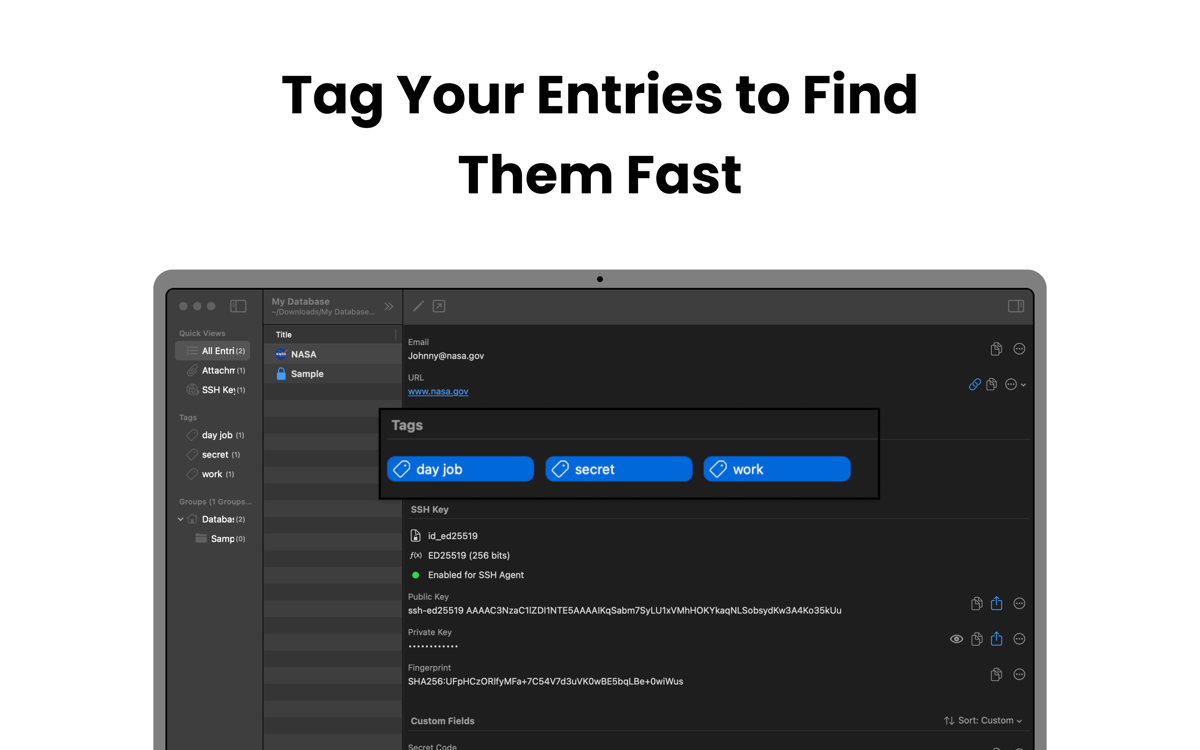
Упорядковуйте та навігуйте своїм сховищем
Strongbox дозволяє групувати записи в папки, додавати теги на кшталт «сім'я», «робота» або «соціальні мережі» та позначати улюблені для швидкого доступу. Ви також можете додавати нотатки до записів та відображати фавікони веб-сайтів, роблячи ваше сховище структурованим, візуально зрозумілим та зручним для навігації.
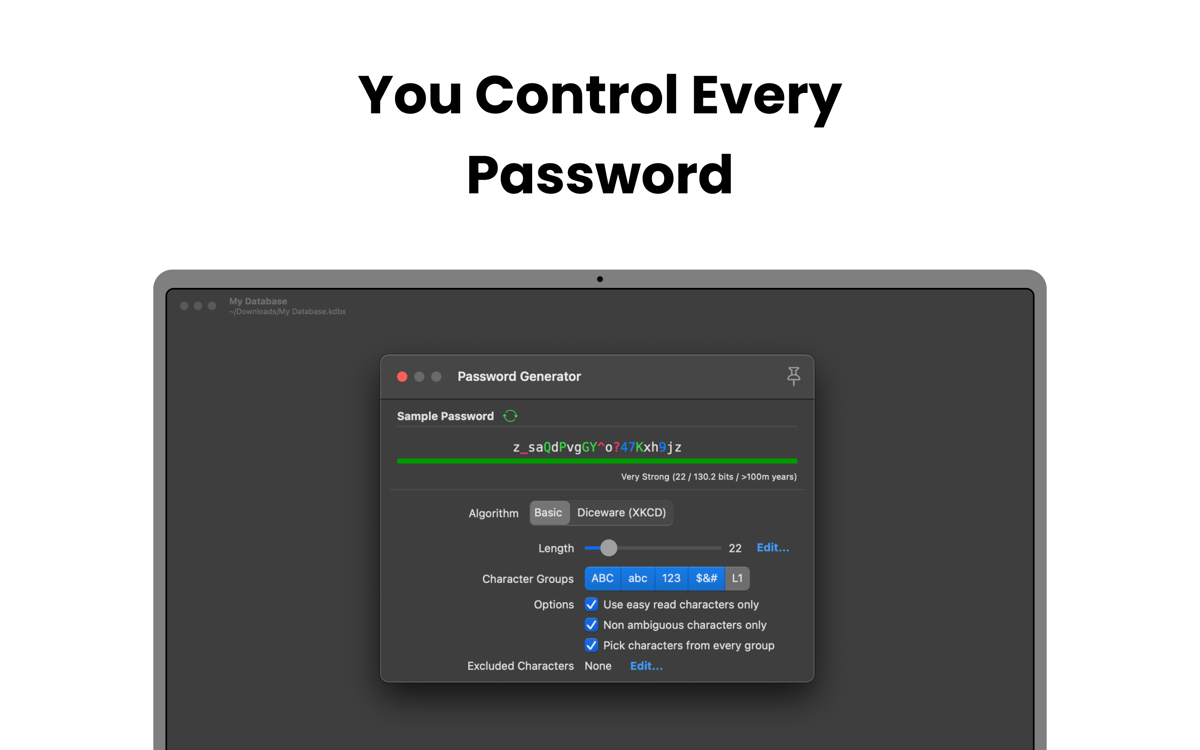
Покращуйте слабкі та дубльовані паролі
Скануйте своє сховище, щоб знайти паролі, які є слабкими, короткими, поширеними або повторно використовуваними в різних обліковках. Strongbox потім допомагає вам оновити їх або згенерувати міцніші альтернативи, зменшуючи ризик зламу.
Отримуйте сповіщення про скомпрометовані паролі
Strongbox перевіряє ваші збережені паролі на наявність відомих витоків даних за допомогою Have I Been Pwned. Якщо якийсь пароль з'явився внаслідок витоку, додаток негайно сповіщає вас і показує, які обліковки постраждали. Це дає вам час оновити облікові дані та запобігти несанкціонованому доступу ще до виникнення будь яких проблем.
Оцінки та відгуки
Strongbox
•
Оцінок: 66
Benedikt Otto
7 лип. 2026 р.
Версія: 1.64.2
Intalled the app and tried to import browser passwords. The app would not read any of the exported .csv files from neither Safar, Firefox, nor Chrome. The Documentation said to edit the first line in the file manually, as to make it match the requirements for the app (which is already completely ridiculous). But what’s even more criminal is that I wasn’t even able to do it. Plus I had help from google Gemini to fix the Problem and it still didn’t work. I wont trust my passwords to an app from developers who can’t fix a issue as simple as a browser import… Big NOPE from me.
Mike Harris
6 лип. 2026 р.
Версія: 1.64.2
Great interface and usability. I like the way it integrates so cleanly with apple password management. I also like that you are 100% in control of your own data.
Isabelle Louche
3 лип. 2026 р.
Версія: 1.64.2
Très bonne application, facile a utiliser
Отримайте сотні програм з Membership
Підпишіться на Setapp і користуйтесь сотнями чудових програм.
Перші 7 днів безплатно, а далі – в єдиному простому плані.
Завантажити Setapp на Mac
Знайдіть в Setapp застосунок для macOS, iOS або web, що допоможе вирішити ваше завдання.

Установіть знайдену програму
Виконайте завдання за допомогою новенької програми зі Setapp.

Strongbox
Виберіть план підписки
Один застосунок або всі разом в підписці Setapp. Користуйтеся застосунками на своїх умовах.

Отримайте сотні програм з Membership
Підпишіться на Setapp і користуйтесь сотнями чудових програм.
Перші 7 днів безплатно, а далі – в єдиному простому плані.
1
Завантажити Setapp на Mac
Знайдіть в Setapp застосунок для macOS, iOS або web, що допоможе вирішити ваше завдання.
2
Установіть знайдену програму
Виконайте завдання за допомогою новенької програми зі Setapp.
Strongbox
3
Виберіть план підписки
Один застосунок або всі разом в підписці Setapp. Користуйтеся застосунками на своїх умовах.
Нагору
Від планування та рутинних завдань до програмування і творчості – працюйте ефективніше зі Setapp.

TypingMind
ШІ зі зручним інтерфейсом
генеруйте й обробляйте текст
користуйтеся бібліотекою
ШІ

Spark Mail
Упорядкуйте імейли
ШІ

CleanMyMac
Видаляйте тільки непотрібне

Bartender
Налаштуйте меню під себе

CleanShot X
Робіть будь-які скриншоти

Luminar Neo
Редагуйте фото
ШІ

ClearVPN
Безпечний звʼязок

Craft
Робота з документами
ШІ
Strongbox
Безпечне зберігання паролів