
Taphouse
Homebrew без набору команд
Mac
Версія 1.5.9
macOS 14.0 чи новіша
30.6 MB
6 мов(и)
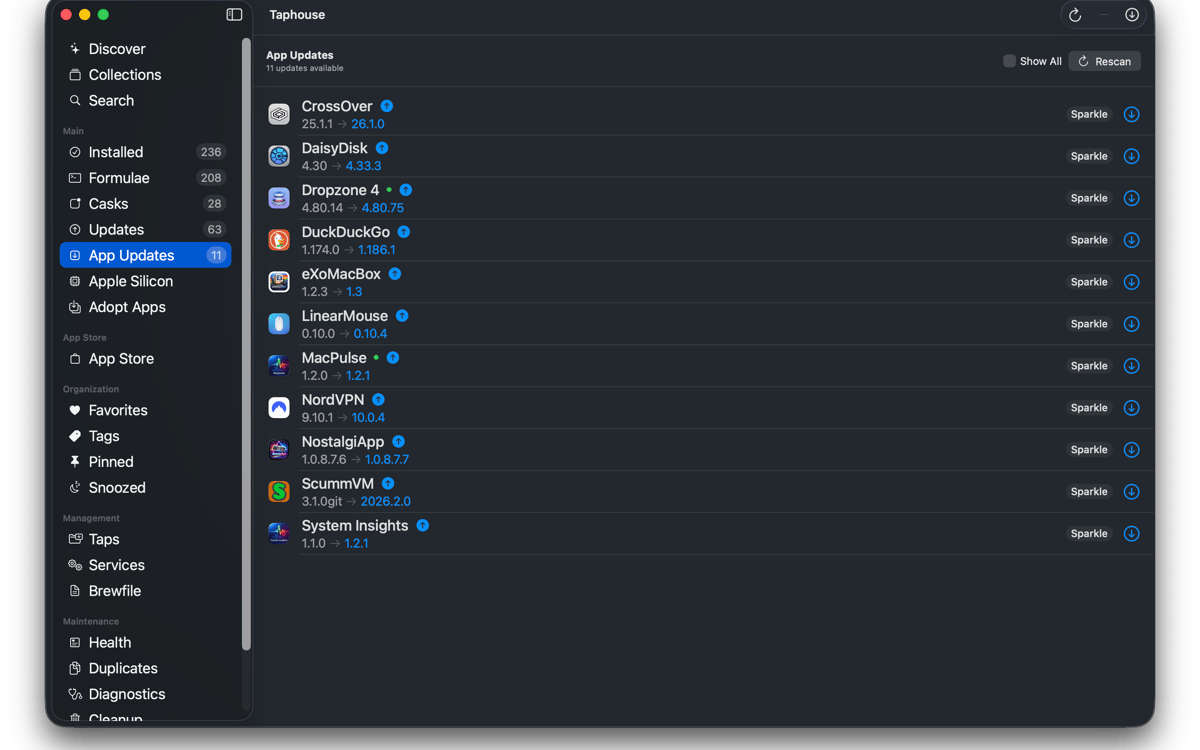
Taphouse — це рідний застосунок Homebrew для Mac, який перетворює команди brew на прості дії наведення та клацання. Створений у SwiftUI, він надає зручніший спосіб перегляду, встановлення, оновлення та керування пакетами — не відмовляючись від терміналу, коли він вам потрібен.
Візуально встановлюйте brew-додатки
Оновлення пакетів одним кліком
Легко керуйте brew-сервісами
Перенесення налаштувань між Mac
Можливості Taphouse
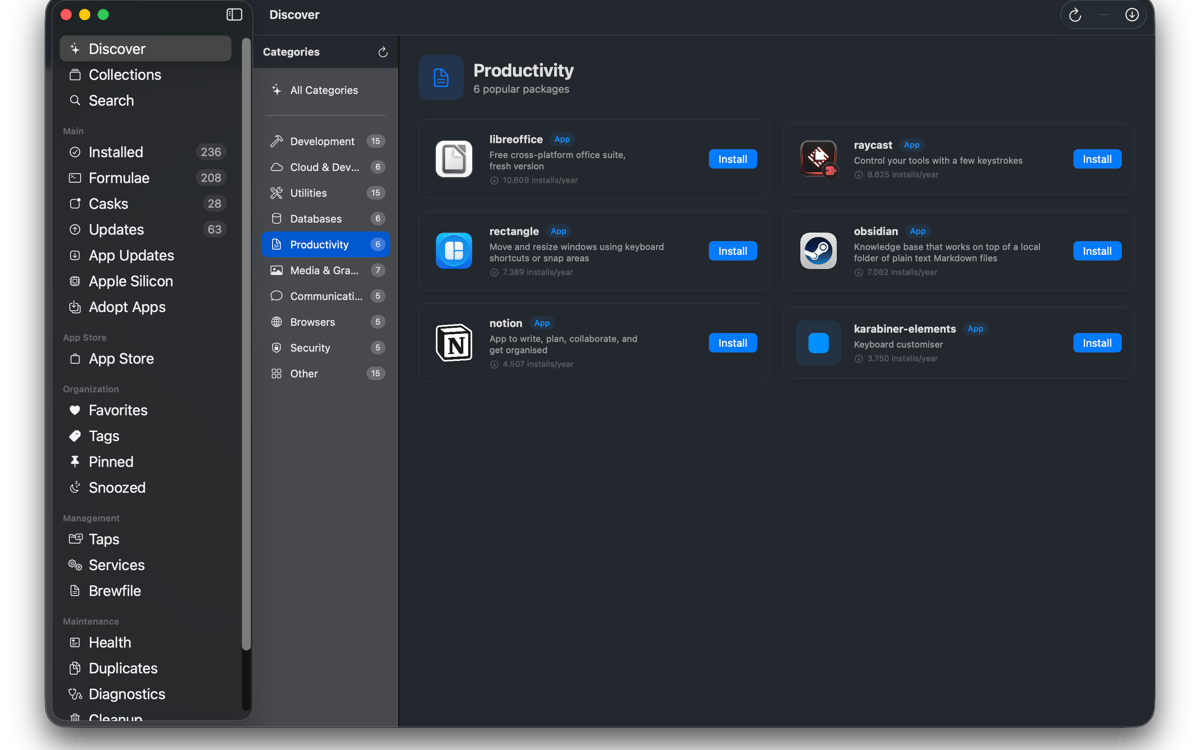
Переглянути та встановити
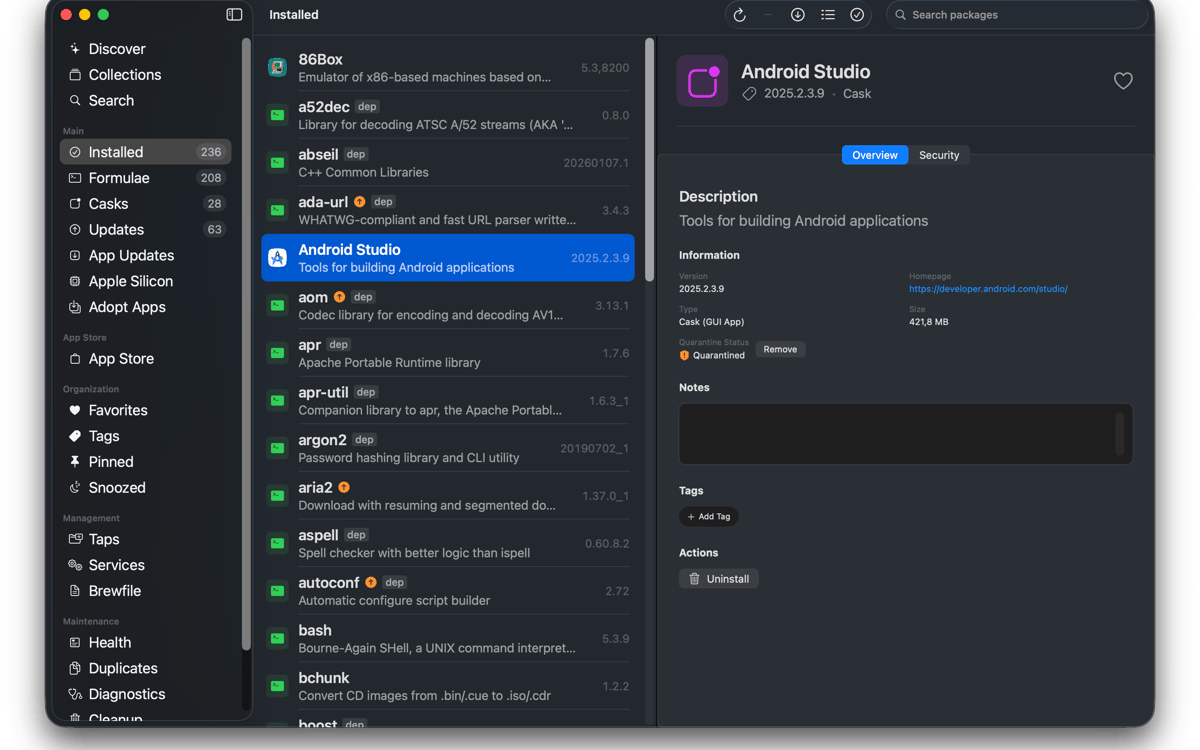
Шукайте формули Homebrew, контейнери та сторонні репозиторії з одного рядка пошуку. Перевіряйте залежності, ліцензії, використання диска та застереження Homebrew перед встановленням. Встановлюйте пакети одним кліком та переглядайте результат команд у реальному часі. Жодної таємниці. Просто Homebrew робить свою справу.
Керуйте тим, що у вас є
Переглядайте все встановлене в одному зручному списку. Фільтруйте за формулами, контейнерами, улюбленими, закріпленими пакетами або оновленнями. Виберіть кілька пакетів для оновлення, видалення або закріплення одночасно. Ви навіть можете підключити програми, які вже є у папці «Програми», щоб майбутні оновлення теж проходили через Homebrew.
Будьте в курсі подій
Виберіть, коли Taphouse перевірятиме оновлення, і отримуйте сповіщення, коли щось буде готове. Також доступні автоматичні фонові оновлення з урахуванням заряду батареї, щоб ваш Mac не перевантажувався в невідповідний момент. Піктограма в рядку меню показує застарілі пакети одразу. Оновлення активних програм? Taphouse може спочатку їх коректно закрити перед оновленням.
Керування сервісами, tap та Brewfile
Запускайте й зупиняйте brew-служби без введення команд вручну. Додавайте, видаляйте та закріплюйте крани кількома кліками. Імпортуйте та експортуйте Brewfiles для переміщення налаштувань між Mac. Пошук також підтримує повні шляхи тапів сторонніх розробників і може автоматично додавати відсутні тапи.
Підтримуйте Homebrew у справності
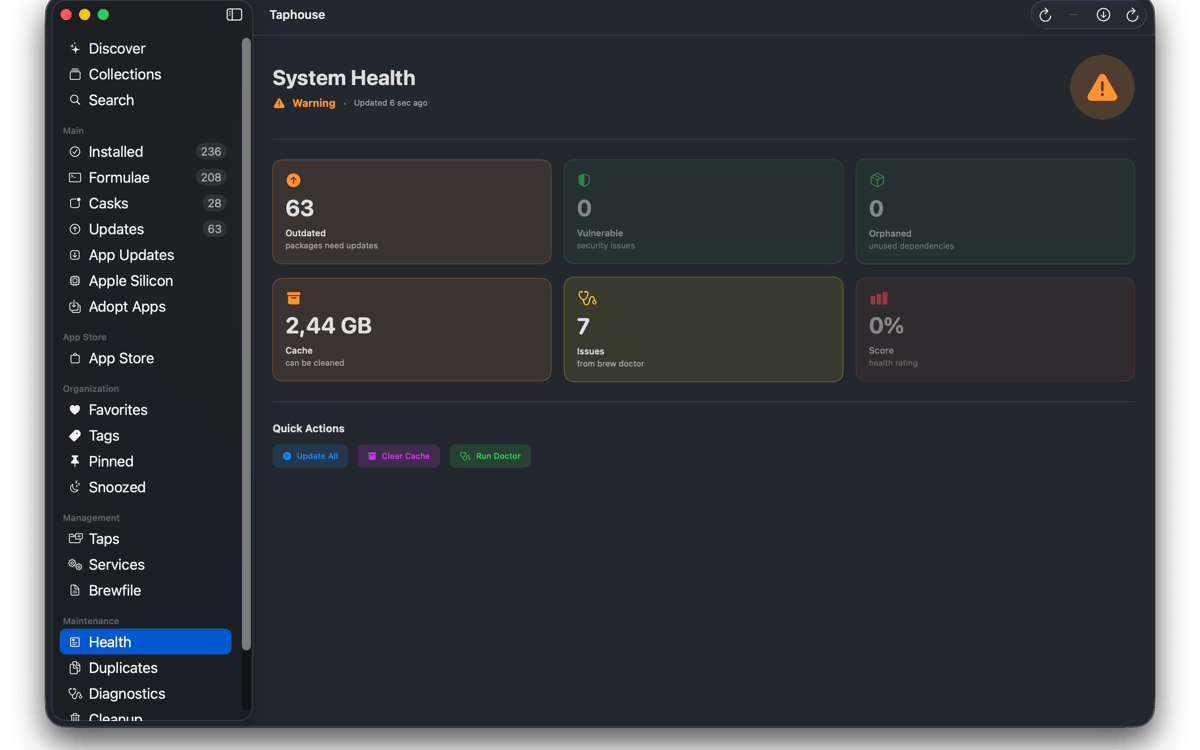
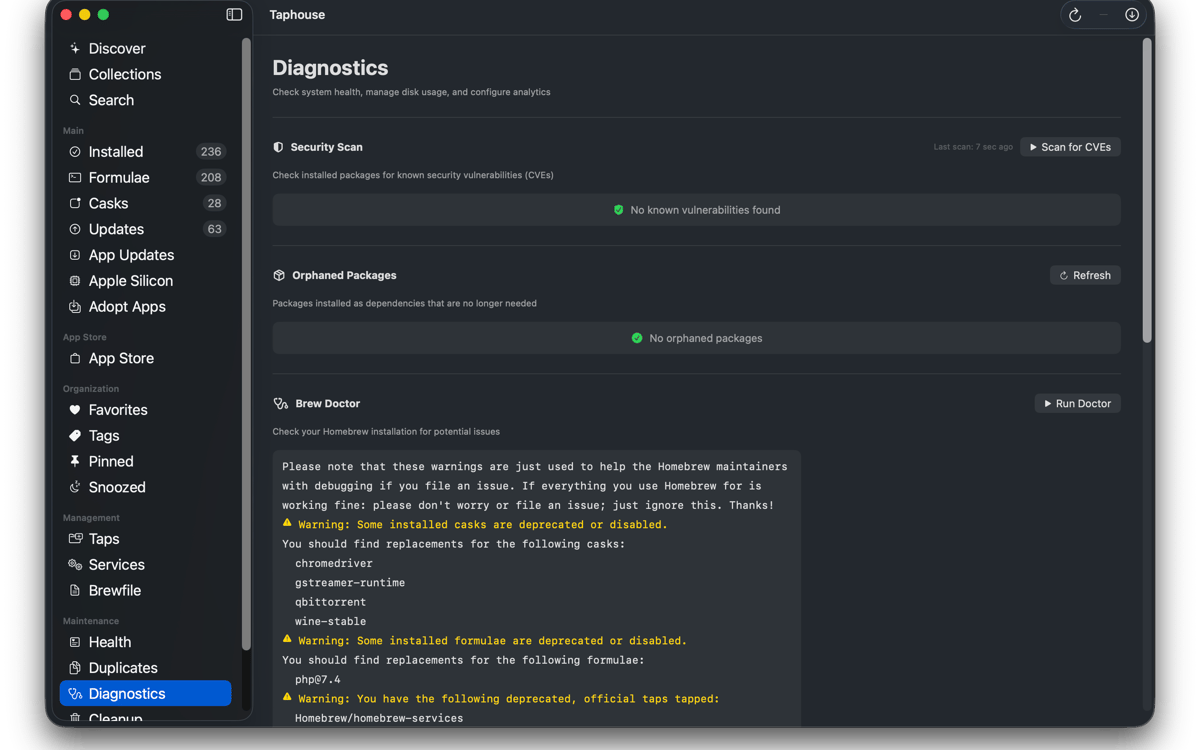
Запускайте brew doctor у зручному інтерфейсі замість нагромадження тексту в Terminal. Перегляньте, скільки місця займає Homebrew, і видаліть непотрібні файли. Ви також можете видаляти позначки карантину, відстежувати повторні інсталяції та підтримувати порядок у налаштуваннях пакетів, не перемикаючись між інструментами.
І ще кілька бонусів
Taphouse також включає історію встановлення, візуалізацію дерева залежностей, нотатки до пакетів, теги та колекції, компактний режим списку, інструменти міграції Apple Silicon та інтеграцію mas CLI. Все безпосередньо відповідає реальним командам brew, тому ваше налаштування залишається переносним, звичним і повністю вашим.
Оцінки та відгуки
Taphouse
•
Оцінок: 61
Steve Solari
14 жовт. 2026 р.
Версія: 1.5.8.9
Makes updates easy because everything is in one place
Mike Procario
5 жовт. 2026 р.
Версія: 1.5.8.7
I have just started using it. My first time use went well.
Binu Alexander
5 жовт. 2026 р.
Версія: 1.5.8.7
Nice app , very useful
Отримайте сотні програм з Membership
Підпишіться на Setapp і користуйтесь сотнями чудових програм.
Перші 7 днів безплатно, а далі – в єдиному простому плані.
Завантажити Setapp на Mac
Знайдіть в Setapp застосунок для macOS, iOS або web, що допоможе вирішити ваше завдання.

Установіть знайдену програму
Виконайте завдання за допомогою новенької програми зі Setapp.

Taphouse
Виберіть план підписки
Один застосунок або всі разом в підписці Setapp. Користуйтеся застосунками на своїх умовах.

Отримайте сотні програм з Membership
Підпишіться на Setapp і користуйтесь сотнями чудових програм.
Перші 7 днів безплатно, а далі – в єдиному простому плані.
1
Завантажити Setapp на Mac
Знайдіть в Setapp застосунок для macOS, iOS або web, що допоможе вирішити ваше завдання.
2
Установіть знайдену програму
Виконайте завдання за допомогою новенької програми зі Setapp.
Taphouse
3
Виберіть план підписки
Один застосунок або всі разом в підписці Setapp. Користуйтеся застосунками на своїх умовах.
Нагору
Від планування та рутинних завдань до програмування і творчості – працюйте ефективніше зі Setapp.

TypingMind
ШІ зі зручним інтерфейсом
генеруйте й обробляйте текст
користуйтеся бібліотекою
ШІ

Spark Mail
Упорядкуйте імейли
ШІ

CleanMyMac
Видаляйте тільки непотрібне

Bartender
Налаштуйте меню під себе

CleanShot X
Робіть будь-які скриншоти

Luminar Neo
Редагуйте фото
ШІ

ClearVPN
Безпечний звʼязок

Craft
Робота з документами
ШІ
Taphouse
Homebrew без набору команд