
Trace
Your meetings, your machine

Mac
Версія 2.17.2
macOS 14.4 чи новіша
39.7 MB
1 мов(и)
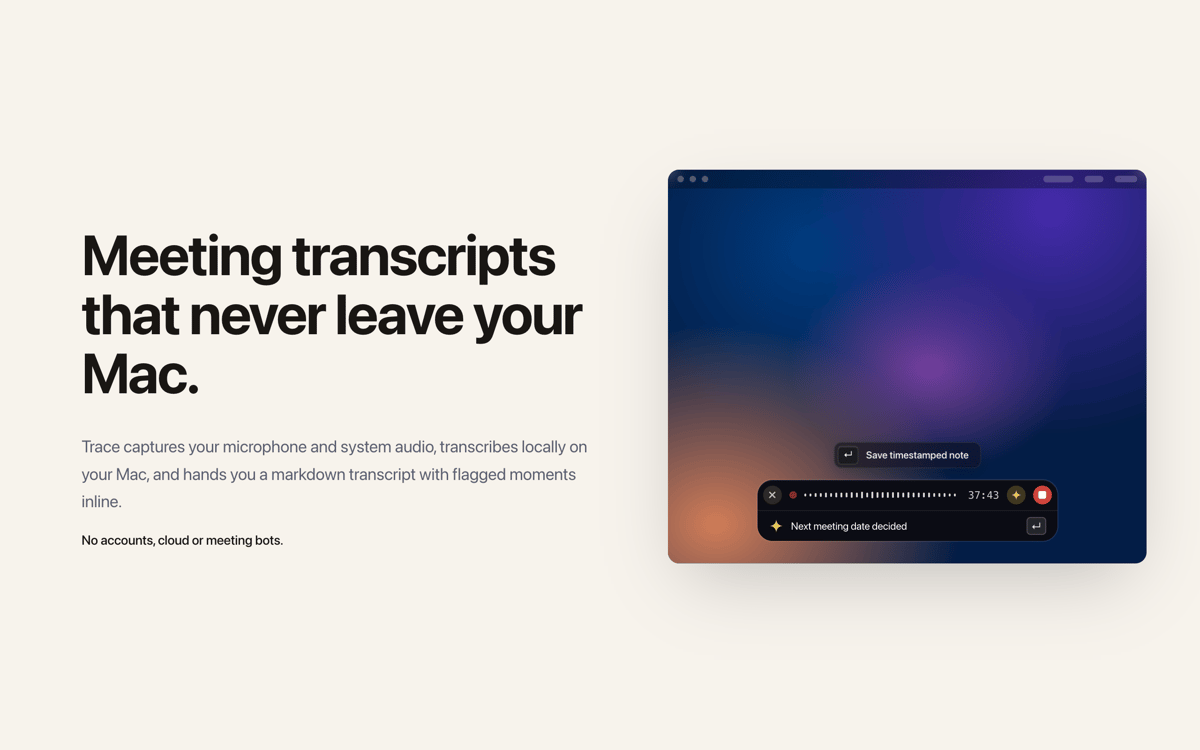
Trace — local meeting recorder and transcriber for Mac. It captures your mic and system audio, transcribes everything on-device using Apple silicon, and delivers a clean Markdown transcript with your flagged moments right where you left them. No bots join your calls. No accounts to create. Nothing you record ever leaves your machine.
Record any call without cloud accounts
Flag key moments live, mid-conversation
Get meeting summaries on your Mac
Export transcripts to Notion or ChatGPT
Можливості Trace
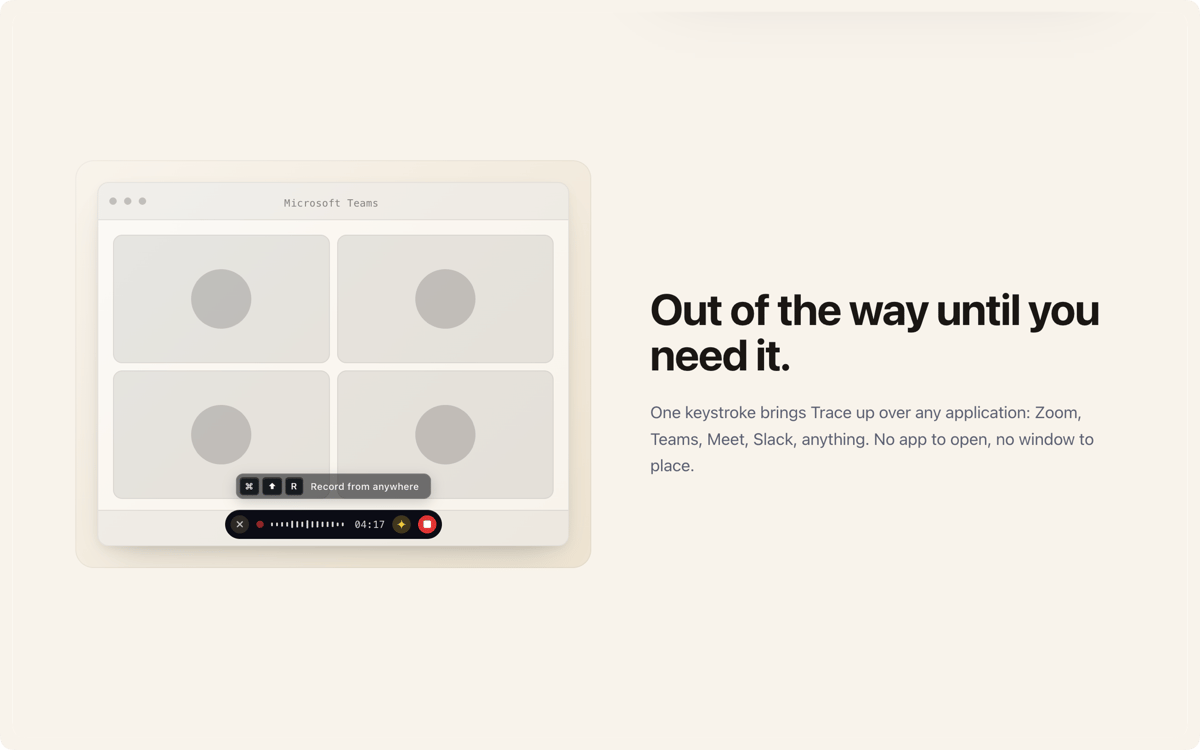
Stays out of the way — until you need it
One keystroke brings Trace up over Zoom, Teams, Meet, Slack, or anything else you're running. There's no window to place and no app to open. It's just there when you need it, invisible when you don't.
Fully on-device, fully private
A local speech model runs right on your Mac. No servers, no cloud sync, no accounts. Whatever you record stays on your machine — period. It's the meeting recorder for people who mean it when they say "private."
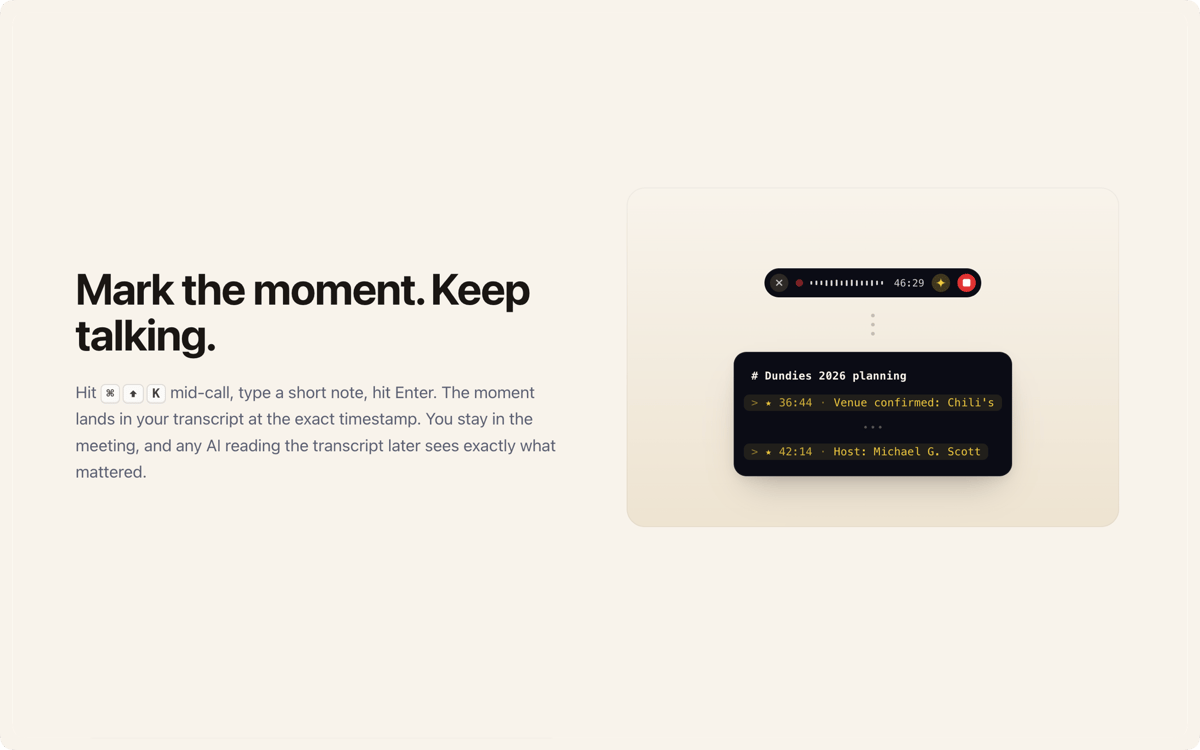
Flag what matters, live
Hit a shortcut mid-call, type a quick note, keep talking. The moment gets pinned to your transcript at the exact timestamp. When you're done, you can scan straight to what actually counted — no rewinding, no guessing.
Summaries without the wait
When a meeting wraps up, one press turns the transcript into a tidy summary: the overview, the decisions, the follow-ups. Summaries run on-device, so there's no uploading and no waiting on a server.
Speaker-aware transcripts
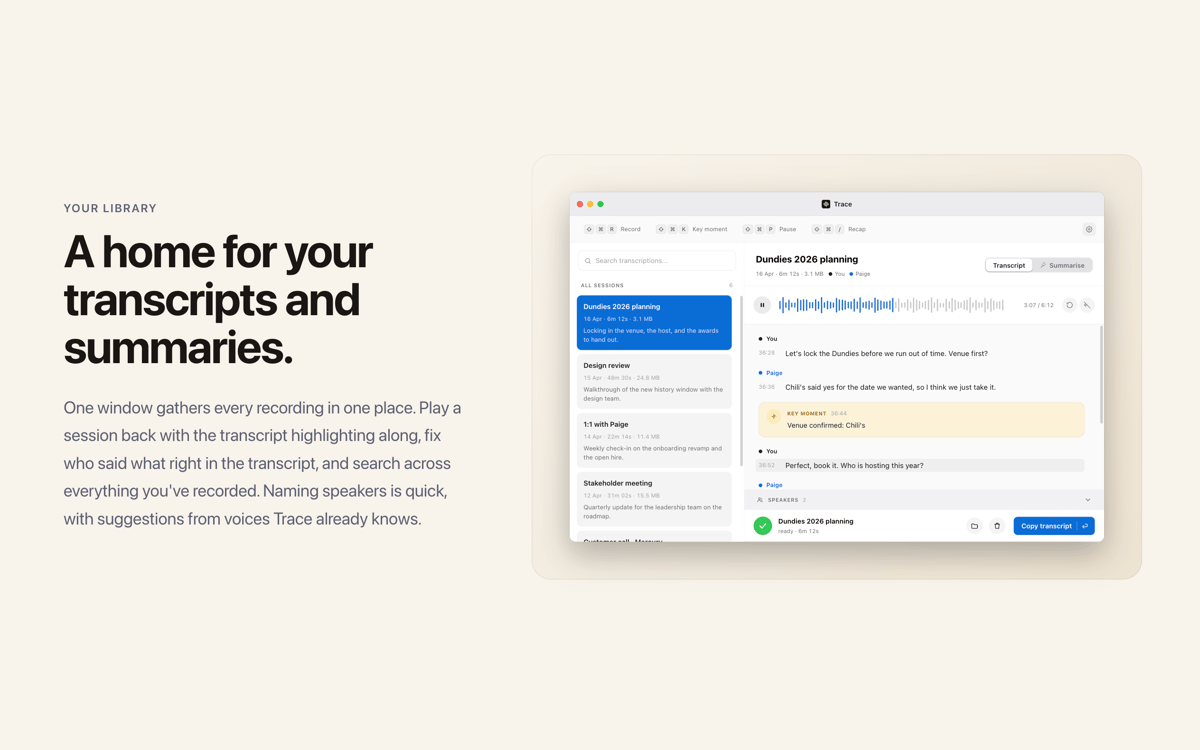
Trace splits the recording by voice and labels each speaker. Assign real names afterward and Trace will recognize those voices in your next call — no re-labeling needed.
Markdown that goes anywhere
Every session is saved to Finder as plain audio and a Markdown file. Drop a transcript into Notion, Obsidian, or straight into Claude or ChatGPT for a deeper summary. Move it, keep it, delete it — it's yours.
Оцінки та відгуки
Trace
•
Оцінок: 3
Pedro Henrique Silveira de sou
13 жовт. 2026 р.
Версія: 2.17.2
Ideia é boa, mas o programa está mal otimizado com consumo muito grande de recursos e memória no macbook air M3 16gb/512
Jamey Davis
30 вер. 2026 р.
Версія: 2.17.0
I use this every day now. I love it and I can’t imagine not having it in my meetings to help me sort out who spoke and what exactly was covered. It gets better as you use it by recognizing people’s voices.
Matthew Miell
28 вер. 2026 р.
Версія: 2.13.0
Works better than I’d expected, with nice use of AI for added features. I’d appreciate more options to help edit transcripts, but for 95% of what I need it does the job brillantly.
Отримайте сотні програм з Membership
Підпишіться на Setapp і користуйтесь сотнями чудових програм.
Перші 7 днів безплатно, а далі – в єдиному простому плані.
Завантажити Setapp на Mac
Знайдіть в Setapp застосунок для macOS, iOS або web, що допоможе вирішити ваше завдання.

Установіть знайдену програму
Виконайте завдання за допомогою новенької програми зі Setapp.

Trace
Виберіть план підписки
Один застосунок або всі разом в підписці Setapp. Користуйтеся застосунками на своїх умовах.

Отримайте сотні програм з Membership
Підпишіться на Setapp і користуйтесь сотнями чудових програм.
Перші 7 днів безплатно, а далі – в єдиному простому плані.
1
Завантажити Setapp на Mac
Знайдіть в Setapp застосунок для macOS, iOS або web, що допоможе вирішити ваше завдання.
2
Установіть знайдену програму
Виконайте завдання за допомогою новенької програми зі Setapp.
Trace
3
Виберіть план підписки
Один застосунок або всі разом в підписці Setapp. Користуйтеся застосунками на своїх умовах.
Нагору
Від планування та рутинних завдань до програмування і творчості – працюйте ефективніше зі Setapp.

TypingMind
ШІ зі зручним інтерфейсом
генеруйте й обробляйте текст
користуйтеся бібліотекою
ШІ

Spark Mail
Упорядкуйте імейли
ШІ

CleanMyMac
Видаляйте тільки непотрібне

Bartender
Налаштуйте меню під себе

CleanShot X
Робіть будь-які скриншоти

Luminar Neo
Редагуйте фото
ШІ

ClearVPN
Безпечний звʼязок

Craft
Робота з документами
ШІ
Trace
Your meetings, your machine