
TranscribeX
Конвертація аудіо та відео в текст
Mac
Версія 10.3
macOS 14.6 чи новіша
267.9 MB
1 мов(и)
Аудіо та відео можуть містити багато цінної інформації, але їхнє ручне вилучення займає час і порушує ваш робочий процес. TranscribeX може перетворити ваші записи на чистий, редагований текст за лічені секунди, щоб ви могли зосередитися на мисленні, письмі та творчості. Все працює на вашому Mac, тому це надзвичайно швидко, абсолютно точно та повністю конфіденційно.
Конвертуйте записи в точний текст
Транскрибуйте контент понад 100 мовами
Підсумовуйте з допомогою передових інструментів ШІ
Зберігайте конфіденційність кожного файлу на Mac
Можливості TranscribeX
Транскрибуйте аудіо та відео з винятковою точністю
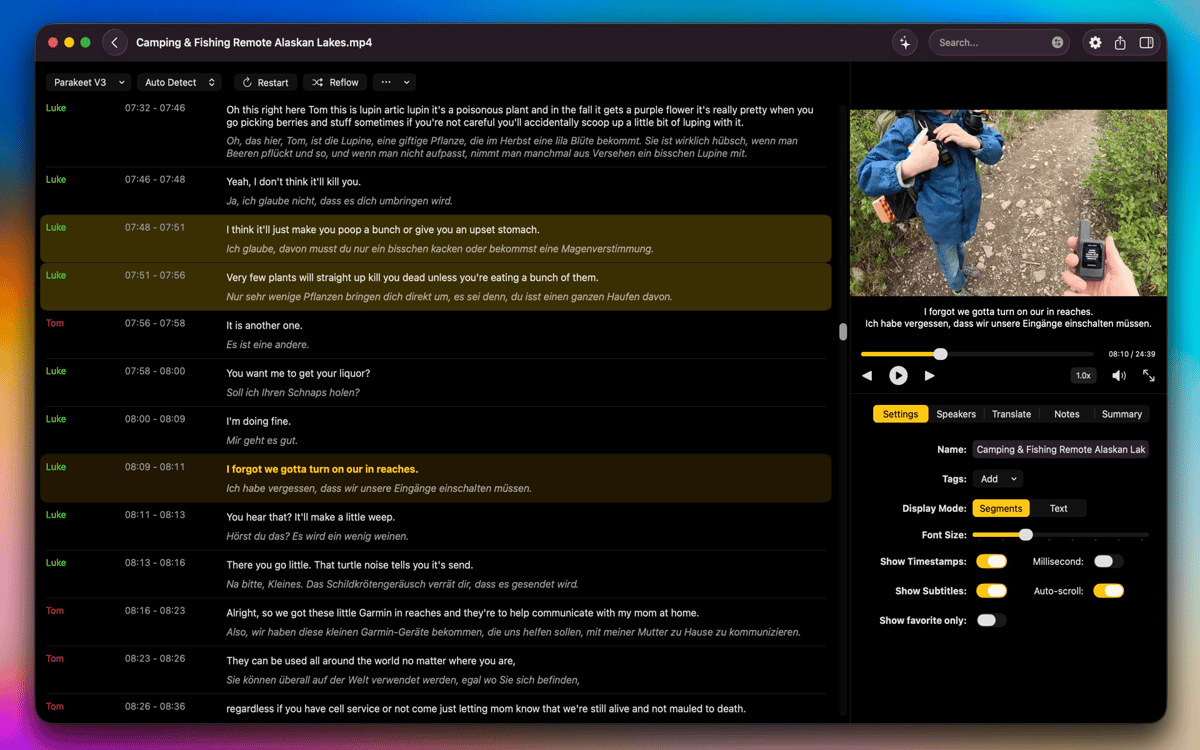
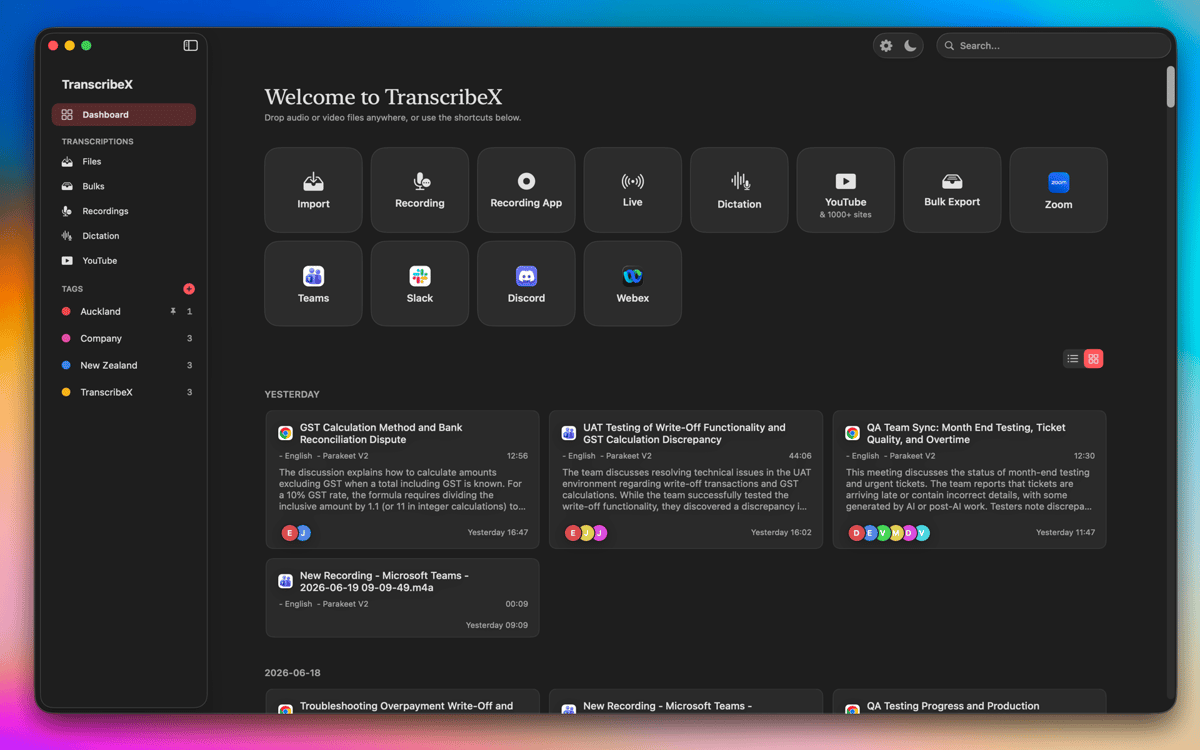
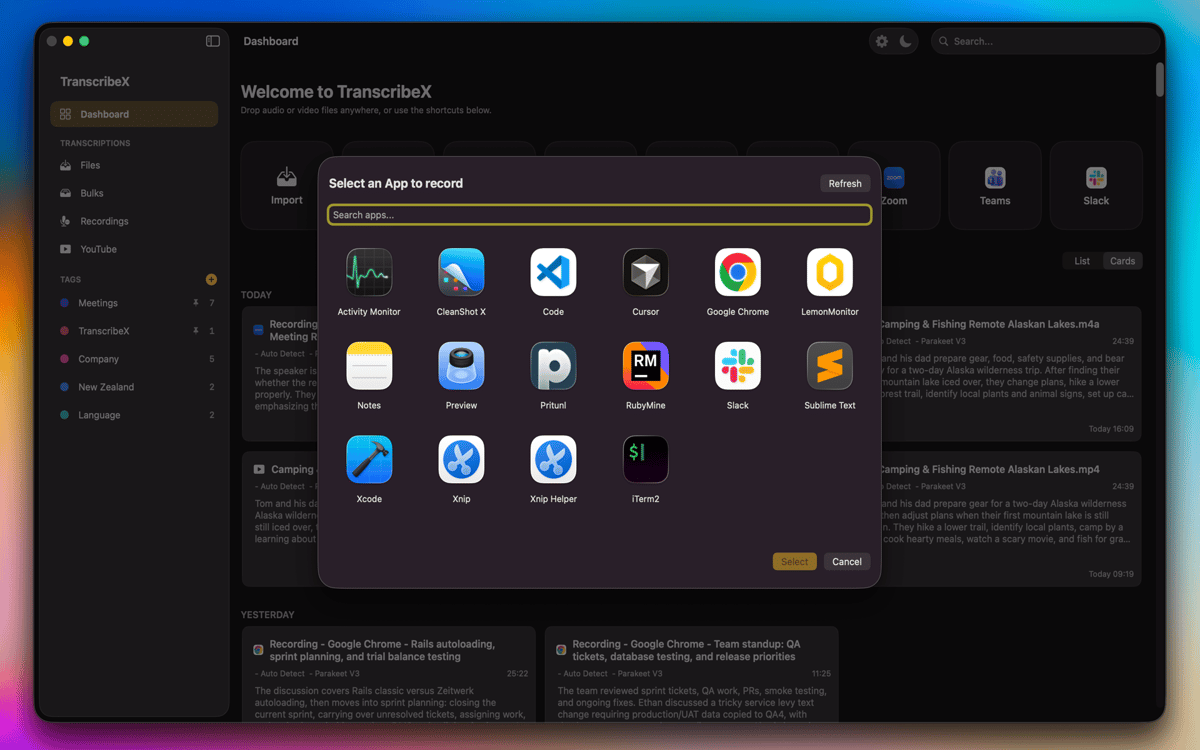
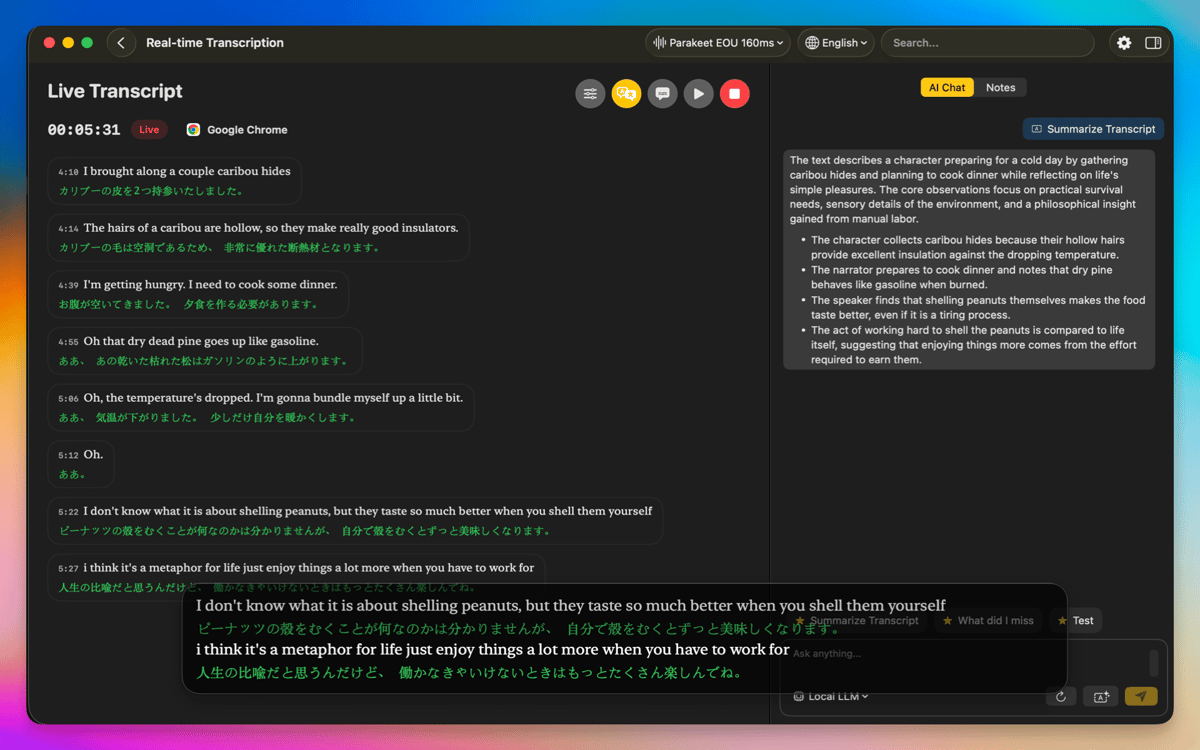
TranscribeX дозволяє легко перетворювати ваші записи на точні транскрипти за допомогою OpenAI Whisper, Parakeet та Apple Intelligence. Просто імпортуйте аудіо- або відеофайли з вашого Mac, перетягніть їх у програму або записуйте безпосередньо за допомогою мікрофона. Ви навіть можете записувати аудіо з інших програм (Zoom, Google Meet тощо). А коли ви маєте справу з більшими проектами, ви можете транскрибувати кілька файлів одночасно, заощаджуючи час і забезпечуючи безперебійний робочий процес.
Перекладайте, узагальнюйте та оптимізуйте свій робочий процес
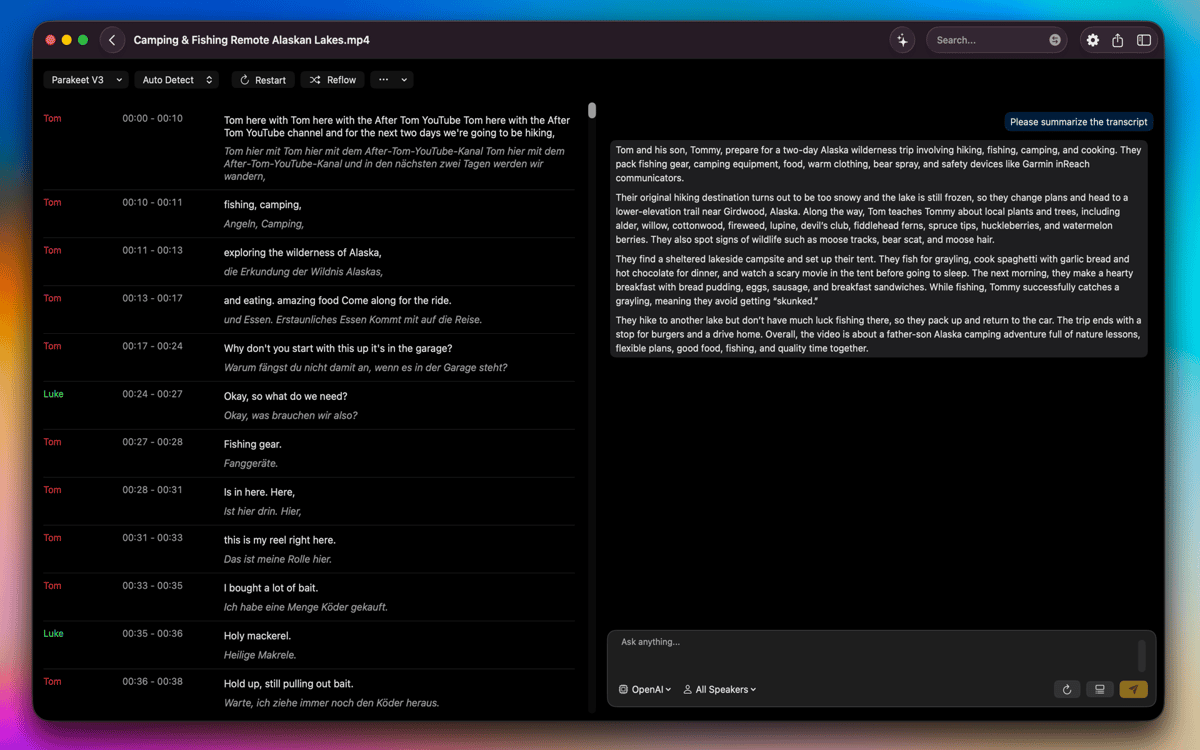
Завдяки вбудованим інструментам перекладу (Apple Translate та DeepL) ви можете перекладати транскрипти кількома мовами. Якщо вам потрібен швидкий огляд довгих записів, ви можете створювати узагальнення за допомогою ChatGPT, Gemini та інших моделей ШІ, ввівши власний ключ API. TranscribeX також містить попередньо визначені підказки, які допоможуть вам пришвидшити робочий процес.
Редагуйте та вдосконалюйте транскрипти за допомогою потужних текстових інструментів
Після того, як ваш транскрипт готовий, ви можете об'єднувати або розділяти сегменти, налаштовувати імена доповідачів, перерозподіляти сегменти за символами або кількістю слів або вручну налаштовувати позначки часу для ідеального вирівнювання. Відстеження тексту на рівні слів зберігає вашу позицію під час відтворення аудіо чи відео, а діаризація мовців автоматично ідентифікує та позначає різні голоси.
Працюйте локально з повною конфіденційністю та покращеною продуктивністю
Усі процеси транскрипції та перекладу відбуваються на вашому Mac, забезпечуючи максимальну конфіденційність без передачі даних з вашого пристрою. Прискорення GPU забезпечує високу продуктивність навіть із довгими або складними записами. TranscribeX підтримує широкий спектр форматів, дозволяє перемикатися між компактним та сегментним переглядами, а також включає опції для відображення або видалення оригінальних файлів безпосередньо з Finder. Все розроблено, щоб допомогти вам працювати плавно, безпечно та ефективно.
Оцінки та відгуки
TranscribeX
•
Оцінок: 110
Tobias
7 жовт. 2026 р.
Версія: 10.3
Crashed on first use
Відповідь розробника
7 жовт. 2026 р.
Hey, could you send us the crash report please? [email protected]
Angela
21 вер. 2026 р.
Версія: 10.2
Works as described! I just use it for transcribing a video every week for YouTube captioning and it has worked great!
Michael
31 серп. 2026 р.
Версія: 9.3
Praktische Diktierhilfe. Funktioniert besser als die Diktierfunktion von Apple.
Отримайте сотні програм з Membership
Підпишіться на Setapp і користуйтесь сотнями чудових програм.
Перші 7 днів безплатно, а далі – в єдиному простому плані.
Завантажити Setapp на Mac
Знайдіть в Setapp застосунок для macOS, iOS або web, що допоможе вирішити ваше завдання.

Установіть знайдену програму
Виконайте завдання за допомогою новенької програми зі Setapp.

TranscribeX
Виберіть план підписки
Один застосунок або всі разом в підписці Setapp. Користуйтеся застосунками на своїх умовах.

Отримайте сотні програм з Membership
Підпишіться на Setapp і користуйтесь сотнями чудових програм.
Перші 7 днів безплатно, а далі – в єдиному простому плані.
1
Завантажити Setapp на Mac
Знайдіть в Setapp застосунок для macOS, iOS або web, що допоможе вирішити ваше завдання.
2
Установіть знайдену програму
Виконайте завдання за допомогою новенької програми зі Setapp.
TranscribeX
3
Виберіть план підписки
Один застосунок або всі разом в підписці Setapp. Користуйтеся застосунками на своїх умовах.
Нагору
Від планування та рутинних завдань до програмування і творчості – працюйте ефективніше зі Setapp.

TypingMind
ШІ зі зручним інтерфейсом
генеруйте й обробляйте текст
користуйтеся бібліотекою
ШІ

Spark Mail
Упорядкуйте імейли
ШІ

CleanMyMac
Видаляйте тільки непотрібне

Bartender
Налаштуйте меню під себе

CleanShot X
Робіть будь-які скриншоти

Luminar Neo
Редагуйте фото
ШІ

ClearVPN
Безпечний звʼязок

Craft
Робота з документами
ШІ
TranscribeX
Конвертація аудіо та відео в текст