
Transcrybe
Переклад аудіо в режимі реального часу


Mac
Версія 3.2.1
macOS 15.2 чи новіша
687.6 MB
6 мов(и)
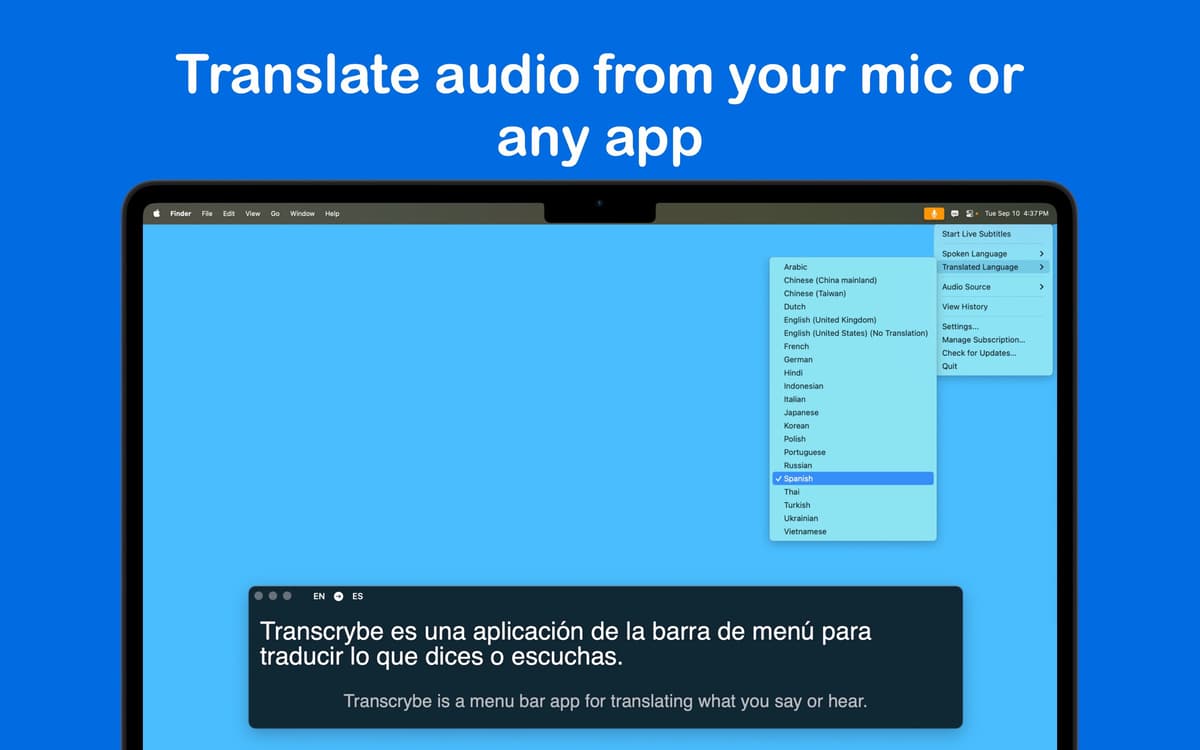
Transcrybe – це зручний інструмент для macOS, який перетворює розмовні слова на живий текст миттєво. Він розташований прямо в рядку меню, тому завжди готовий додавати субтитри до зустрічей, відео або вашого власного голосу в будь-який момент. Створений для екосистеми Apple, Transcrybe використовує обробку на пристрої, що означає миттєві переклади. І не хвилюйтеся про конфіденційність – ваші зустрічі та чати залишаються в безпеці на вашому Mac, оскільки жодне аудіо не надходить у хмару.
Перекладайте зустрічі або аудіо в реальному часі
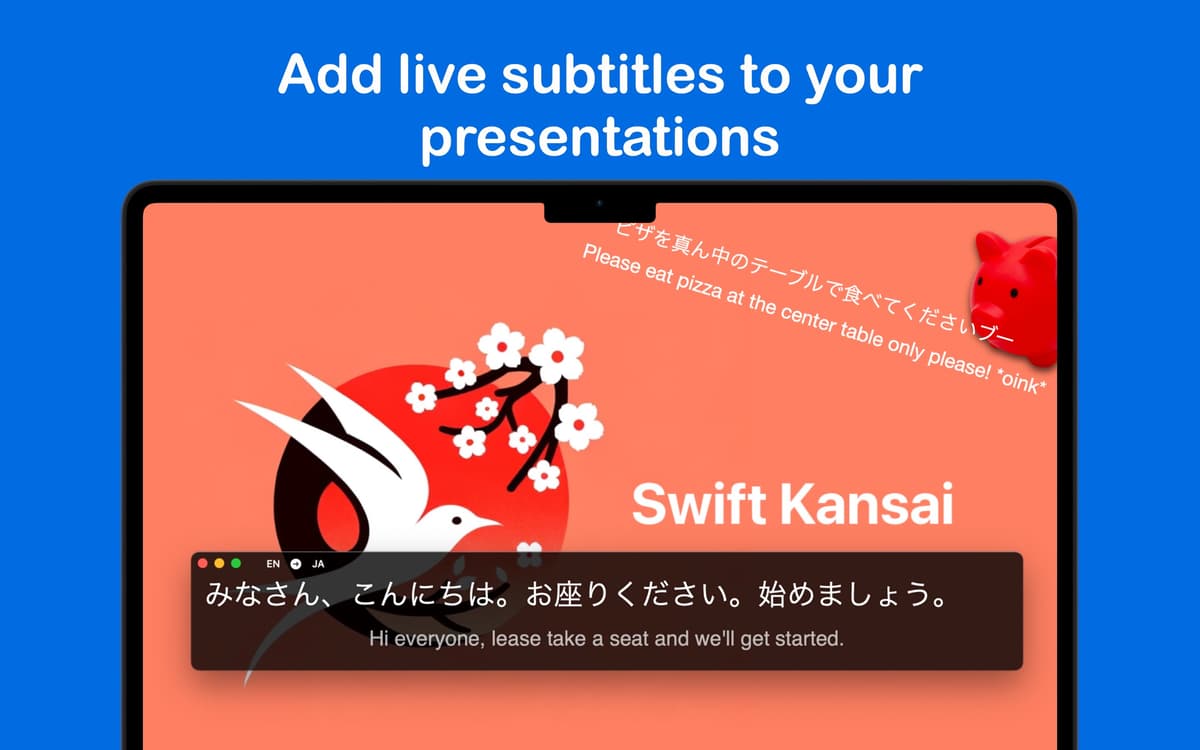
Субтитри до живих презентацій та доповідей
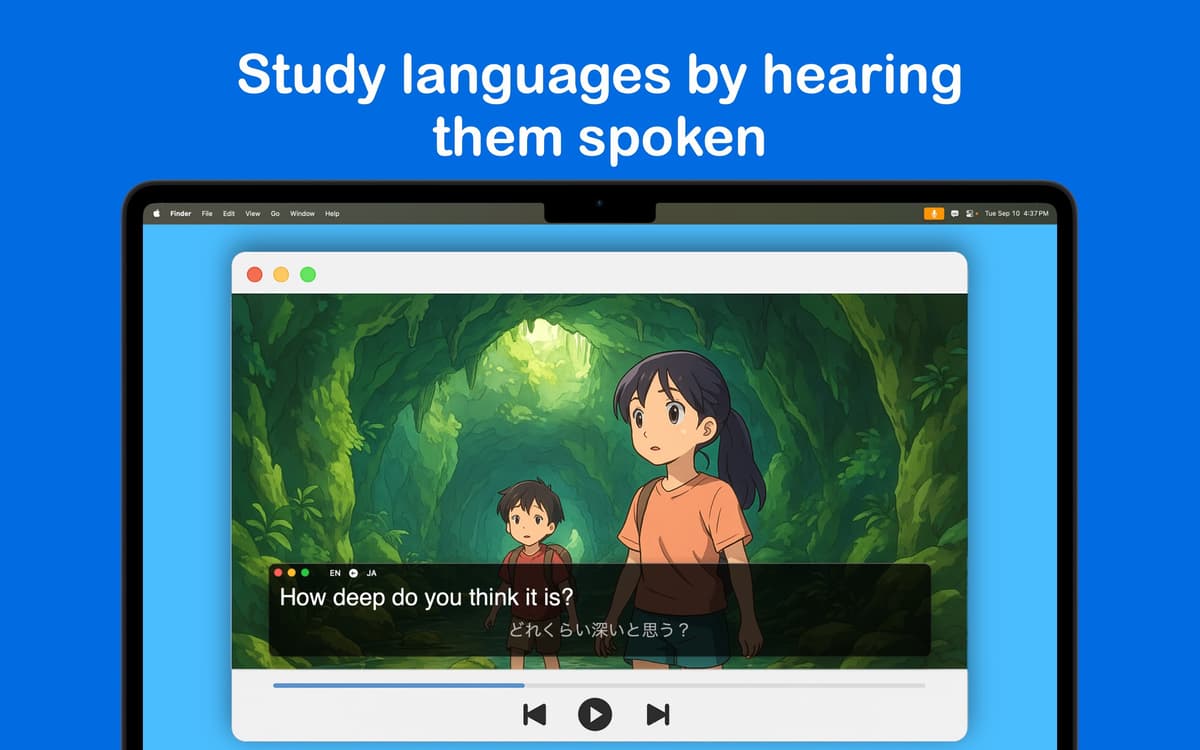
Розуміння іноземних подкастів та новин
Обробляйте свої дані локально на пристрої
Можливості Transcrybe
Презентації без мовних бар'єрів
Якщо ви розмовляєте з міжнародною групою, Transcrybe долає цей розрив. Він накладає живі субтитри безпосередньо на вашу презентацію, дозволяючи неносіям мови стежити за вами рідною мовою. Додаток наразі підтримує понад 20 мов, і їх буде більше.
Розумійте всіх на зустрічах
Встигати за віртуальними зустрічами може бути складно, особливо якщо ви не володієте іноземною мовою вільно. Transcrybe фіксує все, що говорять, у режимі реального часу, тому ви можете стежити за розмовами під час дзвінків у Zoom або Teams. Це допомагає вам зосередитися та гарантує, що ви не пропустите важливу інформацію, навіть коли розмова стає швидкою.
Захоплення аудіо з будь-якої програми
Transcrybe дозволяє захоплювати та перекладати аудіо з будь-якої програми чи мікрофона, не прив'язуючись до певного сервісу. Незалежно від того, чи переглядаєте ви німецький стрім Minecraft, чи японську технічну демонстрацію, ви одразу отримаєте чіткі переклади аудіо.
Захистіть свої конфіденційні дані
Більшість інструментів перекладу надсилають ваші дані на сервер, але Transcrybe цього не робить. Він використовує Whisper Parakeet та власний фреймворк Apple для виконання важкої роботи локально. Це означає блискавично швидкі результати без турбот про те, що компанії зі штучним інтелектом чи хакери підслуховують ваші конфіденційні аудіо.
Оцінки та відгуки
Transcrybe
•
Оцінок: 39
Bub
11 трав. 2026 р.
Версія: 2.10.7
utilisé lors d’une visio importante en ES > FR … ça n’a pas du tout fonctionné. à peine quelques phrases en 3h.
Відповідь розробника
12 трав. 2026 р.
Je suis vraiment désolé que cela n’ait pas fonctionné pour vous. Cela donne l’impression qu’il y avait probablement un problème de configuration. Si vous pouvez me contacter à [email protected], je serais ravi de vous aider à comprendre ce qui ne va pas.
Está lento na I.a do M2 16RAM
4 трав. 2026 р.
Версія: 2.10.7
Poxa gente. Até falei direto com o desenvolvedor. Mesmo no Mac M2, o processamento da I.A é feita internamente. Mas ela está lenta demaia. Em todas as línguas. Vamos aguardar uma atualização. Ele é muito gemte boa.
Відповідь розробника
4 трав. 2026 р.
Você já tentou ativar a opção “Live Translations” nas configurações? Isso traduz enquanto você fala, mas algumas pessoas não gostam porque a tradução fica sendo atualizada o tempo todo.
Alberto Salgado Marquez
20 квіт. 2026 р.
Версія: 2.10
La traducción es muy lenta, y se requieren créditos cuyo costo es exagerado para la facilidad que debería brindar en su función. No la recomiendo
Відповідь розробника
20 квіт. 2026 р.
Lamento que hayas tenido una mala experiencia con la aplicación. Me confunde un poco la mención de créditos o tokens, ya que Transcrybe funciona completamente en el dispositivo y no utiliza ningún sistema de créditos ni traducción externa. La traducción debería ser muy rápida, así que parece que algo no está funcionando como debería. Si quieres, puedes escribirme a [email protected] y con gusto te ayudaré a averiguar qué está pasando.
Отримайте сотні програм з Membership
Підпишіться на Setapp і користуйтесь сотнями чудових програм.
Перші 7 днів безплатно, а далі – в єдиному простому плані.
Завантажити Setapp на Mac
Знайдіть в Setapp застосунок для macOS, iOS або web, що допоможе вирішити ваше завдання.

Установіть знайдену програму
Виконайте завдання за допомогою новенької програми зі Setapp.

Transcrybe
Виберіть план підписки
Один застосунок або всі разом в підписці Setapp. Користуйтеся застосунками на своїх умовах.

Отримайте сотні програм з Membership
Підпишіться на Setapp і користуйтесь сотнями чудових програм.
Перші 7 днів безплатно, а далі – в єдиному простому плані.
1
Завантажити Setapp на Mac
Знайдіть в Setapp застосунок для macOS, iOS або web, що допоможе вирішити ваше завдання.
2
Установіть знайдену програму
Виконайте завдання за допомогою новенької програми зі Setapp.
Transcrybe
3
Виберіть план підписки
Один застосунок або всі разом в підписці Setapp. Користуйтеся застосунками на своїх умовах.
Нагору
Від планування та рутинних завдань до програмування і творчості – працюйте ефективніше зі Setapp.

TypingMind
ШІ зі зручним інтерфейсом
генеруйте й обробляйте текст
користуйтеся бібліотекою
ШІ

Spark Mail
Упорядкуйте імейли
ШІ

CleanMyMac
Видаляйте тільки непотрібне

Bartender
Налаштуйте меню під себе

CleanShot X
Робіть будь-які скриншоти

Luminar Neo
Редагуйте фото
ШІ

ClearVPN
Безпечний звʼязок

Craft
Робота з документами
ШІ
Transcrybe
Переклад аудіо в режимі реального часу