
Typedesk
Друкуйте менше, кажіть більше
Mac
Версія 3.3.4
macOS 12.0 чи новіша
636.1 MB
1 мов(и)
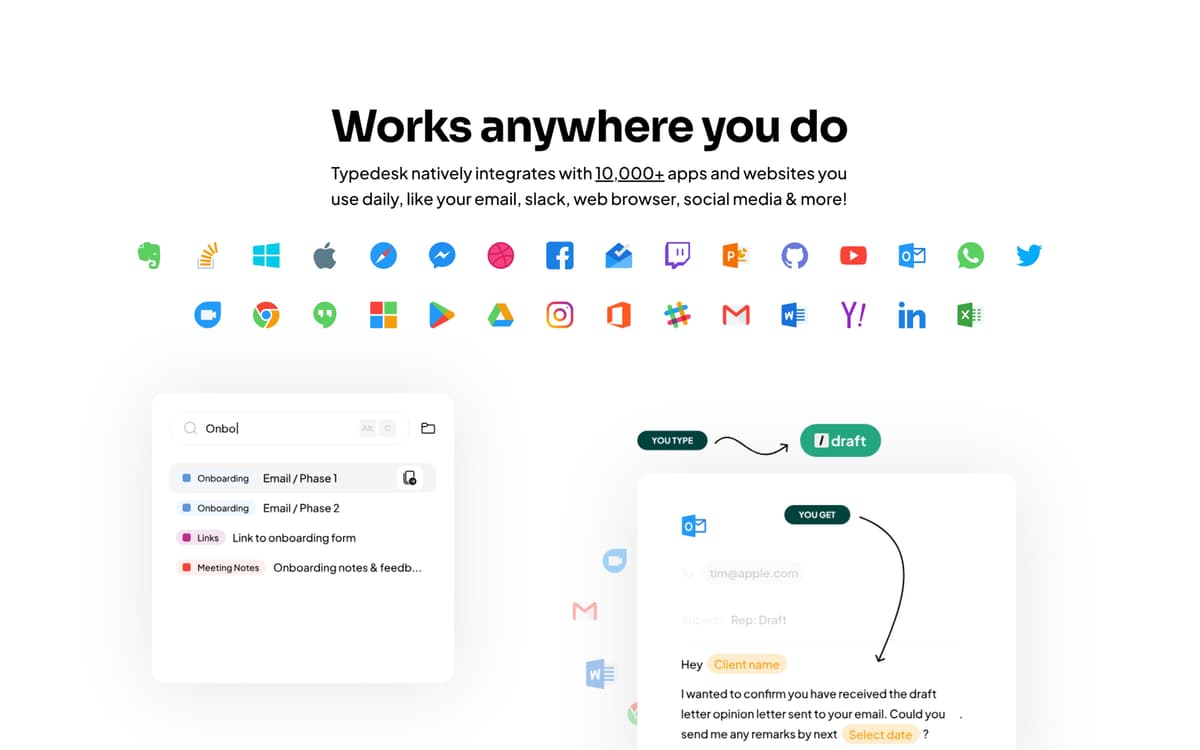
Втомилися друкувати одне й те саме знову і знову? Typedesk дозволяє створювати прості скорочення для всього, що ви друкуєте повторно — відповідей на електронні листи, підписів, фрагментів коду тощо. Безперебійно працює в усіх програмах Mac, тому ви економите час, де б не працювали.
Створюйте скорочення для повторюваних текстів
Вставляйте шаблони кількома натисканнями клавіш
Працює в кожній програмі на вашому Mac
Синхронізуйте скорочення на всіх ваших пристроях
Можливості Typedesk
Прискорення друку
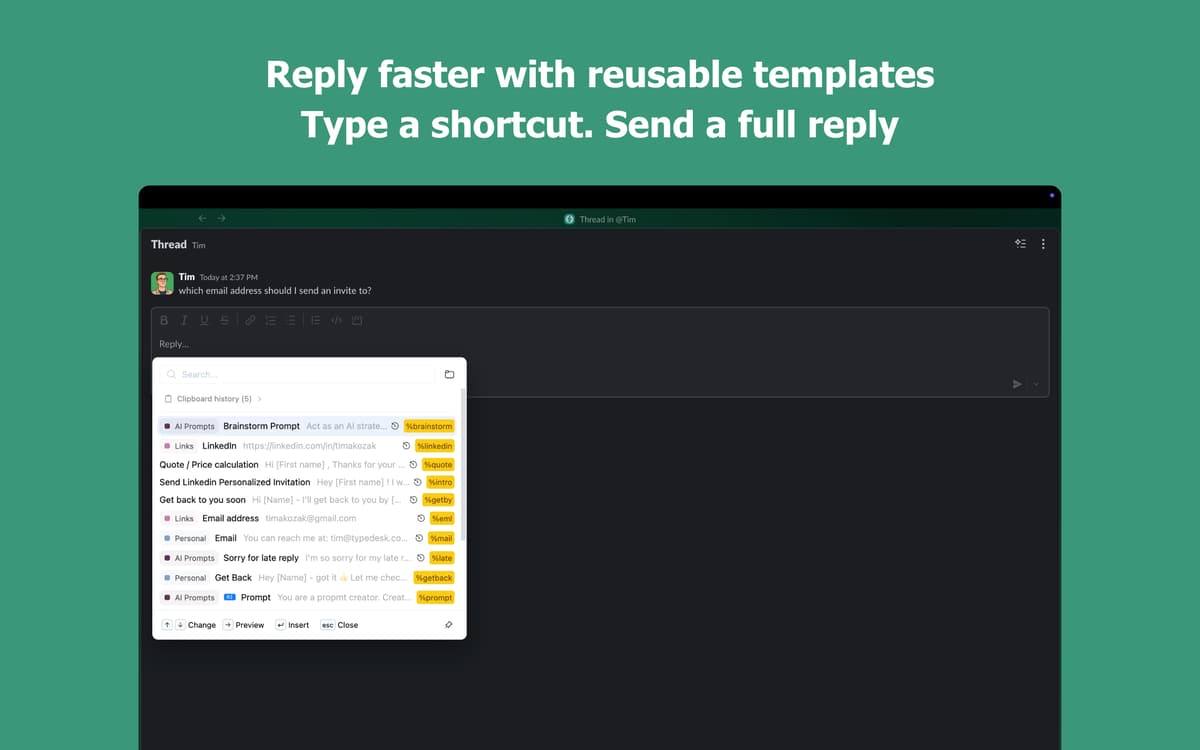
Введіть коротке скорочення та спостерігайте, як воно миттєво розгортається в повний текст. Введіть «addr», і з'явиться ваша повна адреса — просто так. Працює в кожній програмі, яку ви вже використовуєте, від електронної пошти до повідомлень і документів. Ваші пальці будуть вам вдячні.
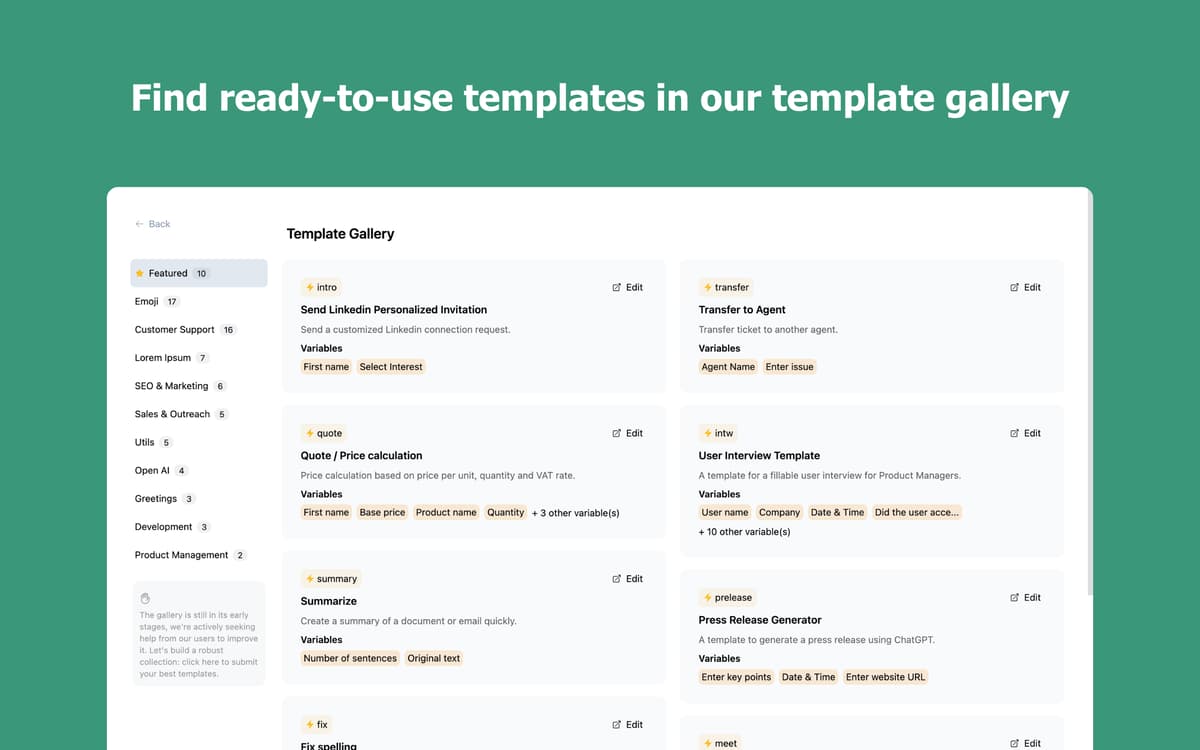
Створіть власну бібліотеку фрагментів
Зберігайте електронні листи, привітання та фрази, які ви вводите щодня. Упорядкуйте їх у папки, знаходьте потрібне за лічені секунди та вставляйте, не порушуючи робочого потоку. Чим більше ви користуєтеся програмою, тим більше вона працює на вас.
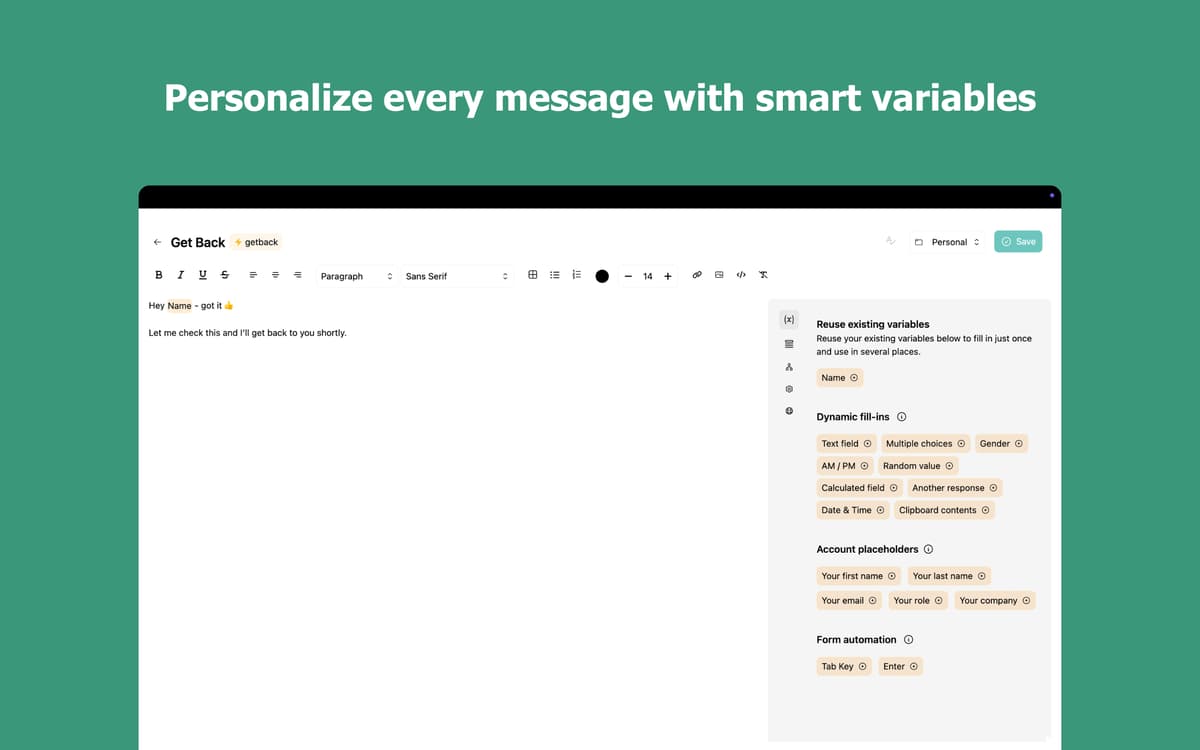
Зробіть кожен фрагмент розумнішим за допомогою змінних
Додавайте персоналізовані деталі, такі як імена, дати або користувацькі поля, безпосередньо у свої фрагменти. Вибирайте з кількох варіантів на льоту за допомогою змінних з множинним вибором. Припиніть переписувати те саме повідомлення лише для того, щоб змінити кілька слів.
Друкуйте в будь-якій програмі, на будь-якому пристрої
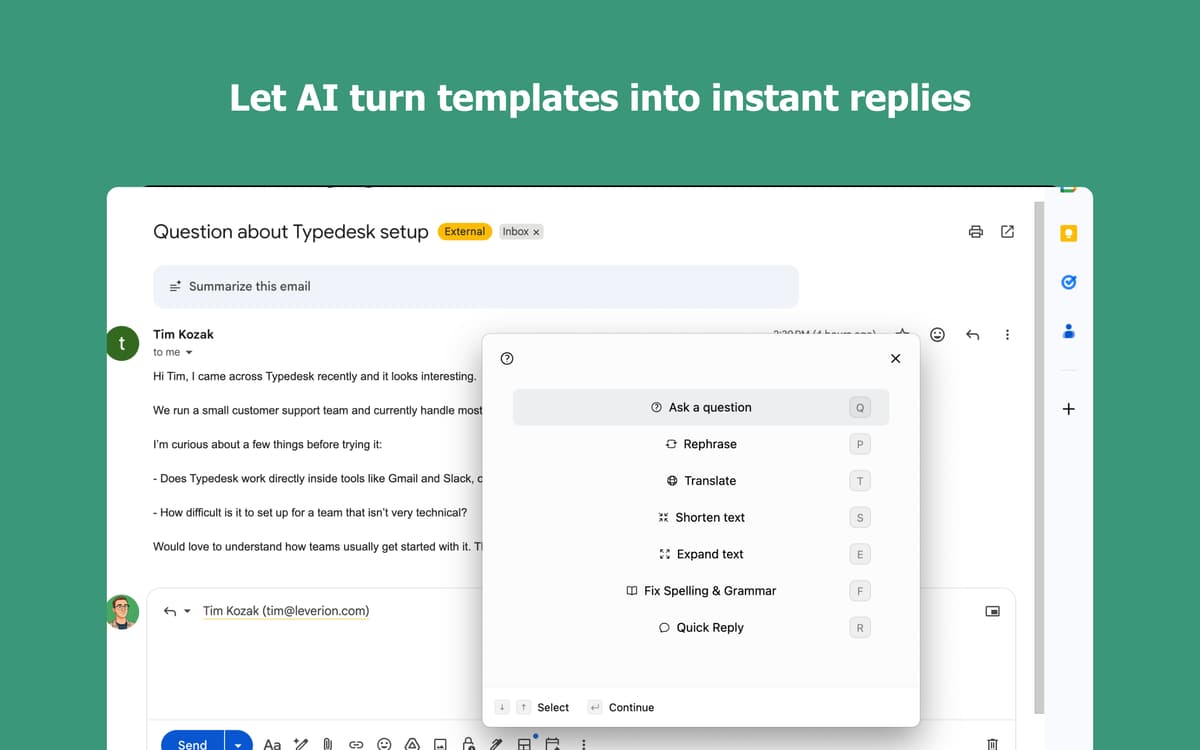
Typedesk працює скрізь на вашому Mac: у поштових клієнтах, браузерах, чат-програмах та редакторах коду. Ваші скорочення синхронізуються на всіх ваших пристроях, щоб ви завжди були продуктивними, де б не перебували.
Оцінки та відгуки
Typedesk
•
Оцінок: 46
Nadir Palacios
11 вер. 2026 р.
Версія: 3.3.4
Works amazing
Mark van Silfhout
20 серп. 2026 р.
Версія: 3.3.3
This is the app I have been waiting for for a long time. Default substitution on a Mac works, however this is easier and works on any app/browset! I can’t wait to see them develop an iPhone/iPad version :-D Unfortunately it stopped working?: can not log you in with Setapp :-(
Christian Saborio
6 серп. 2026 р.
Версія: 3.3.3
Wonderful app - in less than 5 minutes it has already replaced Atext (which I have been using for years but interface is a bit meh). Nice to have a fresh UI with an app that works really well - love the \ * 2 feature!
Отримайте сотні програм з Membership
Підпишіться на Setapp і користуйтесь сотнями чудових програм.
Перші 7 днів безплатно, а далі – в єдиному простому плані.
Завантажити Setapp на Mac
Знайдіть в Setapp застосунок для macOS, iOS або web, що допоможе вирішити ваше завдання.

Установіть знайдену програму
Виконайте завдання за допомогою новенької програми зі Setapp.

Typedesk
Виберіть план підписки
Один застосунок або всі разом в підписці Setapp. Користуйтеся застосунками на своїх умовах.

Отримайте сотні програм з Membership
Підпишіться на Setapp і користуйтесь сотнями чудових програм.
Перші 7 днів безплатно, а далі – в єдиному простому плані.
1
Завантажити Setapp на Mac
Знайдіть в Setapp застосунок для macOS, iOS або web, що допоможе вирішити ваше завдання.
2
Установіть знайдену програму
Виконайте завдання за допомогою новенької програми зі Setapp.
Typedesk
3
Виберіть план підписки
Один застосунок або всі разом в підписці Setapp. Користуйтеся застосунками на своїх умовах.
Нагору
Від планування та рутинних завдань до програмування і творчості – працюйте ефективніше зі Setapp.

TypingMind
ШІ зі зручним інтерфейсом
генеруйте й обробляйте текст
користуйтеся бібліотекою
ШІ

Spark Mail
Упорядкуйте імейли
ШІ

CleanMyMac
Видаляйте тільки непотрібне

Bartender
Налаштуйте меню під себе

CleanShot X
Робіть будь-які скриншоти

Luminar Neo
Редагуйте фото
ШІ

ClearVPN
Безпечний звʼязок

Craft
Робота з документами
ШІ
Typedesk
Друкуйте менше, кажіть більше