USB Connection Information
Припиніть вгадувати. Почніть знати.
Mac
Версія 26.41
macOS 14.0 чи новіша
17.9 MB
22 мов(и)
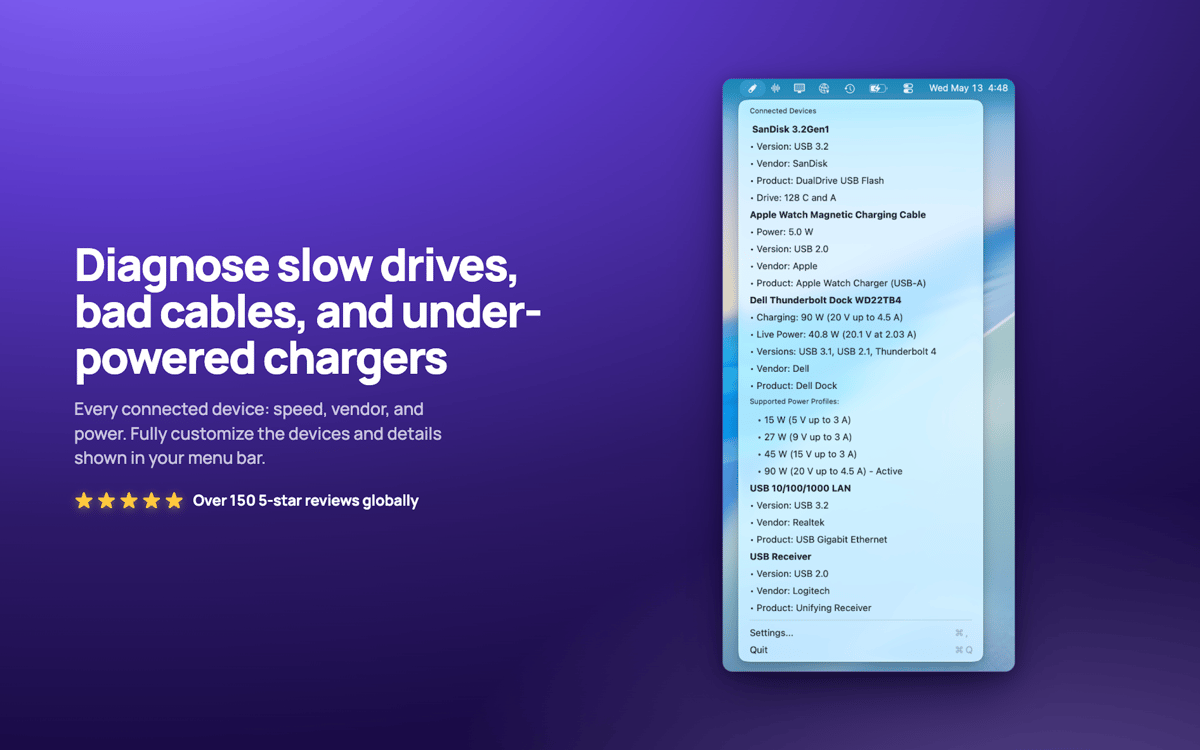
USB Connection Information — USB та Thunderbolt монітор для Mac. Розташовується в рядку меню та показує реальну швидкість передачі даних кожного підключеного пристрою, тож ви дізнаєтеся, коли кабель «10 Гбіт/с» насправді працює на швидкості USB 2.0. Перевіряйте потужність зарядки, споживання енергії та приналежність накопичувачів до пристроїв. Більше не потрібно гадати, чи ваша док-станція обмежена або кабель — слабка ланка.
Перевірте швидкість USB миттєво
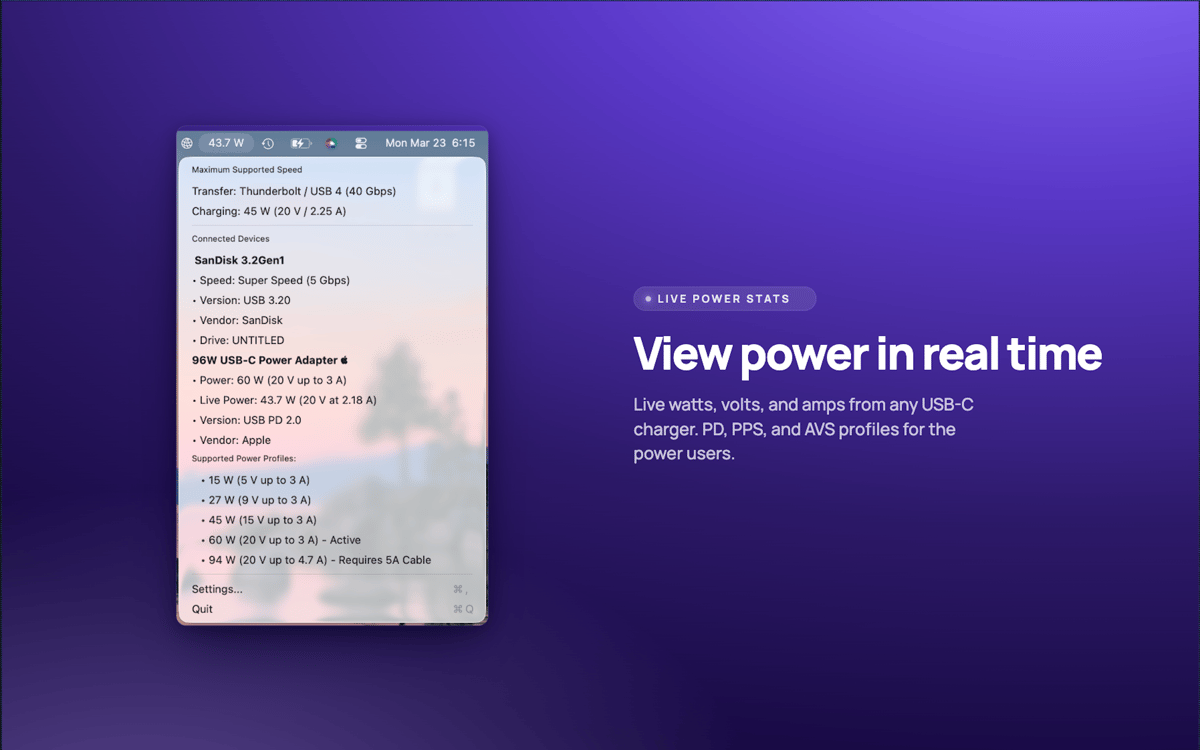
Відстежуйте потужність зарядки в реальному часі
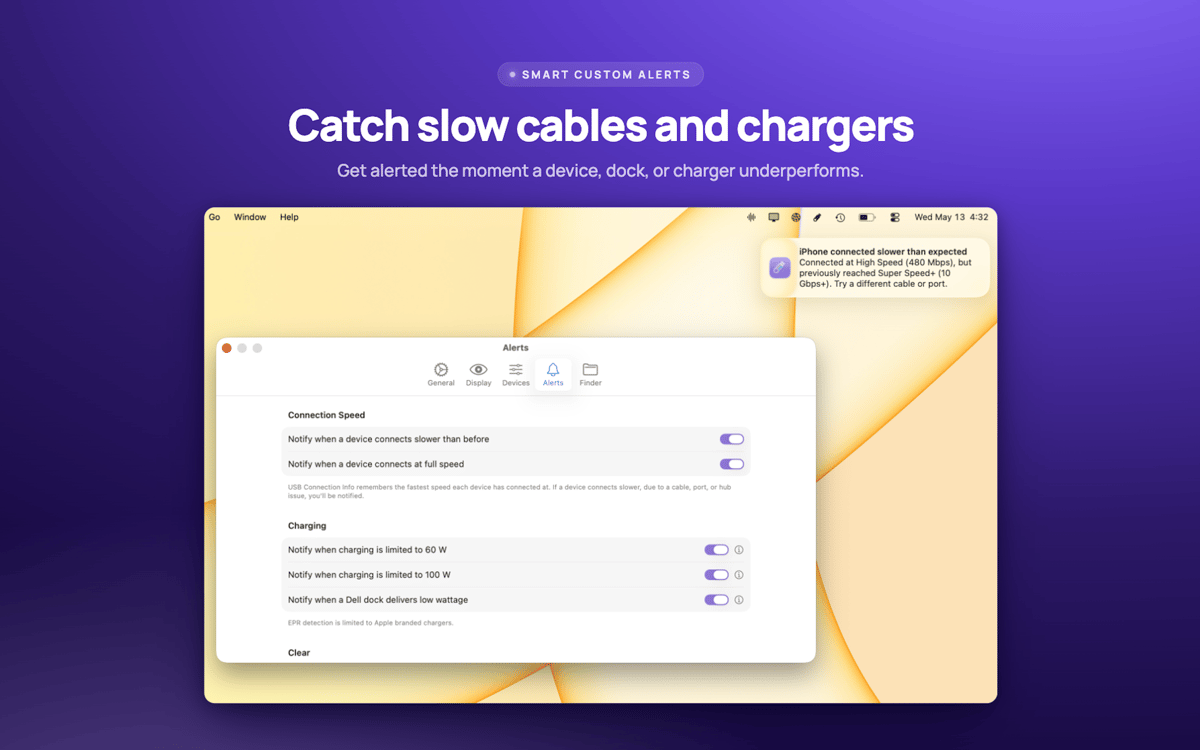
Миттєво виявляйте повільні кабелі
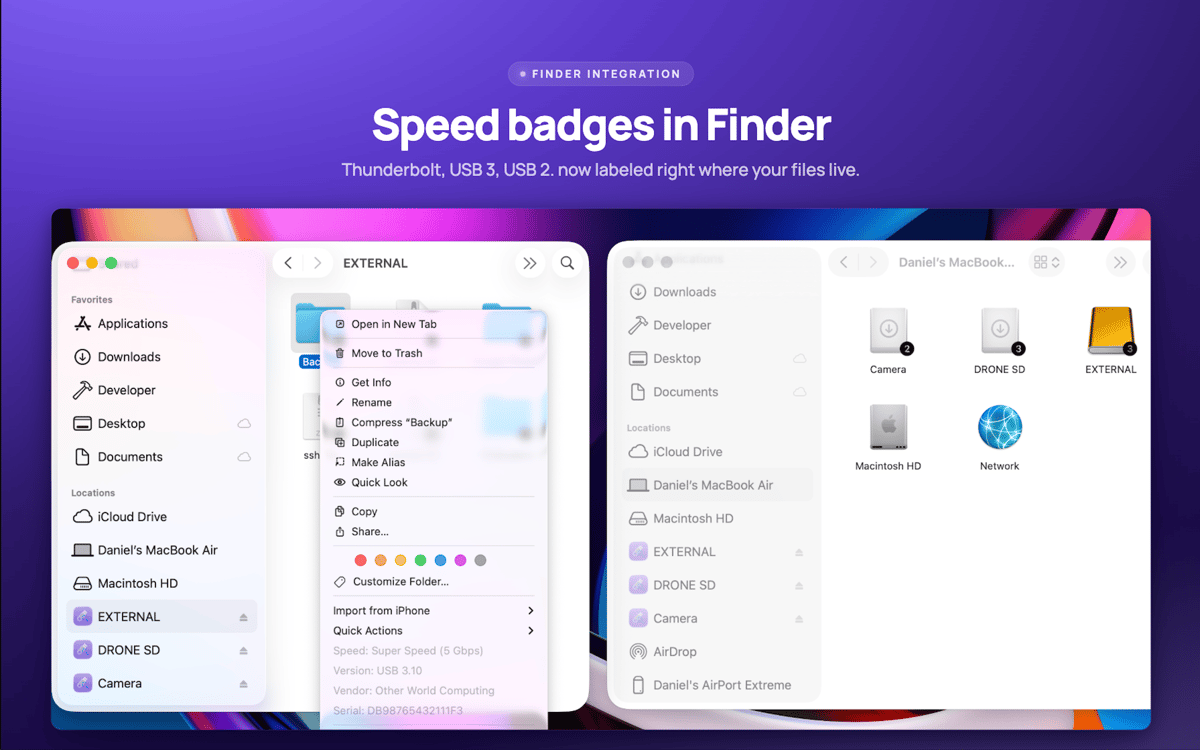
Зіставлення дисків з пристроями у Finder
Можливості USB Connection Information
Перевірка реальної швидкості
Переглядайте фактичну узгоджену швидкість кожного з'єднання — від USB 1.0 до USB 3.2 та Thunderbolt 1–3. Технічні характеристики брешуть. Ваш Mac цього не робить.
Панель меню, яка вам підходить
Швидко отримуйте відповіді на питання про USB. Показувати лише значок, кількість пристроїв, потужність зарядного пристрою чи швидкість. Все, що підходить для вашої роботи.
Дані про зарядження в реальному часі
Відстежуйте потужність, напругу, версію PD та профілі живлення зарядного пристрою MacBook у реальному часі.
Значки дисків Finder
Швидкість з'єднання відображається прямо на значках дисків у Finder. Клацніть правою кнопкою миші будь-який диск для миттєвого перегляду деталей пристрою.
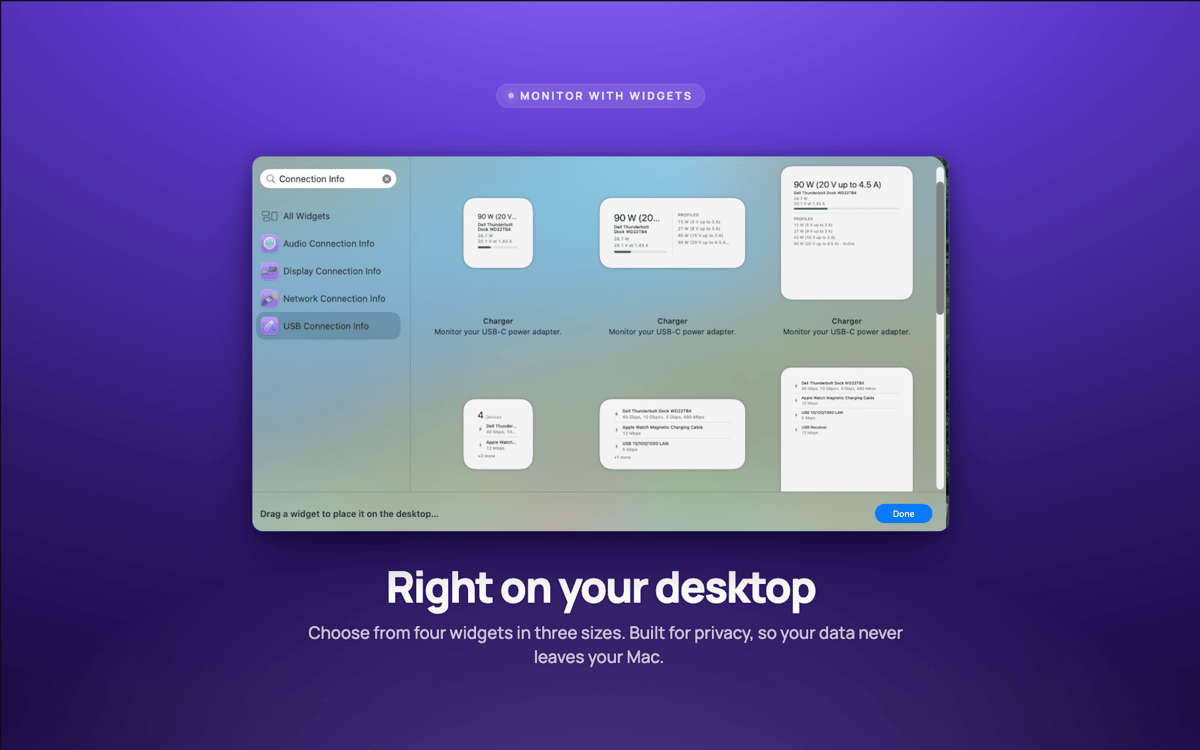
Віджети для робочого столу
Малі, середні та великі віджети відстежують ваші з'єднання без відкриття програм.
Сповіщення про швидкість
Отримайте сповіщення, коли пристрій працює повільніше за норму — зазвичай проблема в кабелі.
Оцінки та відгуки
USB Connection Information
•
Оцінок: 3
Pelle Wessman
5 черв. 2026 р.
Версія: 26.33
Excellent app that surfaces real useful information and has a really responsive and enthusiastic creator who replies real quick to feature requests and feedback!
Отримайте сотні програм з Membership
Підпишіться на Setapp і користуйтесь сотнями чудових програм.
Перші 7 днів безплатно, а далі – в єдиному простому плані.
Завантажити Setapp на Mac
Знайдіть в Setapp застосунок для macOS, iOS або web, що допоможе вирішити ваше завдання.

Установіть знайдену програму
Виконайте завдання за допомогою новенької програми зі Setapp.

USB Connection Information
Виберіть план підписки
Один застосунок або всі разом в підписці Setapp. Користуйтеся застосунками на своїх умовах.

Отримайте сотні програм з Membership
Підпишіться на Setapp і користуйтесь сотнями чудових програм.
Перші 7 днів безплатно, а далі – в єдиному простому плані.
1
Завантажити Setapp на Mac
Знайдіть в Setapp застосунок для macOS, iOS або web, що допоможе вирішити ваше завдання.
2
Установіть знайдену програму
Виконайте завдання за допомогою новенької програми зі Setapp.
USB Connection Information
3
Виберіть план підписки
Один застосунок або всі разом в підписці Setapp. Користуйтеся застосунками на своїх умовах.
Нагору
Від планування та рутинних завдань до програмування і творчості – працюйте ефективніше зі Setapp.

TypingMind
ШІ зі зручним інтерфейсом
генеруйте й обробляйте текст
користуйтеся бібліотекою
ШІ

Spark Mail
Упорядкуйте імейли
ШІ

CleanMyMac
Видаляйте тільки непотрібне

Bartender
Налаштуйте меню під себе

CleanShot X
Робіть будь-які скриншоти

Luminar Neo
Редагуйте фото
ШІ

ClearVPN
Безпечний звʼязок

Craft
Робота з документами
ШІ
USB Connection Information
Припиніть вгадувати. Почніть знати.