
WhoPays
Розподіляй витрати. Без драми.
Mac, iOS, Web
Версія 1.0.0
macOS 11.0 чи новіша
561.5 MB
1 мов(и)
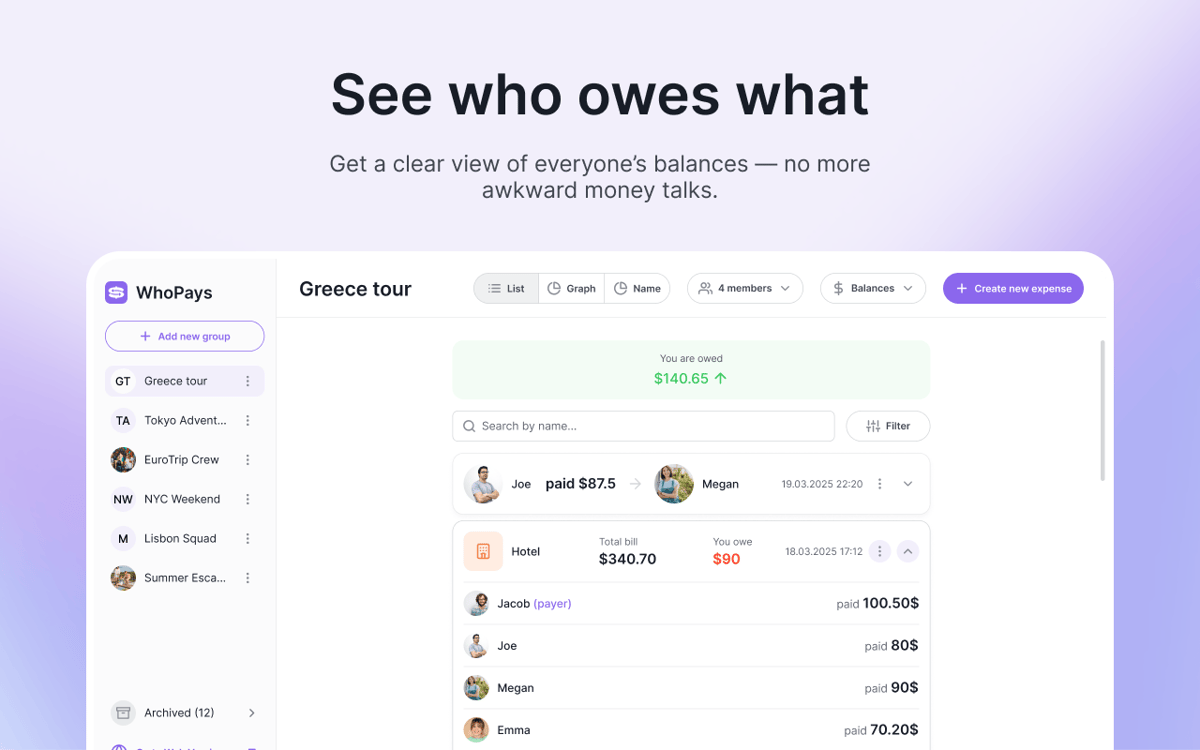
WhoPays — це трекер групових витрат для Mac, iOS та вебу. Допомагає розподіляти спільні витрати, керувати учасниками та відстежувати актуальні баланси — усе в одному місці. Це зручний вибір для подорожей, сусідів по кімнаті, пар та будь-якої іншої ситуації, коли витрати швидко накопичуються. Додавай витрати вручну, скануй чеки за допомогою ШІ або створюй їх з голосових нотаток.
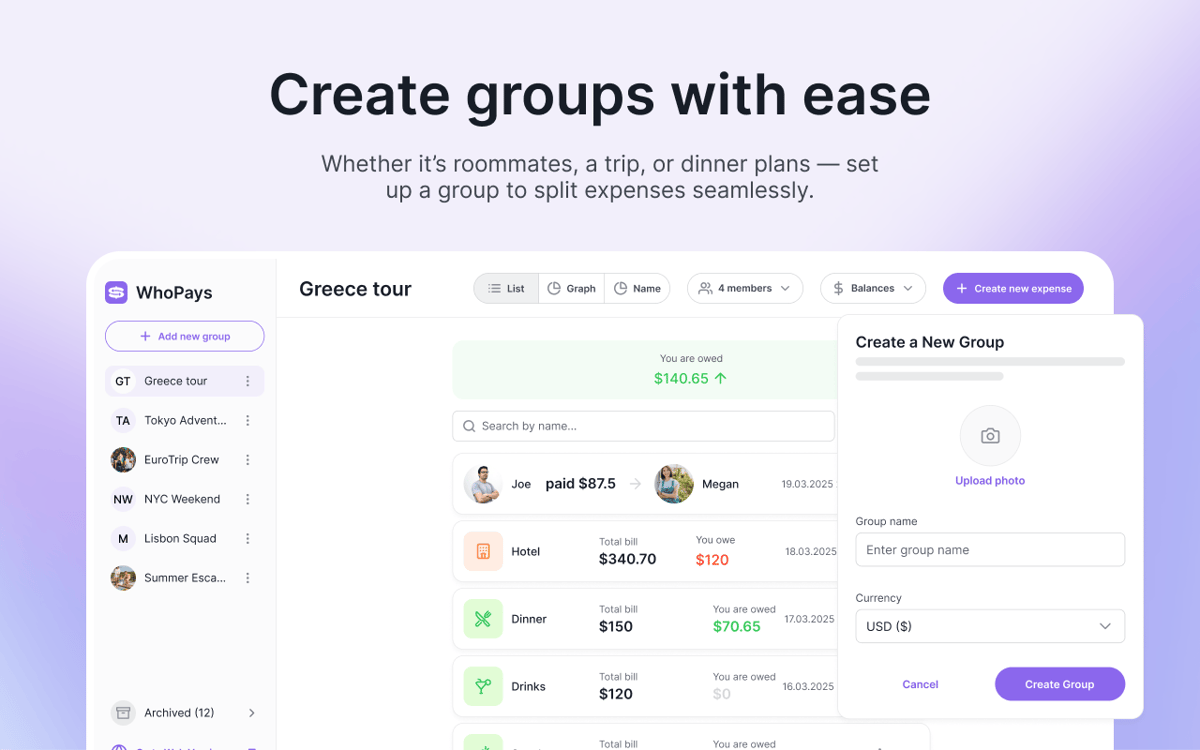
Швидко розподіляй витрати на поїздку
Відстежуй спільні витрати в групах
Сканувати чеки за допомогою ШІ
Додавай витрати голосом
Можливості WhoPays
Відстежуй спільні витрати без зайвого клопоту
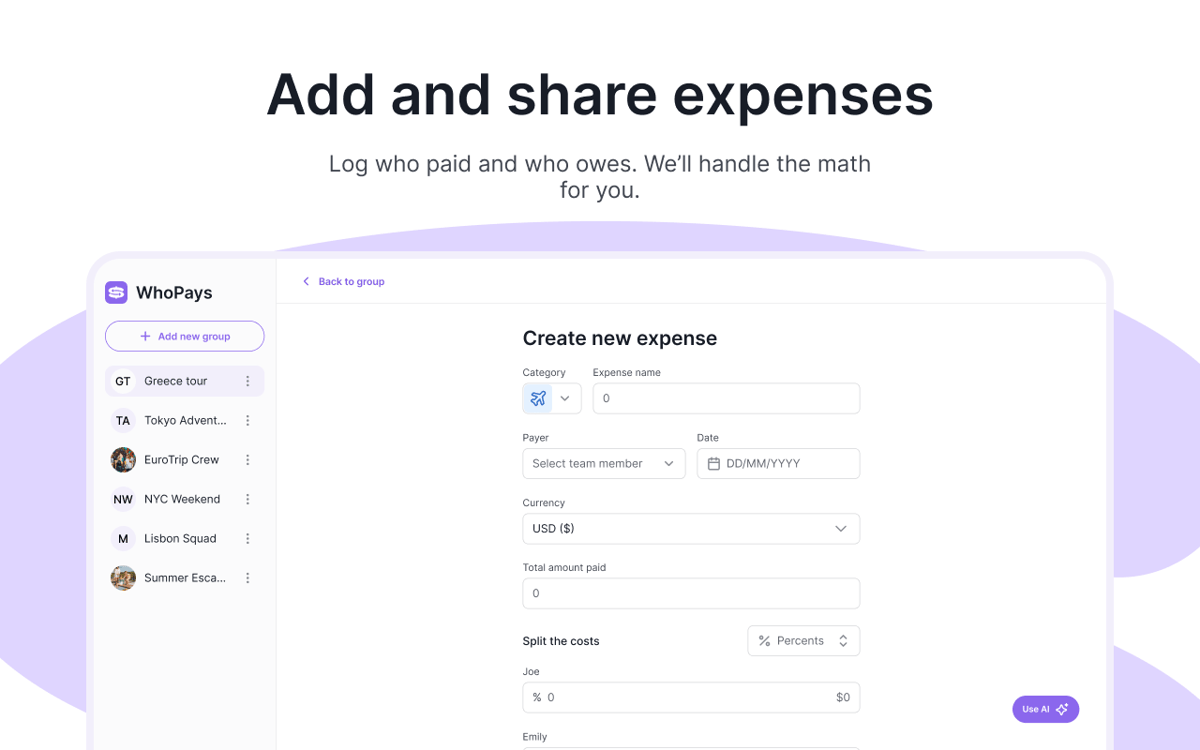
Додавай, редагуй та видаляй витрати в групі. Додавай нотатки та файли, коли важливі деталі. Коли прийде час підбивати підсумки, розрахуйся за кілька кліків.
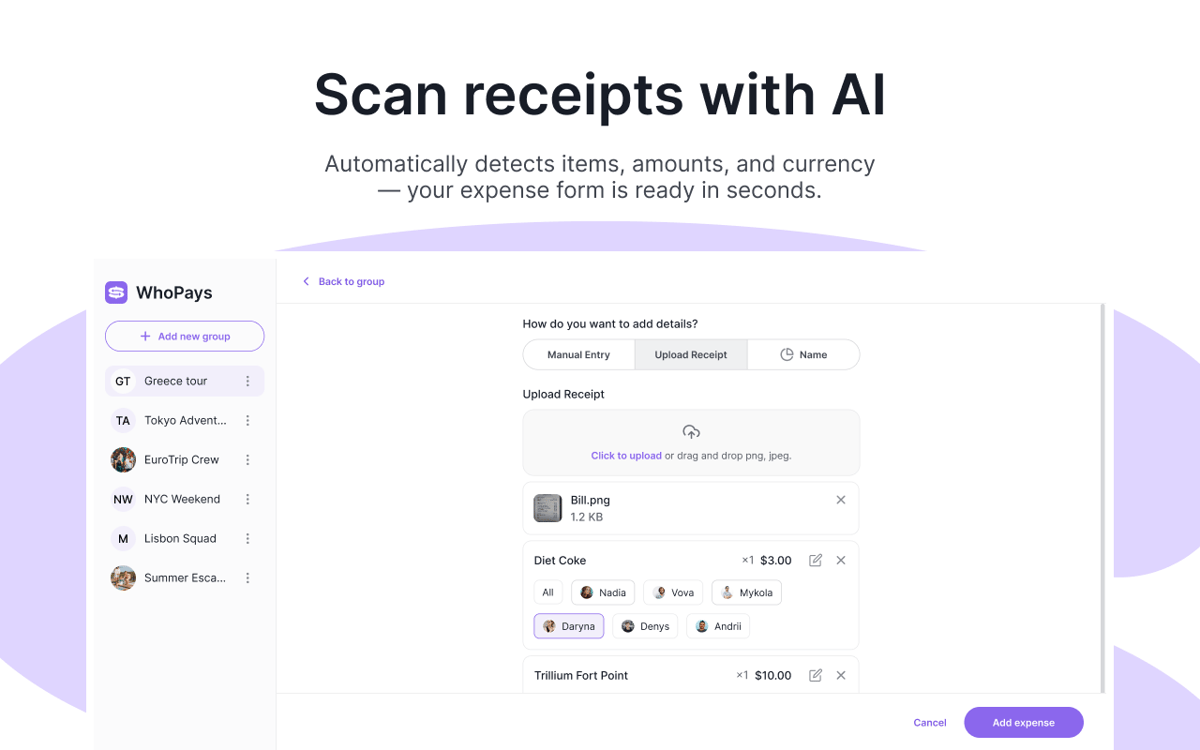
Скануйте чеки за допомогою штучного інтелекту
Зроби фото чека — і WhoPays автоматично розпізнає всі позиції. Також може розпізнавати валюту та зберігати оригінальне зображення чека разом із витратою.
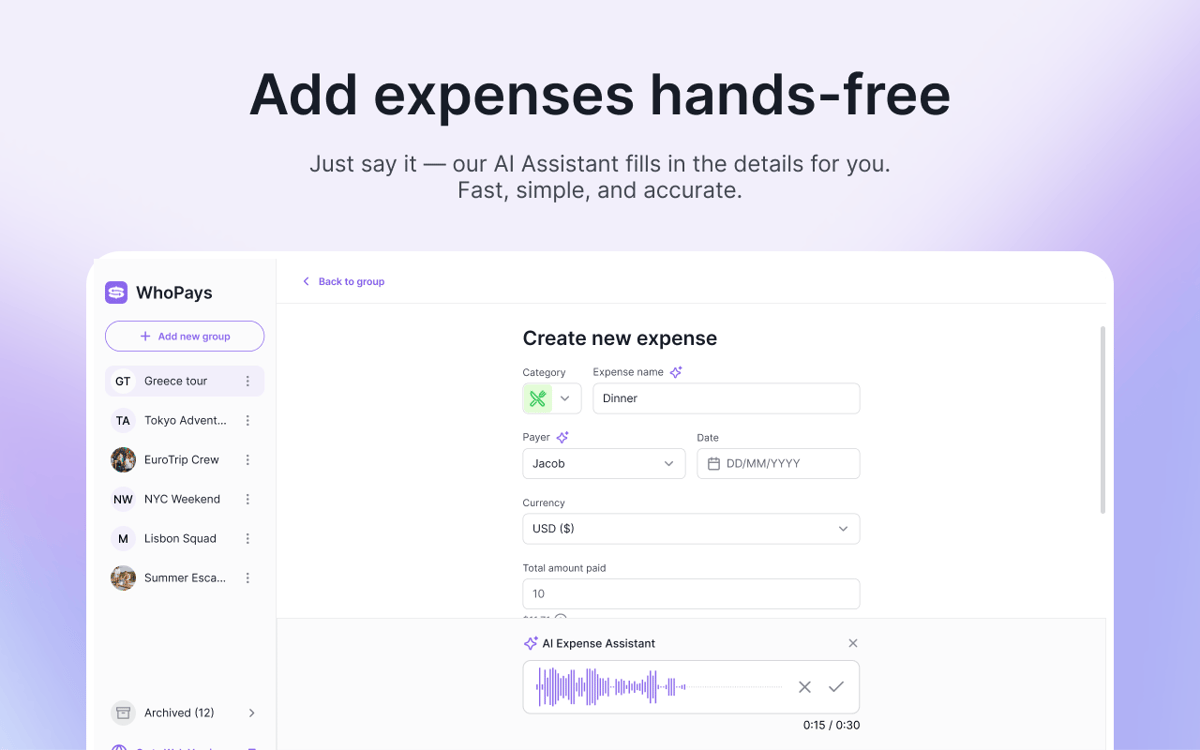
Створюй витрати голосом
Не хочеш все це вводити вручну? Або запиши голосову нотатку. WhoPays може визначати категорію, назву, дату, валюту, платника та суми учасників для витрати.
Баланси, статистика та історія — все одразу
Перевіряй баланси у реальному часі, переглядай підсумки за категоріями та деталізацію витрат для кожного учасника. Кожна зміна зберігається в хронології, тож ти завжди можеш відстежувати редагування, запрошення, розрахунки та видалення.
Щоб усі були в курсі
Створюйте групи, запрошуйте учасників, видаляйте їх за потреби та діліться посиланнями для запрошення. Приєднатися можна за посиланням із запрошення або прямим посиланням — це робить початок роботи простим і зручним.
Розподіляй витрати у понад 150 валютах
Встанови одну валюту групи та додавай витрати або розрахунки в будь-якій потрібній валюті. WhoPays конвертує їх автоматично, тому кожен може стежити за цифрами без зайвої математики.
Оцінки та відгуки
WhoPays
•
Оцінок: 8
Christian Saborio
30 серп. 2026 р.
Версія: 1.0.0
Love it - a very likely replacement for Splitwise. Only feature I’d like that’s not there is to export to PDF to share to people, but overall, a fantastic app.
Mykola
3 черв. 2026 р.
Версія: 1.1.0
Great app, with a much better design than Splitwise. I like the AI adding, which saves tons of time.
Nadiia
2 черв. 2026 р.
Версія: 1.0.0
Really good app! It helps me split bills with my friends. We often order lunch at work, and one person pays for everyone, so this app makes it easy to share the costs.
Отримайте сотні програм з Membership
Підпишіться на Setapp і користуйтесь сотнями чудових програм.
Перші 7 днів безплатно, а далі – в єдиному простому плані.
Завантажити Setapp на Mac
Знайдіть в Setapp застосунок для macOS, iOS або web, що допоможе вирішити ваше завдання.

Установіть знайдену програму
Виконайте завдання за допомогою новенької програми зі Setapp.

WhoPays
Виберіть план підписки
Один застосунок або всі разом в підписці Setapp. Користуйтеся застосунками на своїх умовах.

Отримайте сотні програм з Membership
Підпишіться на Setapp і користуйтесь сотнями чудових програм.
Перші 7 днів безплатно, а далі – в єдиному простому плані.
1
Завантажити Setapp на Mac
Знайдіть в Setapp застосунок для macOS, iOS або web, що допоможе вирішити ваше завдання.
2
Установіть знайдену програму
Виконайте завдання за допомогою новенької програми зі Setapp.
WhoPays
3
Виберіть план підписки
Один застосунок або всі разом в підписці Setapp. Користуйтеся застосунками на своїх умовах.
Нагору
Від планування та рутинних завдань до програмування і творчості – працюйте ефективніше зі Setapp.

TypingMind
ШІ зі зручним інтерфейсом
генеруйте й обробляйте текст
користуйтеся бібліотекою
ШІ

Spark Mail
Упорядкуйте імейли
ШІ

CleanMyMac
Видаляйте тільки непотрібне

Bartender
Налаштуйте меню під себе

CleanShot X
Робіть будь-які скриншоти

Luminar Neo
Редагуйте фото
ШІ

ClearVPN
Безпечний звʼязок

Craft
Робота з документами
ШІ
WhoPays
Розподіляй витрати. Без драми.