
Wifilicious
Знайте свій Wi-Fi
Mac
Версія 2.0.1
macOS 15.0 чи новіша
21.7 MB
12 мов(и)
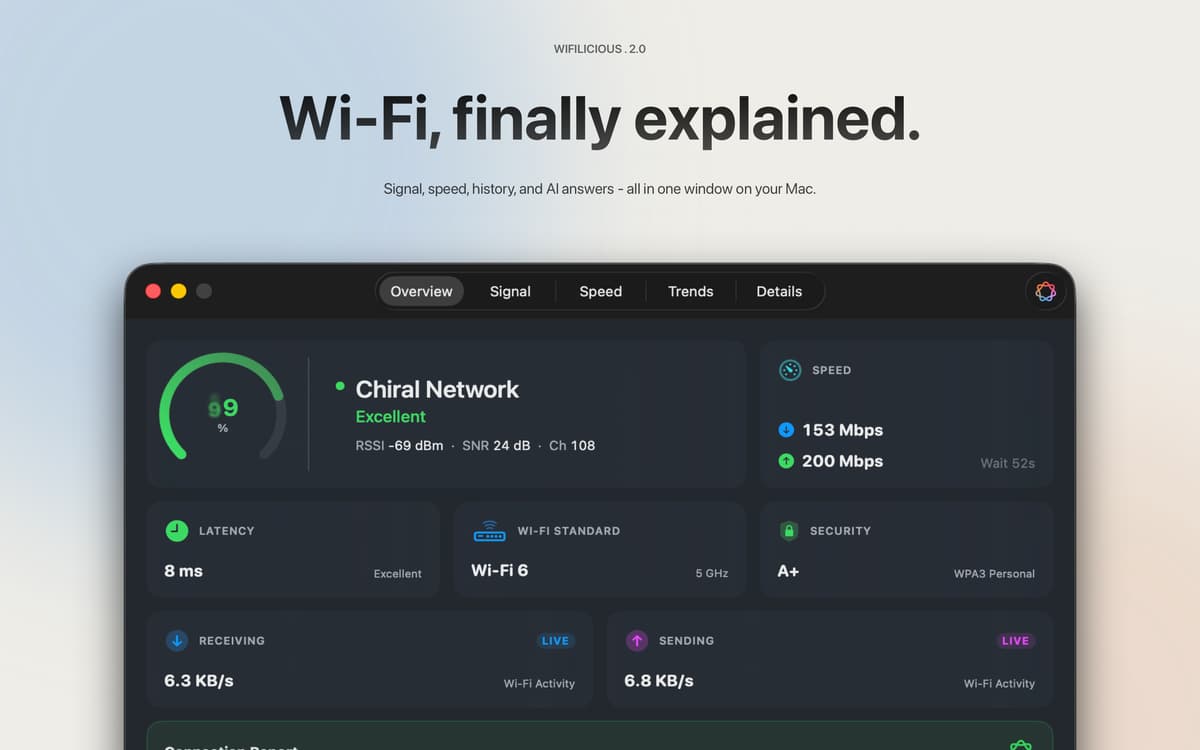
Wifilicious — це аналізатор Wi-Fi для Mac. Показує всю інформацію про поточне з'єднання — силу сигналу, затримку, пропускну здатність, безпеку та час відповіді DNS — оновлюється кожні дві секунди. Запусти тест швидкості, переглянь двотижневу історію або просто запитай в Apple Intelligence, що відбувається. Всі обчислення відбуваються на твоєму Mac. Ніщо з нього не виходить.
Швидко діагностуй повільний або нестабільний Wi-Fi
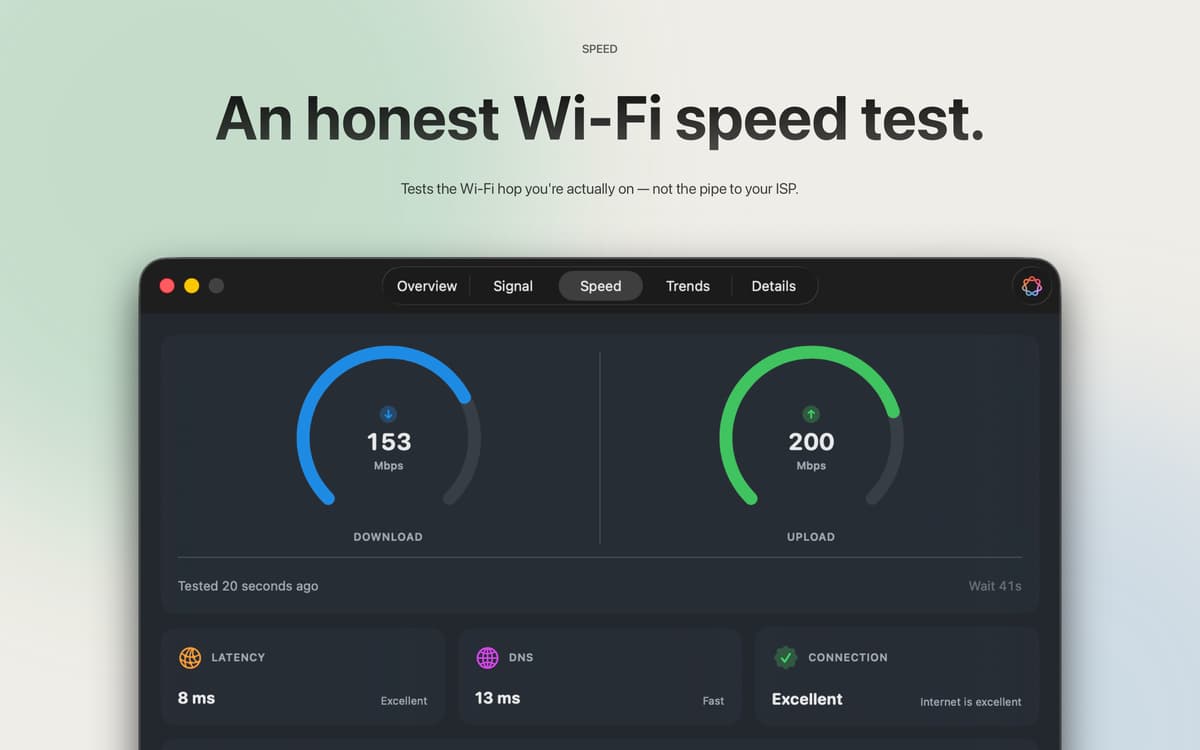
Перевір реальну швидкість Wi-Fi підключення
Відстежуй тренди сигналу протягом годин і днів
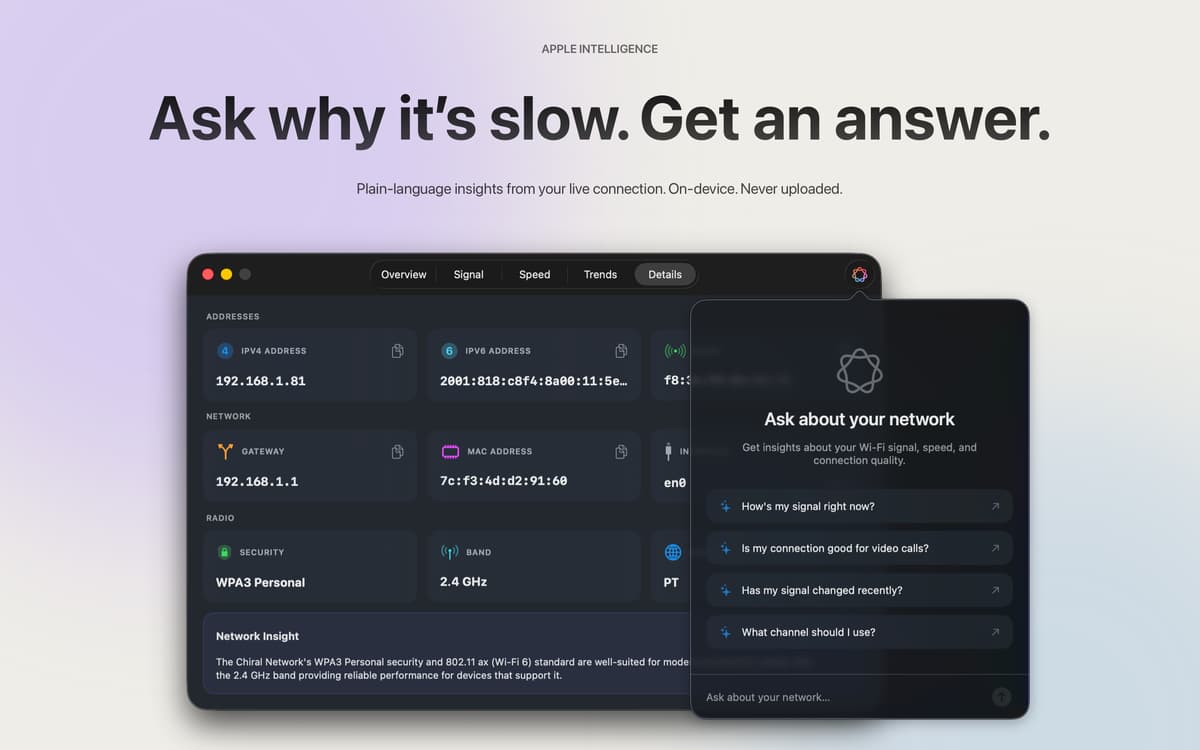
Запитай ШІ, чому твоє з'єднання працює погано
Можливості Wifilicious
Повна картина з першого погляду
Якість сигналу, стандарт безпеки, пропускна здатність у реальному часі, затримка та час відгуку DNS — усе в одній панелі, що оновлюється кожні дві секунди. Показники, які твій Mac непомітно збирав, нарешті там, де ти можеш їх побачити.
Тести швидкості, які реально перевіряють твій Wi-Fi
Більшість тестів швидкості вимірюють канал твого інтернет-провайдера. Цей додаток вимірює якість Wi-Fi з'єднання між твоїм Mac і роутером — саме тут зазвичай і виникають проблеми. Три тести, медіанний результат, реєстрація не потрібна. Використовує близько 9 МБ на завантаження та 5 МБ на відправлення за один запуск, тому можеш тестувати щоразу, коли щось здається неправильним, не замислюючись двічі.
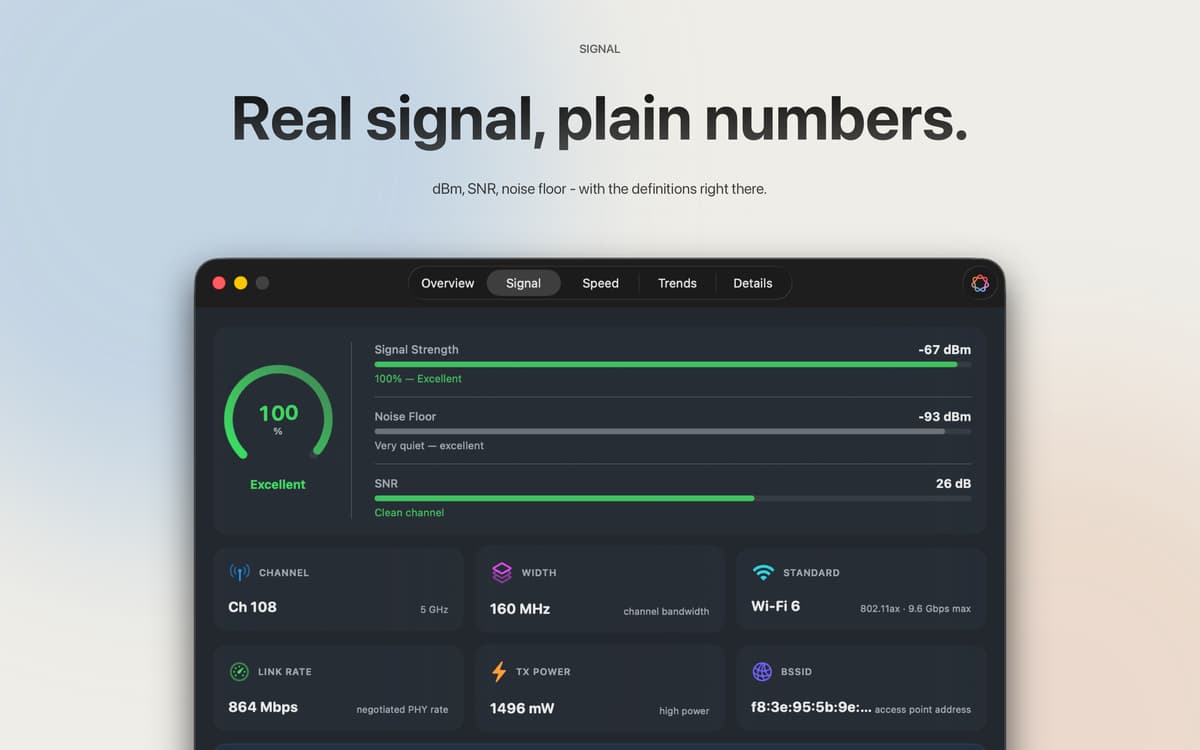
Пояснення необроблених цифр
RSSI в дБм, співвідношення сигналу до шуму, потужність передачі, ширина каналу, режим PHY — все це прямо тут. Кожне поле можна скопіювати та вставити. Кожна метрика супроводжується поясненням простою мовою, тому тобі не потрібен диплом з мережевих технологій, щоб зрозуміти, на що ти дивишся.
Два тижні історії
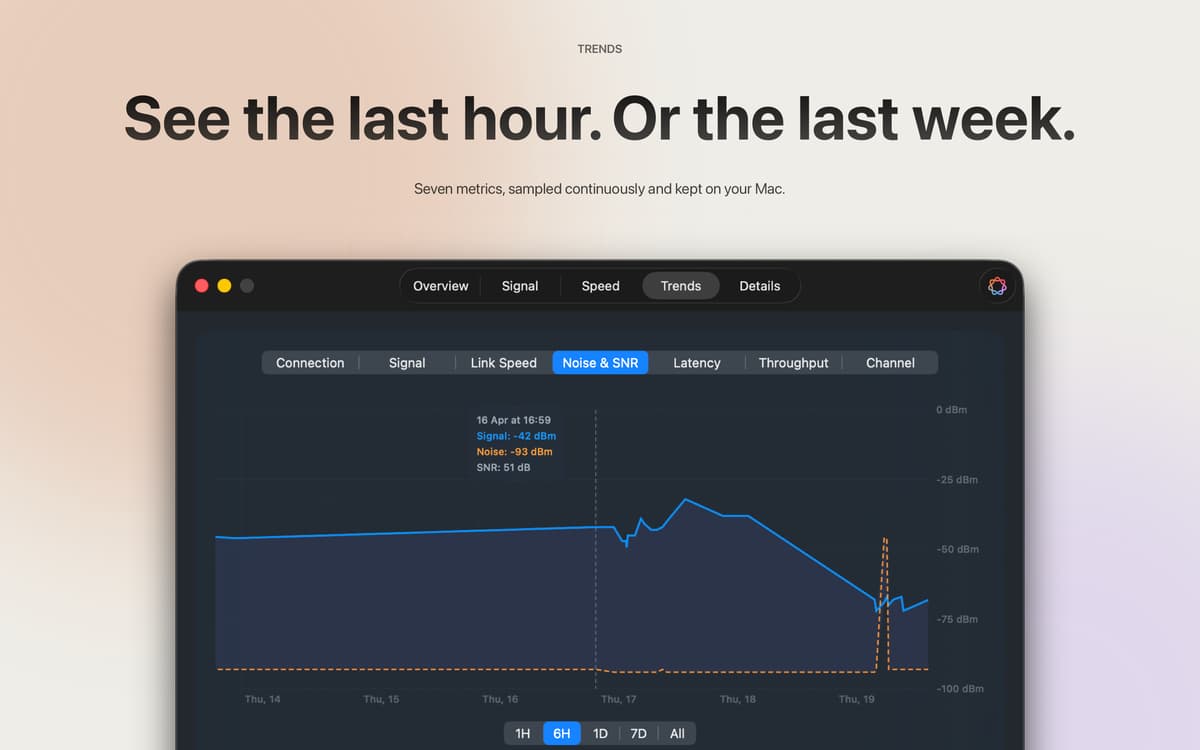
Потужність сигналу, швидкість з'єднання, шум, співвідношення сигнал/шум, затримка, пропускна здатність і канал — дані збираються кожні п'ять хвилин і зберігаються протягом 14 днів. Переглянь, що було годину, день чи навіть два тижні тому, щоб точно зрозуміти, коли все пішло не так. Кожен семпл залишається на твоєму Mac.
Apple Intelligence на основі твоїх реальних даних
У macOS 26 та пізніших версіях Apple Intelligence аналізує дані твого поточного з'єднання й відповідає, як друг, який справді розуміється на мережах. Запитай «Чи підходить це для відеодзвінка?» і отримай реальну відповідь на основі твого сигналу та швидкості — не загальні поради з інтернету. На пристрої, твоєю мовою, ніколи не передається в мережу.
Рядок меню, інформаційна панель або обидва
Швидка перевірка сигналу в рядку меню дає відповідь на питання «все нормально прямо зараз?» Повна панель керування опрацьовує все інше. Шість стилів іконок, власні кольори сигналу — ти вирішуєш, що і як відображається.
Отримайте сотні програм з Membership
Підпишіться на Setapp і користуйтесь сотнями чудових програм.
Перші 7 днів безплатно, а далі – в єдиному простому плані.
Завантажити Setapp на Mac
Знайдіть в Setapp застосунок для macOS, iOS або web, що допоможе вирішити ваше завдання.

Установіть знайдену програму
Виконайте завдання за допомогою новенької програми зі Setapp.

Wifilicious
Виберіть план підписки
Один застосунок або всі разом в підписці Setapp. Користуйтеся застосунками на своїх умовах.

Отримайте сотні програм з Membership
Підпишіться на Setapp і користуйтесь сотнями чудових програм.
Перші 7 днів безплатно, а далі – в єдиному простому плані.
1
Завантажити Setapp на Mac
Знайдіть в Setapp застосунок для macOS, iOS або web, що допоможе вирішити ваше завдання.
2
Установіть знайдену програму
Виконайте завдання за допомогою новенької програми зі Setapp.
Wifilicious
3
Виберіть план підписки
Один застосунок або всі разом в підписці Setapp. Користуйтеся застосунками на своїх умовах.
Нагору
Від планування та рутинних завдань до програмування і творчості – працюйте ефективніше зі Setapp.

TypingMind
ШІ зі зручним інтерфейсом
генеруйте й обробляйте текст
користуйтеся бібліотекою
ШІ

Spark Mail
Упорядкуйте імейли
ШІ

CleanMyMac
Видаляйте тільки непотрібне

Bartender
Налаштуйте меню під себе

CleanShot X
Робіть будь-які скриншоти

Luminar Neo
Редагуйте фото
ШІ

ClearVPN
Безпечний звʼязок

Craft
Робота з документами
ШІ
Wifilicious
Знайте свій Wi-Fi