JoyTap
Ajouter des sons de frappe au clavier
Mac
Version 26.1.30.0
macOS 14.0 ou version supérieure
21.6 MB
1 langues
JoyTap apporte des sons de clavier mécanique au clavier silencieux de votre Mac. Cette application simple de barre de menus diffuse des sons de switches authentiques pendant que vous tapez — dans toutes les applications, des éditeurs de code aux e-mails. Que vous soyez développeur en train de coder ou écrivain travaillant sur votre prochain article, le retour audio rend la frappe plus satisfaisante et vous aide à rester concentré plus longtemps.
Ajoutez des sons de clavier mécanique à votre Mac
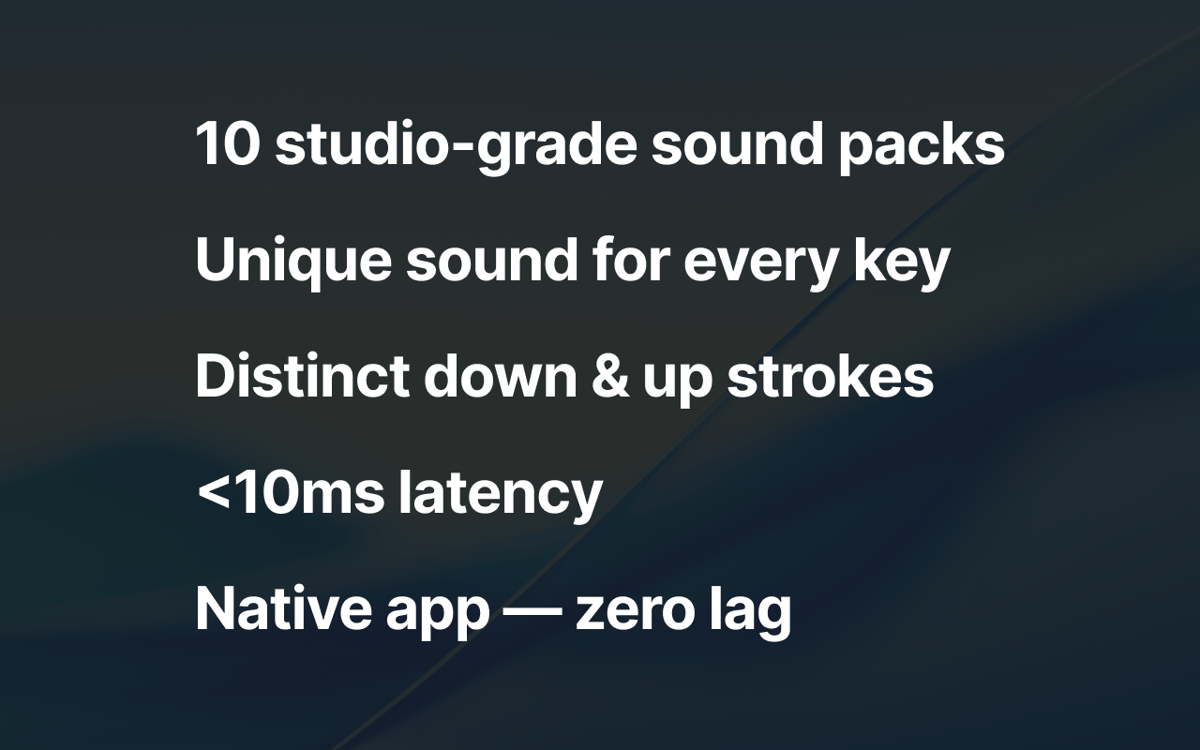
Choisissez parmi 10+ profils authentiques
Contrôlez le volume depuis la barre de menus
Frappe agréable dans toutes les apps macOS
Fonctionnalités de JoyTap
Choisissez parmi des sons de switches mécaniques authentiques
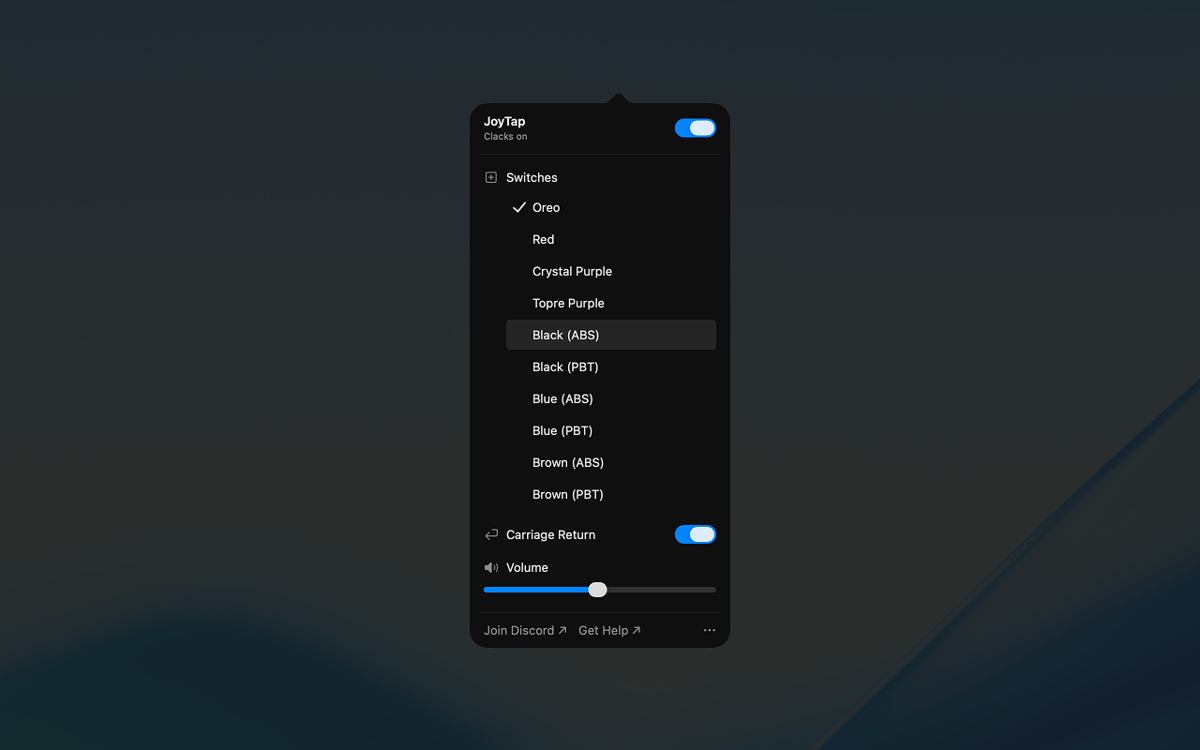
Sélectionnez parmi plus de 10 profils de switches réalistes basés sur de véritables switches mécaniques — Oreo, Crystal Purple, Topre Purple, et des switches linéaires et tactiles classiques en variantes ABS et PBT. Chaque profil capture les caractéristiques sonores distinctes de son homologue physique, des thocks profonds aux clics nets.
Accédez aux contrôles depuis votre barre de menus
JoyTap se trouve dans votre barre de menus pour un accès rapide. Activez ou désactivez instantanément les sons lorsque vous avez besoin de silence, basculez entre différents profils de switches en un clic et personnalisez les paramètres sans interrompre votre workflow.
Ajustez finement le volume selon votre environnement
Réglez le niveau sonore indépendamment pour s'adapter à toute situation. Augmentez-le lorsque vous travaillez seul pour une satisfaction maximale, ou baissez-le lorsque vous devez rester discret dans les espaces partagés ou pendant les appels.
Avis et commentaires
JoyTap
•
141 classements
Rach Safdieh
26 août 2026
Version de l'application : 26.1.30.0
It’s a great app but uses a tonnnn of memory
Bikram Choudhury
5 août 2026
Version de l'application : 26.1.30.0
It’s fun. I never realised that I typed so fast!
Aditya Balasubramanian
29 juin 2026
Version de l'application : 26.1.30.0
4.5/5
Profitez de centaines d'applications avec Membership
Devenez membre Setapp et utilisez des centaines d'applications incroyables grâce à un seul abonnement.
Forfait tout compris, après 7 jours d'essai gratuit
Installez Setapp sur votre Mac
Explorez des applications pour Mac, iOS et le Web. Découvrez comment accomplir facilement les tâches du quotidien.

Téléchargez l'application qui vous intéresse
Cette application vous attend dans Setapp. Installez-la d'un seul clic.

JoyTap
Choisissez votre abonnement
Une seule application ou bien plus avec un abonnement Setapp. Accédez aux applications comme vous le souhaitez.

Profitez de centaines d'applications avec Membership
Devenez membre Setapp et utilisez des centaines d'applications incroyables grâce à un seul abonnement.
Forfait tout compris, après 7 jours d'essai gratuit
1
Installez Setapp sur votre Mac
Explorez des applications pour Mac, iOS et le Web. Découvrez comment accomplir facilement les tâches du quotidien.
2
Téléchargez l'application qui vous intéresse
Cette application vous attend dans Setapp. Installez-la d'un seul clic.
JoyTap
3
Choisissez votre abonnement
Une seule application ou bien plus avec un abonnement Setapp. Accédez aux applications comme vous le souhaitez.
Des applications de qualité
Pour gérer des plannings, accomplir des tâches de routine, créer des contenus, coder et bien plus encore, optez pour Setapp.

TypingMind
IA conversationnelle avec interface alternative
générez ou résumez du texte
utilisez une bibliothèque de requêtes
IA

Spark Mail
Gérez vos e-mails
IA

CleanMyMac
Supprimez les fichiers inutiles

Bartender
Personnalisez la barre des menus

CleanShot X
Profitez de plus de possibilités pour les captures d'écran

Luminar Neo
Retouchez vos photos
IA

ClearVPN
Sécurisez votre connexion Internet

Craft
Travaillez sur vos documents
IA
JoyTap
Ajouter des sons de frappe au clavier