
KeyCue
Work faster with shortcuts
Mac
Version 11.1.1
macOS 12.4 ou version supérieure
8 MB
3 langues
macOS shortcuts are meant to help you work faster by providing quick access to common commands. But how many of us can remember them all? KeyCue gives an instant overview of what each app can do, allowing you to start working more efficiently right away.
View all shortcuts from the menu bar
Create custom shortcuts
Access files, folders, and sites instantly
Quickly search for and insert emojis
Fonctionnalités de KeyCue
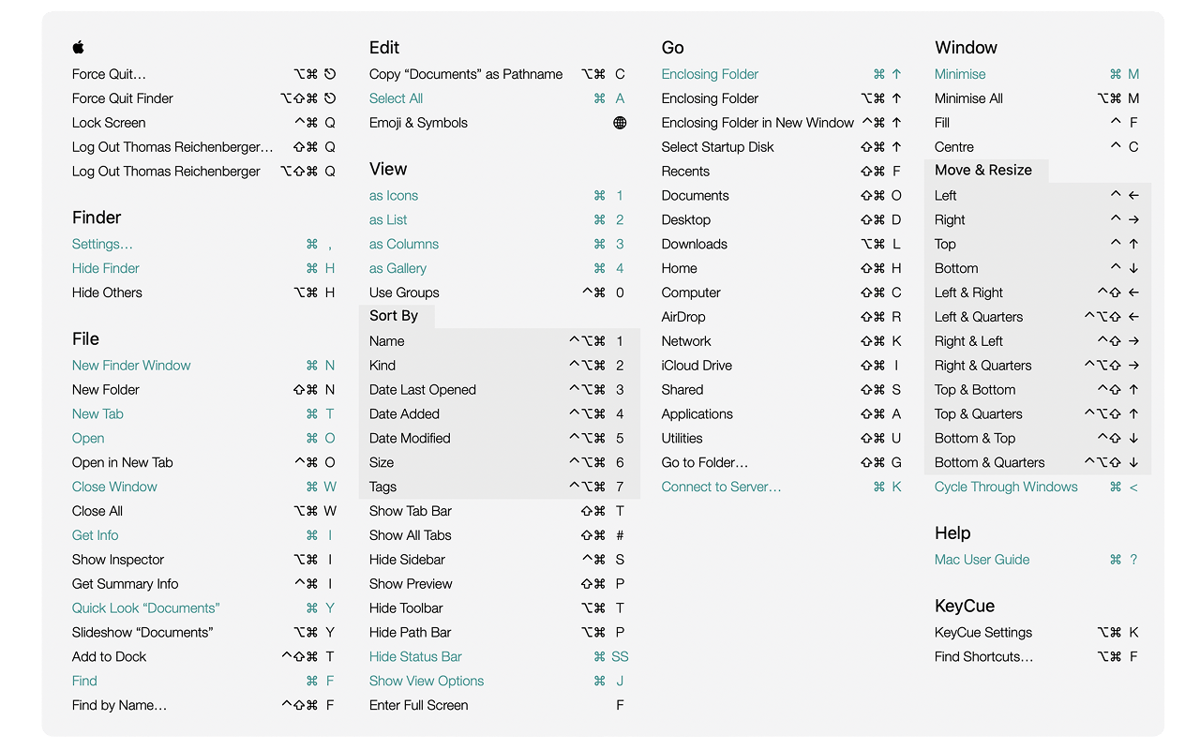
View shortcuts at a glance
Hold down the ⌘ key to instantly reveal a table of all shortcuts for the current app, as well as system-wide shortcuts. Searching for shortcuts is easy. Just press the key or shortcut you remember, and KeyCue will highlight all the matching commands. If you don’t remember the shortcut, type a keyword, such as “screenshot” or “zoom in,” and KeyCue will find what you need.
Personalize your shortcuts
Stop relying on default shortcuts that might not suit your workflow. With KeyCue, you can create custom keyboard commands or modify existing ones on the fly. For example, you could set a shortcut to quickly toggle your favorite app or jump to a specific part of your project. This will make your work more personalized and efficient.
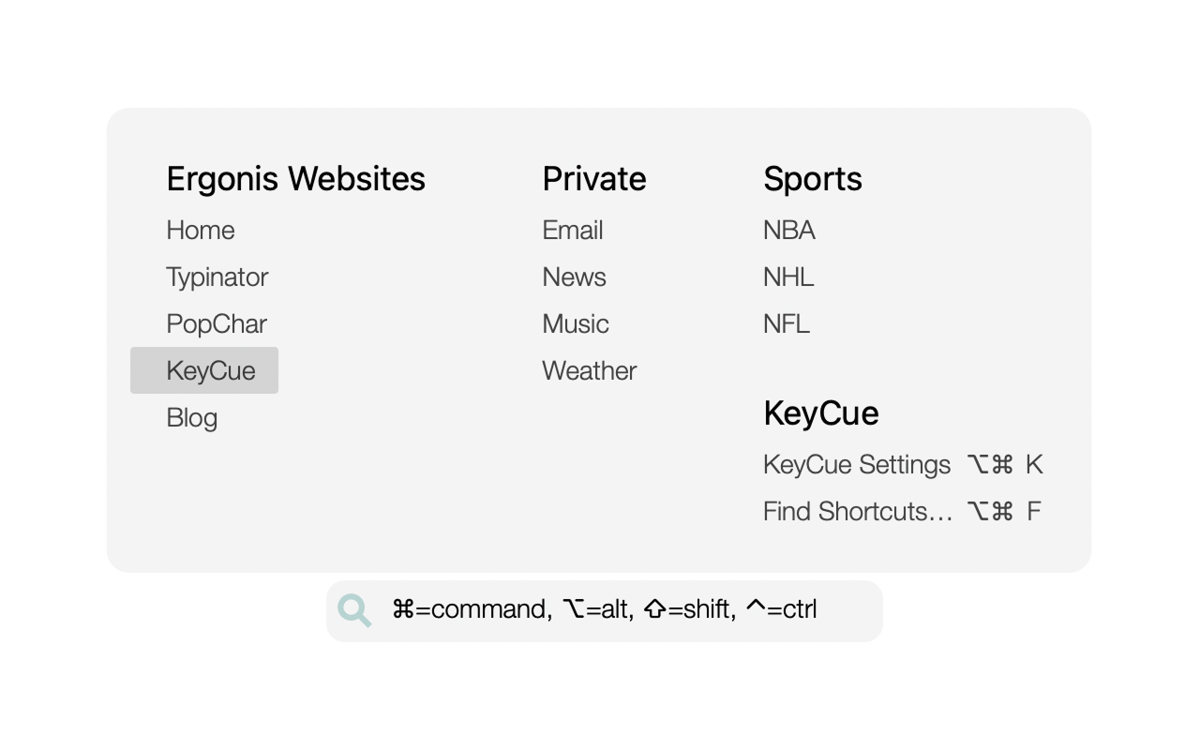
Open files, folders, and URLs instantly
Tired of wasting time digging through folders to find your files? With KeyCue, you can quickly access your most-used folders and browse their contents with a single shortcut. If you often visit certain websites, KeyCue helps you get there in an instant. Create a list of your go-to URLs and open them with just one shortcut!
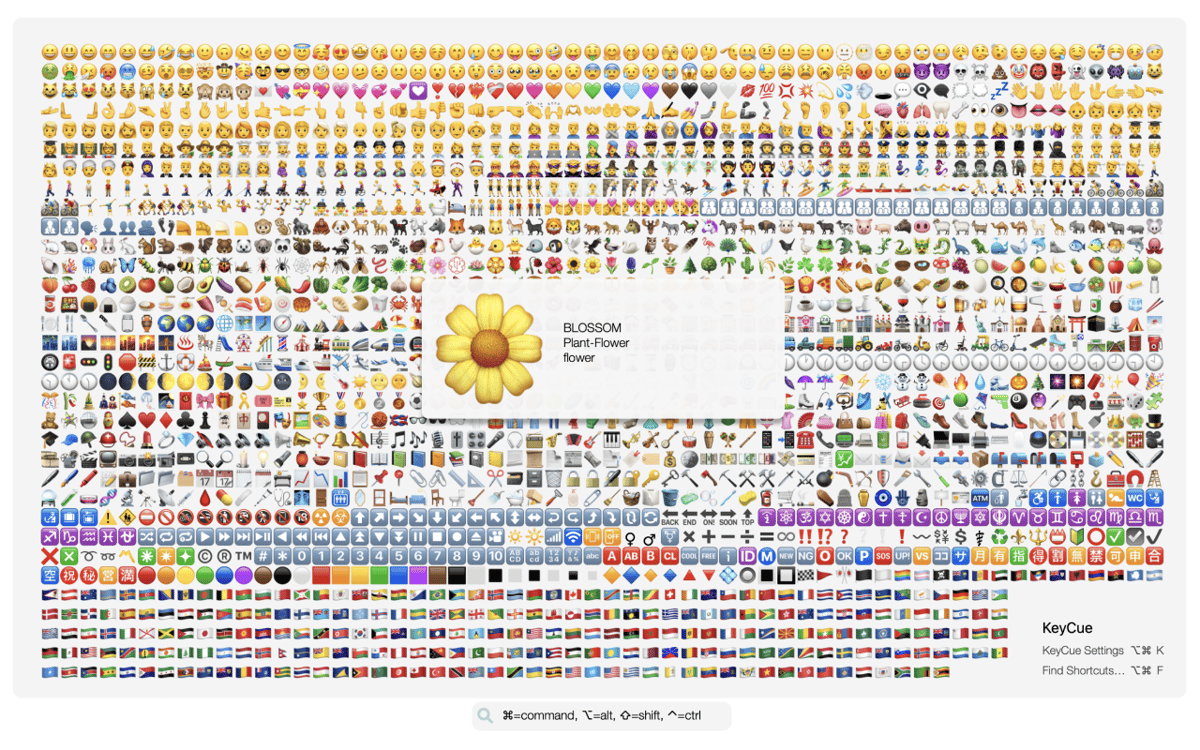
Quickly search for and insert emojis
Finding emojis in macOS can be difficult. Scrolling through long lists or trying to guess the right keyword can disrupt your focus. KeyCue simplifies the process by letting you browse your recent favorites, making it effortless to add a fun touch to your messages. You can also search for emojis by keyword.
Avis et commentaires
KeyCue
•
164 classements
A Mo
16 août 2026
Version de l'application : 11.1.1
I was unsure at first, not knowing if it would be updated or have issues but I’m definitely glad I finally tried this app! Idk why I always feel the urge to change the default shortcuts of every single app I ever use, but I do. For years I have used several sticky notes apps, so they sit neatly in the corner of my screen for all of the many shortcuts I need to remember or change. This is a lot better. I’ve only noticed a couple small things but I’ll just mention one but when the settings window is open, it stays in the front, on top of everything and that can be a little tedious when trying to quickly click something else but have to move the window off to the side or below it.. not a big deal tho. Anyways, this solves many of the issues with my previous system! Thank you!
Jason Wu
3 juil. 2026
Version de l'application : 11.1.1
good app willl use again
Réponse du développeur
3 juil. 2026
That's great to hear, could you be so nice to change the vot then to "UP" ;-) ... we're happy you like it.
Nadir Palacios
15 avr. 2026
Version de l'application : 11.1.1
Good app
Profitez de centaines d'applications avec Membership
Devenez membre Setapp et utilisez des centaines d'applications incroyables grâce à un seul abonnement.
Forfait tout compris, après 7 jours d'essai gratuit
Installez Setapp sur votre Mac
Explorez des applications pour Mac, iOS et le Web. Découvrez comment accomplir facilement les tâches du quotidien.

Téléchargez l'application qui vous intéresse
Cette application vous attend dans Setapp. Installez-la d'un seul clic.

KeyCue
Choisissez votre abonnement
Une seule application ou bien plus avec un abonnement Setapp. Accédez aux applications comme vous le souhaitez.

Profitez de centaines d'applications avec Membership
Devenez membre Setapp et utilisez des centaines d'applications incroyables grâce à un seul abonnement.
Forfait tout compris, après 7 jours d'essai gratuit
1
Installez Setapp sur votre Mac
Explorez des applications pour Mac, iOS et le Web. Découvrez comment accomplir facilement les tâches du quotidien.
2
Téléchargez l'application qui vous intéresse
Cette application vous attend dans Setapp. Installez-la d'un seul clic.
KeyCue
3
Choisissez votre abonnement
Une seule application ou bien plus avec un abonnement Setapp. Accédez aux applications comme vous le souhaitez.
Des applications de qualité
Pour gérer des plannings, accomplir des tâches de routine, créer des contenus, coder et bien plus encore, optez pour Setapp.

TypingMind
IA conversationnelle avec interface alternative
générez ou résumez du texte
utilisez une bibliothèque de requêtes
IA

Spark Mail
Gérez vos e-mails
IA

CleanMyMac
Supprimez les fichiers inutiles

Bartender
Personnalisez la barre des menus

CleanShot X
Profitez de plus de possibilités pour les captures d'écran

Luminar Neo
Retouchez vos photos
IA

ClearVPN
Sécurisez votre connexion Internet

Craft
Travaillez sur vos documents
IA
KeyCue
Work faster with shortcuts