JoyTap
Додати звук друку на клавіатуру
Mac
Версія 26.1.30.0
macOS 14.0 чи новіша
21.6 MB
1 мов(и)
JoyTap додає звуки механічної клавіатури на безшумну клавіатуру вашого Mac. Ця проста програма для рядка меню відтворює автентичні звуки перемикачів під час друку — у кожній програмі, від редакторів коду до електронної пошти. Незалежно від того, чи ви розробник, який працює з кодом, чи письменник, який працює над наступною статтею, звуковий зворотний зв'язок робить друкування більш приємним і допомагає вам залишатися зосередженим протягом триваліших сеансів.
Додайте звуки механічної клавіатури на ваш Mac
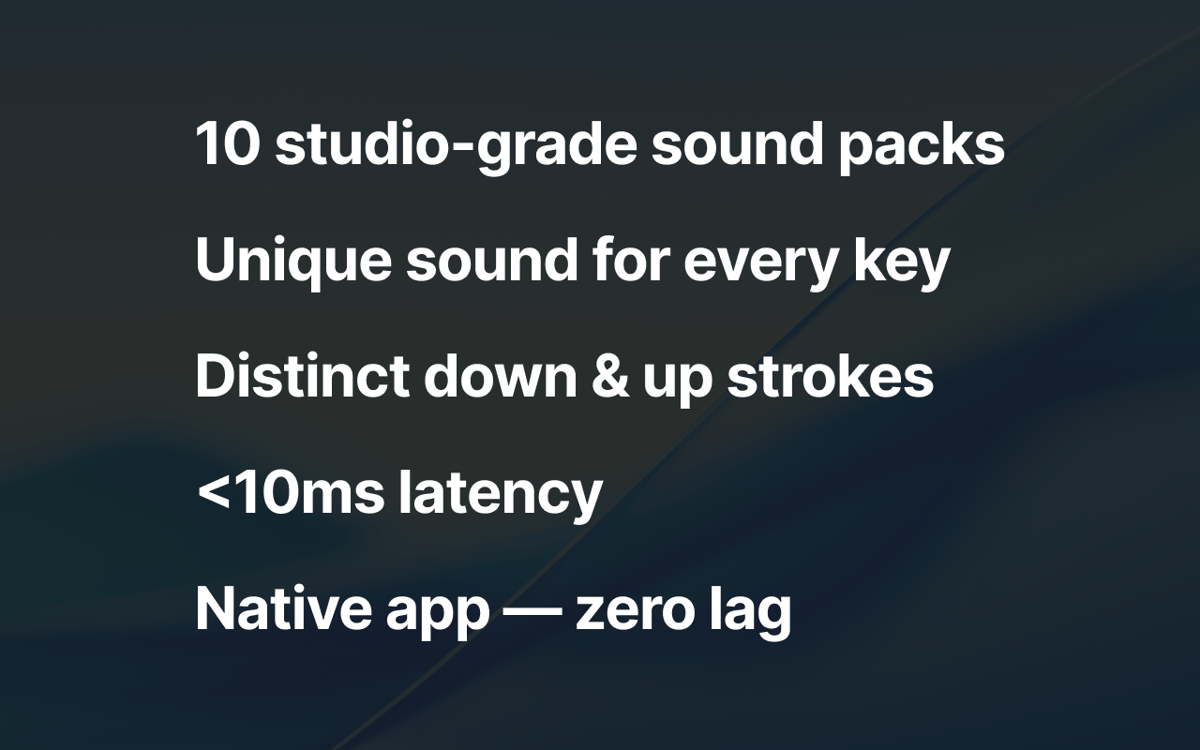
Вибирайте з понад 10 профілів перемикачів
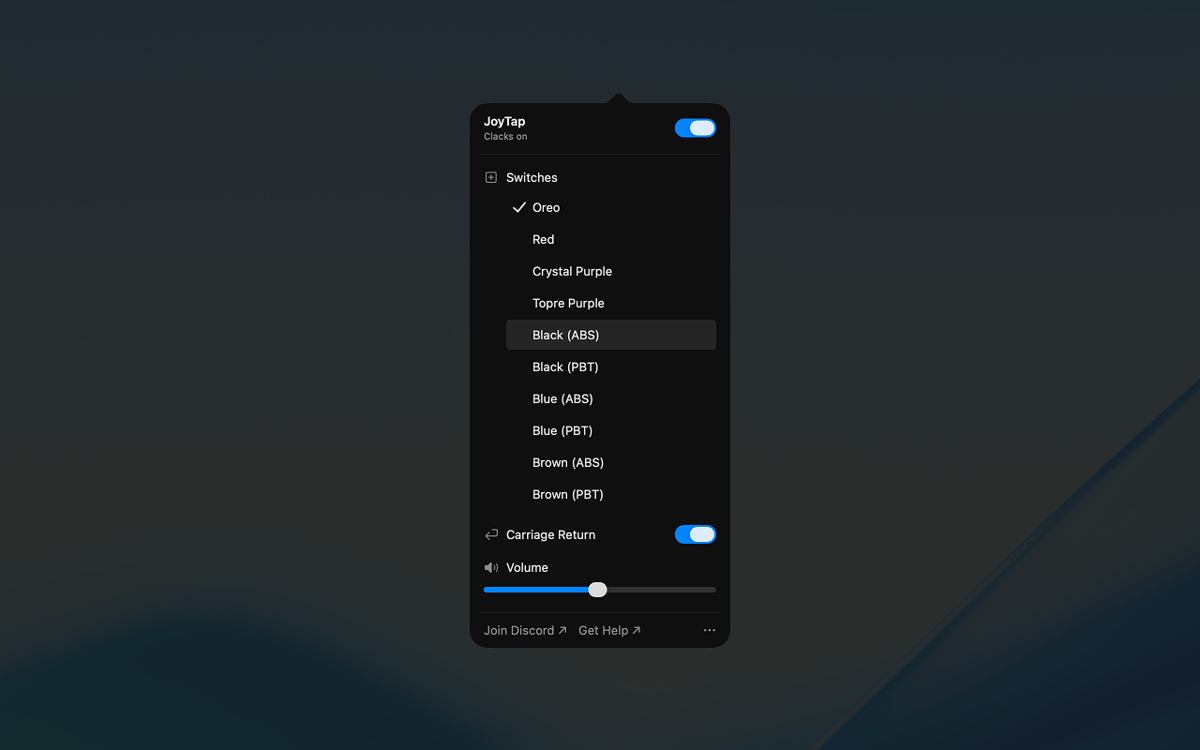
Керуйте гучністю та доступом з рядка меню
Насолоджуйтесь друкуванням у будь-якій програмі
Можливості JoyTap
Вибирайте з автентичних звуків механічних перемикачів
Вибирайте з понад 10 реалістичних профілів перемикачів, заснованих на реальних механічних перемикачах — Oreo, Crystal Purple, Topre Purple, а також класичні лінійні та тактильні перемикачі у варіантах ABS та PBT. Кожен профіль відображає унікальні звукові характеристики свого фізичного аналога, від глибоких ударів до чітких клацань.
Елементи керування доступом з рядка меню
JoyTap знаходиться у вашому рядку меню для швидкого доступу. Миттєво вмикайте або вимикайте звуки, коли вам потрібна тиша, перемикайтеся між різними профілями перемикачів одним клацанням миші та налаштовуйте параметри, не перериваючи робочий процес.
Точне налаштування гучності відповідно до вашого оточення
Налаштуйте рівень звуку незалежно, щоб він відповідав будь-якій ситуації. Збільште його, працюючи на самоті, для максимального задоволення, або зменште, коли вам потрібно залишатися тихо в спільних приміщеннях або під час дзвінків.
Оцінки та відгуки
JoyTap
•
Оцінок: 141
Rach Safdieh
26 серп. 2026 р.
Версія: 26.1.30.0
It’s a great app but uses a tonnnn of memory
Bikram Choudhury
5 серп. 2026 р.
Версія: 26.1.30.0
It’s fun. I never realised that I typed so fast!
Aditya Balasubramanian
29 черв. 2026 р.
Версія: 26.1.30.0
4.5/5
Отримайте сотні програм з Membership
Підпишіться на Setapp і користуйтесь сотнями чудових програм.
Перші 7 днів безплатно, а далі – в єдиному простому плані.
Завантажити Setapp на Mac
Знайдіть в Setapp застосунок для macOS, iOS або web, що допоможе вирішити ваше завдання.

Установіть знайдену програму
Виконайте завдання за допомогою новенької програми зі Setapp.

JoyTap
Виберіть план підписки
Один застосунок або всі разом в підписці Setapp. Користуйтеся застосунками на своїх умовах.

Отримайте сотні програм з Membership
Підпишіться на Setapp і користуйтесь сотнями чудових програм.
Перші 7 днів безплатно, а далі – в єдиному простому плані.
1
Завантажити Setapp на Mac
Знайдіть в Setapp застосунок для macOS, iOS або web, що допоможе вирішити ваше завдання.
2
Установіть знайдену програму
Виконайте завдання за допомогою новенької програми зі Setapp.
JoyTap
3
Виберіть план підписки
Один застосунок або всі разом в підписці Setapp. Користуйтеся застосунками на своїх умовах.
Нагору
Від планування та рутинних завдань до програмування і творчості – працюйте ефективніше зі Setapp.

TypingMind
ШІ зі зручним інтерфейсом
генеруйте й обробляйте текст
користуйтеся бібліотекою
ШІ

Spark Mail
Упорядкуйте імейли
ШІ

CleanMyMac
Видаляйте тільки непотрібне

Bartender
Налаштуйте меню під себе

CleanShot X
Робіть будь-які скриншоти

Luminar Neo
Редагуйте фото
ШІ

ClearVPN
Безпечний звʼязок

Craft
Робота з документами
ШІ
JoyTap
Додати звук друку на клавіатуру