Top 5 finance management tools
What’s a good money manager? One, it should make sure you never miss a bill. Two, it would be great if it synced with your bank so you wouldn’t have to log payments manually. Finally, it should help optimize your budget over time. These 5 tools have all the perks.
MoneyWiz 2025
Superb bank sync is what makes MoneyWiz 2025 a star of automated money management.
MoneyWiz is probably the most pro out of all pro finance managers, with a huge selection of banks (90% chance your bank is on the list!) — so you can sync your bank with MoneyWiz 2023 and see all your expenses and transactions logged automatically.
MoneyWiz 2023 unique perks:
- Security. The app can ask for a PIN every 1, 5, or 10 minutes
- Bank sync. Connect your bank accounts so you don’t have to log expenses
- Calendar view with scheduled expenses
Receipts
Some invoices arrive in PDFs, others in paper (yes, it’s still a thing). If there’s no possibility for you to digitize all your payments, you can manually scan your payment statements and invoices — and bring them into Receipts.
The beauty of this app is that it OCRs all scans and docs, automatically extracting amounts from them. Even more, the app can calculate taxes! Perfect for hardcore accounting.
Chronicle
Chronicle is for folks who prioritize budget planning and want to optimize their money situation with the help of a finance manager. Our favorite thing about Chronicle is that it helps us spend less money on Netflix competitors, thanks to its subscription budget tracker.
Chronicle unique perks:
Sleek menu bar reminder. Log your upcoming payments and Chronicle will keep reminding you of them (great way to keep you from spontaneously spending all the money on online shopping).
Spending forecast. Based on your income, recurring bills, and scheduled payments, Chronicle can make predictions about your money situation.
Easy way to track subscriptions. Tag recurring subscription payments so you can easily locate them — Chronicle will calculate the overall subscription budget.
GreenBooks
Love logging your expenses? Then, GreenBooks is your ideal choice. A really simple app that works on Mac and iPhone and lets you log and tag expenses with a few clicks.
And of course, it has a killer feature — Trends. If you stick with GreenBooks long enough, its Trends section will become super useful for you. Here, you can find out if you start spending more money on groceries over time, if your fitness budget changes, and so on.
Expenses
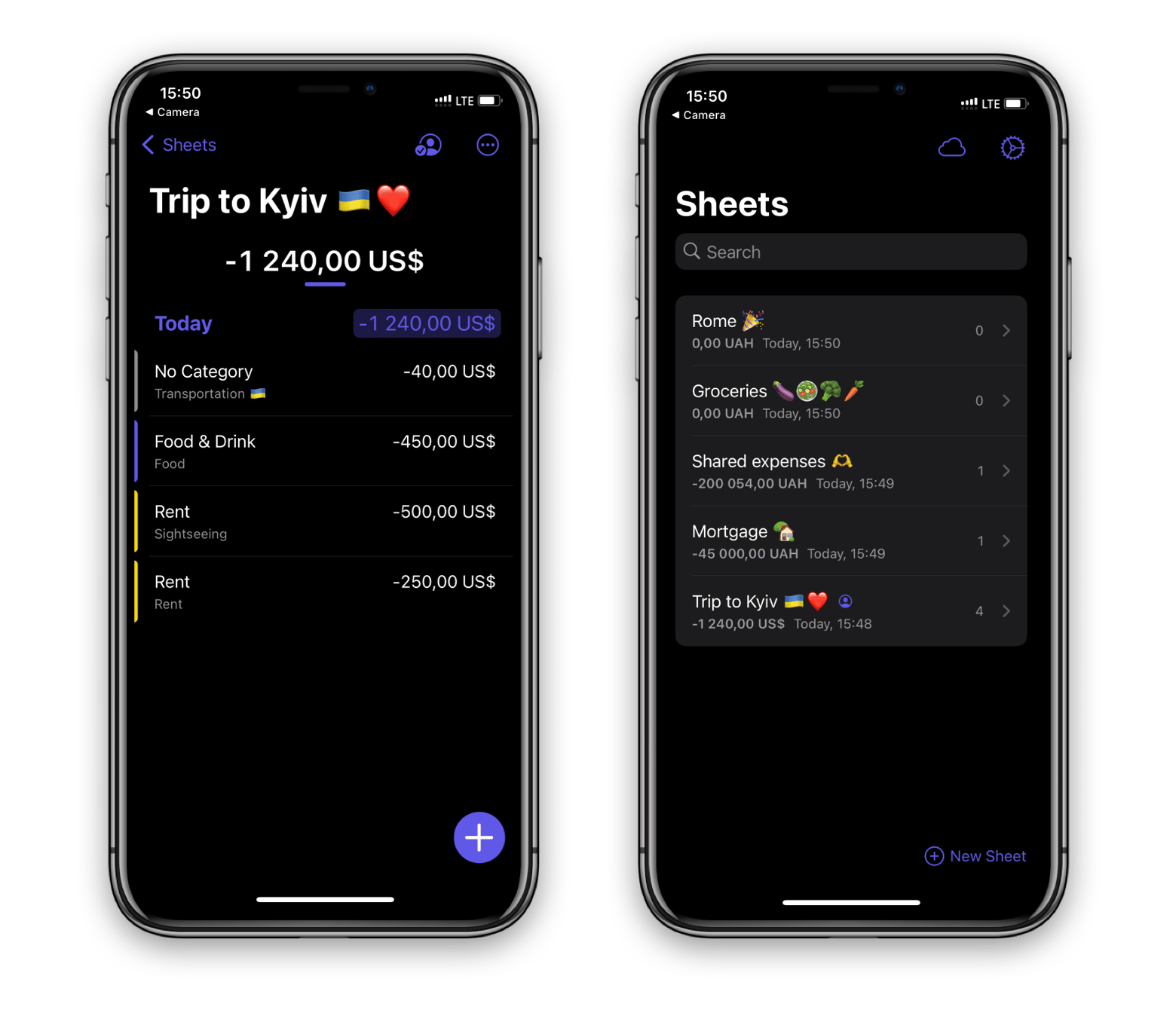
Expenses is another effortless tool for money management. We love its look on an iPhone and the simplicity it brings to tracking expenses on a phone. The interface is based on sheets — you can create dedicated sheets for different purposes — for example, your upcoming trip. So when you’re on a trip, you can easily log all your expenses using this sheet.
Hope this list of top tools will help you solve tasks faster, and enjoy solving them, too! Check out more how-tos picked for you below.