Marketplace Membership
My Setapp

Time to share!

Share this link with a friend. Once they start their paid Setapp subscription, you’ll both get a free month.

Learn more
Setapp logo
Home Marketplace Membership How it works Solve with AI+ Pricing Blog About Setapp
My Setapp

iOS 16 kit

Get the iOS 16 perks today 

“Personal is powerful,” says Apple on the front page of iOS 16 preview, likely referring to its new personalized Lock Screen. We agree! And we have some ideas on how you could amplify the power of iOS 16 with some personalized iOS apps available in Setapp today. 

Go beyond iOS 16
Share files to the cloud

Try Dropshare for easy photo and file sharing. 
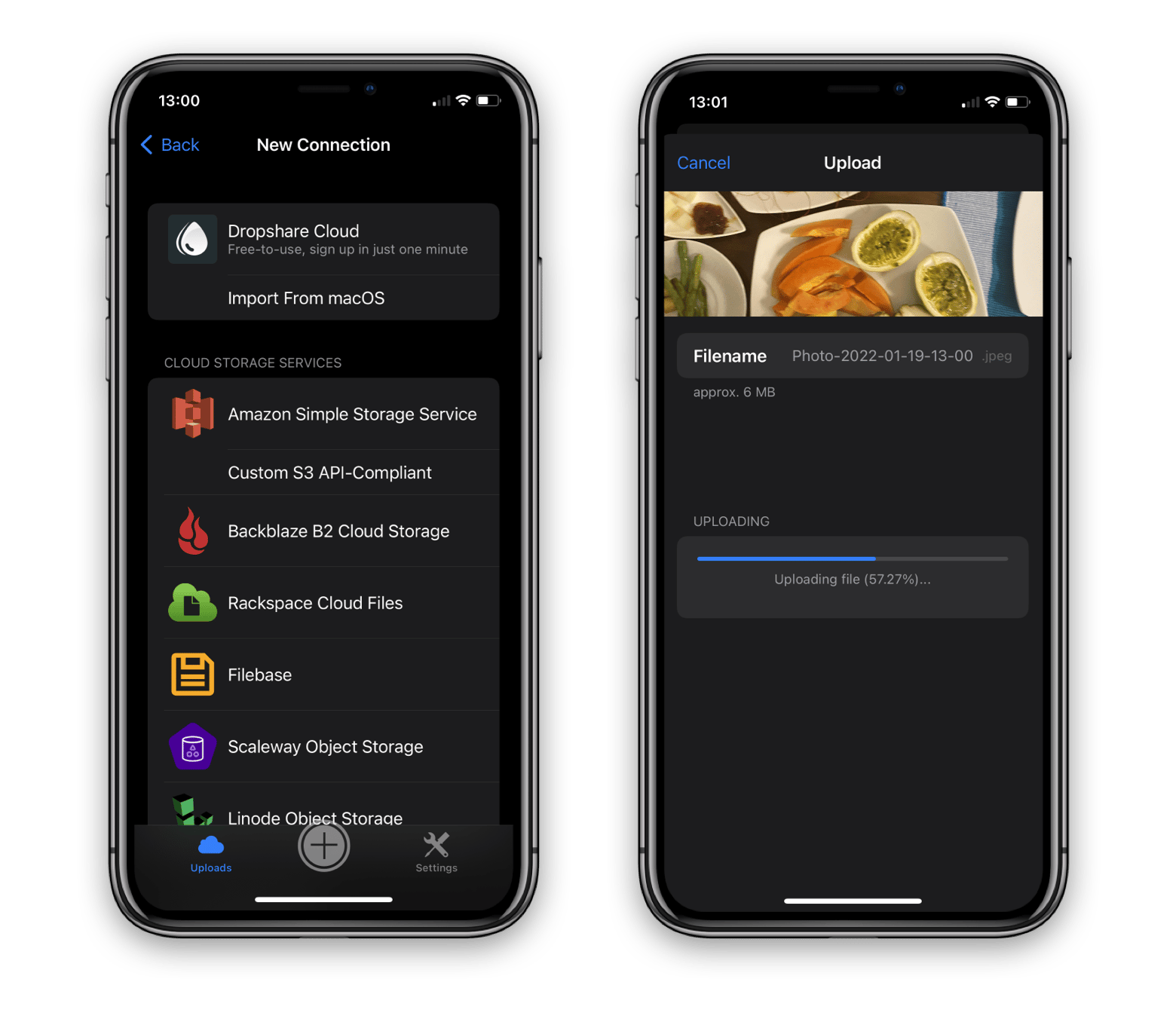
iOS 16 automates the process of saving photos to a shared family folder in iCloud. But we assume you might need more — more cloud services to share to, and more types of files that can be shared. Dropshare lets you upload any file to any cloud storage. From there, you can share it with any person simply by copying the link.  

Schedule and unsend emails 

Canary Mail enhances the new iOS 16 Unsend and Schedule features in Mail. 
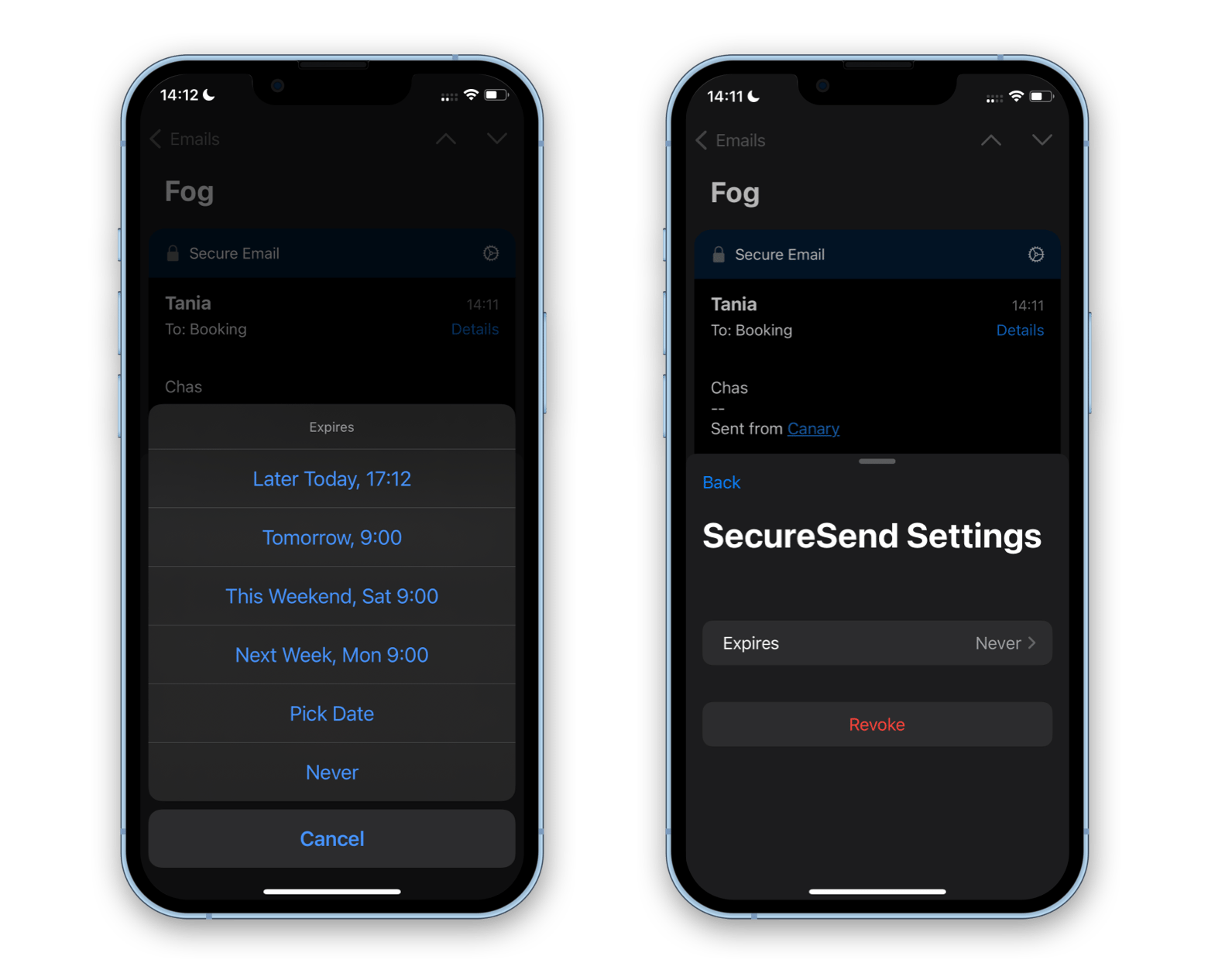
Mainly, you can replace Mail with Canary Mail to be able to unsend, schedule, and set your emails to self-destruct. That’s super handy if you’re sharing some sensitive information and don’t want it to remain in your recipient’s inbox forever. After you’ve sent the email, find it in your Sent folder, open the Secure Email settings, and set an expiration date. You can also use the same menu to unsend (revoke) your email. 

Streamline two-step sign in

We’re looking forward to the passwordless future! And iOS 16 tells us it’s near. 
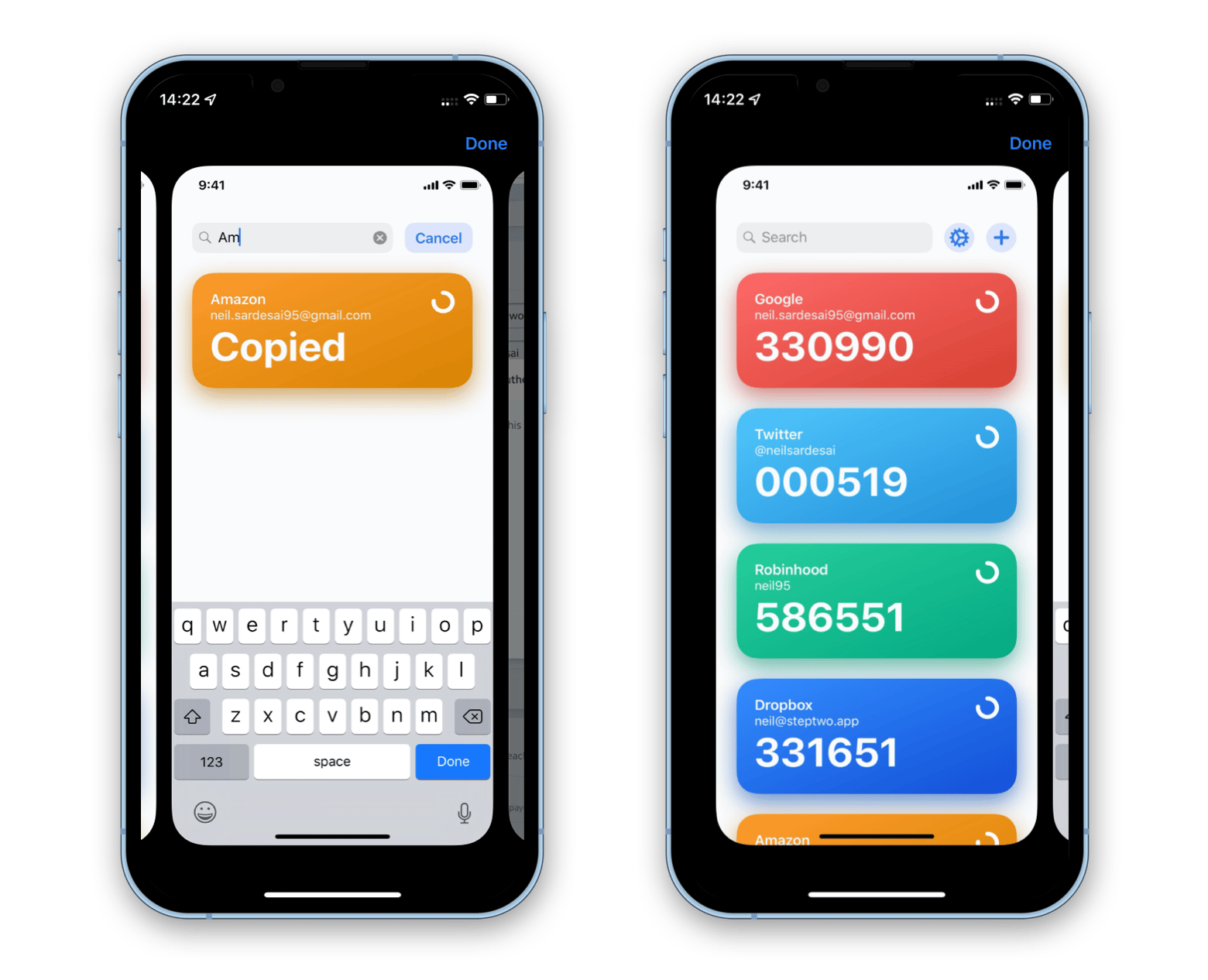
With Passcodes replacing the traditional sign in process in Safari, you can ditch passwords on iOS 16. However, if you use different browsers and apps to sign into your accounts, nothing changes for you. Step Two can relieve the pain by automating your two-step authentication. It saves all your OTP codes in one place and lets you copy them with a click. 

Focus, and get it tracked  

Swapping Focus modes is another big hit in this year’s major iOS update. 
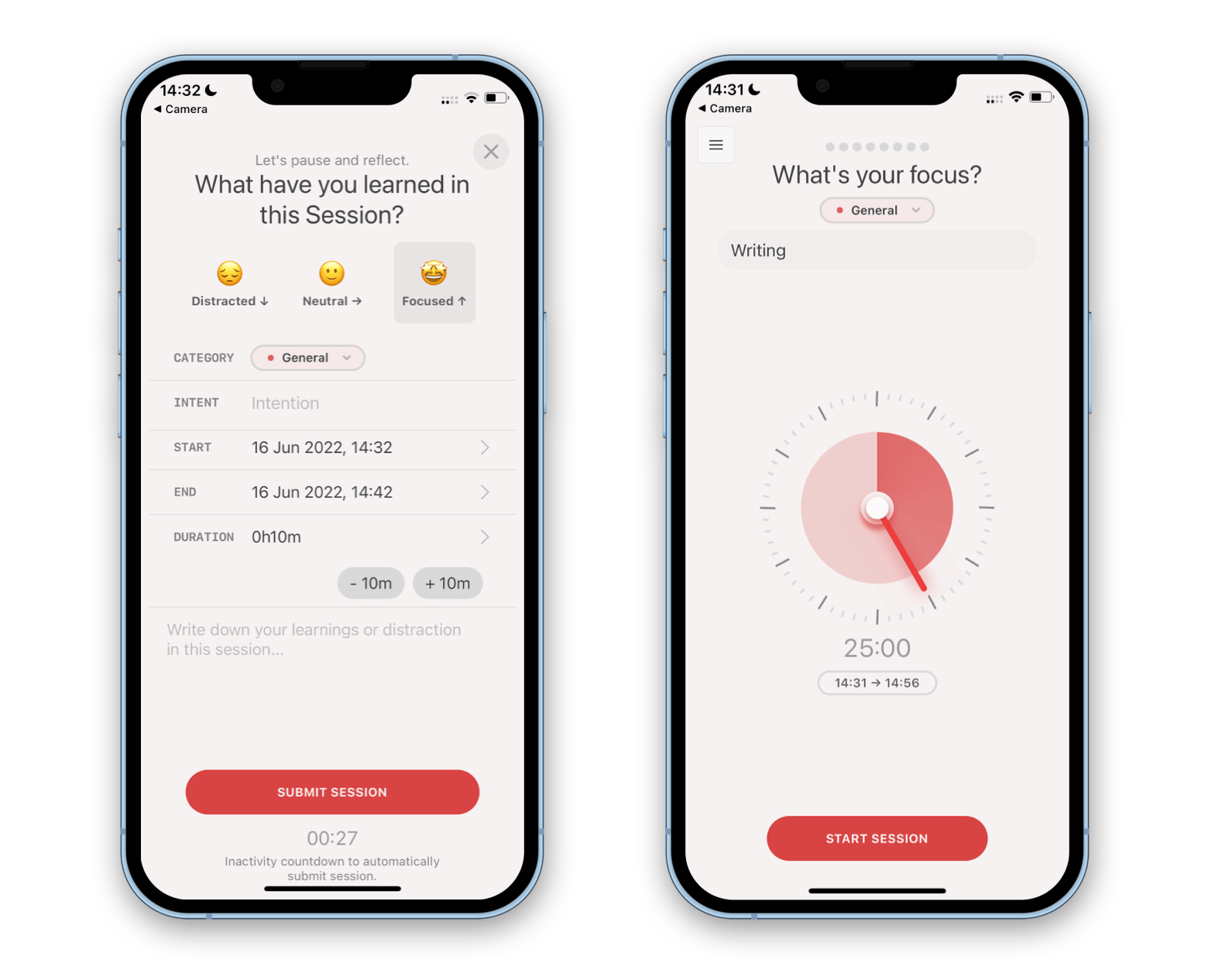
But let’s be honest, how many times did you turn on Focus mode, without starting to focus? Session can be an amazing addition to your focus flow — it’s a Pomodoro tracker for iOS, with statistics baked in. You can set up your custom work sessions, rate how productive you were during those sessions, and then analyze detailed stats at the end of the day. 

More reads for you

macOS 13 wishlist
Get your long-awaited updates now
Work across devices
Two apps for seamless control
Setapp logo

Company

  • Home
  • All apps
  • How it works
  • Pricing
  • About Setapp
  • Download Setapp
  • Getting started with Setapp
  • Uninstall Setapp

Helpful

  • Support
  • Trust center
  • Join as a developer
  • Setapp reviews
  • Affiliate program
  • Blog

Inside the blog

  • Editorial process
  • How we evaluate apps
  • Human writing
  • Write for us

Best apps

  • VPN for Mac
  • YouTube downloader for Mac
  • Screen recorder for Mac
  • Recovery software for Mac
  • Password manager for Mac
  • Video editing software for Mac
  • Note–taking app for Mac
  • Terminal for Mac
  • Calendar app for Mac
  • Remote desktop for Mac
  • Cloud backup for Mac
  • Screenshot tool for Mac
  • Antivirus for Mac
  • Browser for Mac

Our best content

  • All macOS versions
  • All iOS versions
  • MacBook generations in order
  • iPhone releases in order
  • iPad generations in order
  • AirPods generations in order

How to's

  • View clipboard history on Mac
  • Change folder icon or color on Mac
  • Recover deleted iPhone photos
  • Access unrecognized external drive
  • Access your Mac remotely
  • Use recovery mode on Mac
  • View and kill processes on Mac
  • Stop Mac from sleeping
  • Check MacBook temperature
  • Fix frozen Mac
  • Reset iPhone
  • Reset iPad

Our tools

  • Apple serial number
  • iPhone serial number
  • Mac serial number
  • iPad serial number
  • AirPods serial number
  • Apple Watch serial number
  • Apple warranty number
  • Mac warranty checker
  • iPad warranty checker
  • HEIC to JPG
  • HEIC to PNG
  • HEIC to PDF
  • GPTs for Mac

Updates from our team, written with love

Love is coming your way, soon. This doesn’t look right, please try again. Try once more, our server fell asleep for a bit.
I agree to receive emails from Setapp as per this Privacy Notice.
Please select the checkbox to continue.
Need help? Terms of Use Privacy Notice
© 2026 MacPaw Way Ltd., 25 Serifou, Allure Center 11, Office No. 11-12, 2nd Floor, 3046 Zakaki, Limassol, Cyprus
Sweet, let’s get you started
or sign in with
Apple icon
Google icon
Create a strong password
Come up with a unique password for your Setapp account:
  • 8 characters minimum.
  • At least 1 uppercase letter.
  • At least 1 lowercase letter.
What should we call you?
Continue with new account:
Captcha is required