Fix your Mac’s biggest gaps with one plan instead of 21 separate apps.Try all 300+ apps. Free for 7 days.
The best Mac utilities fill gaps macOS leaves open: Bartender for menu bar clutter, Paste for clipboard history, CleanMyMac for storage cleanup, Mosaic for window layouts, and iStat Menus for system monitoring. All are available on Setapp.
Is your Mac powerful by default? Without a doubt. Does it have some functionality gaps? Yes, it does. (Think of the always-cluttered menu bar or the lack of a powerful cleaning tool.) So, do you need additional apps? Absolutely. I’ve compiled the best Mac utilities that fill those gaps. These apps aren’t niche, so most people will find them useful.
Or get Bartender on its own from $19.99 USD/year, free for 7 days.
Menu bar & system
Bartender: Unclutter the menu bar
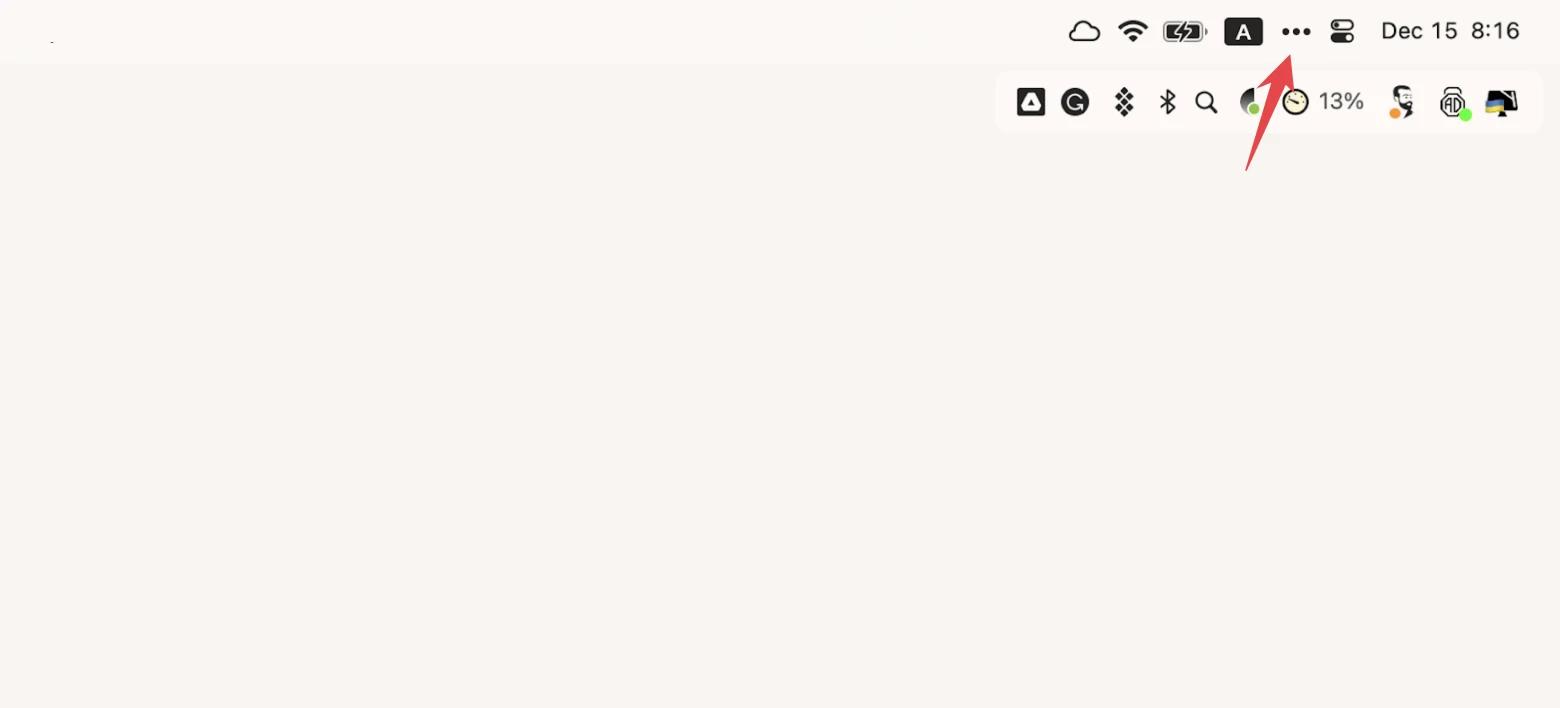
The space for icons in the menu bar is extremely limited. You open just a few apps, and it's cluttered. Only the Bartender can bring the order.
Bartender minimizes all the icons, leaving only the ones you choose to display. For example, we keep the battery, Wi-Fi, and keyboard indicators in view. You can even group them if needed, like when we combined Google Drive, Mega, and Dropbox into one "cloudy" folder.
Even though the icons are hidden most of the time, program changes won't go unnoticed. If an app is updated or has a problem, the Bartender will show its icon in the menu bar and hide it only when the issue is fixed. The app is included in Setapp as part of a flat monthly subscription, along with 300+ other Mac apps.
One Switch: Access macOS features fast
Some basic Mac settings, like turning Wi-Fi on and off, are always at your fingertips. But some require a lot of clicking. For example, to prevent your Mac from sleeping, you probably do the following: Apple menu > System Settings > Lock Screen > the settings you want. Phew.
One Switch is the most useful Mac software for controlling your most-used switch functions. With just two clicks (literally!), you can toggle between light and dark modes, connect Bluetooth devices, manage display settings, lock the keyboard, hide desktop icons, and more.
Some One Switch users say they have already forgotten when they were using some of the settings on their Macs the usual way. So yes, this app does make life easier. The app is included in Setapp as part of a flat monthly subscription, along with 300+ other Mac apps.
Lungo: Keep your Mac awake
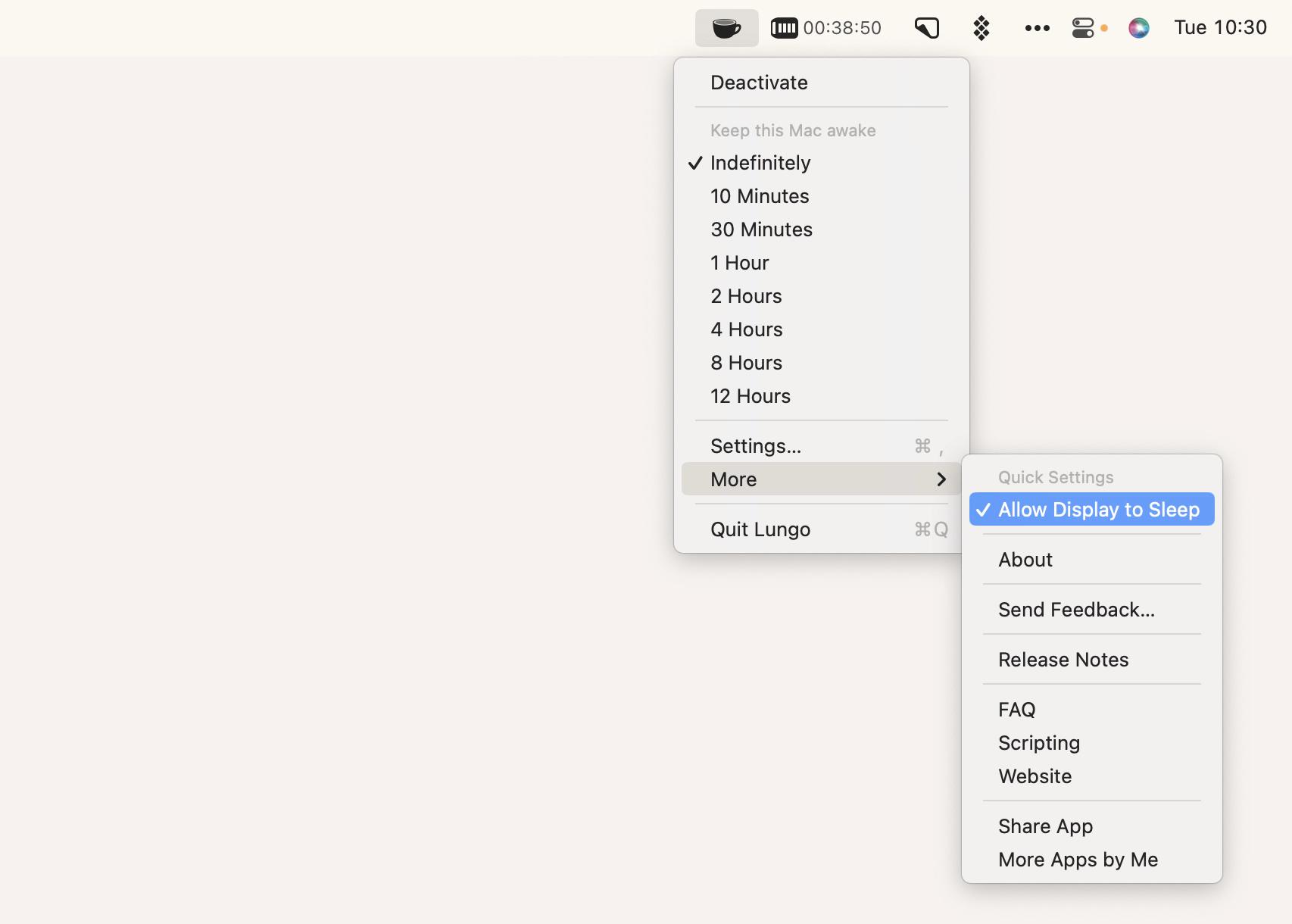
Sometimes, your Mac goes to sleep at the wrong time. For example, when you have a recipe on the screen or when an app takes a long time to update. To keep your Mac awake, you need a special macOS utility called Lungo.
Lungo lives in the menu bar and sets the wake-up time for your Mac with one click – from 10 minutes to infinity.
At the same time, it doesn't interfere with your general settings. For example, setting a schedule in System Settings > Battery > Schedule or an automatic logout in System Settings > Security & Privacy > Advanced will take priority over Lungo. The app is included in Setapp as part of a flat monthly subscription, along with 300+ other Mac apps.
Almighty: Use quick toggles and actions
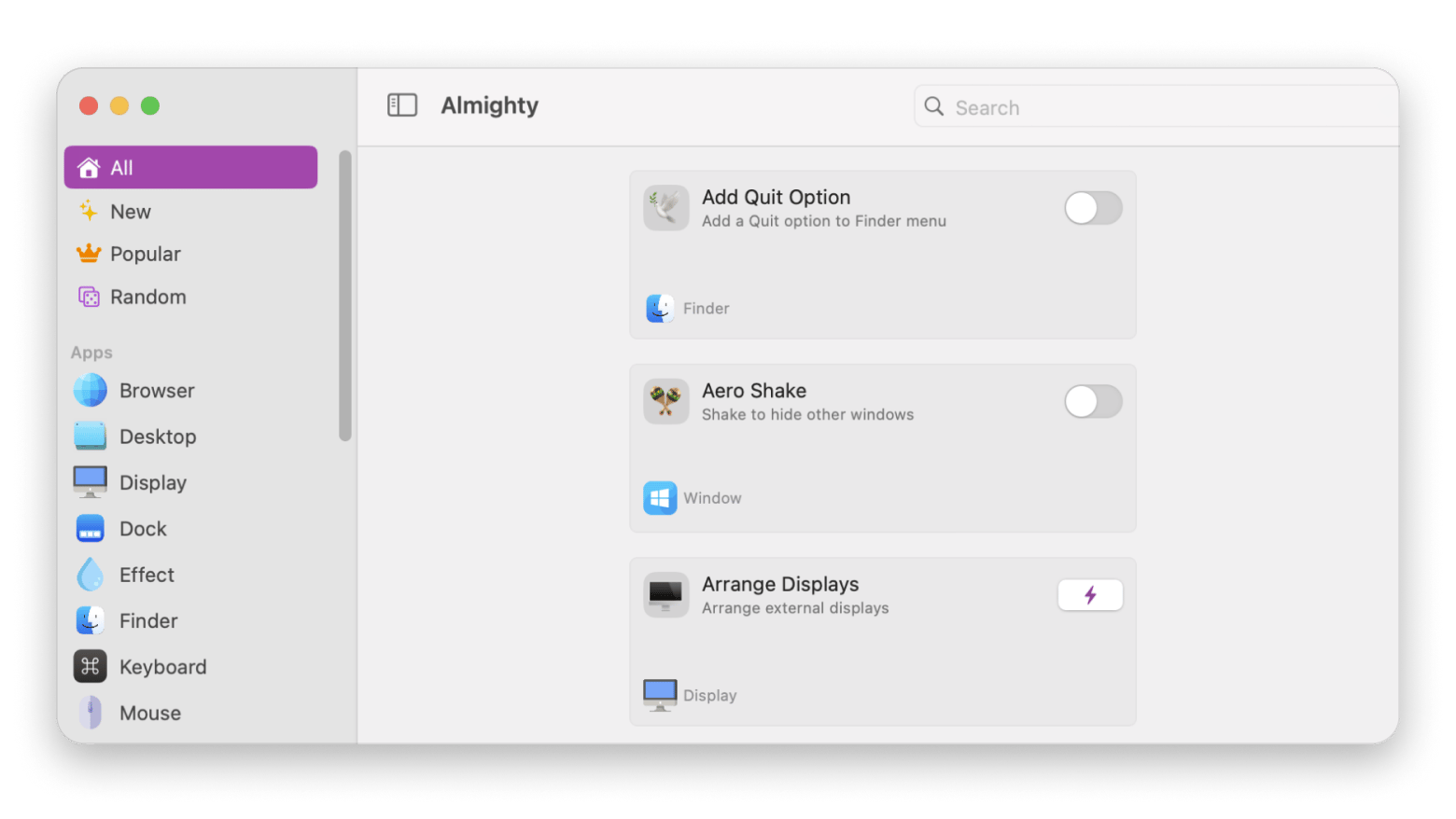
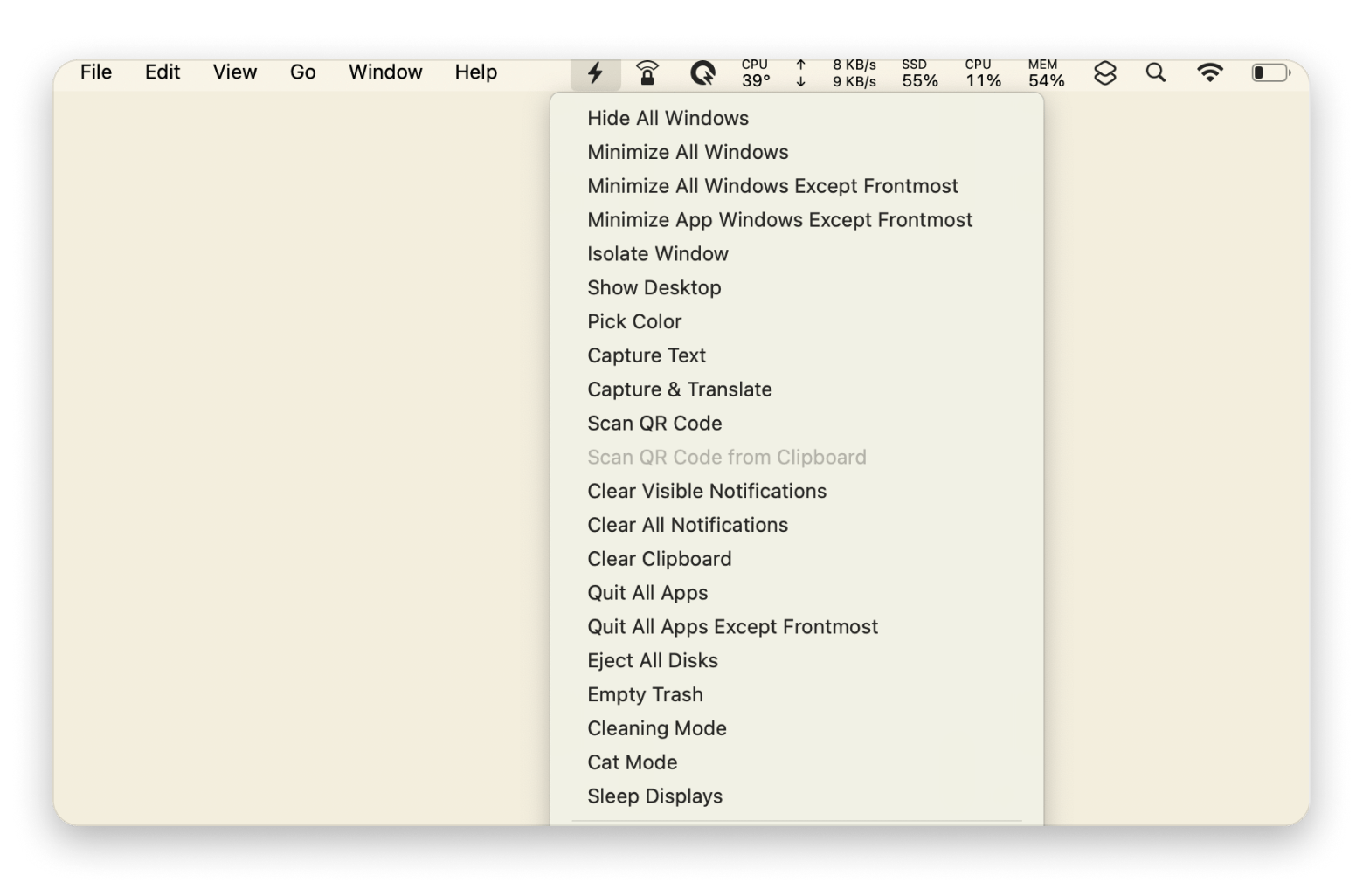
Almighty puts a collection of Mac controls and shortcuts in one place. It’s useful if you often repeat small tasks, such as changing system settings or adjusting how your Mac behaves. Choose the actions you want and leave the rest out of the way. The app is included in Setapp as part of a flat monthly subscription, along with 300+ other Mac apps.
Input & automation
Supercharge: Add handy Mac actions
Supercharge adds optional actions to Finder, the Dock, and macOS, including shortcuts for everyday file and window tasks. You can turn on the features you want and ignore the rest. It requires macOS 26 or later, so check your Mac’s version before installing.
The app is included in Setapp as part of a flat monthly subscription, along with 300+ other Mac apps.
BetterTouchTool: Customize all your input devices
If you think of a keyboard as just a way to type and a touchpad as just a mouse, there's an opportunity to improve your productivity.
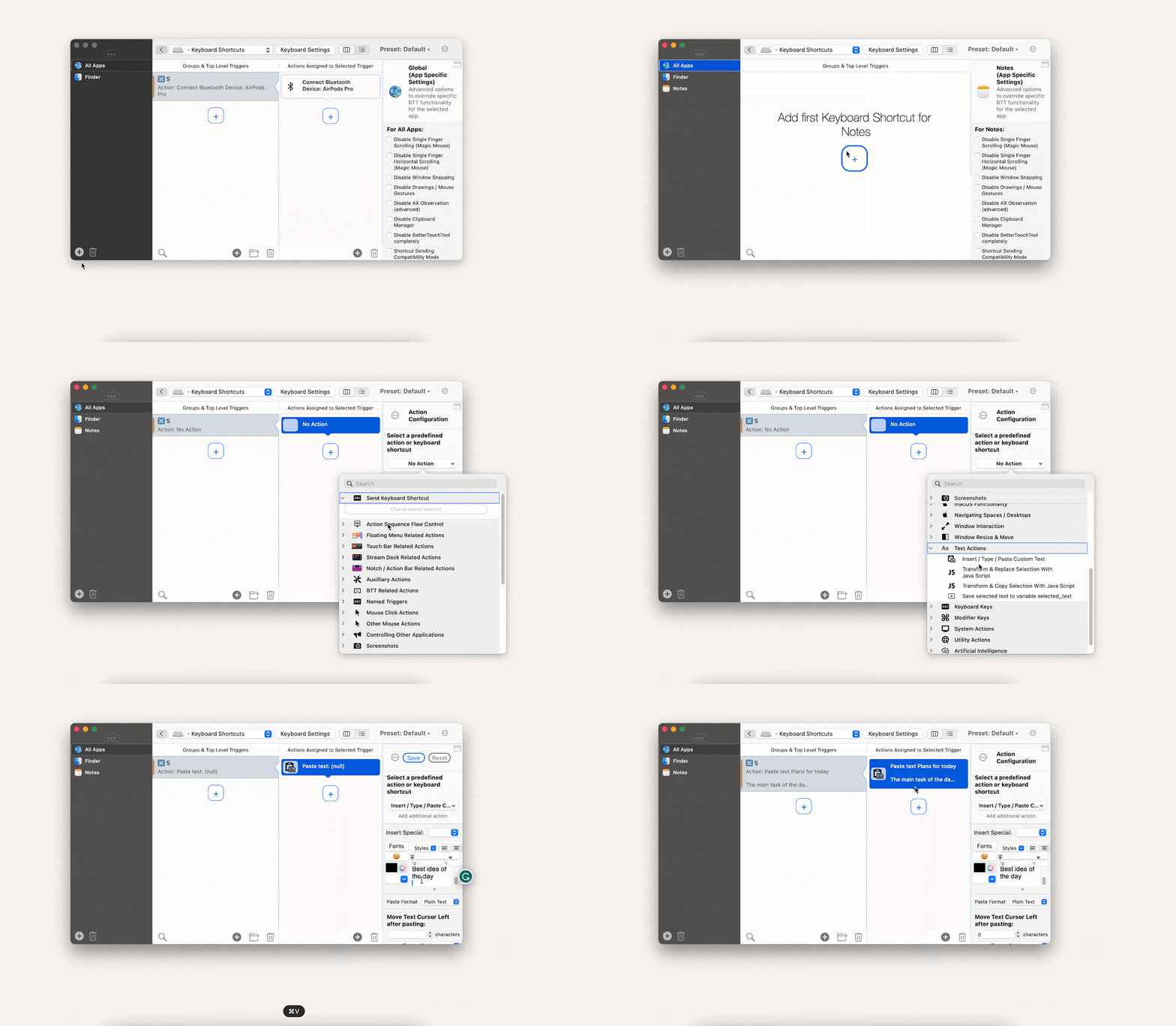
BetterTouchTool lets you customize literally any input device on your Mac: Trackpad, Magic Mouse, regular mouse, keyboard, Touch Bar, iPhone or iPad (with BTT Remote), as well as Siri and Apple Remote.
You can create gestures, shortcuts, or triggers that launch specific actions. These actions can be general or app-specific. In our example, Command + S connects AirPods to your Mac. But you could also use the same combination to, say, insert template text into your Notes. The app is included in Setapp as part of a flat monthly subscription, along with 300+ other Mac apps.
PopClip: Use instant text actions
We work with text all the time, but have you ever thought about how few quick tools we've got for it? Sure, there's Command + C and the like, but most tasks require right-clicking or switching between apps. But there's a solution for that, too.
PopClip appears as soon as you select text and offers many valuable actions: change font case, replace line breaks with spaces, send the selected text to ChatGPT, convert Markdown formatted text to HTML, speak the selected text aloud, send the selected text to a note-taking app, and so on. There are more than 150 actions available. You can download any of them and add them to your PopClip. We promise that it will speed up your work significantly.
The app is included in Setapp as part of a flat monthly subscription, along with 300+ other Mac apps.
Paletro: Access app menu commands
Tired of navigating through endless menus to find the command you need in your Mac apps? We too. That's why we installed the handy macOS utility Paletro and can now find the right setting in seconds.
When you're in any app, press Shift + Command + P, and you'll see a handy menu with all available commands. You can scroll or use the search to find the one you need.
Paletro is especially popular with designers, developers, and users who've had to memorize different shortcuts for different apps. The app is included in Setapp as part of a flat monthly subscription, along with 300+ other Mac apps.
Windows, files & everyday tools
Paste: Never lose anything you copy
We've all been there: you copy something and lose important information that you previously copied. It's a huge pain.
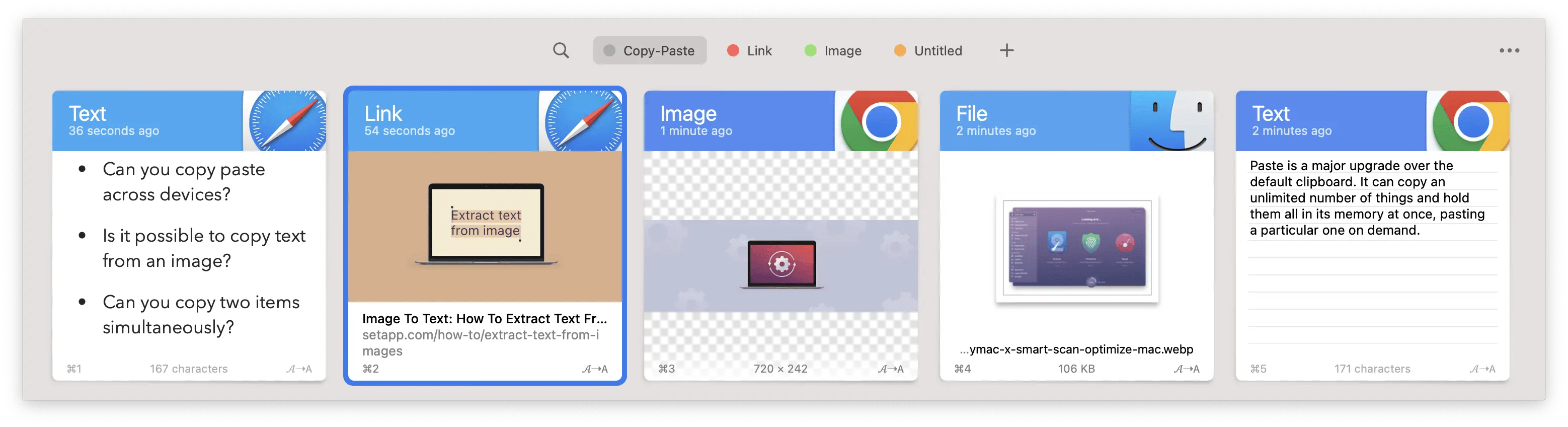
That's where Paste comes in. This app saves all your copied files in one convenient location. This includes text, code, images, video, audio, links – in short, everything that can be copied. If you want, you can sync with your iCloud to access information from other devices.
This is what a real clipboard should be like! The app is included in Setapp as part of a flat monthly subscription, along with 300+ other Mac apps.
start: Open any app faster
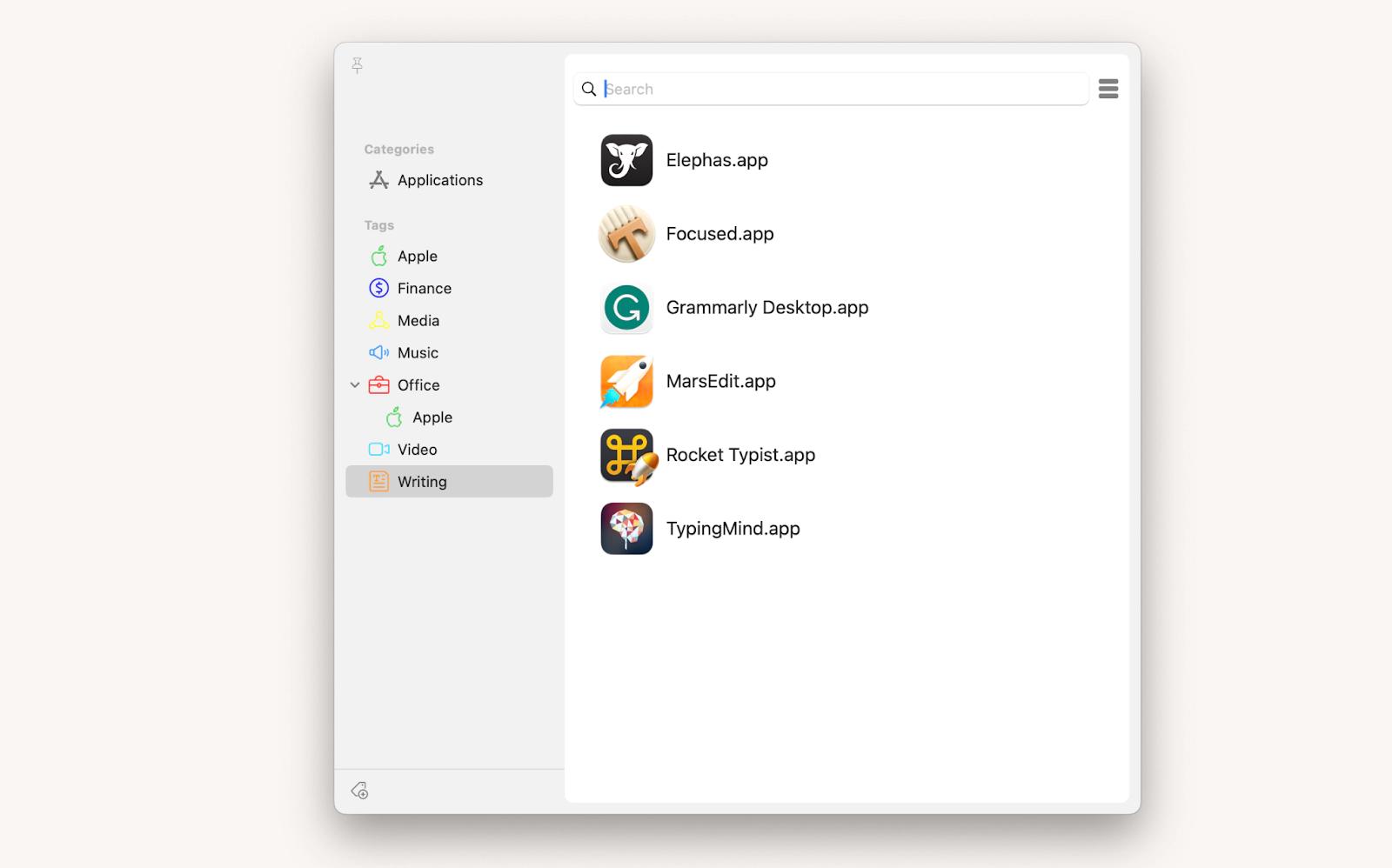
The Dock is too small to hold all the apps you actively use. But start can place all the apps from your laptop at your fingertips and even group them with tags. Just like this
Some tags (Apple, Office, or others) are pre-installed when you first launch Start. Other tags are up to you to create according to your needs.
Note the pin button in the upper left corner. It pins the start window and allows you to open multiple apps in a row (which is impossible with Launchpad, for example). The app is included in Setapp as part of a flat monthly subscription, along with 300+ other Mac apps.
Dropzone: Run everyday actions by dragging files
Tired of jumping between apps and tasks? Compressing a file here, shortening a URL there, and sharing files elsewhere. Sounds like a chore. That's why we streamlined many processes with macOS utility called Dropzone.
Dropzone is a space in the menu bar where actions and folders that are vital to your work live. To perform an action, just drag and drop the file to the appropriate icon in Dropzone. And you're done! This way, you can copy, move, and extract files, access SFTP and FTP servers, upload files to Google Drive, etc.
You can also use this space to store files temporarily. Store photos, documents, and more, and retrieve them when needed. You'll see your desktop become less cluttered and the number of unnecessary folders significantly reduced. The app is included in Setapp as part of a flat monthly subscription, along with 300+ other Mac apps.
SideNotes: Jot down faster
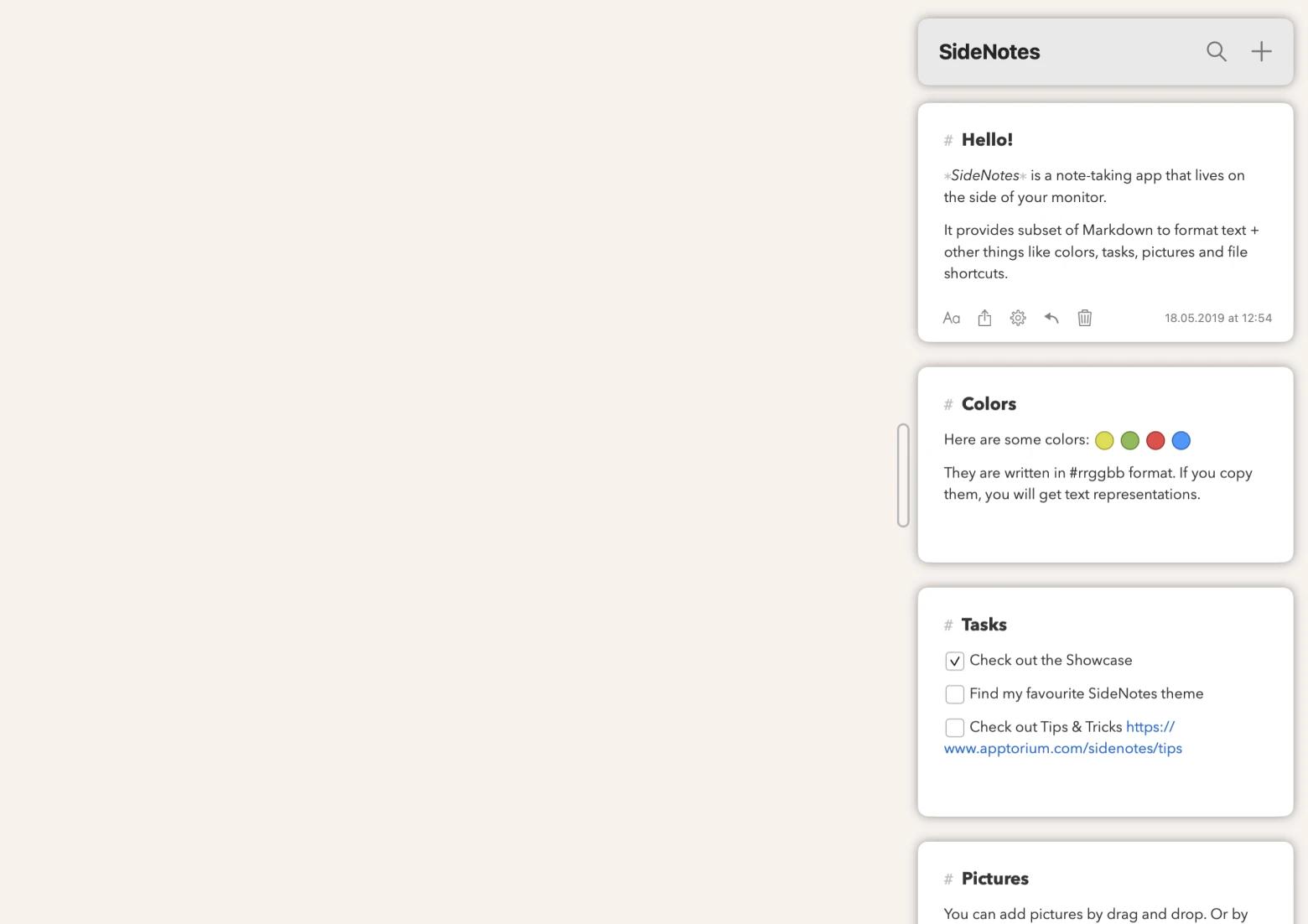
When you need a quick note that won't clutter your Dock, choose SideNotes, a simple utility for Macbook for taking notes.
After installing the app, a neat bar appears on the side of your screen. Click it to expand the notepad, ready to write. Here you can create to-do lists, jot down code, add images, and more. Folders and colored tags help you organize your notes. This is a full-featured note-taking app that takes up zero percent of your workspace. Perfect! The app is included in Setapp as part of a flat monthly subscription, along with 300+ other Mac apps.
Mosaic: Arrange windows into layouts
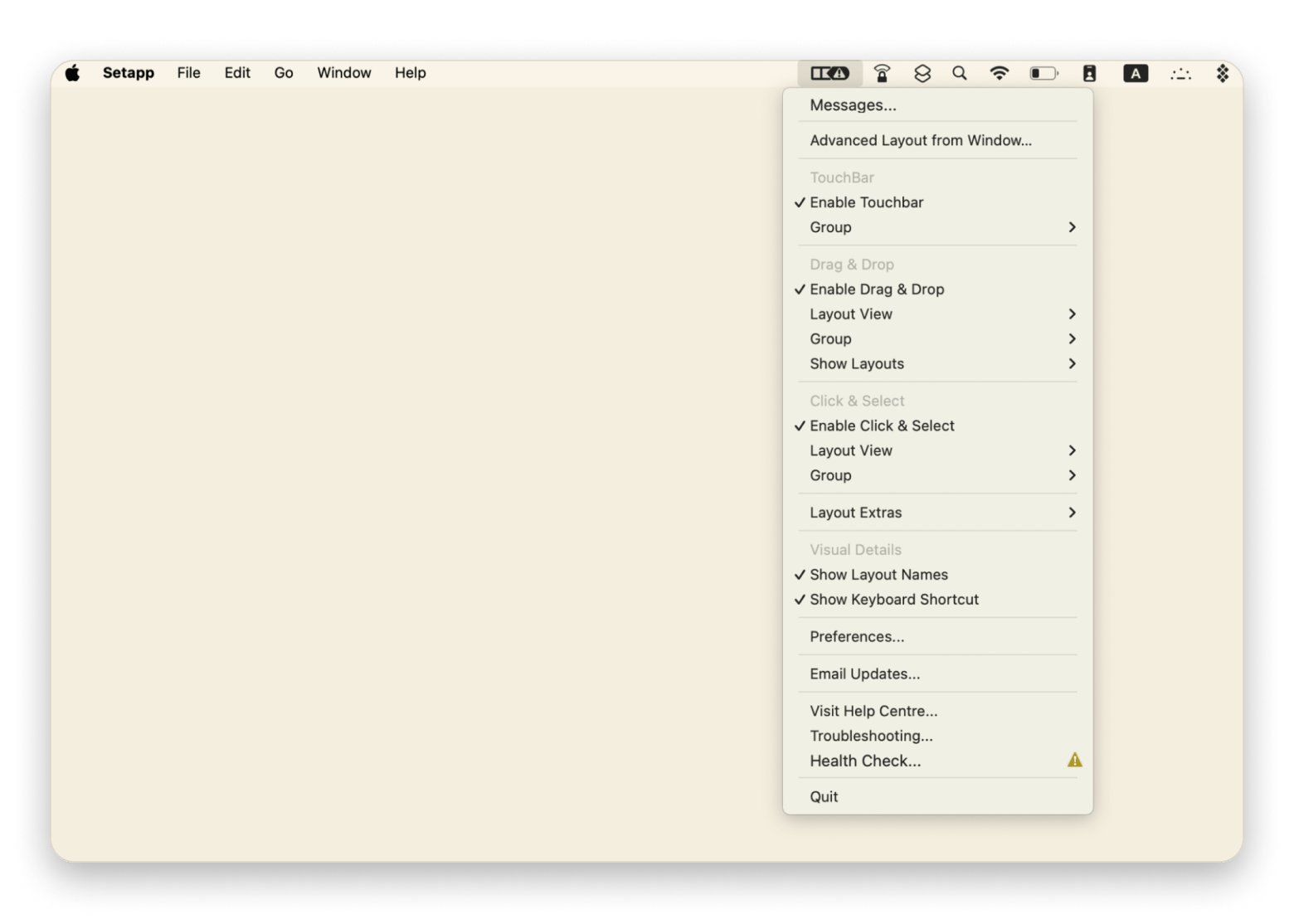
Mosaic helps you place app windows into layouts. Choose a saved arrangement to put documents side by side or make room for a call and your notes. It’s a good fit if you often resize windows by hand while switching between tasks.
Default Folder X: Find folders in open and save dialogs
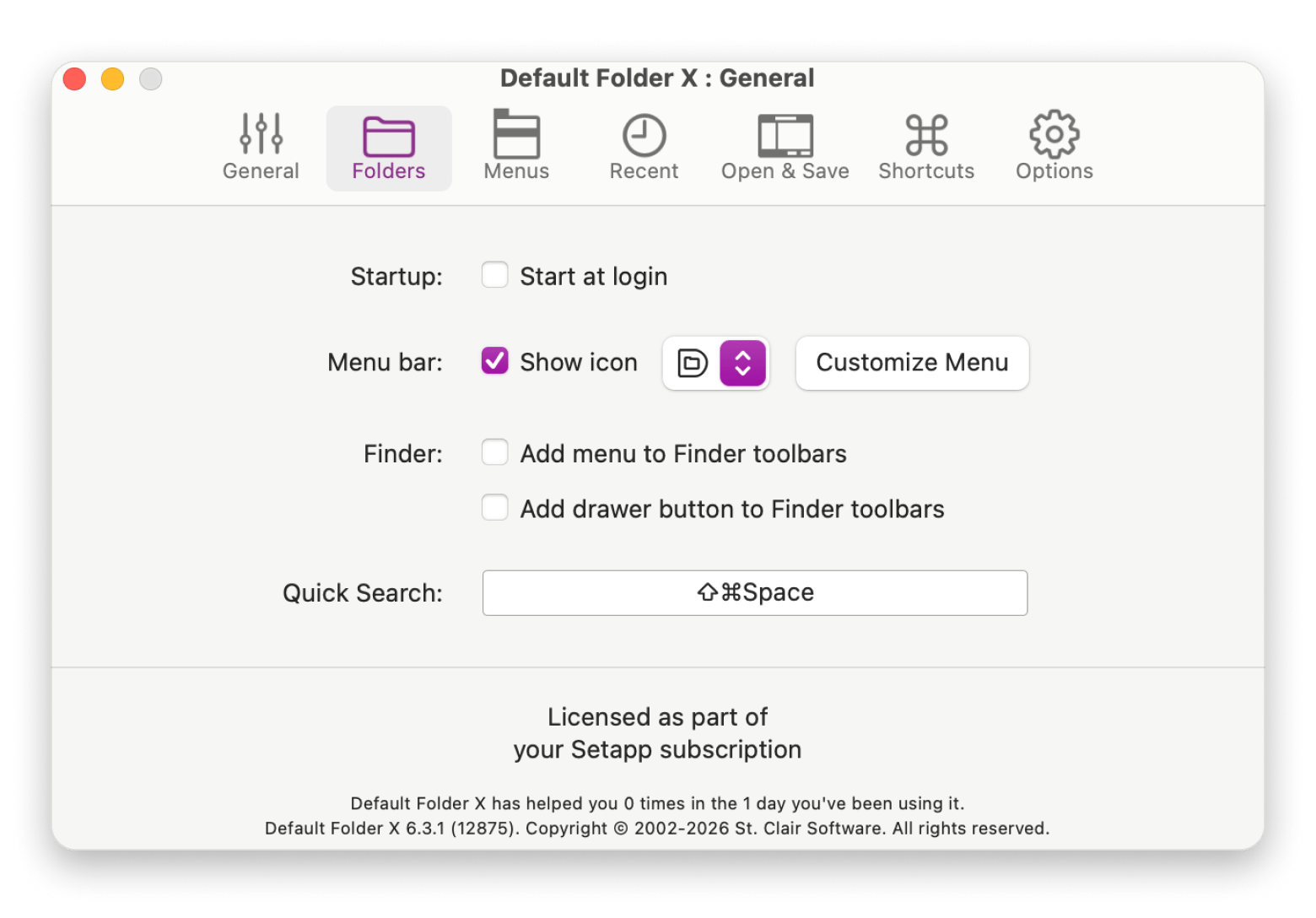
Default Folder X improves the Open and Save dialogs that appear in Mac apps. It gives you quicker access to recent and favorite folders, which can save time when you repeatedly open or save files in the same places.
Yoink: Make drag-and-drop easier
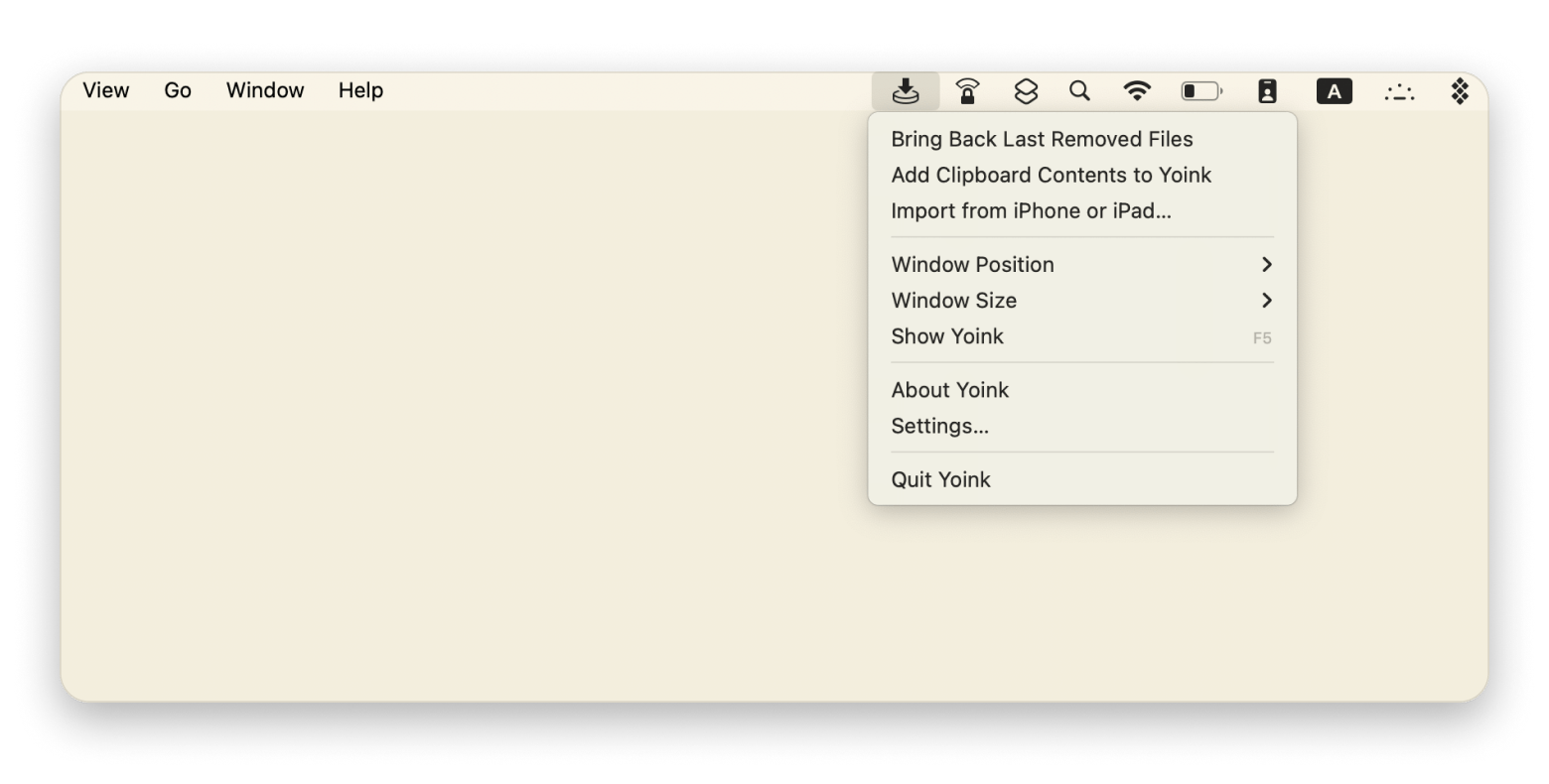
Yoink gives you a temporary shelf for files, images, text, and links you want to move. Drop an item there, switch to another window, then drag it to its destination. This helps when the source and destination windows don’t fit on screen together.
HoudahSpot: Search your Mac for files
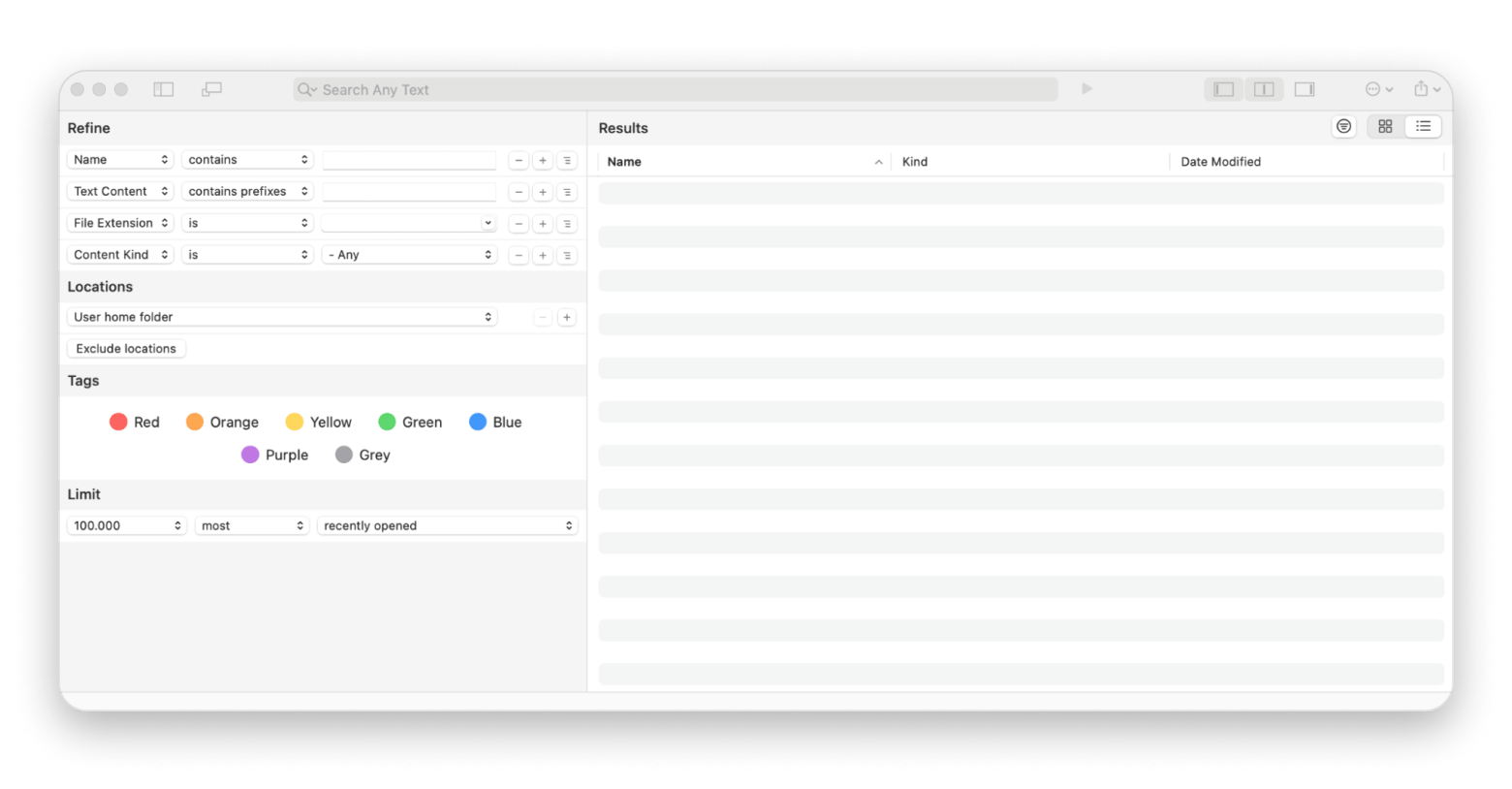
HoudahSpot adds detailed filters to Mac file search. Narrow results by name, type, date, or other details when a basic search returns too much. It’s especially helpful if you remember what a file contains or when you last used it, but not where you saved it.
CleanShot X: Take excellent screenshots
The built-in screenshot tool on the Mac works great, but its capabilities are limited to capturing or recording a screen and editing the file.
It's CleanShot X that helps you take great captures and videos. The ability to hide icons on the desktop wins you over the first time you use the app. You get a blank canvas in no time and maintain your privacy.
The app can take long (scrolling) screenshots, has a built-in timer, and a capture history with the ability to restore a deleted image.
When recording a screen, you can turn on Do Not Disturb mode to prevent pop-up notifications from interfering with the video. For an aesthetically pleasing picture, turn off the cursor image or highlight clicks. And for high-quality audio, you can record the sound from a screen and a Mac microphone separately. The app is included in Setapp as part of a flat monthly subscription, along with 300+ other Mac apps.
Battery & performance
AlDente Pro: Set a battery charge limit
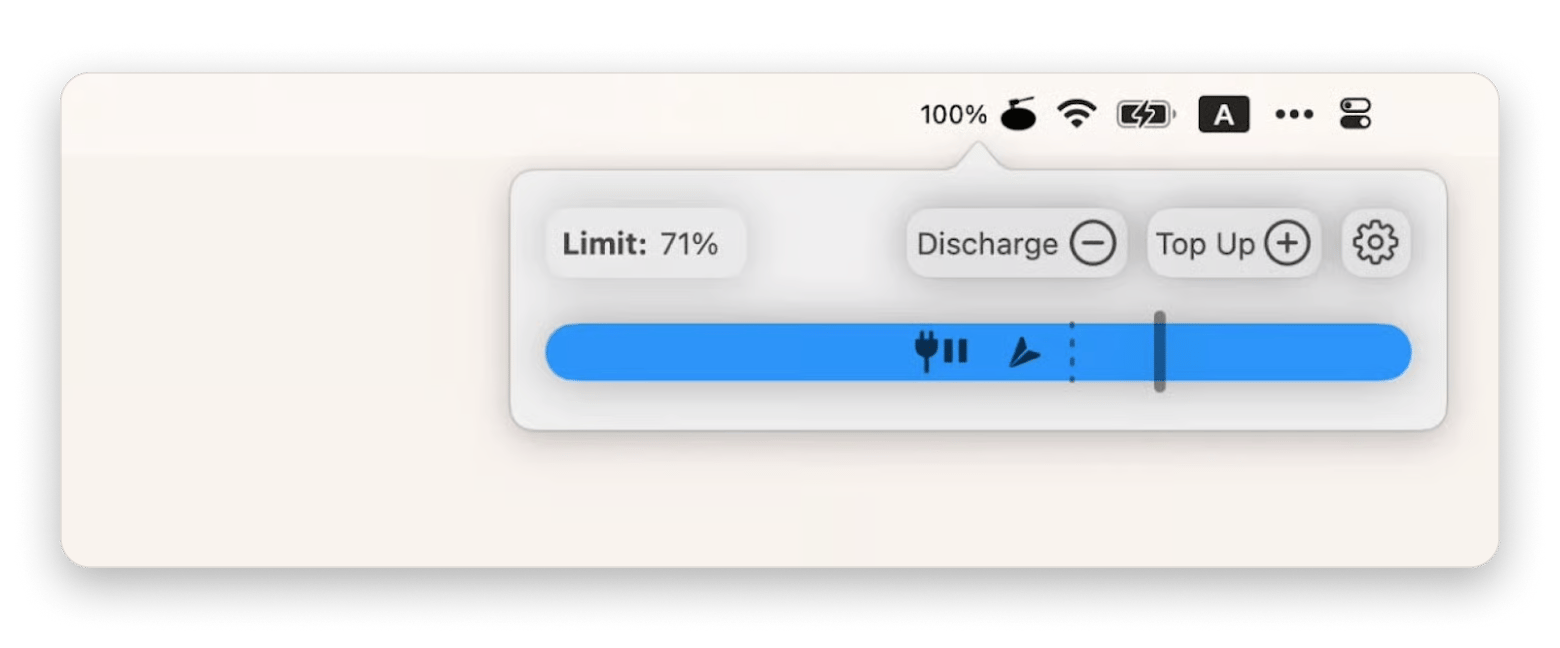
AlDente Pro lets you set a maximum charge level for a MacBook that spends much of its time plugged in. It also includes controls such as discharging while connected to power. Battery behavior depends on your habits and device, so use a limit that fits your routine.
iStat Menus: Monitor your Mac
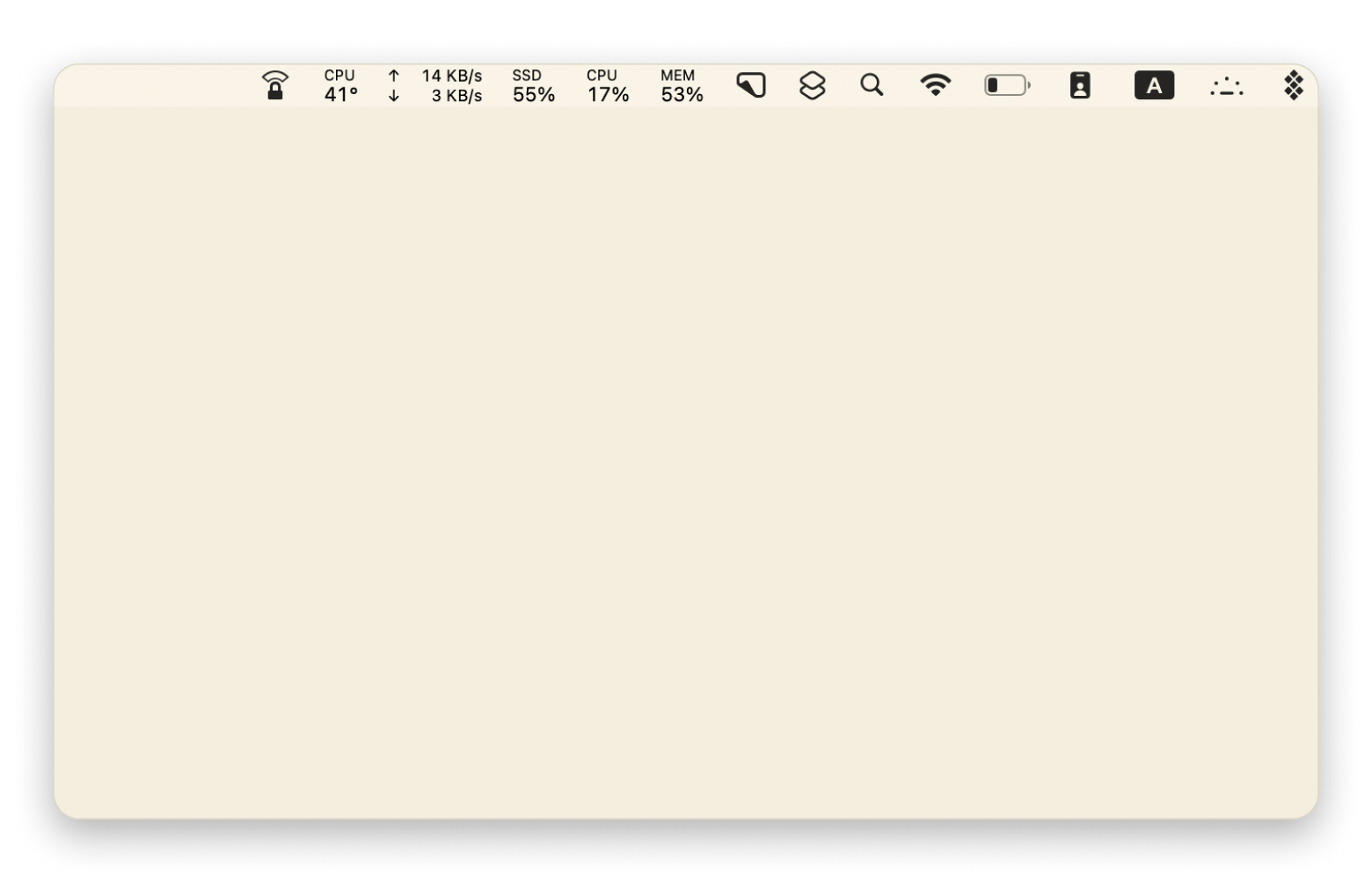
iStat Menus places system information in the menu bar, including processor, memory, temperature, fan, and network details. It can help you check what your Mac is doing when it feels slow or gets warm, without opening several separate screens.
QuitAll: Close apps from one place
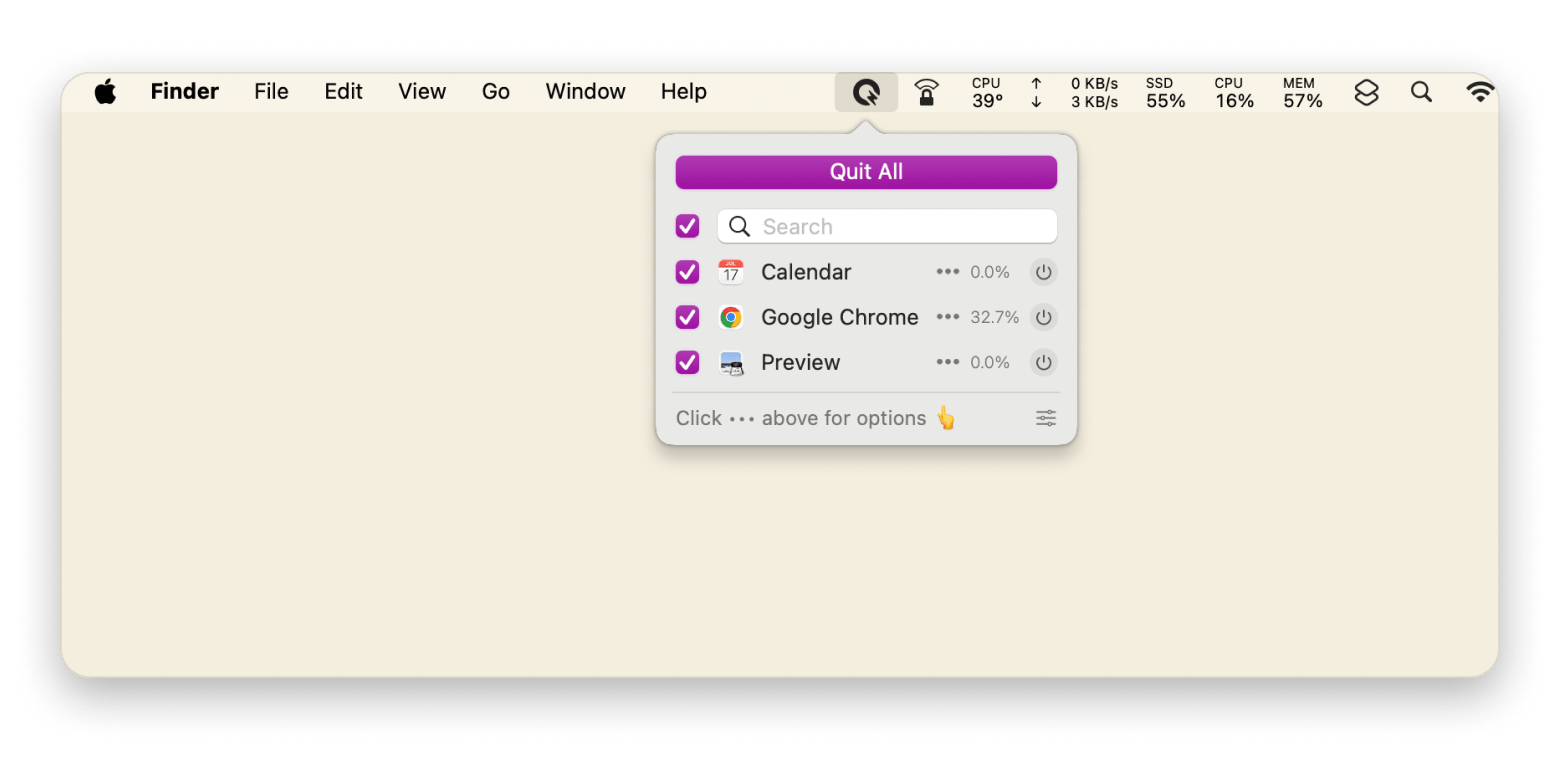
QuitAll shows open apps in one list. This makes it easier to quit several at once before you shut down or start a focused work session. It can also force quit an app that stops responding. Save your work before closing apps.
Cleanup & security
CleanMyMac: Speed up and declutter Mac
CleanMyMac is one of the best macOS utilities that keeps your Mac running smoothly, not just adding functionality. You may have heard of it as an app that removes system junk, large hidden files, and more. It works instantly: click one – your laptop is scanned; click two – it's scrubbed.
But with CleanMyMac, you should think of cleaning in a broader sense. It removes malware, frees up RAM & emails, scans for old files and email attachments, and optimizes speed. In addition, it is a single place to update and uninstall apps.
Despite its many features, the interface is straightforward, and any task can be completed in just a few clicks. It's a great option, especially considering that the Mac lacks powerful built-in cleaning tools. The app is included in Setapp as part of a flat monthly subscription, along with 300+ other Mac apps.
Get more from your MacBook with these utilities
Even a great Mac has room for improvement. These Mac utilities close the gaps:
Every Mac gap you leave open costs you time. Close them all. Every utility here is included, along with 300+ apps. Free for 7 days. Start My 7-Day Trial.
FAQ
What are Mac utilities and do I actually need them?
Mac utilities are small apps that add or improve features, such as window management, file search, battery controls, or automation. You don’t need them to use a Mac. Add one when it solves a task you repeat or a limitation you notice.
What are the best free Mac utilities?
Start with what macOS already includes: Spotlight, keyboard shortcuts, Battery settings, and Activity Monitor. Of the apps here, only CleanMyMac from Setapp has a limited free version. Check each app’s current terms before you install it.
Which utilities should every new Mac owner install first?
Start with the one that fixes your biggest annoyance. Almighty covers quick settings and actions, Bartender tames a crowded menu bar, and Yoink helps if you often move files between windows. On macOS 26 or later, Supercharge adds extra Finder and Dock actions. All four are available on Setapp
Are third-party Mac utilities safe on macOS Golden Gate?
They can be safe when you choose reputable developers, keep apps and macOS updated, and review the permissions an app requests. Apple says macOS checks notarized apps for known malware, but that check is one protection, not a guarantee that every app is suitable. Read Apple’s app security overview and only grant permissions an app needs for its features.
What’s the cheapest way to get several Mac utilities at once?
If you need several paid apps, compare their individual prices with Setapp Membership. The Mac plan starts at $14.99 USD/mo + tax and includes a 7-day free trial. For comparison, CleanMyMac starts at $9.95 USD/mo and Bartender at $19.99 USD/year on their own. You’ll need a payment method to start, but you can cancel anytime before the trial ends to avoid a charge. Check current Setapp plans for the latest terms.






 Best solution
 Best solution