One Switch
Access macOS features fast
Mac
Version 1.35.4
macOS 12.0 or later
16.3 MB
10 languages
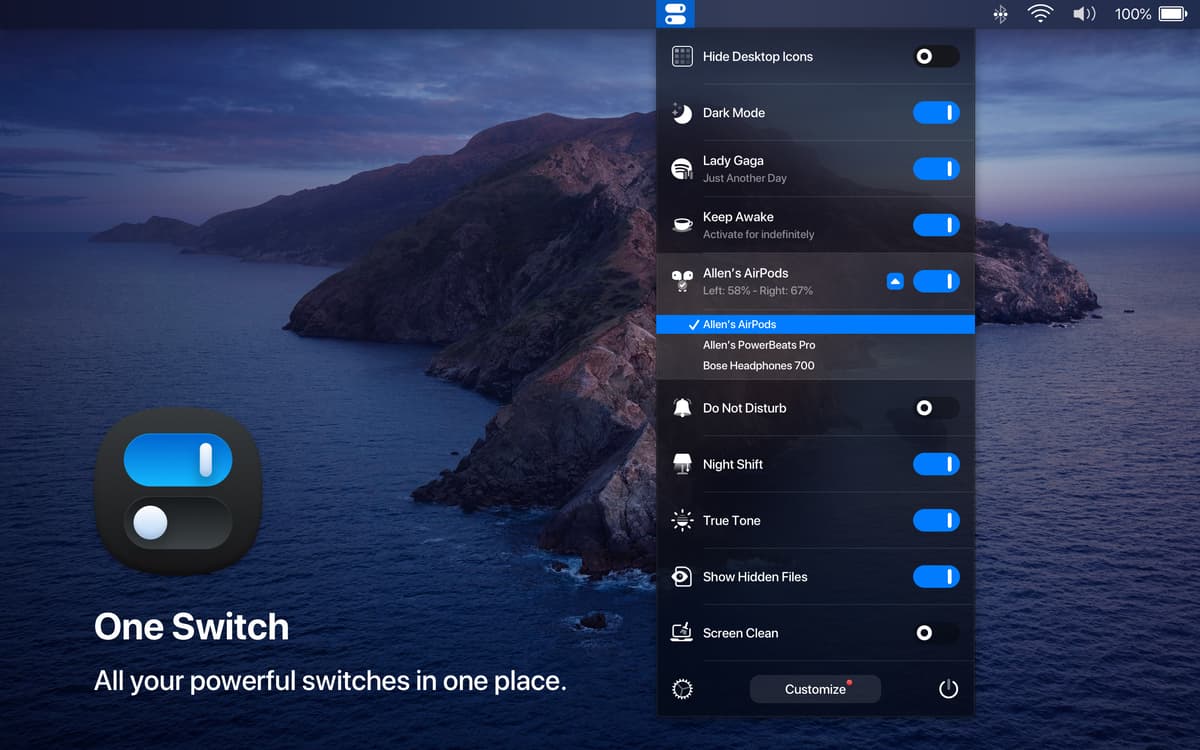
Replace numerous apps and settings with One Switch. A time-saver for Mac, the app allows to access the key switchers like toggling between Dark/Light modes and managing AirPods connection. For convenience, set the app to show custom toggles in your menu bar and disable those you don’t use regularly. Fitting your flow, always.
Create a personalized Control Center
Show hidden files or connect AirPods
Change resolution or clean up desktop
Choose the quick actions just for you
One Switch features
Beautify your interface
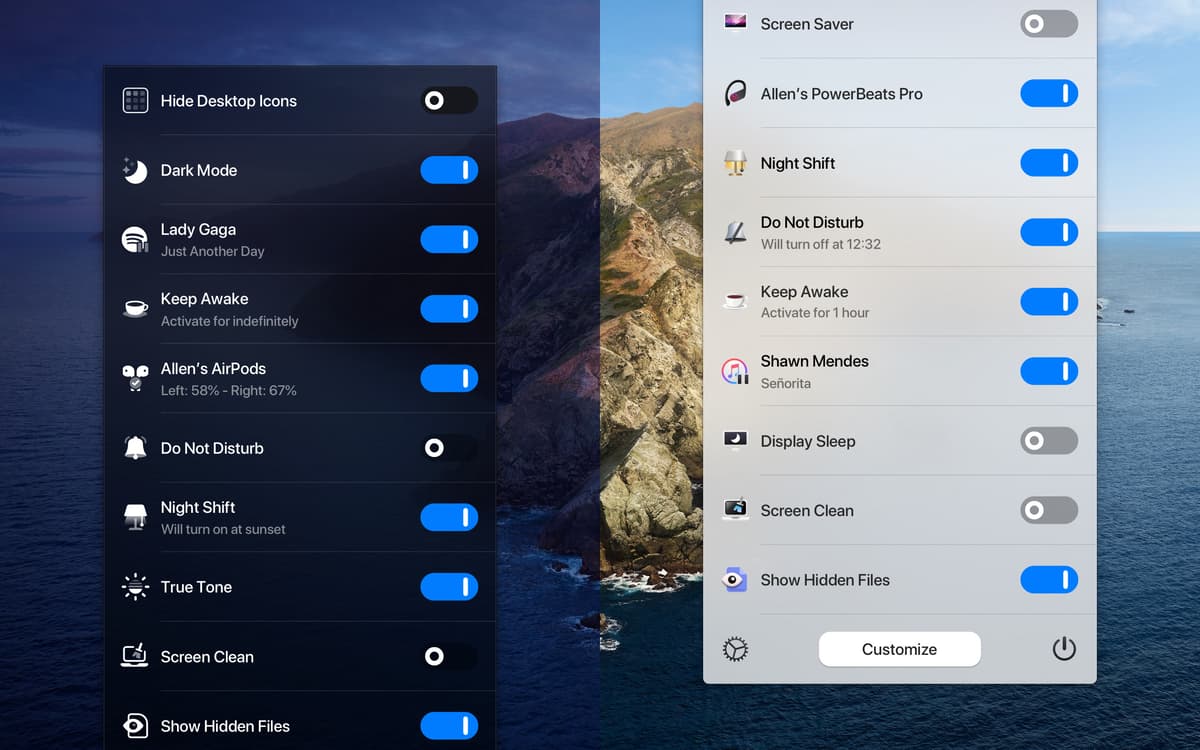
While sitting in your menu bar, the app is never distracting, but it has the power to perfect your UI. Catered for macOS 10.14 and later, One Switch looks perfectly in both light and dark themes. You can toggle between the two modes flexibly or set the app to auto change from sunrise to sunset.
Clean up desktop
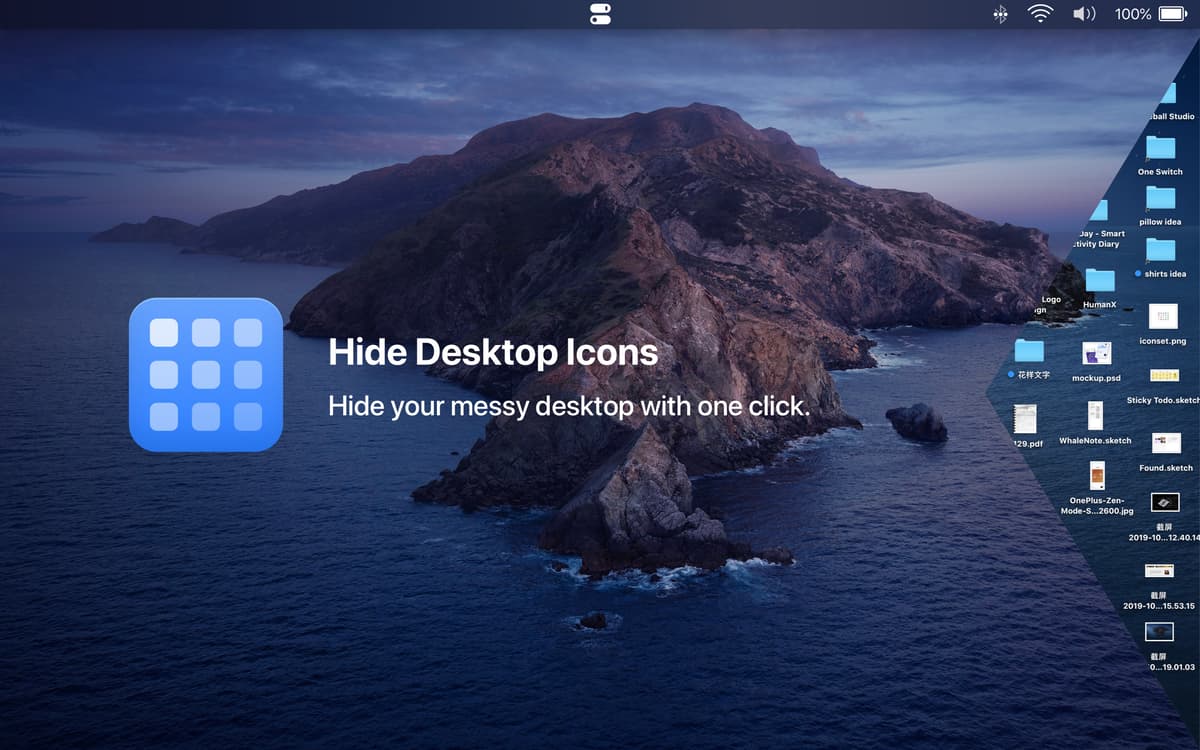
You can use One Switch to instantly hide and show desktop icons. Whether you want to grab a screen and your desktop is not super tidy, or you just like to see it clean, the app has a toggle for that. In one click, clear away all the desktop clutter.
Connect AirPods
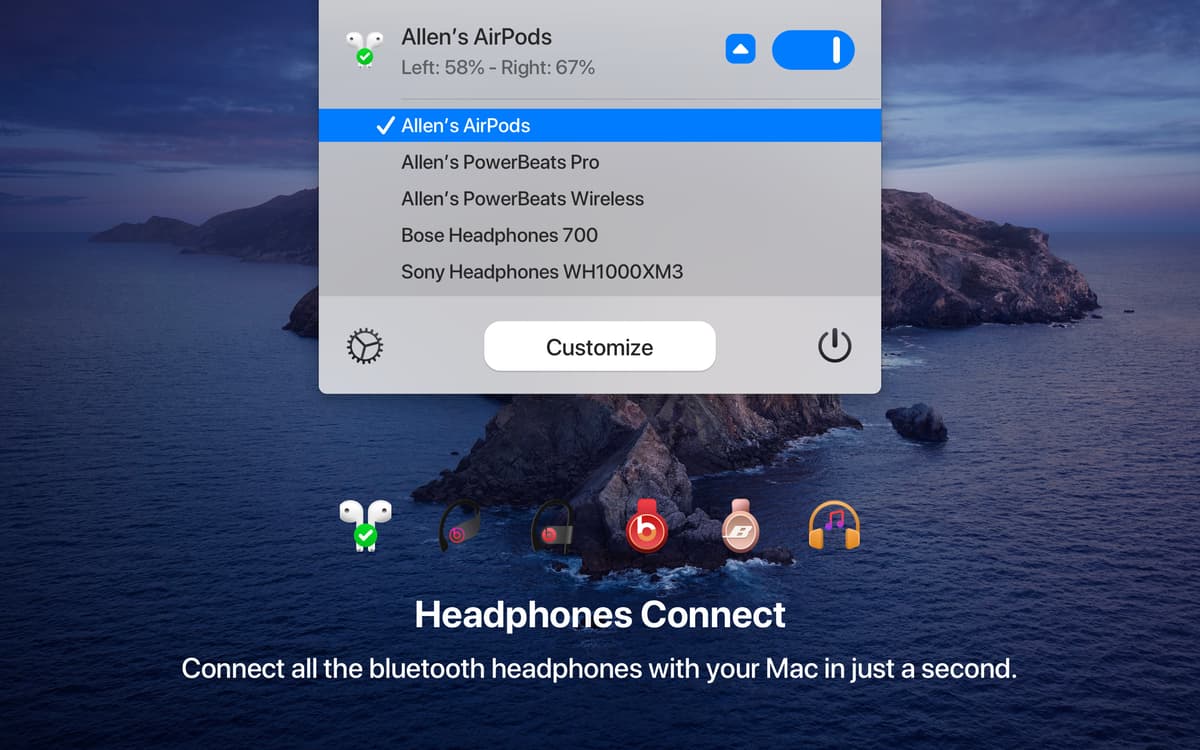
Setting up Bluetooth earbuds with your Mac takes at least five steps. With One Switch, it’s just one. Instead of going to Preferences, you can click AirPods in the menu bar and One Switch will start connecting your device instantly.
Weed out distractions
Set and manage your work hours on Mac, distraction free. Switch to the “Do Not Disturb” mode or flexibly schedule your do-not-disturb hours in the same menu. One Switch will automatically disable notifications so that they don’t show on your screen.
Shape your toggling flow
One Switch covers seven toggles at the time, and more will be arriving soon. If you don’t need all of them to show in the menu bar, you can disable unnecessary ones in Preferences—available via the Customize button in the app’s drop-down menu.
Ratings and reviews
One Switch
•
2024 ratings
Rafaella Barrocas
Jun 20, 2026
App version: 1.35.4
loving it
Khoi
May 11, 2026
App version: 1.35.4
There’s some bugs and error when I use the lock my screen feature.
Elisha Harrell
Apr 13, 2026
App version: 1.35.3
I’ve found myself using this utility quite a bit more than I initially anticipated. It’s a lifesaver for quickly accessing items hidden away in settings!
Get hundreds of apps with Membership
Become Setapp member and use hundreds of stellar apps with one subscription.
Try 7 days free, then pay one simple fee.
Install Setapp on Mac
Explore apps for Mac, iOS, and web. Find easy ways to solve daily tasks.

Get the app you came for
That one shiny app is waiting inside Setapp. Install with a click.

One Switch
Choose your subscription
One app or more with a Setapp membership. Get apps the way you want.

Get hundreds of apps with Membership
Become Setapp member and use hundreds of stellar apps with one subscription.
Try 7 days free, then pay one simple fee.
1
Install Setapp on Mac
Explore apps for Mac, iOS, and web. Find easy ways to solve daily tasks.
2
Get the app you came for
That one shiny app is waiting inside Setapp. Install with a click.
One Switch
3
Choose your subscription
One app or more with a Setapp membership. Get apps the way you want.
Home to the top apps
From planning and routine tasks to creative pursuits and coding, tackle tasks with apps on Setapp.


One Switch
Access macOS features fast