
BeautyShot
Promo screenshots, made easy
Mac
Version 1.5.3
macOS 13.0 oder neuer
21.5 MB
10 Sprachen
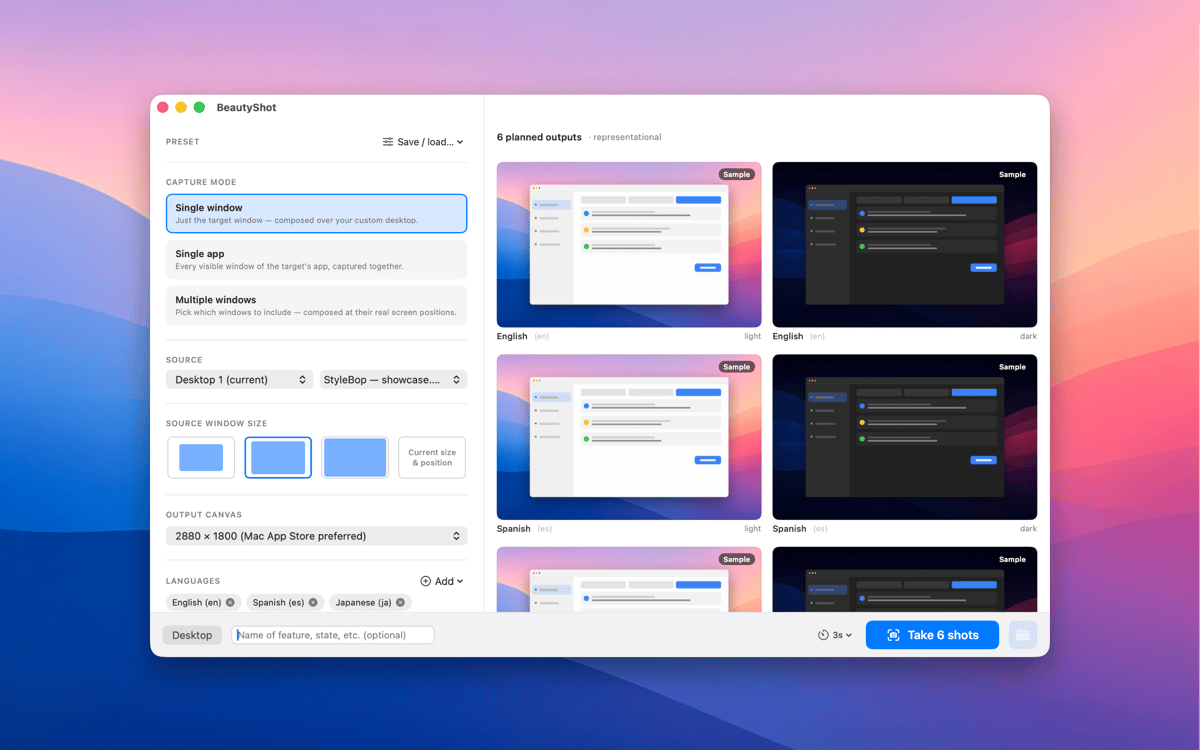
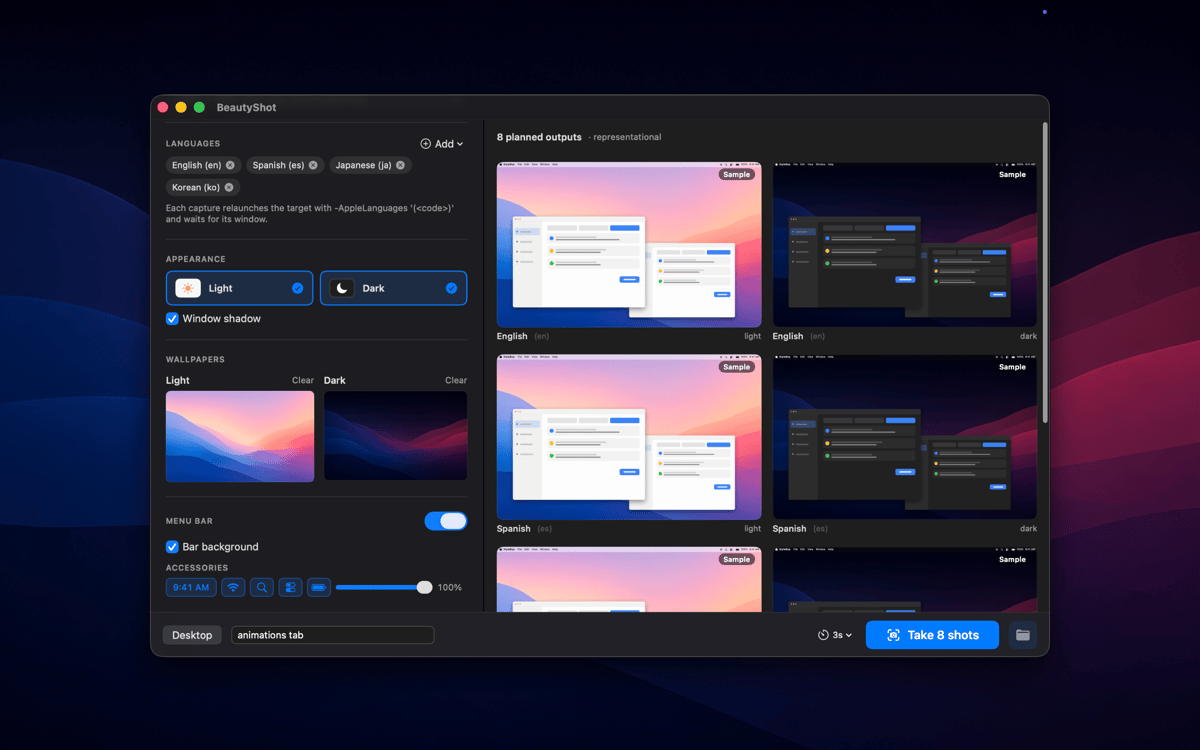
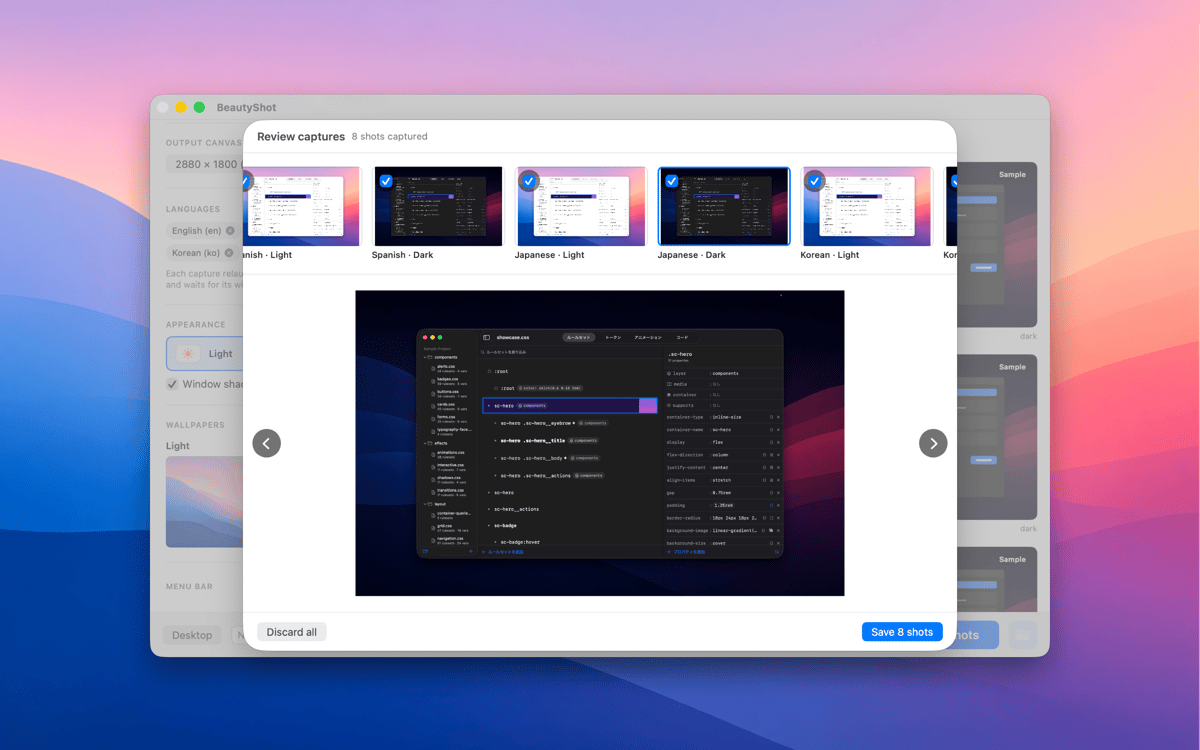
BeautyShot makes App-Store-quality promo screenshots the easy way. Pick a running window — or stack a composite of several — drop it onto a custom background, and render pixel-perfect light and dark versions in one pass. Switch the captured app through every language you ship in, in one run, and export to every standard Mac App Store canvas size.
Create App Store screenshot sets fast
Composite windows onto custom scenes
Localize screenshots for every language
Render light & dark screenshots at once
BeautyShot-Funktionen
Single window or composite
Sometimes a single window is all you need. Other times, your app's story takes more than one view to tell. BeautyShot handles both: capture a solo window in seconds, or layer multiple app windows into one cohesive composite shot. You're in control of what the screenshot shows — and how much of it.
Every language in one run
Localizing screenshots used to mean repeating the same setup over and over for each market. BeautyShot removes that loop. Point it at your app, pick your languages, and it switches the locale and re-captures automatically — one run, every market, no manual repetition. Whether you ship to three countries or thirty, the time it takes is the same.
Pixel-perfect canvases
The Mac App Store has specific size requirements, and getting them wrong wastes review time. BeautyShot exports every standard canvas size right out of the box, so you're never guessing what resolution to export at. Need something non-standard? Custom dimensions are there when you need them, too.
Light + dark in one pass
Your app supports dark mode, so your screenshots should too. BeautyShot renders light and dark versions simultaneously in a single pass — no toggling System Settings back and forth, no re-running the whole setup. Both appearances come out together, ready to upload.
Custom backgrounds
A plain white background rarely does an app justice. With BeautyShot, you can place your captured window onto any desktop scene, gradient, or image you choose — giving every screenshot a finished, intentional look that matches your app's visual style. What's behind the window is part of the story too.
Fake menu bar overlay
Real menu bars carry clutter: the wrong time, unwanted icons, notification badges you'd rather not show. BeautyShot's fake menu bar overlay replaces all of that with a clean, customizable stand-in — so every screenshot looks deliberate and presentation-ready, right down to the last pixel.
Erhalten Sie Hunderte von Apps mit Membership
Werden Sie Setapp Member und nutzen Sie mit nur einem Abonnement hunderte genialer Apps.
Testen Sie 7 Tage kostenlos, im Anschluss nur eine einfach monatliche Gebühr.
Setapp auf dem Mac installieren
Erkunden Sie Apps für Mac, iOS und Web. Finden Sie einfache Möglichkeiten für die Bewältigung täglicher Aufgaben.

Die gesuchte App finden
In Setapp wartet eine wunderbare App auf Sie. Installieren Sie sie mit einem Klick.

BeautyShot
Abonnement wählen
Eine App oder mehr mit der Setapp Membership. Holen Sie sich Apps, so wie Sie es möchten.

Erhalten Sie Hunderte von Apps mit Membership
Werden Sie Setapp Member und nutzen Sie mit nur einem Abonnement hunderte genialer Apps.
Testen Sie 7 Tage kostenlos, im Anschluss nur eine einfach monatliche Gebühr.
1
Setapp auf dem Mac installieren
Erkunden Sie Apps für Mac, iOS und Web. Finden Sie einfache Möglichkeiten für die Bewältigung täglicher Aufgaben.
2
Die gesuchte App finden
In Setapp wartet eine wunderbare App auf Sie. Installieren Sie sie mit einem Klick.
BeautyShot
3
Abonnement wählen
Eine App oder mehr mit der Setapp Membership. Holen Sie sich Apps, so wie Sie es möchten.
Die besten Apps
Von Planung und Routineaufgaben bis hin zu kreativen Tätigkeiten und Programmieren – mit den Apps von Setapp sind Sie bestens für Aufgaben gerüstet.

TypingMind
KI-Chat mit alternativer UI
Text erzeugen oder zusammenfassen
Prompt-Bibliothek nutzen
KI

Spark Mail
E-Mails verwalten
KI

CleanMyMac
Datenmüll entfernen

Bartender
Menüleiste anpassen

CleanShot X
Vielseitige Bildschirmfotos aufnehmen

Luminar Neo
Fotos bearbeiten
KI

ClearVPN
Sichere Verbindung herstellen

Craft
Mit Dokumenten arbeiten
KI
BeautyShot
Promo screenshots, made easy