
BoltAI 2
Schreiben, Programmieren, Lernen mit KI

Mac
Version 2.17.2
macOS 13.5 oder neuer
124.2 MB
1 Sprachen
BoltAI ist ein nativer KI-Client für Mac. Anstatt jedes Mal einen Browser-Tab zu öffnen, wenn Sie ChatGPT benötigen, rufen Sie es mit einer Tastenkombination auf, nutzen es direkt dort, wo Sie gerade sind, und kehren anschließend zur Arbeit zurück. Tastenkombinationen, Inline-Aktionen und benutzerdefinierte Eingabeaufforderungen — KI, die sich in Ihren Alltag einfügt, nicht nur drumherum existiert.
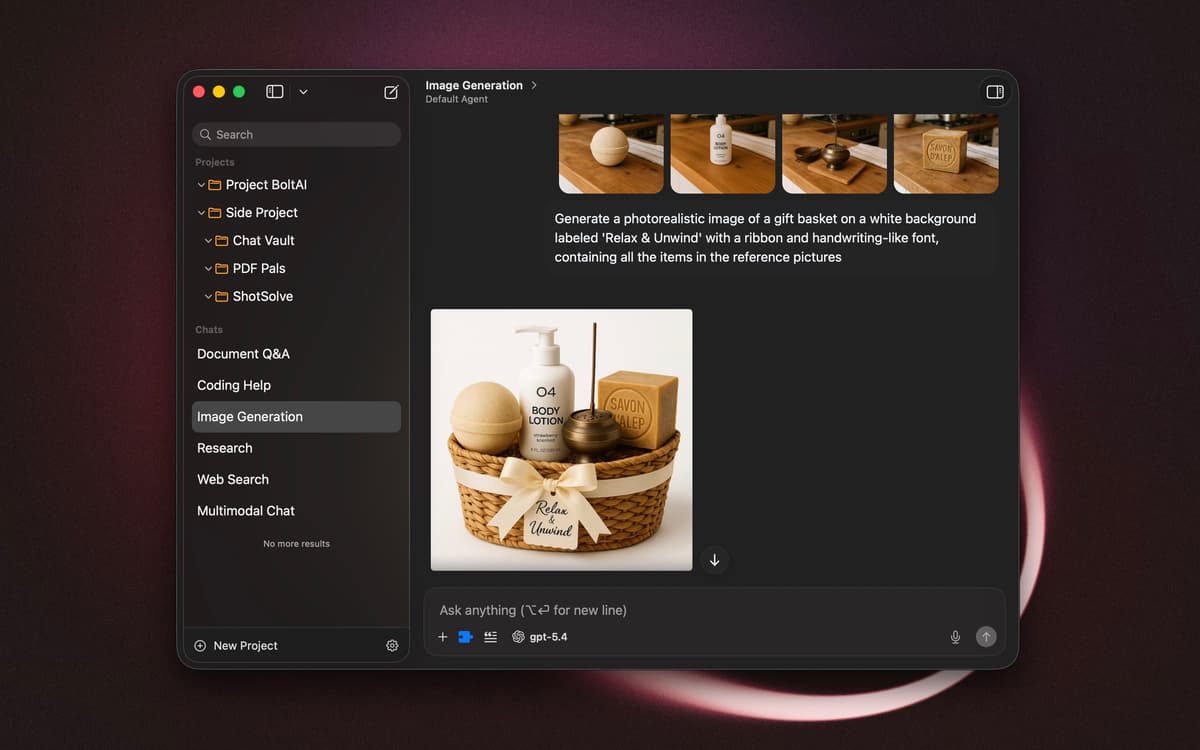
Chatten Sie mit Dokumenten und Bildern
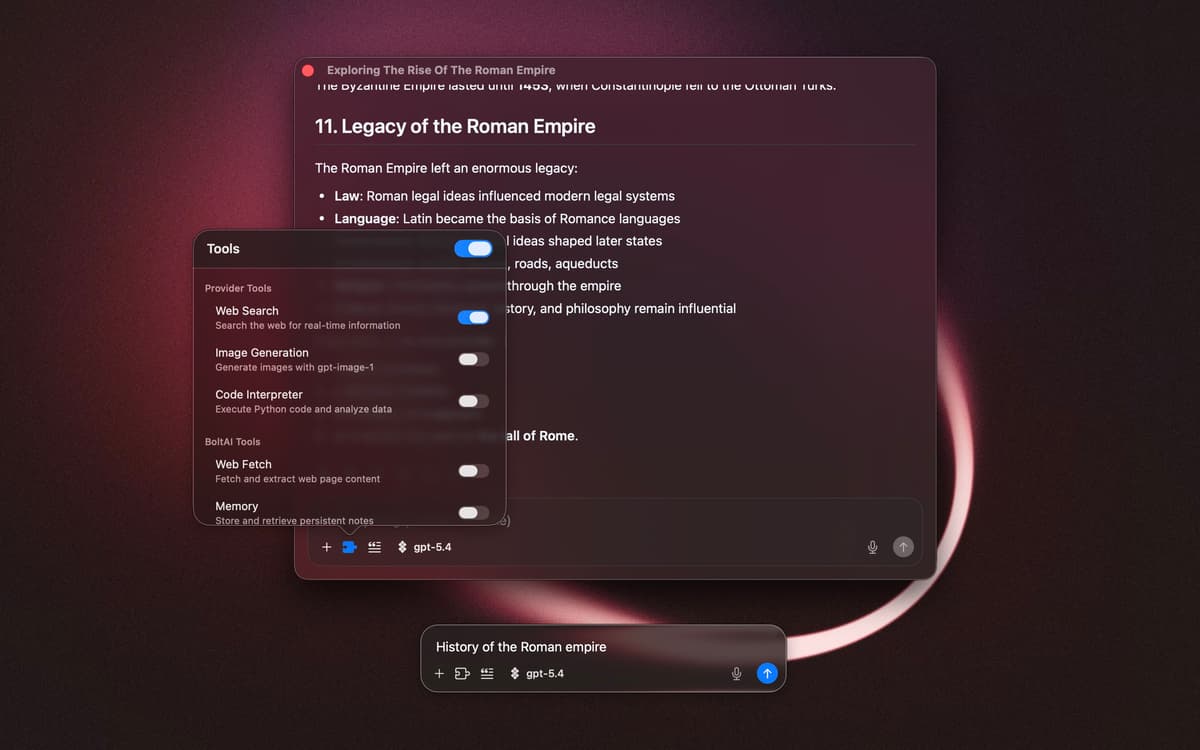
Nutzen Sie KI, ohne zwischen Apps zu wechseln
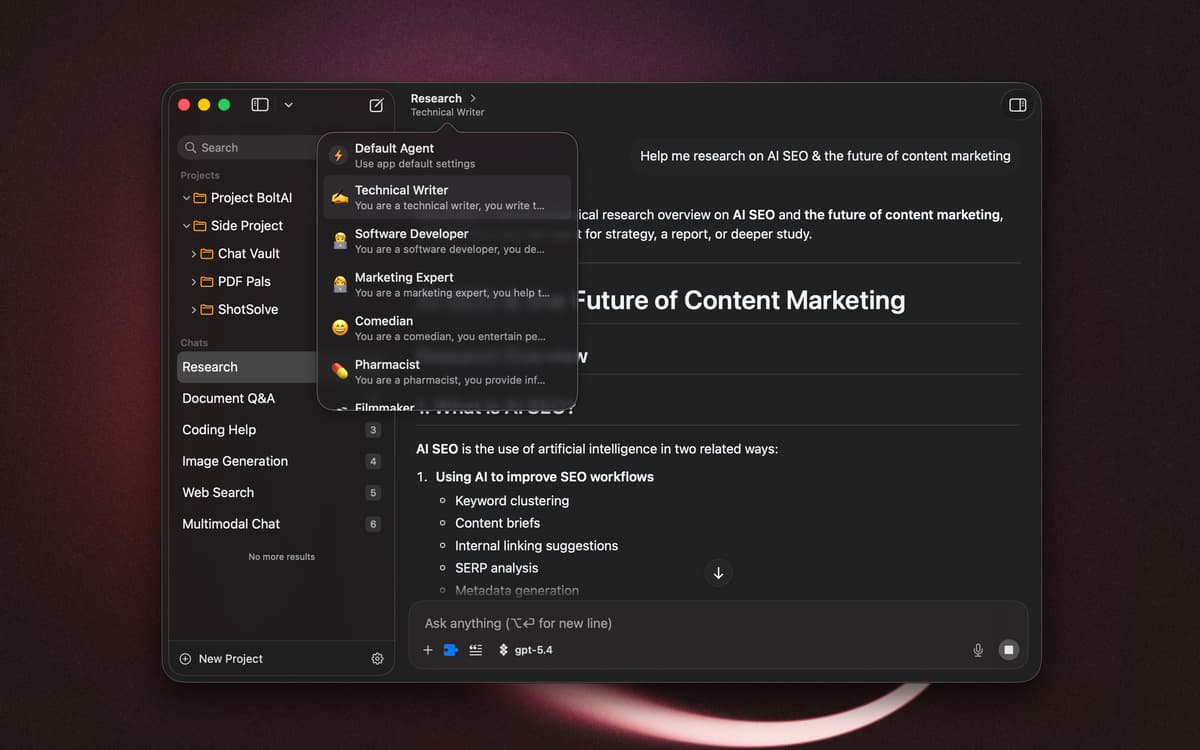
Erstellen Sie eigene Agenten und Workflows
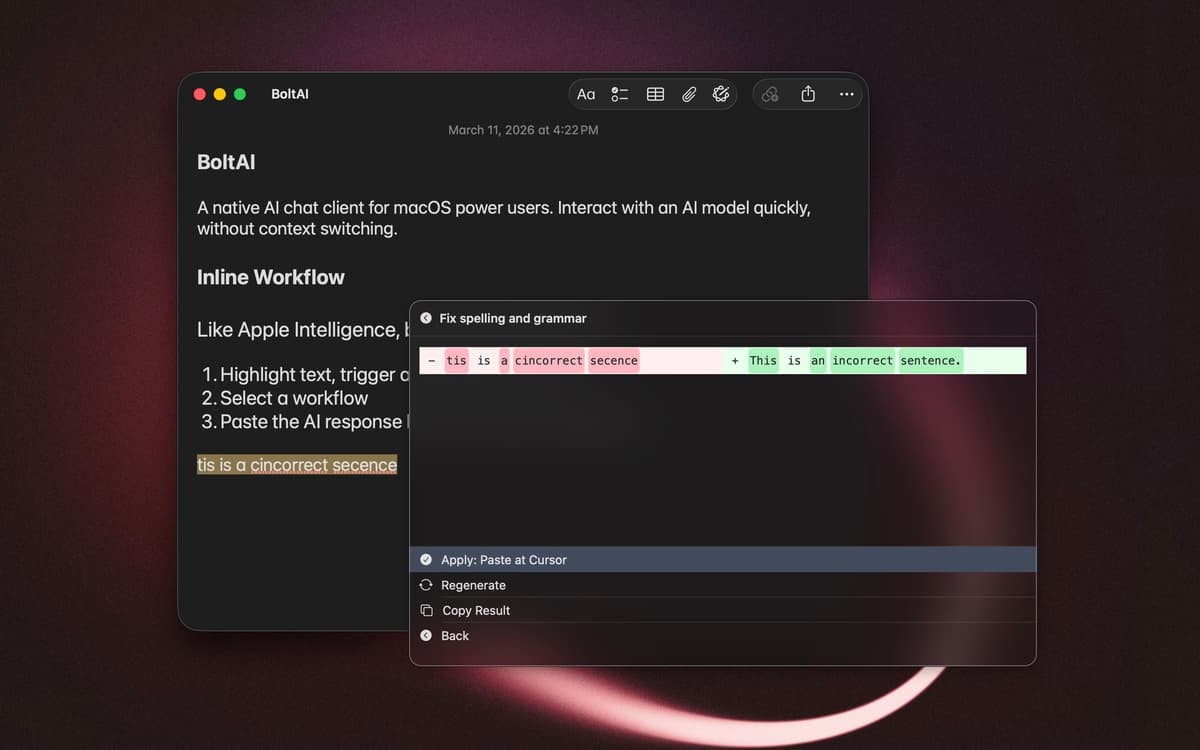
KI-Aufgaben per Tastenkürzel ausführen
BoltAI 2-Funktionen
Chatten mit Kontext
Fügen Sie Dateien ein, setzen Sie Screenshots ein oder verweisen Sie auf ausgewählten Text, um Antworten zu erhalten, die zu Ihrer Situation passen. BoltAI erkennt, woran Sie arbeiten, und reagiert entsprechend – so fühlen sich die Interaktionen weniger generisch und deutlich nützlicher an.
Arbeiten ohne Fensterwechsel
Lösen Sie KI-Aufgaben mit Tastenkombinationen und Inline-Aktionen aus. Markieren Sie Text, drücken Sie eine Tastenkombination und starten Sie eine Eingabeaufforderung, ohne Ihre aktuelle App zu verlassen. BoltAI bleibt unauffällig, bis Sie es brauchen.
Wiederverwendbare Workflows erstellen
Speichern Sie benutzerdefinierte Assistenten mit speziellen Anweisungen, Spracheinstellungen und Modell-Präferenzen. Erstellen Sie Vorlagen für Eingabeaufforderungen und Workflow-Aktionen für Aufgaben, die Sie häufig wiederholen. Mit der Zeit passt sich Ihre Einrichtung genau an Ihre tatsächliche Arbeitsweise an.
Halten Sie Ihre Unterhaltungen außerhalb der Cloud
Ihre Unterhaltungen bleiben standardmäßig lokal auf Ihrem Mac und werden nicht zum Training verwendet. Bringen Sie bei Bedarf Chatverläufe aus anderen Tools ein, um Kontinuität zu gewährleisten – Ihre Daten bleiben jedoch stets unter Ihrer Kontrolle.
Bewertungen und Rezensionen
BoltAI 2
•
48 Bewertungen
Luca Rossi
1. Okt. 2026
App-Version: 2.17.2
Excellent app and very responsive customer service.
Kenji
10. Sept. 2026
App-Version: 2.14.0
I appreciate that it seems overall faster, has better management of context and settings (Memory Tool, Chat Inspector) and it has cloud sync and MCP support vs v1. Setapp AI model support improved a little in recent months but again notably behind, a shame since I liked to use it with some of its integrations as well as Setapp integration.
Antwort vom Entwickler
16. Sept. 2026
Thanks for the feedback, Kenji. May I ask how can I improve Setapp integration for you? Thanks — Daniel
Gerhard Venter
16. Aug. 2026
App-Version: 2.14.0
Excellent for my purposes, but unfortunately its one weakness is the feature I needed most: the ability to generate images inside the app.
Erhalten Sie Hunderte von Apps mit Membership
Werden Sie Setapp Member und nutzen Sie mit nur einem Abonnement hunderte genialer Apps.
Testen Sie 7 Tage kostenlos, im Anschluss nur eine einfach monatliche Gebühr.
Setapp auf dem Mac installieren
Erkunden Sie Apps für Mac, iOS und Web. Finden Sie einfache Möglichkeiten für die Bewältigung täglicher Aufgaben.

Die gesuchte App finden
In Setapp wartet eine wunderbare App auf Sie. Installieren Sie sie mit einem Klick.

BoltAI 2
Abonnement wählen
Eine App oder mehr mit der Setapp Membership. Holen Sie sich Apps, so wie Sie es möchten.

Erhalten Sie Hunderte von Apps mit Membership
Werden Sie Setapp Member und nutzen Sie mit nur einem Abonnement hunderte genialer Apps.
Testen Sie 7 Tage kostenlos, im Anschluss nur eine einfach monatliche Gebühr.
1
Setapp auf dem Mac installieren
Erkunden Sie Apps für Mac, iOS und Web. Finden Sie einfache Möglichkeiten für die Bewältigung täglicher Aufgaben.
2
Die gesuchte App finden
In Setapp wartet eine wunderbare App auf Sie. Installieren Sie sie mit einem Klick.
BoltAI 2
3
Abonnement wählen
Eine App oder mehr mit der Setapp Membership. Holen Sie sich Apps, so wie Sie es möchten.
Die besten Apps
Von Planung und Routineaufgaben bis hin zu kreativen Tätigkeiten und Programmieren – mit den Apps von Setapp sind Sie bestens für Aufgaben gerüstet.

TypingMind
KI-Chat mit alternativer UI
Text erzeugen oder zusammenfassen
Prompt-Bibliothek nutzen
KI

Spark Mail
E-Mails verwalten
KI

CleanMyMac
Datenmüll entfernen

Bartender
Menüleiste anpassen

CleanShot X
Vielseitige Bildschirmfotos aufnehmen

Luminar Neo
Fotos bearbeiten
KI

ClearVPN
Sichere Verbindung herstellen

Craft
Mit Dokumenten arbeiten
KI
BoltAI 2
Schreiben, Programmieren, Lernen mit KI