Chirpy
Give each ping its own sound
Mac
Version 3.8
macOS 13.0 oder neuer
15.7 MB
1 Sprachen
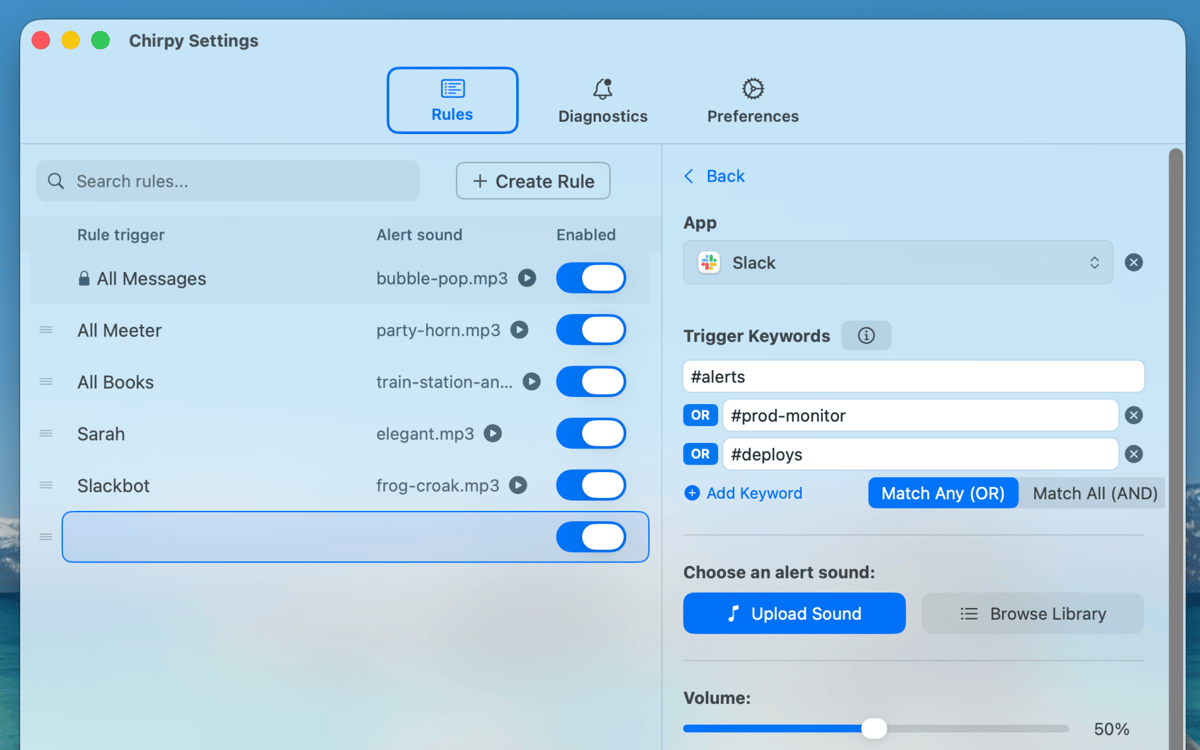
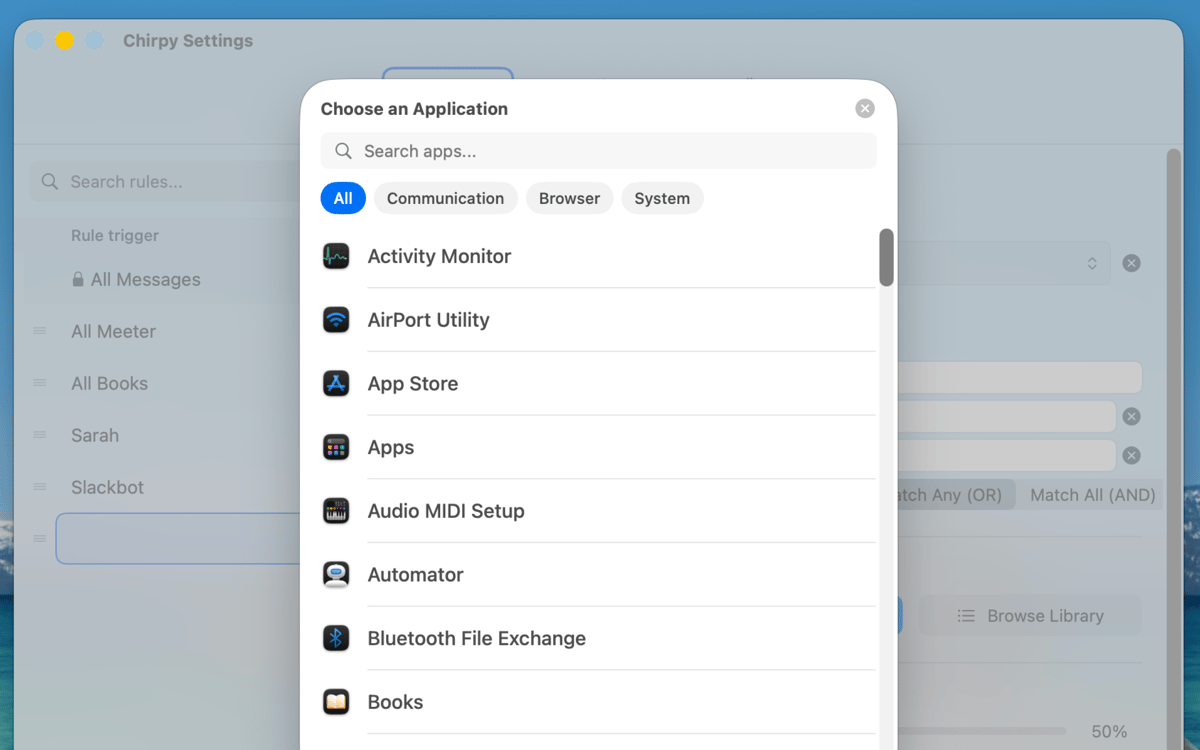
Chirpy is a notification sounds app for Mac. Every notification on macOS plays the same ping, so your manager, a meme, and a production alert all sound identical. Chirpy lets you write rules that match a person, channel, keyword, or app to a sound you choose, so you know what needs you before you look. It works with anything that posts to Notification Center: Slack, Teams, Discord, Mail, Calendar, browsers, and more.
Give your boss's DMs their own sound
One siren for every #prod-* alert
Cha-ching when a Stripe payment lands
One catch-all sound for everything else
Chirpy-Funktionen
Create precise sound rules
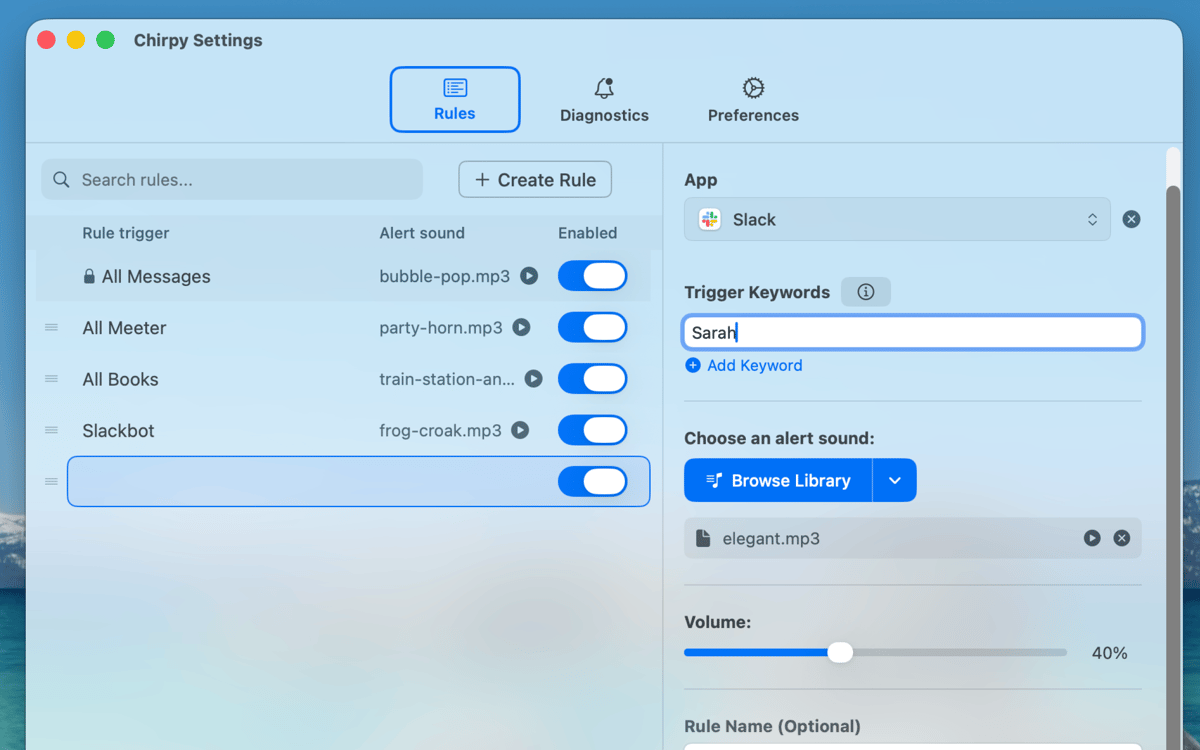
Match notifications by person, channel, keyword, or app. Combine conditions with AND or OR, or use wildcards such as #prod-* to cover a whole group of channels.
Pick a sound with character
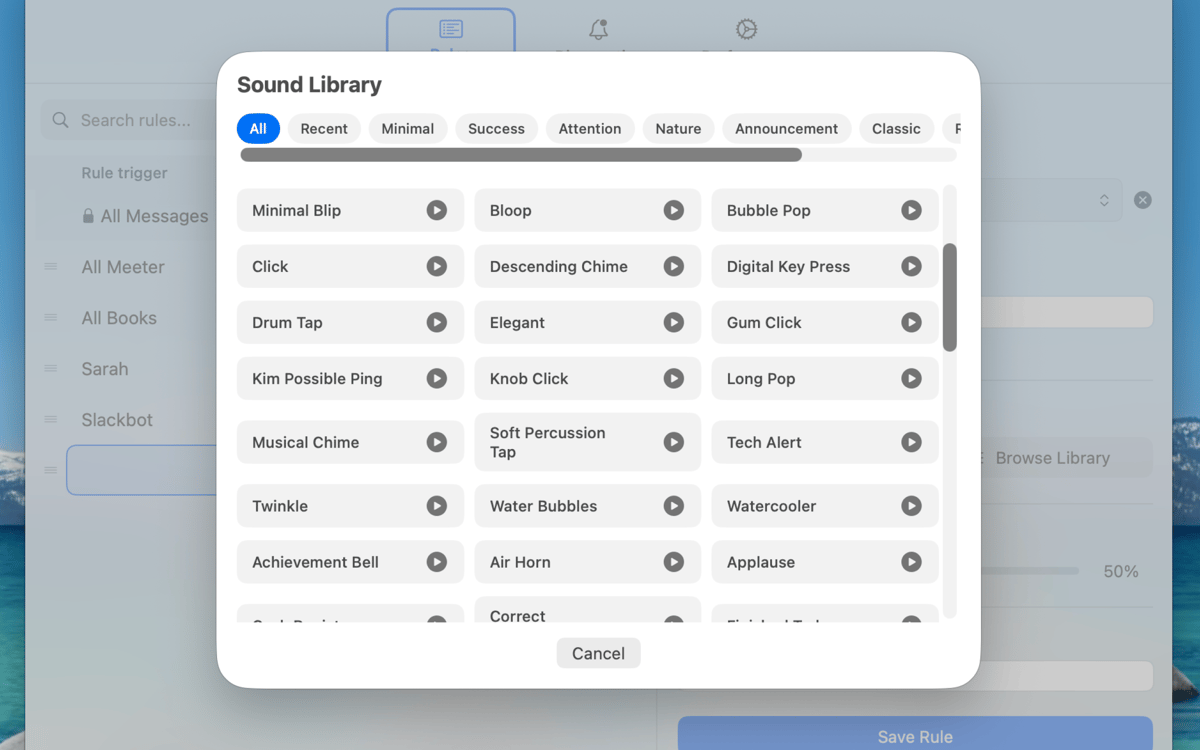
Explore more than 72 built-in sounds organized into Minimal, Success, Attention, Nature, Retro, and Office collections. Go quiet and subtle or make important alerts impossible to miss.
Bring your own sounds
Import audio files from your Mac and keep them in a reusable sound library. Add a favorite once, then use it across as many rules as you like.
Set the right volume
Give every rule its own volume. Let production incidents ring loudly while less urgent conversations stay politely in the background.
Decide which rule wins
Reorder rules to check the most specific matches first. Add a catch-all sound for notifications that don’t match anything else, so no ping gets left behind.
Stay quietly in the menu bar
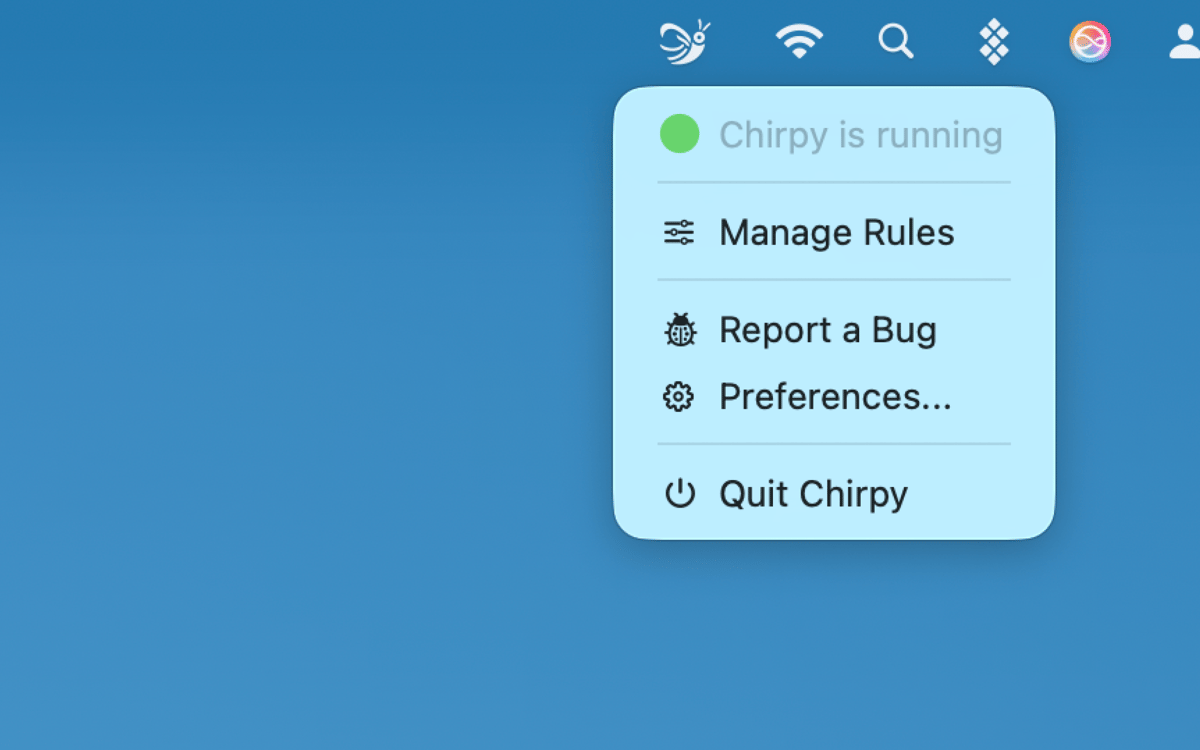
Chirpy has no Dock icon and takes up little space. Open it from the menu bar, start it automatically at login, and let it work in the background.
Bewertungen und Rezensionen
Chirpy
•
1 Bewertungen
Nickolas
9. Okt. 2026
App-Version: 3.8
Great app. I can use a different sound for alerts, DMs, specific people, etc. Well worth it.
Erhalten Sie Hunderte von Apps mit Membership
Werden Sie Setapp Member und nutzen Sie mit nur einem Abonnement hunderte genialer Apps.
Testen Sie 7 Tage kostenlos, im Anschluss nur eine einfach monatliche Gebühr.
Setapp auf dem Mac installieren
Erkunden Sie Apps für Mac, iOS und Web. Finden Sie einfache Möglichkeiten für die Bewältigung täglicher Aufgaben.

Die gesuchte App finden
In Setapp wartet eine wunderbare App auf Sie. Installieren Sie sie mit einem Klick.

Chirpy
Abonnement wählen
Eine App oder mehr mit der Setapp Membership. Holen Sie sich Apps, so wie Sie es möchten.

Erhalten Sie Hunderte von Apps mit Membership
Werden Sie Setapp Member und nutzen Sie mit nur einem Abonnement hunderte genialer Apps.
Testen Sie 7 Tage kostenlos, im Anschluss nur eine einfach monatliche Gebühr.
1
Setapp auf dem Mac installieren
Erkunden Sie Apps für Mac, iOS und Web. Finden Sie einfache Möglichkeiten für die Bewältigung täglicher Aufgaben.
2
Die gesuchte App finden
In Setapp wartet eine wunderbare App auf Sie. Installieren Sie sie mit einem Klick.
Chirpy
3
Abonnement wählen
Eine App oder mehr mit der Setapp Membership. Holen Sie sich Apps, so wie Sie es möchten.
Die besten Apps
Von Planung und Routineaufgaben bis hin zu kreativen Tätigkeiten und Programmieren – mit den Apps von Setapp sind Sie bestens für Aufgaben gerüstet.

TypingMind
KI-Chat mit alternativer UI
Text erzeugen oder zusammenfassen
Prompt-Bibliothek nutzen
KI

Spark Mail
E-Mails verwalten
KI

CleanMyMac
Datenmüll entfernen

Bartender
Menüleiste anpassen

CleanShot X
Vielseitige Bildschirmfotos aufnehmen

Luminar Neo
Fotos bearbeiten
KI

ClearVPN
Sichere Verbindung herstellen

Craft
Mit Dokumenten arbeiten
KI
Chirpy
Give each ping its own sound