Chunk
Time-block your whole day
Mac
Version 3.4.4
macOS 13.0 oder neuer
223.5 MB
32 Sprachen
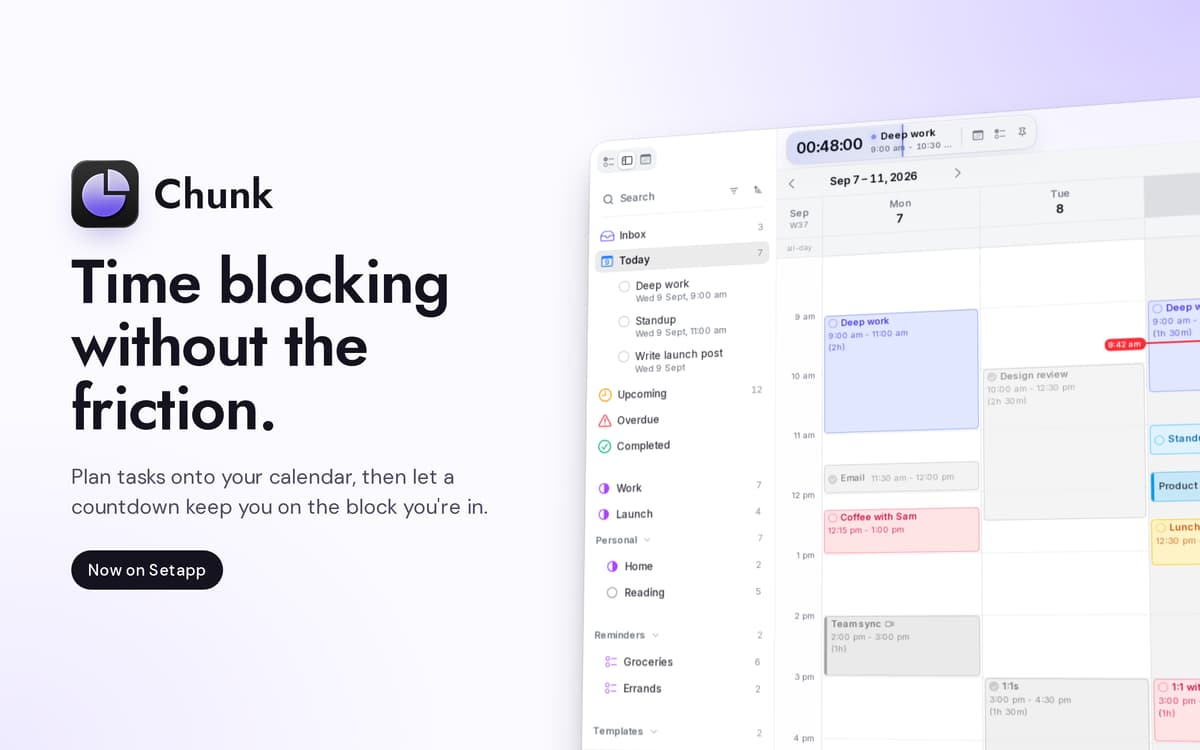
Chunk ist ein Zeitblocker für die Menüleiste am Mac. Drücken Sie Cmd+T und ein durchscheinendes Panel gleitet herein, bereit für farbkodierte Blöcke. Ziehen Sie Meetings, konzentrierte Arbeit und den Nachmittagskaffee auf eine 24-Stunden-Zeitleiste, und die Menüleiste zählt die verbleibende Zeit in Ihrem aktuellen Block herunter. Die bidirektionale Synchronisierung mit Google, Outlook und Apple Kalender hält alles an einem Ort zusammen; der Terminplan selbst liegt auf Ihrem Mac.
Planen Sie Ihren morgigen Tag in nur 30 Sekunden
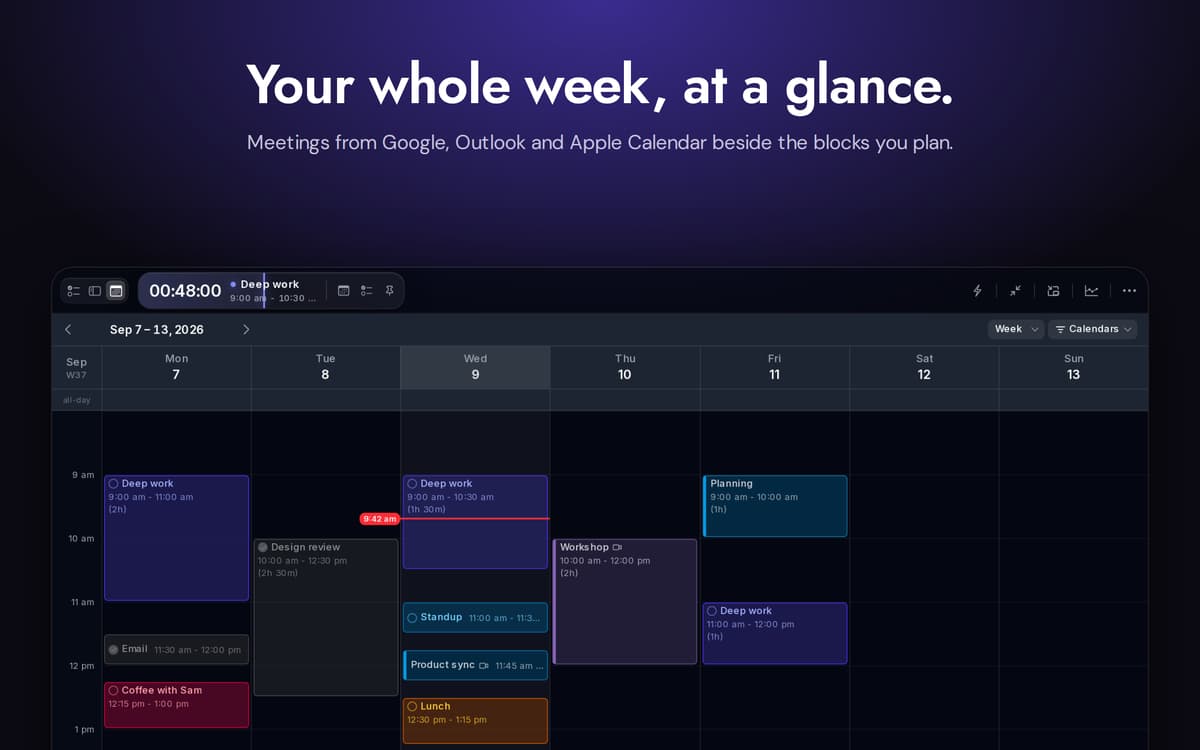
Google, Outlook & Apple-Kalender synchronisieren
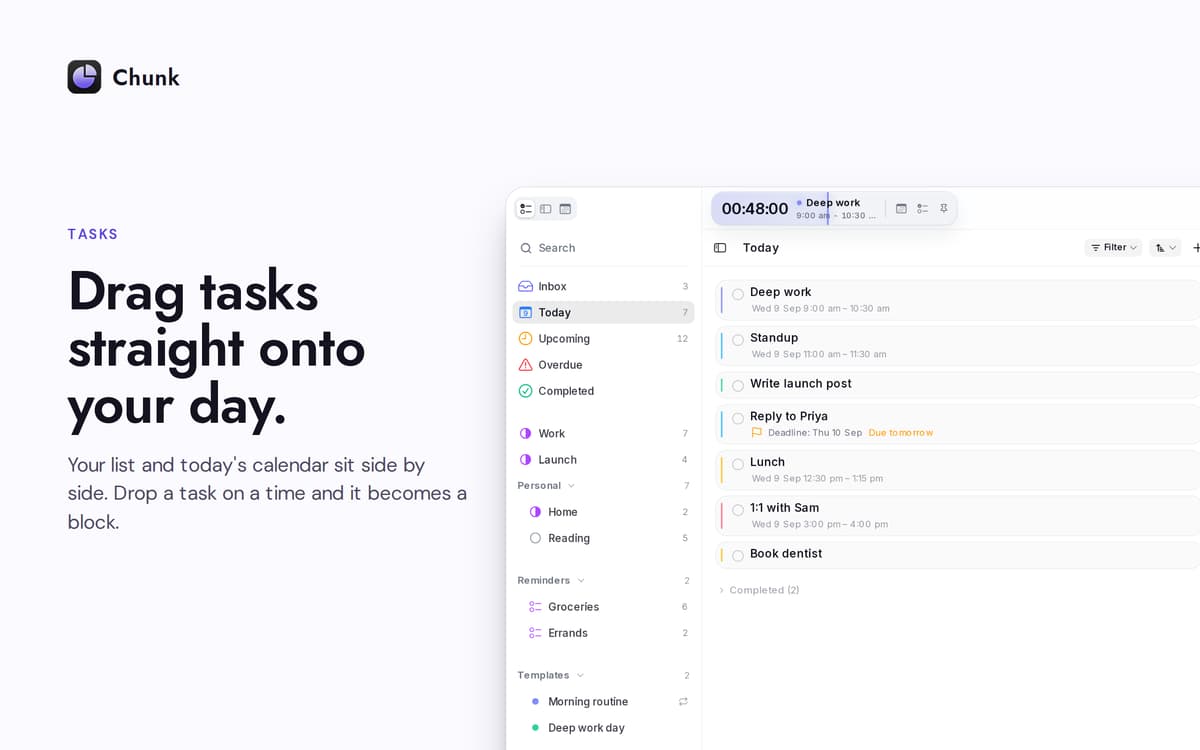
Ziehen Sie Aufgaben direkt auf Ihren Tag
Neu planen, ohne die Konzentration zu verlieren
Chunk-Funktionen
Zeitleiste per Drag-and-Block-Funktion
Eine vertikale 24-Stunden-Zeitleiste, die Sie durch Ziehen erstellen. Größe von Blöcken an beiden Rändern ändern. Das Rasterintervall verringert sich, je weiter Sie hineinzoomen, bis hin zu einer Minute, wenn Sie sie benötigen.
Kalender im Gleichschritt
Verbinden Sie Google, Outlook oder Apple Calendar – wählen Sie einen oder alle drei. Alle Änderungen, die Sie in Chunk vornehmen, werden innerhalb von Sekunden an die Quelle zurückübertragen. Externe Termine werden auf derselben Zeitleiste wie Ihre eigenen Blöcke angezeigt, sodass Sie nur an einem Ort nachschauen müssen.
Apple-Erinnerungen, nebeneinander
Ihre Erinnerungslisten erscheinen in der Aufgaben-Seitenleiste von Chunk. Haken Sie hier etwas ab und es wird automatisch in der Erinnerungen-App des Systems abgehakt. Ziehen Sie eine Erinnerung auf Ihren Tag, um daraus einen Zeitblock zu erstellen.
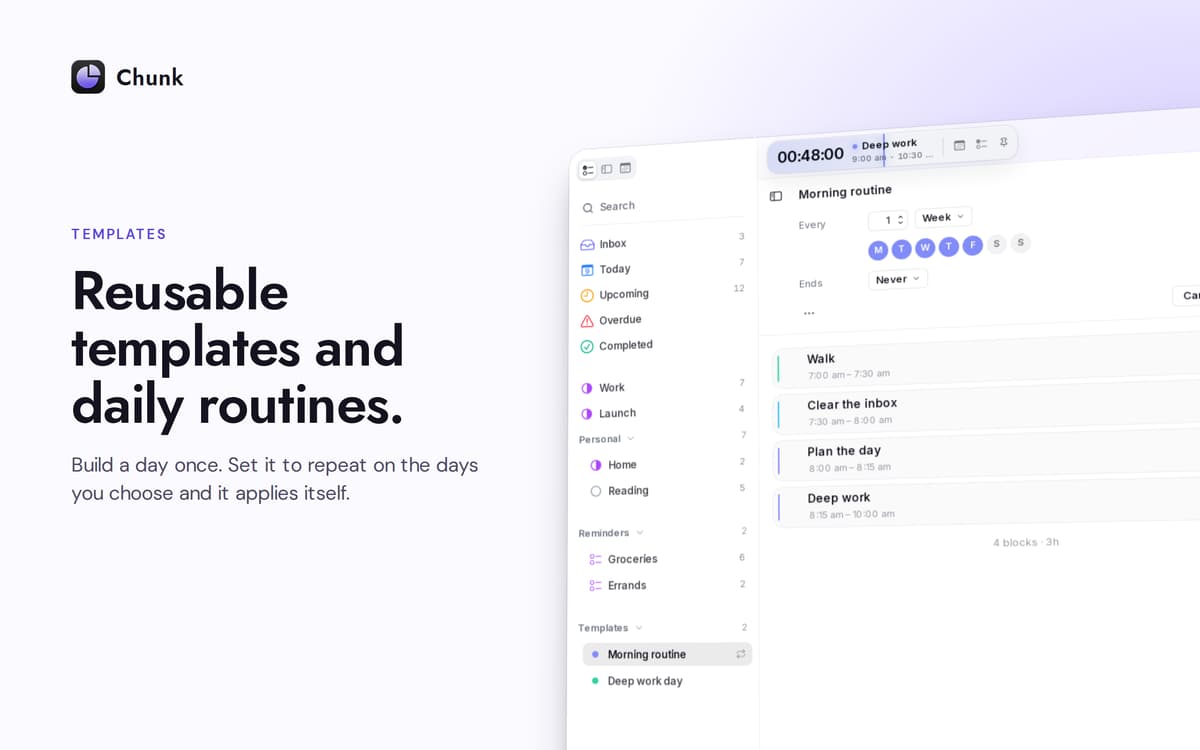
Vorlagen, die eigenständig angezeigt werden
Speichern Sie einmal einen typischen Tag. Wählen Sie aus, an welchen Wochentagen die automatische Anwendung erfolgen soll. Chunk erstellt Ihren Zeitplan, bevor Sie die Anwendung überhaupt öffnen – eine neue Woche, bereits vollständig geplant.
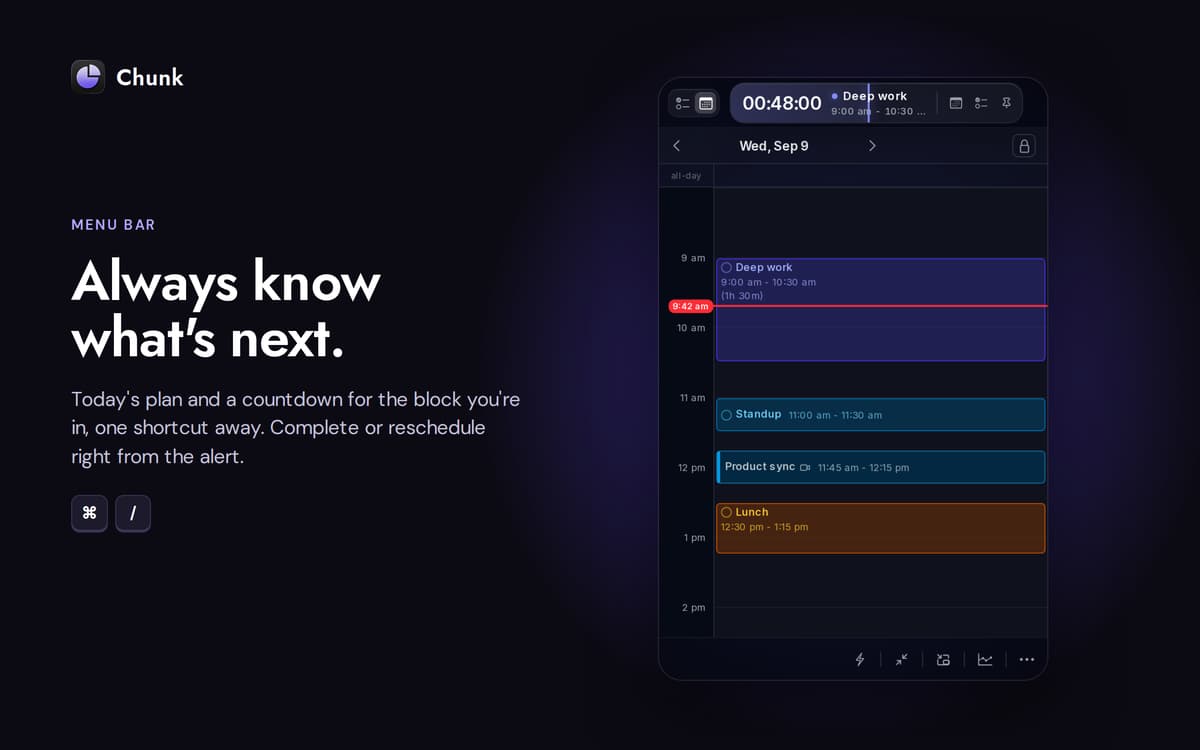
Ein Countdown, der sich nicht versteckt
Die Menüleiste zeigt die verbleibende Zeit in Ihrem aktuellen Block an. Das Hauptfenster schwebt über Vollbild-Apps, sodass ein kurzer Blick – oder eine schnelle Umplanung – Sie nie kostet, was Sie gerade gemacht haben.
Planen Sie mit Claude auf Ihrem Mac
Verbinden Sie Chunk mit Claude und lassen Sie es Ihren Tag anhand von natürlichsprachlichen Eingaben entwerfen, verschieben oder umgestalten. Die Verbindung läuft lokal; Ihr Zeitplan verlässt niemals das Gerät.
Erhalten Sie Hunderte von Apps mit Membership
Werden Sie Setapp Member und nutzen Sie mit nur einem Abonnement hunderte genialer Apps.
Testen Sie 7 Tage kostenlos, im Anschluss nur eine einfach monatliche Gebühr.
Setapp auf dem Mac installieren
Erkunden Sie Apps für Mac, iOS und Web. Finden Sie einfache Möglichkeiten für die Bewältigung täglicher Aufgaben.

Die gesuchte App finden
In Setapp wartet eine wunderbare App auf Sie. Installieren Sie sie mit einem Klick.

Chunk
Abonnement wählen
Eine App oder mehr mit der Setapp Membership. Holen Sie sich Apps, so wie Sie es möchten.

Erhalten Sie Hunderte von Apps mit Membership
Werden Sie Setapp Member und nutzen Sie mit nur einem Abonnement hunderte genialer Apps.
Testen Sie 7 Tage kostenlos, im Anschluss nur eine einfach monatliche Gebühr.
1
Setapp auf dem Mac installieren
Erkunden Sie Apps für Mac, iOS und Web. Finden Sie einfache Möglichkeiten für die Bewältigung täglicher Aufgaben.
2
Die gesuchte App finden
In Setapp wartet eine wunderbare App auf Sie. Installieren Sie sie mit einem Klick.
Chunk
3
Abonnement wählen
Eine App oder mehr mit der Setapp Membership. Holen Sie sich Apps, so wie Sie es möchten.
Die besten Apps
Von Planung und Routineaufgaben bis hin zu kreativen Tätigkeiten und Programmieren – mit den Apps von Setapp sind Sie bestens für Aufgaben gerüstet.

TypingMind
KI-Chat mit alternativer UI
Text erzeugen oder zusammenfassen
Prompt-Bibliothek nutzen
KI

Spark Mail
E-Mails verwalten
KI

CleanMyMac
Datenmüll entfernen

Bartender
Menüleiste anpassen

CleanShot X
Vielseitige Bildschirmfotos aufnehmen

Luminar Neo
Fotos bearbeiten
KI

ClearVPN
Sichere Verbindung herstellen

Craft
Mit Dokumenten arbeiten
KI
Chunk
Time-block your whole day