
CueClip
Videos aufnehmen und automatisch bearbeiten
Mac
Version 1.6.31
macOS 12.0 oder neuer
1388.5 MB
1 Sprachen
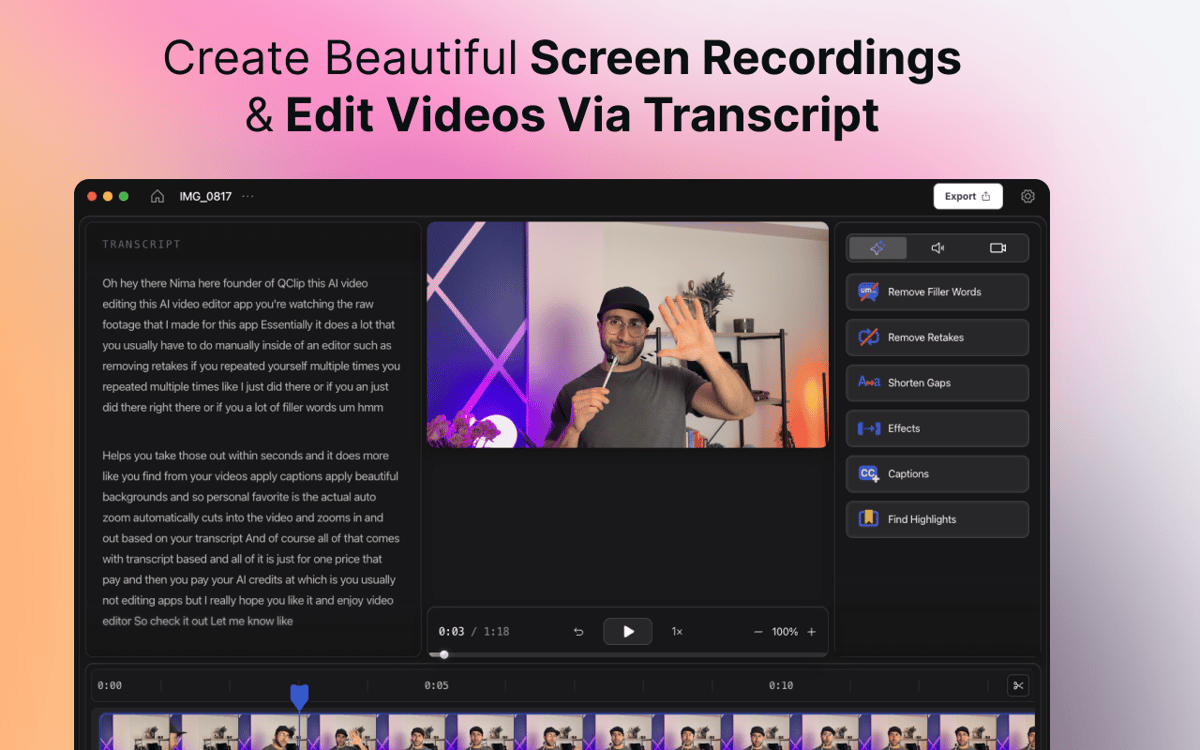
CueClip ist ein KI-gestützter Bildschirmrekorder und Videoeditor für Mac, der Kreativen, Pädagogen, Coaches und Fachleuten hilft, Rohaufnahmen schneller in hochwertige Videos zu verwandeln. Zeichnen Sie Ihren Bildschirm, Ihre Kamera oder beides auf – und entfernen Sie anschließend automatisch Füllwörter, Retakes, lange Pausen und andere Ablenkungen. Per Transkript bearbeiten, Untertitel generieren, Highlight-Clips erstellen und fertige Videos zum Teilen exportieren. Die meisten Videobearbeitungsprogramme sind auf komplexe Zeitleisten und manuelle Arbeitsabläufe ausgelegt. CueClip wurde für Kreative entwickelt, die Videos schneller aufnehmen, bereinigen und veröffentlichen möchten.
Online-Kurse mühelos erstellen
Demos in polierte Videos verwandeln
YouTube-Inhalte schneller erstellen
Kundenführungen erstellen
CueClip-Funktionen
KI-gestützte Bereinigung mit einem Klick
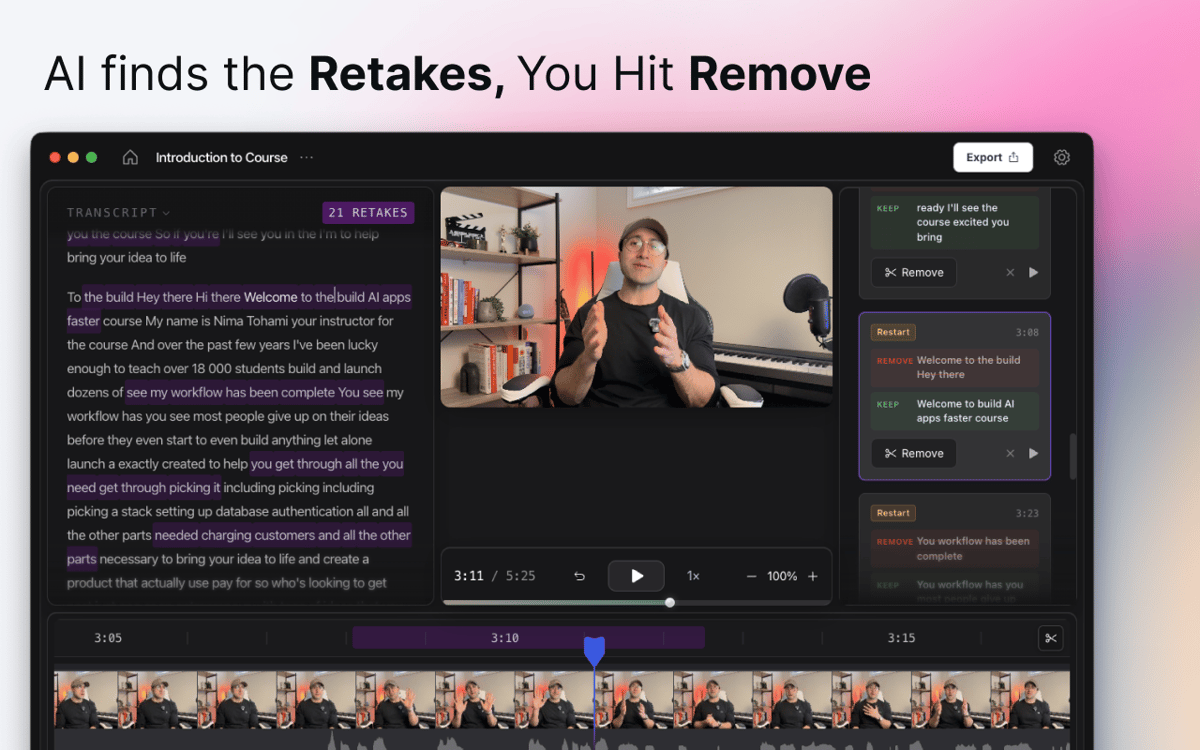
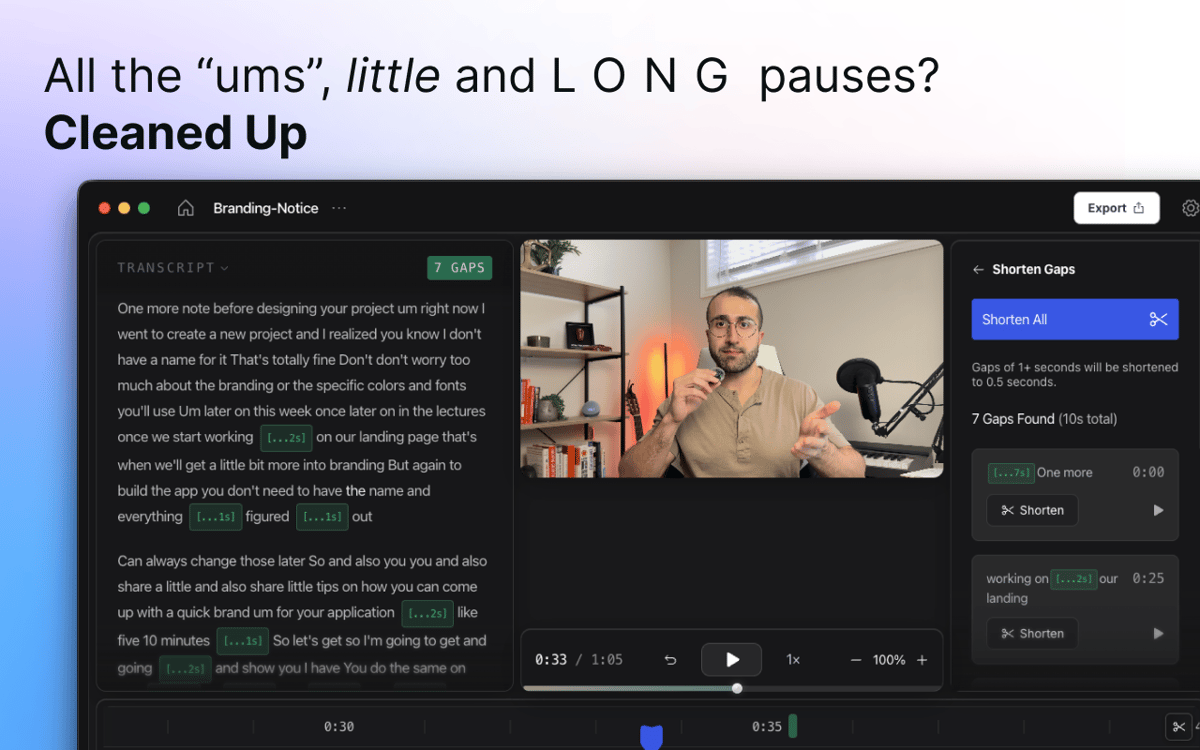
Auf Aufnahme drücken, natürlich sprechen und CueClip den Rest überlassen. Die KI erkennt automatisch Füllwörter, lange Stille, misslungene Aufnahmen und störende Pausen – und entfernt sie mit einem einzigen Klick. Kein manuelles Durchsuchen der Zeitleiste erforderlich.
Bildschirm und Kamera gleichzeitig aufnehmen
Erfassen Sie Ihren Bildschirm, Ihr Gesicht oder beides in einer einzigen Sitzung – ganz ohne Hin- und Herwechseln zwischen Apps. Egal ob Sie ein Tutorial, eine Produktdemo, eine Präsentation oder ein Sprecher-Video aufnehmen – alles, was Sie brauchen, ist vom ersten Frame an an einem Ort.
Bearbeitung durch Transkript
Schluss mit der Suche nach dem richtigen Moment in der Zeitleiste. CueClip wandelt Ihre Aufnahme in ein Texttranskript um, das Sie direkt bearbeiten können. Löschen Sie einen Satz im Transkript, und er verschwindet aus dem Video. Sauber, schnell und intuitiv.
Untertitel und Highlight-Clips
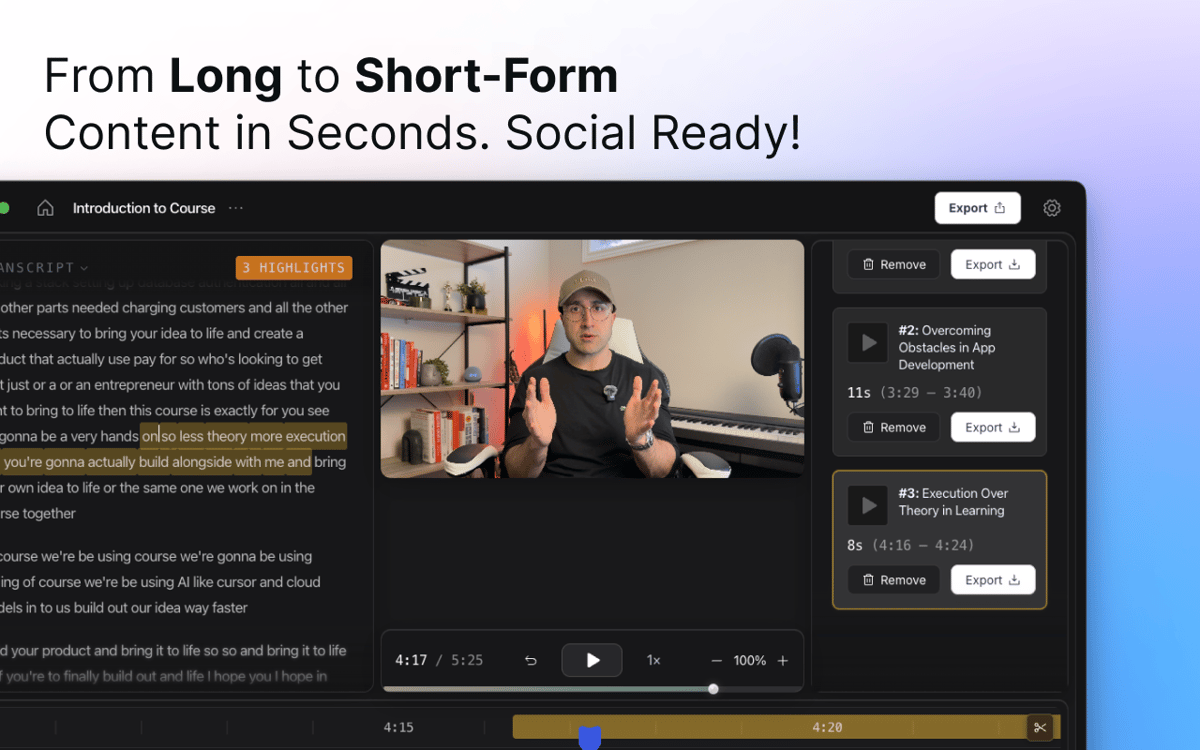
Fügen Sie automatisch generierte Untertitel hinzu, die zu Ihrem Inhalt passen, und passen Sie diese anschließend an Ihren Stil an. Benötigen Sie einen kurzen Clip für Social Media? CueClip erkennt Schlüsselmomente in längeren Aufnahmen und wandelt sie in teilbare Highlights um.
Intelligente Zooms und visuelle Verbesserungen
CueClip wendet automatische Zooms und visuelle Verbesserungen an, um die Aufmerksamkeit der Zuschauenden zu lenken und Tutorials, Demos und Präsentationen ausgefeilter wirken zu lassen – ganz ohne manuelles Keyframing.
Exportieren und teilen
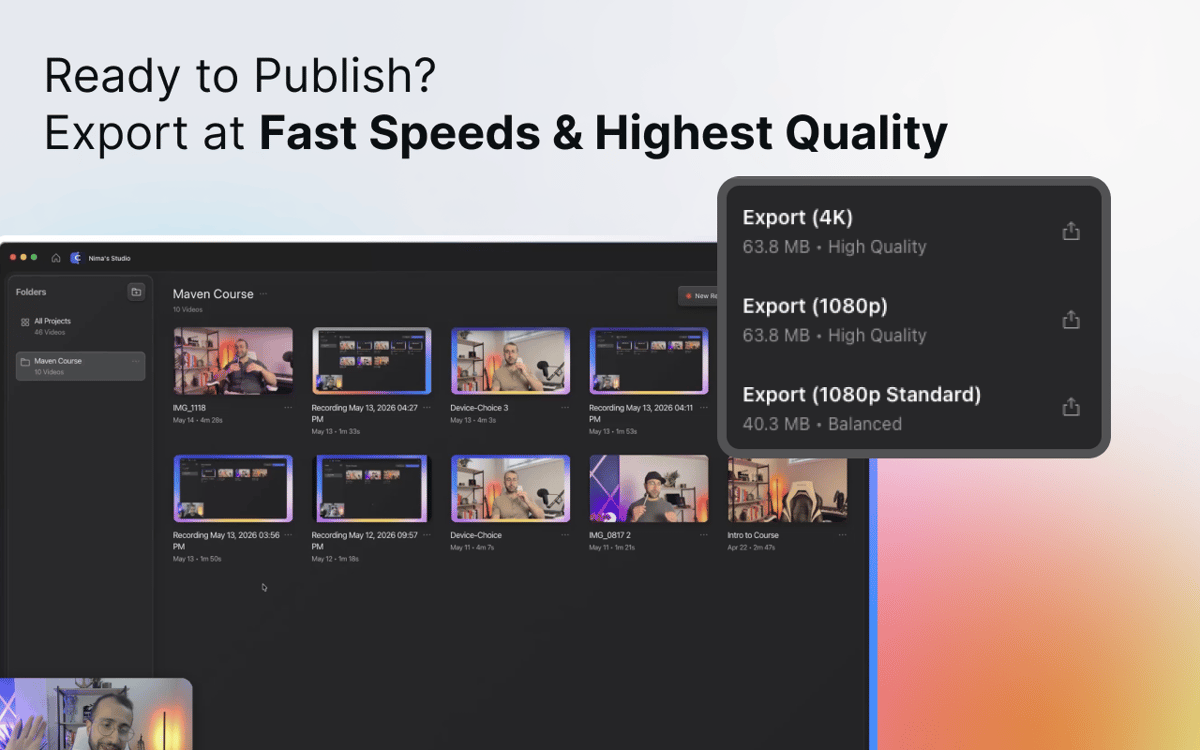
Wenn Sie fertig sind, exportieren Sie ein professionell bearbeitetes Video für YouTube, Online-Kurse, Schulungsmaterialien, Kundenpräsentationen, Dokumentationen oder überall dort, wo Sie es benötigen. Keine Rendering-Probleme, kein Formaträtsel – einfach ein fertiges Video.
Erhalten Sie Hunderte von Apps mit Membership
Werden Sie Setapp Member und nutzen Sie mit nur einem Abonnement hunderte genialer Apps.
Testen Sie 7 Tage kostenlos, im Anschluss nur eine einfach monatliche Gebühr.
Setapp auf dem Mac installieren
Erkunden Sie Apps für Mac, iOS und Web. Finden Sie einfache Möglichkeiten für die Bewältigung täglicher Aufgaben.

Die gesuchte App finden
In Setapp wartet eine wunderbare App auf Sie. Installieren Sie sie mit einem Klick.

CueClip
Abonnement wählen
Eine App oder mehr mit der Setapp Membership. Holen Sie sich Apps, so wie Sie es möchten.

Erhalten Sie Hunderte von Apps mit Membership
Werden Sie Setapp Member und nutzen Sie mit nur einem Abonnement hunderte genialer Apps.
Testen Sie 7 Tage kostenlos, im Anschluss nur eine einfach monatliche Gebühr.
1
Setapp auf dem Mac installieren
Erkunden Sie Apps für Mac, iOS und Web. Finden Sie einfache Möglichkeiten für die Bewältigung täglicher Aufgaben.
2
Die gesuchte App finden
In Setapp wartet eine wunderbare App auf Sie. Installieren Sie sie mit einem Klick.
CueClip
3
Abonnement wählen
Eine App oder mehr mit der Setapp Membership. Holen Sie sich Apps, so wie Sie es möchten.
Die besten Apps
Von Planung und Routineaufgaben bis hin zu kreativen Tätigkeiten und Programmieren – mit den Apps von Setapp sind Sie bestens für Aufgaben gerüstet.

TypingMind
KI-Chat mit alternativer UI
Text erzeugen oder zusammenfassen
Prompt-Bibliothek nutzen
KI

Spark Mail
E-Mails verwalten
KI

CleanMyMac
Datenmüll entfernen

Bartender
Menüleiste anpassen

CleanShot X
Vielseitige Bildschirmfotos aufnehmen

Luminar Neo
Fotos bearbeiten
KI

ClearVPN
Sichere Verbindung herstellen

Craft
Mit Dokumenten arbeiten
KI
CueClip
Videos aufnehmen und automatisch bearbeiten