Deadline Go
Ihr Sound, im richtigen Pegel
Mac
Version 1.0.2
macOS 12.0 oder neuer
52.6 MB
1 Sprachen
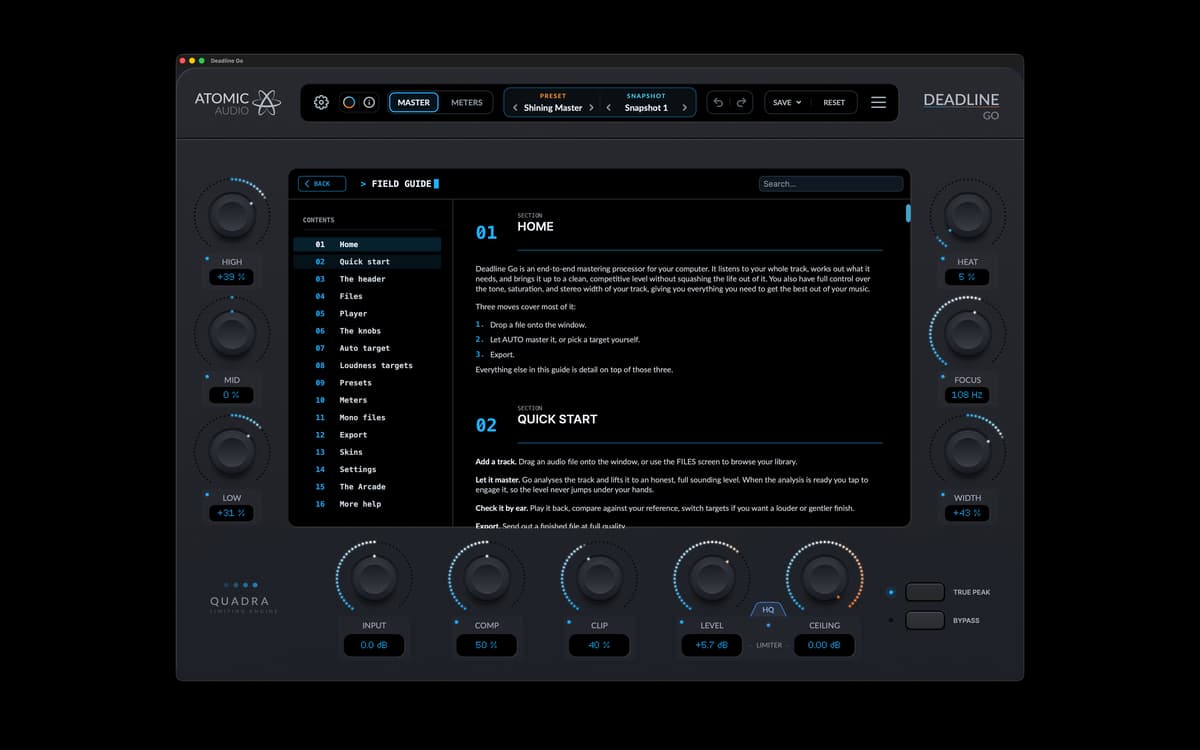
Deadline Go ist eine eigenständige Mastering-App für Mac. Auto Target stellt die Lautstärke ein, während Klangfarbe, Sättigung und Stereobreite unter Ihrer Kontrolle bleiben. Jede Spur wird nur einmal analysiert, sodass Sie das Ziel sofort ändern können, ohne eine erneute Analyse abwarten zu müssen. Die gesamte Mastering-Kette, Pegelanzeigen, Bibliothek und Exportsteuerung befinden sich in einem einzigen Fenster.
Tracks für Streaming-Dienste mastern
Tracks für die Clubwiedergabe vorbereiten
Lautstärke für alle Releases angleichen
Klang und Charakter verbessern
Deadline Go-Funktionen
Auto Target
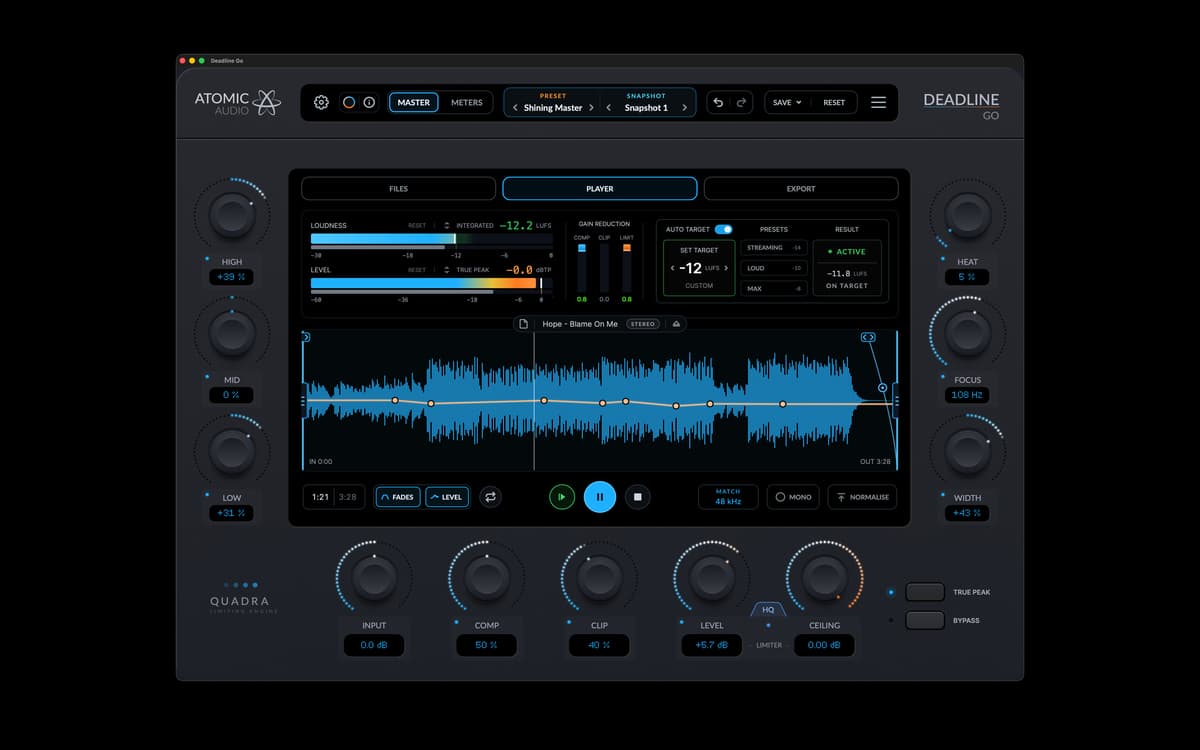
Deadline Go analysiert den Track beim Laden. Auto Target stellt Eingangspegel, Kompression, Clipping und Limiter-Ansteuerung so ein, dass Ihr Zielwert erreicht wird. Ändern Sie das Ziel, und die Steuerelemente werden sofort aktualisiert. Der Track muss nicht erneut analysiert werden.
Klangregelung
High, Mid und Low bestimmen den Klang. Heat sorgt für Sättigung, Focus strafft den Bassbereich und Width steuert das Stereobild. Diese Bedienelemente bleiben manuell. Auto Target passt die Lautstärkeregler rund um diese Einstellungen an.
Vollständige Mastering-Kette
Klangfarbe, Sättigung, Stereobreite, Kompression, Clipping und Limiting – alles auf dem Hauptbildschirm. Der Player enthält Überblendungen und eine Pegellinie, die Sie direkt auf die Wellenform zeichnen können.
Pegelmessung
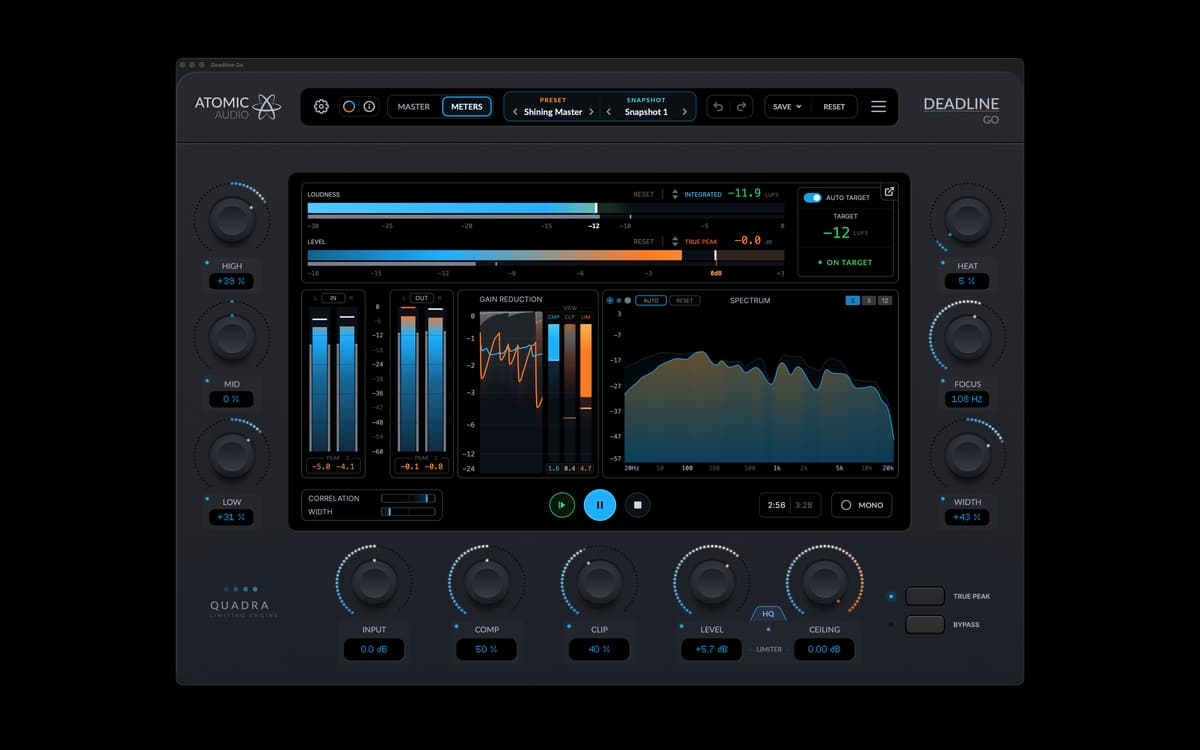
Integrierte und kurzfristige Lautheit, True Peak, Gain Reduction, Korrelation, Stereobreite und Spektrum aktualisieren sich während der Wiedergabe des Tracks. Die Pegelanzeigen zeigen den tatsächlich erreichten Wert, nicht nur den Zielwert. Sie können auch abgedockt und auf einen zweiten Bildschirm verschoben werden.
Bibliothek, Presets und Snapshots
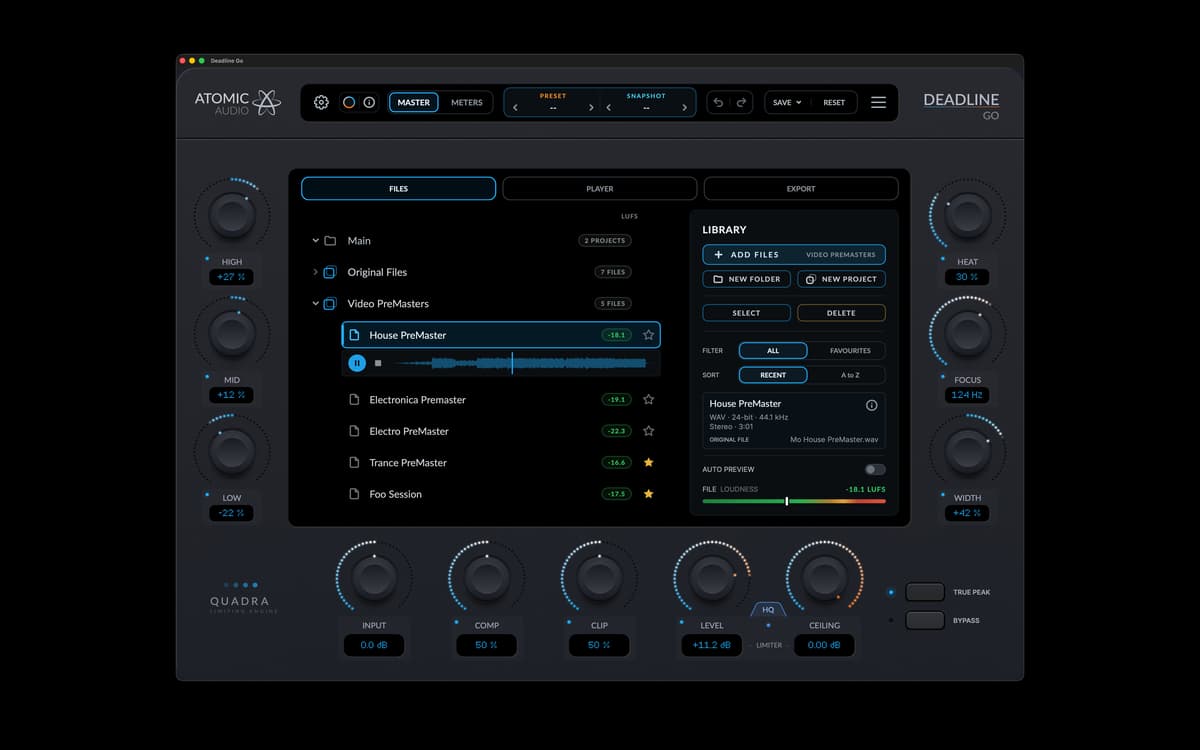
Ordner und Projekte halten Tracks organisiert. Jeder Track behält seine Einstellungen, sein Preset und seine Analyse zwischen den Sitzungen bei. Presets bieten einen Ausgangspunkt, und Snapshots halten verschiedene Versionen zusammen.
Export
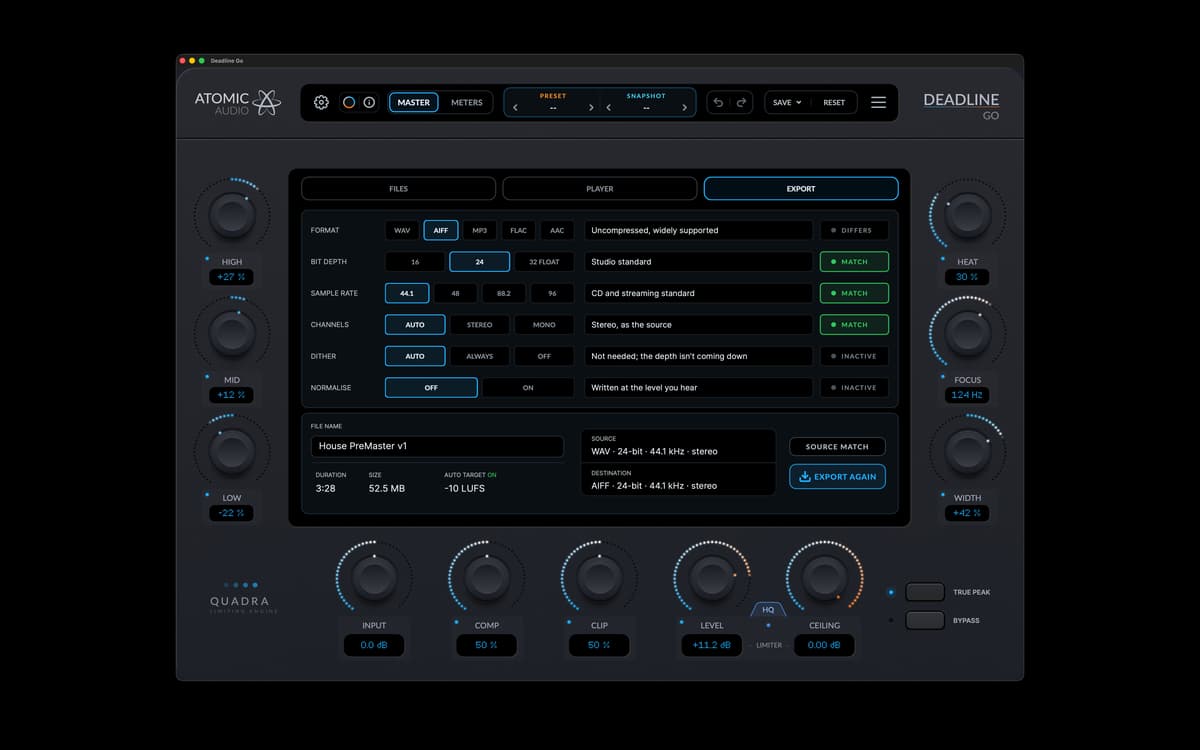
Deadline Go exportiert WAV, AIFF, FLAC, MP3 und AAC. Legen Sie Bittiefe, Abtastrate, Dithering und Normalisierung vor dem Rendern fest. Deadline Go überprüft die fertige Datei, nachdem sie geschrieben wurde.
Erhalten Sie Hunderte von Apps mit Membership
Werden Sie Setapp Member und nutzen Sie mit nur einem Abonnement hunderte genialer Apps.
Testen Sie 7 Tage kostenlos, im Anschluss nur eine einfach monatliche Gebühr.
Setapp auf dem Mac installieren
Erkunden Sie Apps für Mac, iOS und Web. Finden Sie einfache Möglichkeiten für die Bewältigung täglicher Aufgaben.

Die gesuchte App finden
In Setapp wartet eine wunderbare App auf Sie. Installieren Sie sie mit einem Klick.

Deadline Go
Abonnement wählen
Eine App oder mehr mit der Setapp Membership. Holen Sie sich Apps, so wie Sie es möchten.

Erhalten Sie Hunderte von Apps mit Membership
Werden Sie Setapp Member und nutzen Sie mit nur einem Abonnement hunderte genialer Apps.
Testen Sie 7 Tage kostenlos, im Anschluss nur eine einfach monatliche Gebühr.
1
Setapp auf dem Mac installieren
Erkunden Sie Apps für Mac, iOS und Web. Finden Sie einfache Möglichkeiten für die Bewältigung täglicher Aufgaben.
2
Die gesuchte App finden
In Setapp wartet eine wunderbare App auf Sie. Installieren Sie sie mit einem Klick.
Deadline Go
3
Abonnement wählen
Eine App oder mehr mit der Setapp Membership. Holen Sie sich Apps, so wie Sie es möchten.
Die besten Apps
Von Planung und Routineaufgaben bis hin zu kreativen Tätigkeiten und Programmieren – mit den Apps von Setapp sind Sie bestens für Aufgaben gerüstet.

TypingMind
KI-Chat mit alternativer UI
Text erzeugen oder zusammenfassen
Prompt-Bibliothek nutzen
KI

Spark Mail
E-Mails verwalten
KI

CleanMyMac
Datenmüll entfernen

Bartender
Menüleiste anpassen

CleanShot X
Vielseitige Bildschirmfotos aufnehmen

Luminar Neo
Fotos bearbeiten
KI

ClearVPN
Sichere Verbindung herstellen

Craft
Mit Dokumenten arbeiten
KI
Deadline Go
Ihr Sound, im richtigen Pegel