
Deskspace
Unlock the Power of Your Mac's Spaces
Mac
Version 26.9.1
macOS 15 oder neuer
13 MB
3 Sprachen
Deskspace is a virtual desktop manager for Mac. It turns macOS Spaces — the built-in feature most people forget exists — into a powerful workflow tool. Deskspace enables named workspaces, a menu-bar switcher, and a clear view of which apps are open on which Space. Switch Spaces from the menu bar, with a hotkey, or from a floating toolbar that you can place exactly where you want it on your displays. Whether you keep one Space per project, one per client, or one per mood, Deskspace makes Spaces a truly powerful tool.
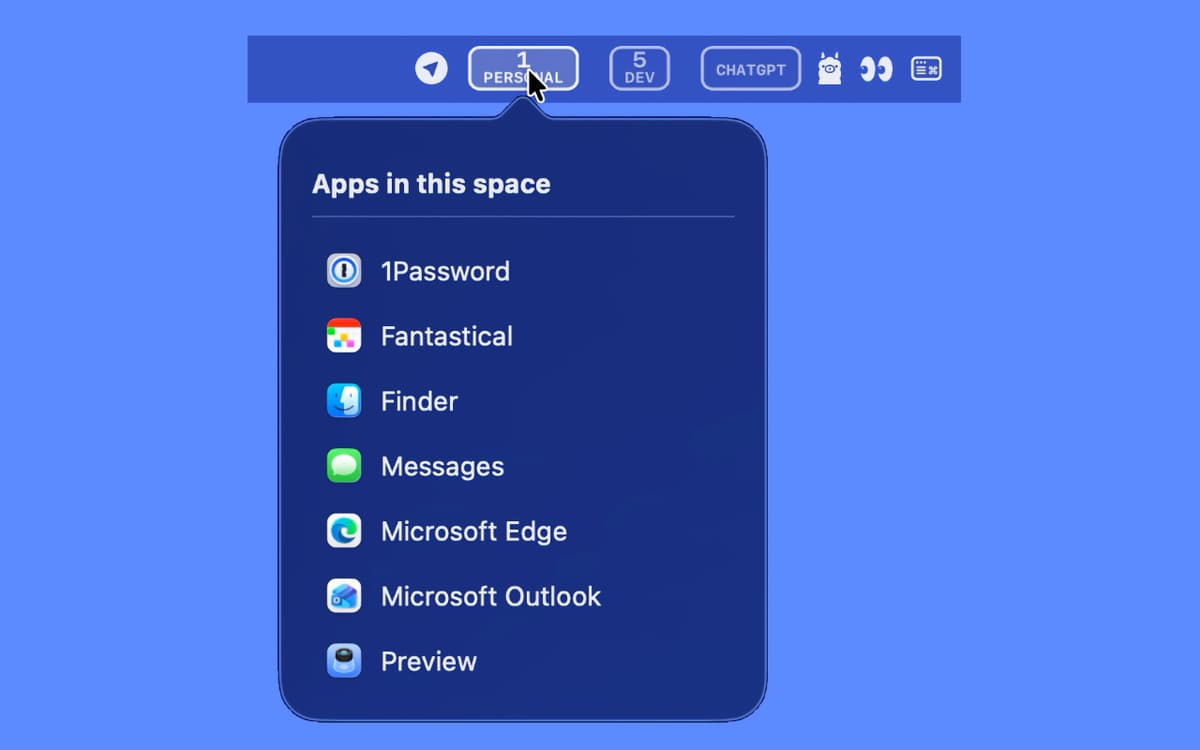
Switch Spaces straight from the menu bar
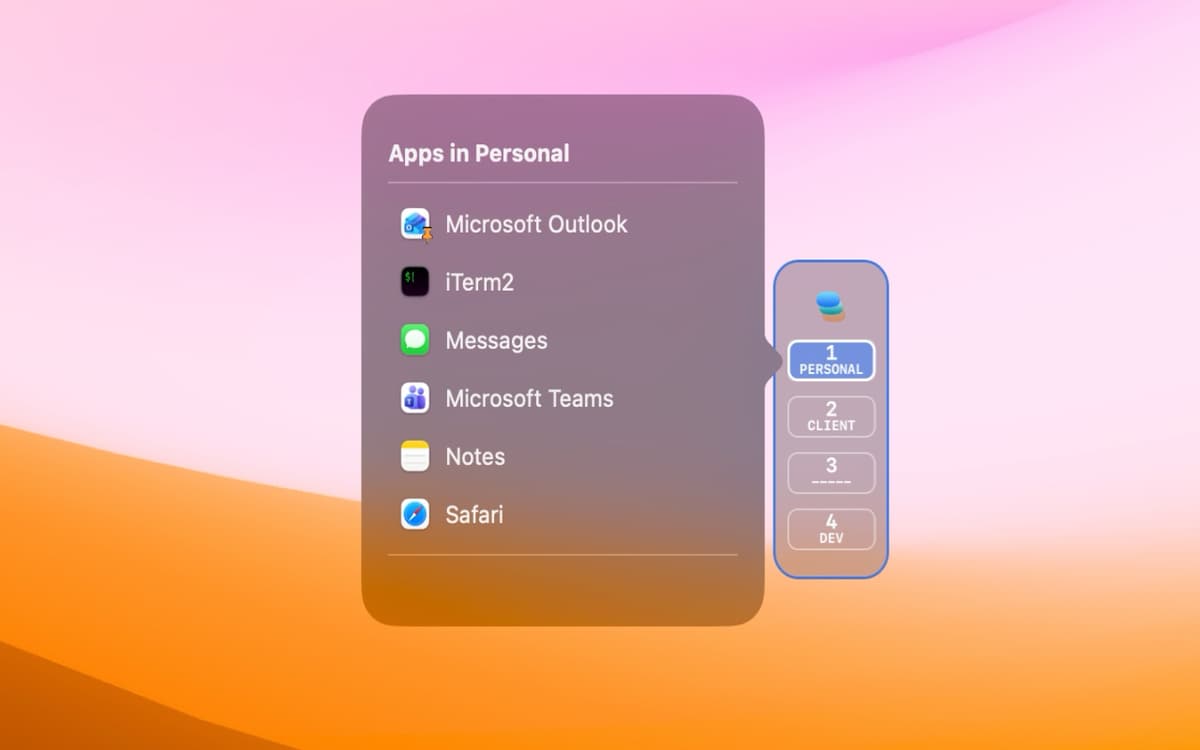
Give every Space a name based on your workflow
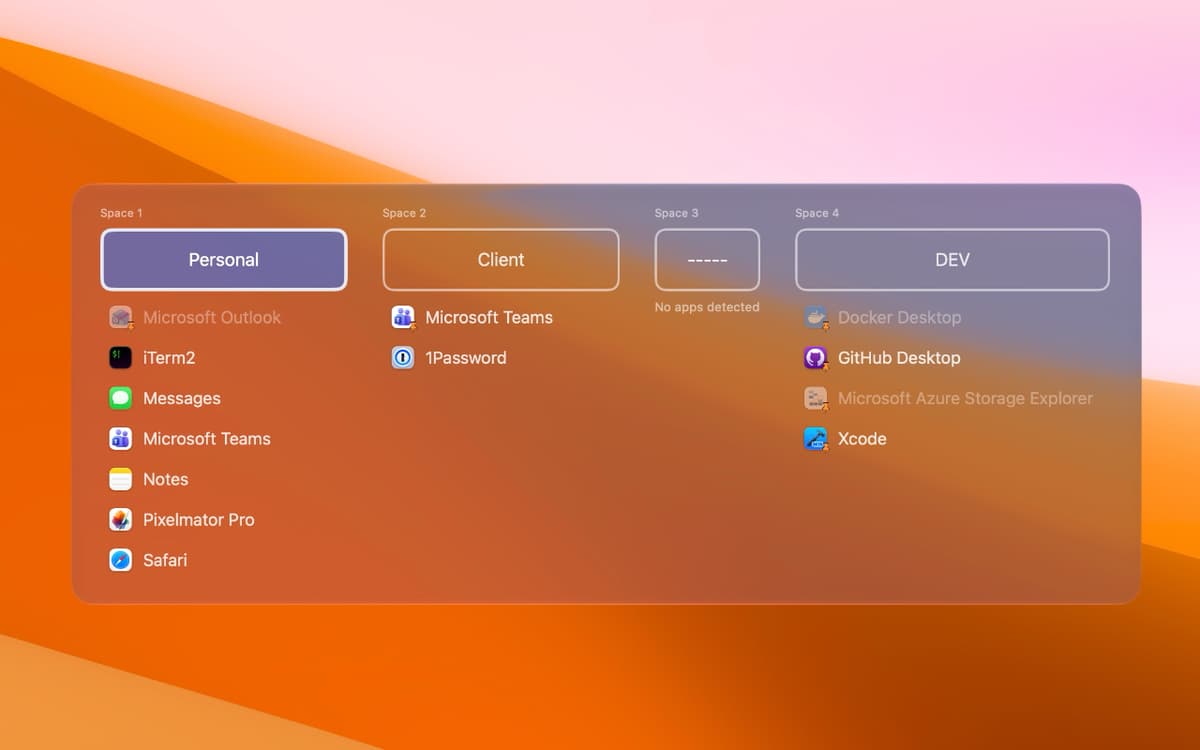
See which apps are running on each Space
Jump to any app on any Space, fast
Deskspace-Funktionen
Named Spaces
Give every Space a real name instead of "Desktop 3." Names stick across reboots, so your setup stays put.
Switch your way
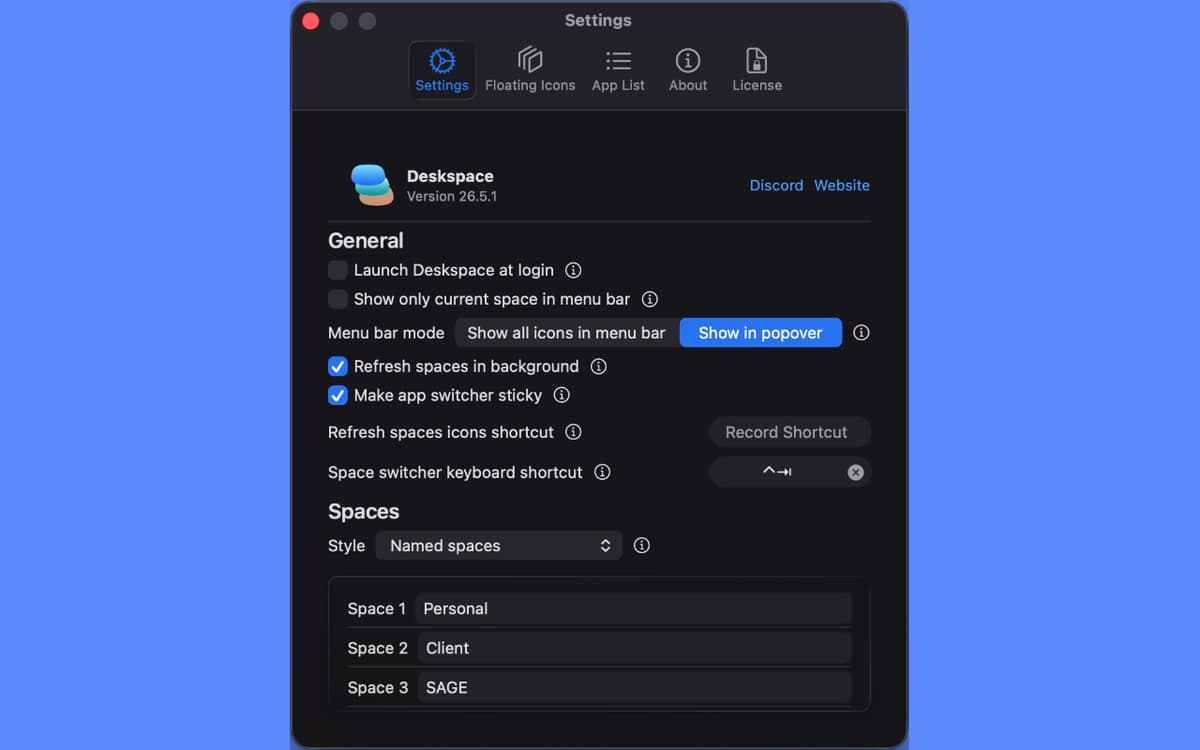
Hop between Spaces from the menu bar, with a customizable keyboard shortcut, or from a floating toolbar. Pick whichever feels natural and ignore the rest.
Apps at a glance
See exactly which apps are open on each Space without leaving the menu bar. Great for finding that one window you swear you opened somewhere.
One-click window focus
Click any app in any Space and Deskspace brings its window straight to the front — even on a different Space.
Floating toolbar
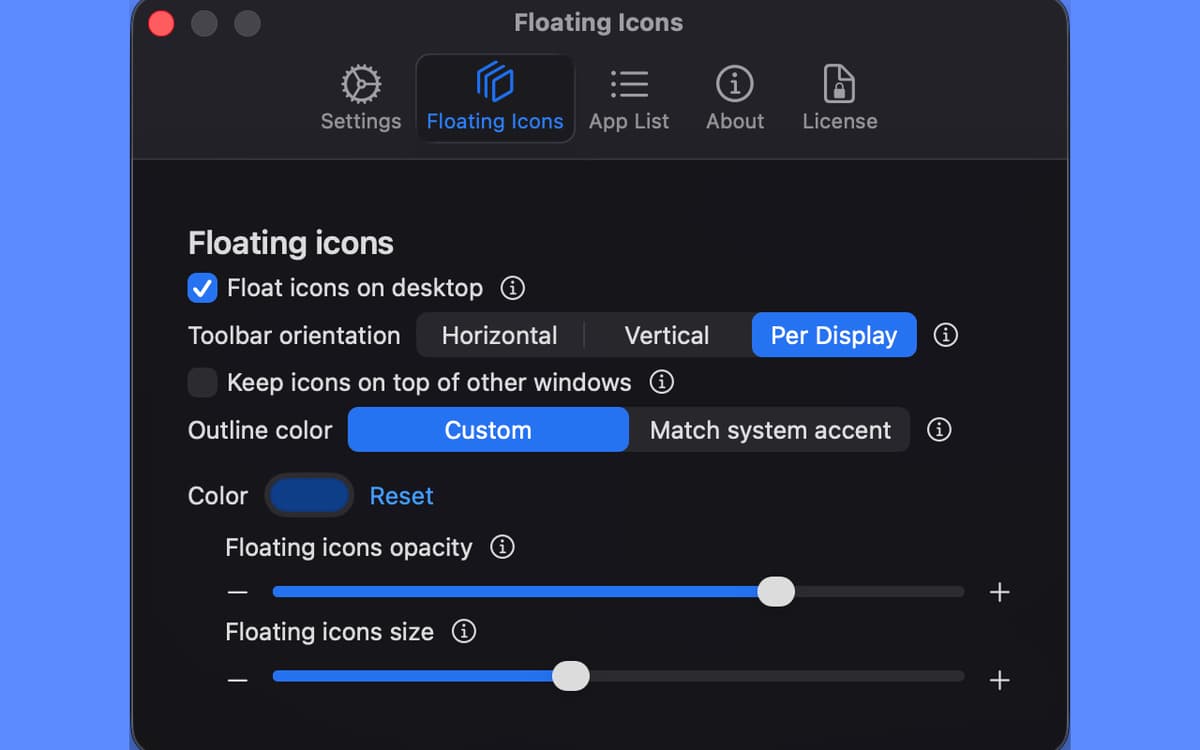
A slim Space indicator that floats on your desktop, resizable and styled to match your workflow. Separate toolbars per monitor if you've got more than one.
Multi-monitor friendly
Full support for multiple displays, with independent controls per screen so each monitor can do its own thing.
Bewertungen und Rezensionen
Deskspace
•
2 Bewertungen
Dan Locke
19. Okt. 2026
App-Version: 26.9.1
This is an excellent tool. Spaces has been around a long long time, but it’s value has been pretty low due to it not having a way to name the spaces. So it is very easy to forget what apps are in what space. Spaces Has needed an upgrade for a long, long time. Deckspace has done it. They've really delivered on this one and for just six bucks, this adds a lot of value and a lot more workability to the whole concept of spaces. Thank you very much, Deckspace creators.
Erhalten Sie Hunderte von Apps mit Membership
Werden Sie Setapp Member und nutzen Sie mit nur einem Abonnement hunderte genialer Apps.
Testen Sie 7 Tage kostenlos, im Anschluss nur eine einfach monatliche Gebühr.
Setapp auf dem Mac installieren
Erkunden Sie Apps für Mac, iOS und Web. Finden Sie einfache Möglichkeiten für die Bewältigung täglicher Aufgaben.

Die gesuchte App finden
In Setapp wartet eine wunderbare App auf Sie. Installieren Sie sie mit einem Klick.

Deskspace
Abonnement wählen
Eine App oder mehr mit der Setapp Membership. Holen Sie sich Apps, so wie Sie es möchten.

Erhalten Sie Hunderte von Apps mit Membership
Werden Sie Setapp Member und nutzen Sie mit nur einem Abonnement hunderte genialer Apps.
Testen Sie 7 Tage kostenlos, im Anschluss nur eine einfach monatliche Gebühr.
1
Setapp auf dem Mac installieren
Erkunden Sie Apps für Mac, iOS und Web. Finden Sie einfache Möglichkeiten für die Bewältigung täglicher Aufgaben.
2
Die gesuchte App finden
In Setapp wartet eine wunderbare App auf Sie. Installieren Sie sie mit einem Klick.
Deskspace
3
Abonnement wählen
Eine App oder mehr mit der Setapp Membership. Holen Sie sich Apps, so wie Sie es möchten.
Die besten Apps
Von Planung und Routineaufgaben bis hin zu kreativen Tätigkeiten und Programmieren – mit den Apps von Setapp sind Sie bestens für Aufgaben gerüstet.

TypingMind
KI-Chat mit alternativer UI
Text erzeugen oder zusammenfassen
Prompt-Bibliothek nutzen
KI

Spark Mail
E-Mails verwalten
KI

CleanMyMac
Datenmüll entfernen

Bartender
Menüleiste anpassen

CleanShot X
Vielseitige Bildschirmfotos aufnehmen

Luminar Neo
Fotos bearbeiten
KI

ClearVPN
Sichere Verbindung herstellen

Craft
Mit Dokumenten arbeiten
KI
Deskspace
Unlock the Power of Your Mac's Spaces