DiskPress
Keep the files. Lose the bulk.
Mac
Version 1.1.1
macOS 12.0 oder neuer
6.8 MB
6 Sprachen
DiskPress is a storage optimizer for Mac. Use native file compression and APFS deduplication to reduce disk usage without deleting the files you want to keep. Files stay in their original folders, keep their familiar names, and open normally.
Compress files without making archives
Reduce space used by exact file copies
Optimize chosen folders automatically
Track how much storage you recover
DiskPress-Funktionen
Compress files where they are
Reduce the space occupied by documents, source code, logs, and other eligible files. There are no archives to unpack and no extra steps when opening your files.
Make exact copies share space
Find identical files on the same APFS volume and let them share physical storage. Every copy keeps its own name and location and remains independently editable.
Optimize the folders you choose
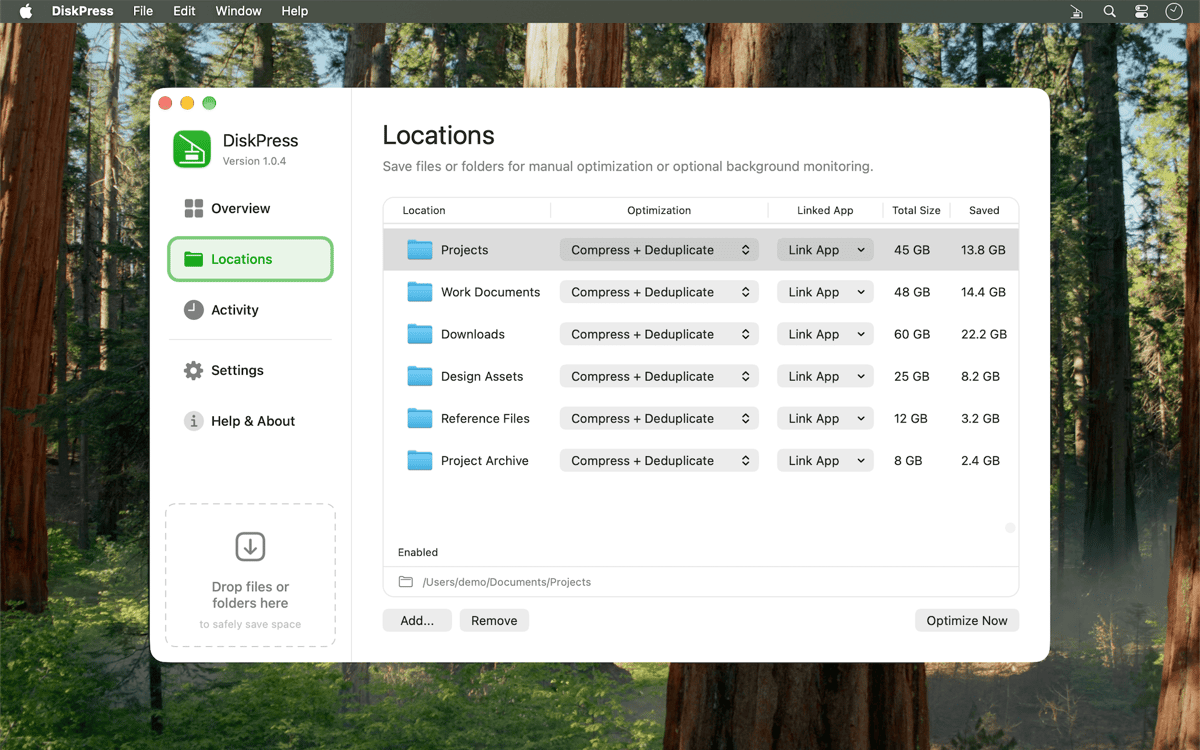
Drag in a selection for a one-time run or save locations for regular optimization. Enable automatic monitoring and let DiskPress revisit those folders from the menu bar.
Decide what gets processed
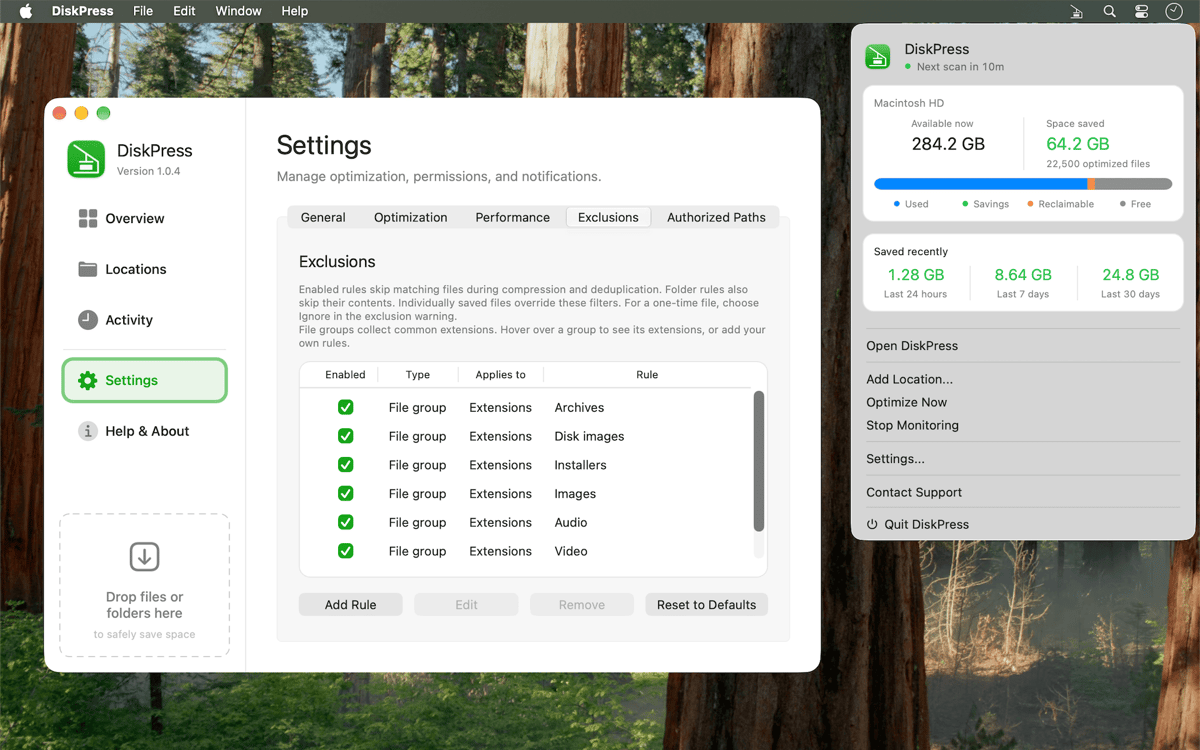
Protect recently used files, create custom exclusions, or link a folder to an app so DiskPress leaves it alone while that app is running. Turn compression and deduplication on or off separately for each job.
Balance speed and power use
Choose a performance profile that fits the moment. Set different behavior for battery and power, skip deduplication when you need a faster run, and avoid rescanning unchanged files with cached results.
See where the space went
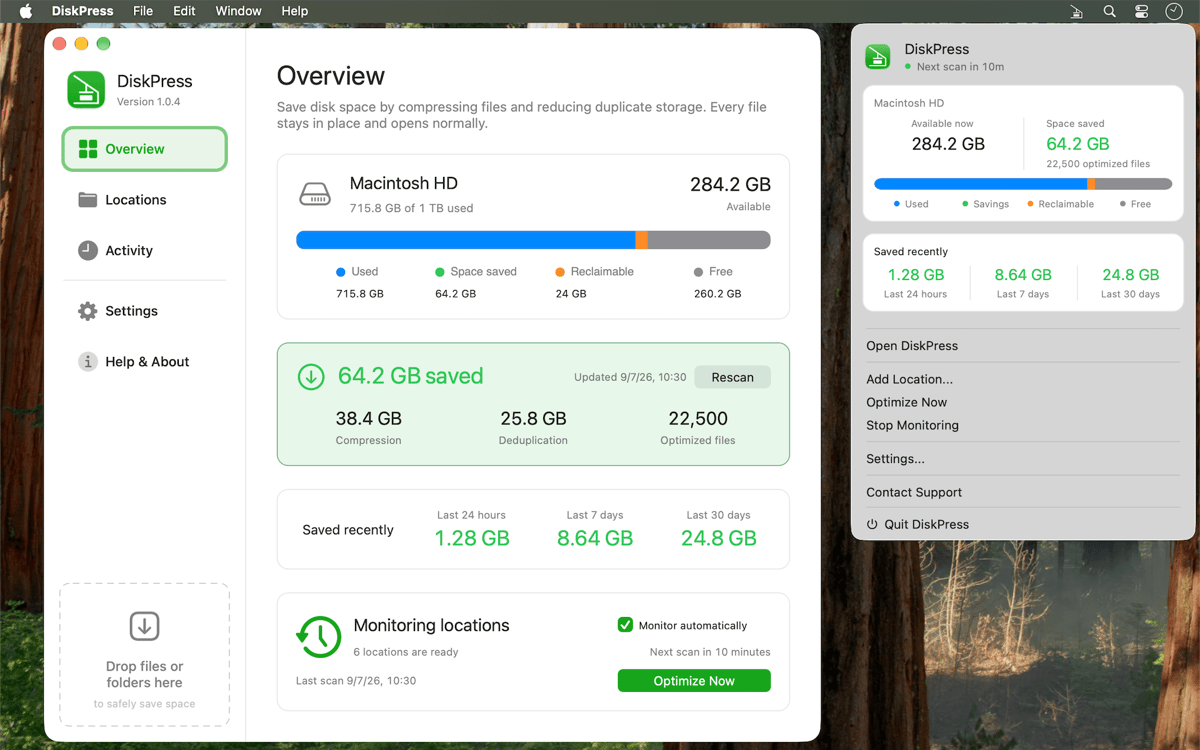
View current savings from compression and deduplication, along with totals from the last 24 hours, 7 days, and 30 days. Check the activity log to see what was optimized, skipped, or couldn’t be processed.
Erhalten Sie Hunderte von Apps mit Membership
Werden Sie Setapp Member und nutzen Sie mit nur einem Abonnement hunderte genialer Apps.
Testen Sie 7 Tage kostenlos, im Anschluss nur eine einfach monatliche Gebühr.
Setapp auf dem Mac installieren
Erkunden Sie Apps für Mac, iOS und Web. Finden Sie einfache Möglichkeiten für die Bewältigung täglicher Aufgaben.

Die gesuchte App finden
In Setapp wartet eine wunderbare App auf Sie. Installieren Sie sie mit einem Klick.

DiskPress
Abonnement wählen
Eine App oder mehr mit der Setapp Membership. Holen Sie sich Apps, so wie Sie es möchten.

Erhalten Sie Hunderte von Apps mit Membership
Werden Sie Setapp Member und nutzen Sie mit nur einem Abonnement hunderte genialer Apps.
Testen Sie 7 Tage kostenlos, im Anschluss nur eine einfach monatliche Gebühr.
1
Setapp auf dem Mac installieren
Erkunden Sie Apps für Mac, iOS und Web. Finden Sie einfache Möglichkeiten für die Bewältigung täglicher Aufgaben.
2
Die gesuchte App finden
In Setapp wartet eine wunderbare App auf Sie. Installieren Sie sie mit einem Klick.
DiskPress
3
Abonnement wählen
Eine App oder mehr mit der Setapp Membership. Holen Sie sich Apps, so wie Sie es möchten.
Die besten Apps
Von Planung und Routineaufgaben bis hin zu kreativen Tätigkeiten und Programmieren – mit den Apps von Setapp sind Sie bestens für Aufgaben gerüstet.

TypingMind
KI-Chat mit alternativer UI
Text erzeugen oder zusammenfassen
Prompt-Bibliothek nutzen
KI

Spark Mail
E-Mails verwalten
KI

CleanMyMac
Datenmüll entfernen

Bartender
Menüleiste anpassen

CleanShot X
Vielseitige Bildschirmfotos aufnehmen

Luminar Neo
Fotos bearbeiten
KI

ClearVPN
Sichere Verbindung herstellen

Craft
Mit Dokumenten arbeiten
KI
DiskPress
Keep the files. Lose the bulk.