DMARC Report Reader
Make DMARC reports readable
Mac
Version 2.4.0
macOS 12.0 oder neuer
20.1 MB
1 Sprachen
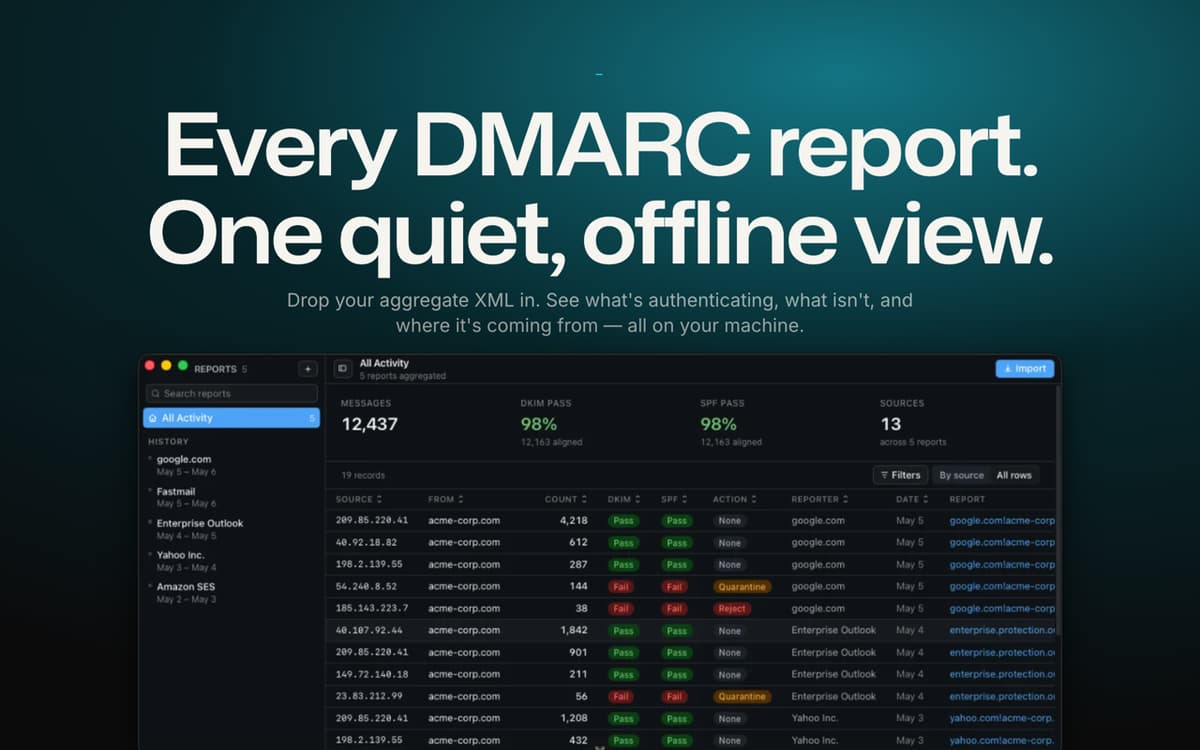
DMARC Report Reader turns those unreadable aggregate reports piling up in your inbox into a clean, visual dashboard. Drop in any report — plain XML, zipped, or still buried in the .eml it arrived in — and see instantly what's passing, what's failing, and who's really sending mail as you. It'll even tell you when you're ready to move from monitoring to full enforcement. And since everything runs locally on your Mac, none of your data ever leaves your machine.
Audit domain authentication fast
Catch spoofing and phishing risks
Track SPF/DKIM pass rates over time
Move safely to a stricter DMARC policy
DMARC Report Reader-Funktionen
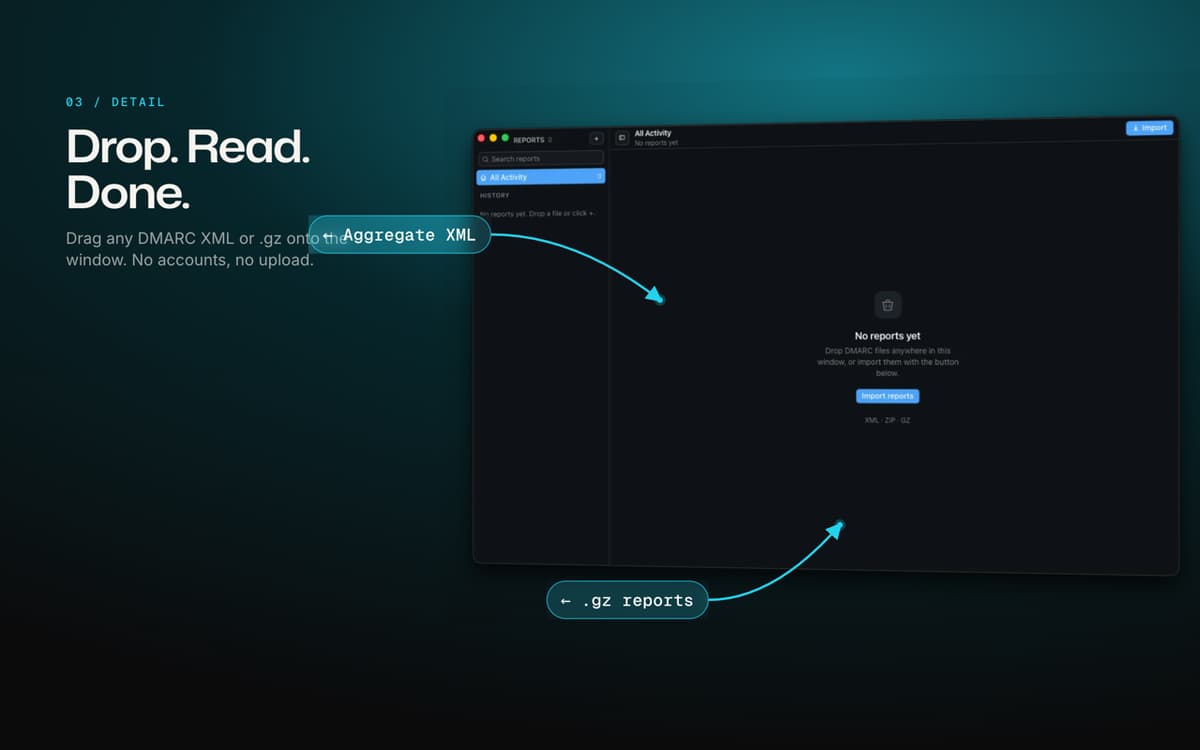
Drop in any report, any format
No converting, no cleanup. Drag in a raw XML file, a zipped report, or the original email it came in — DMARC Report Reader extracts and reads it automatically.
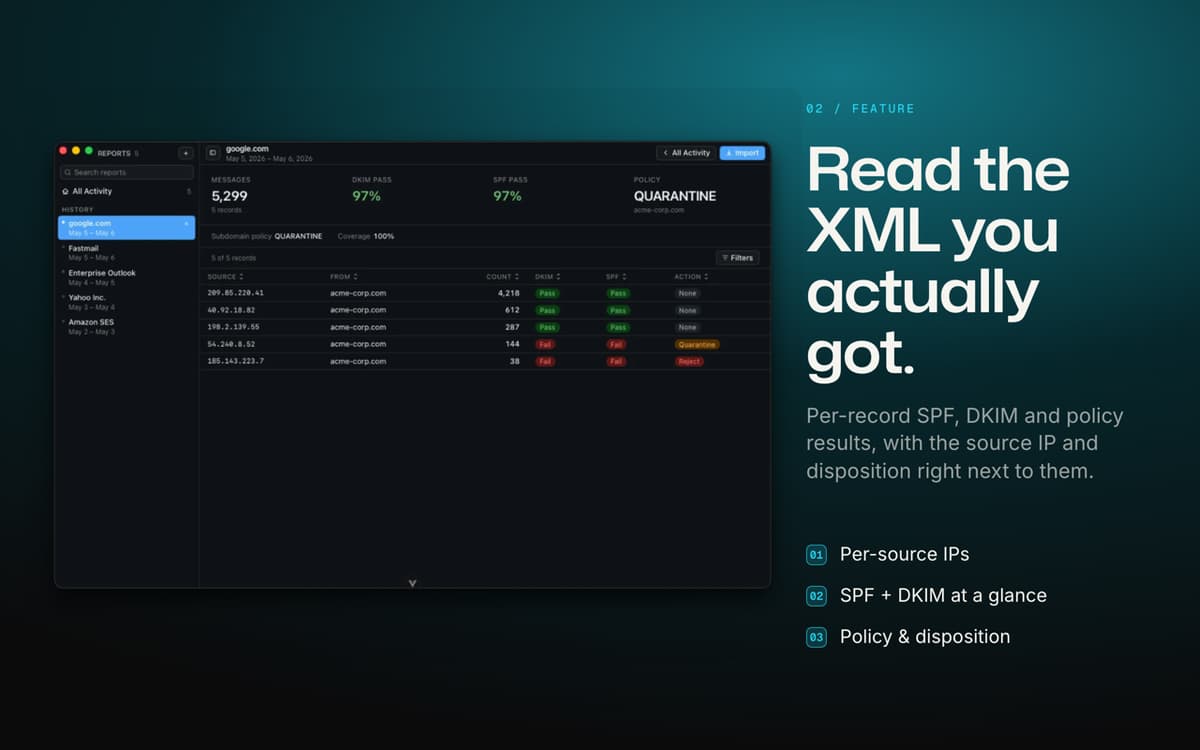
One dashboard for SPF, DKIM and DMARC
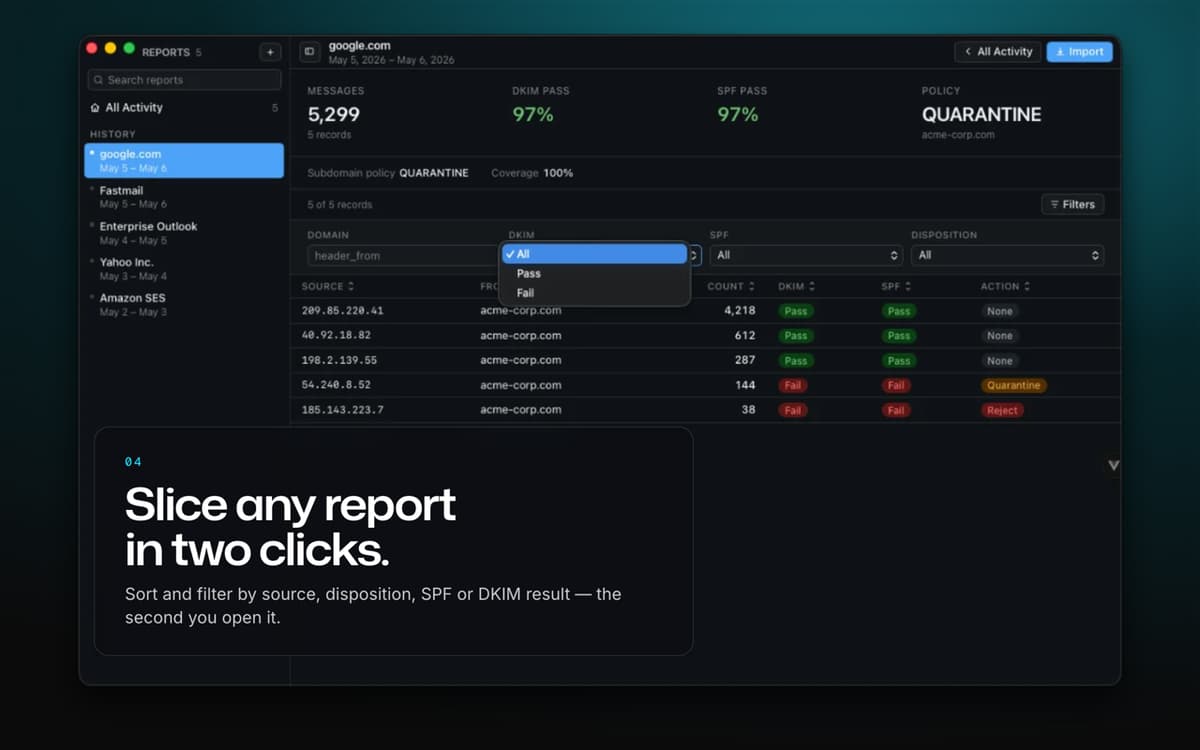
Skip the manual XML parsing. Get a clear pass/fail breakdown for every authentication method, updated the moment you import a new report.
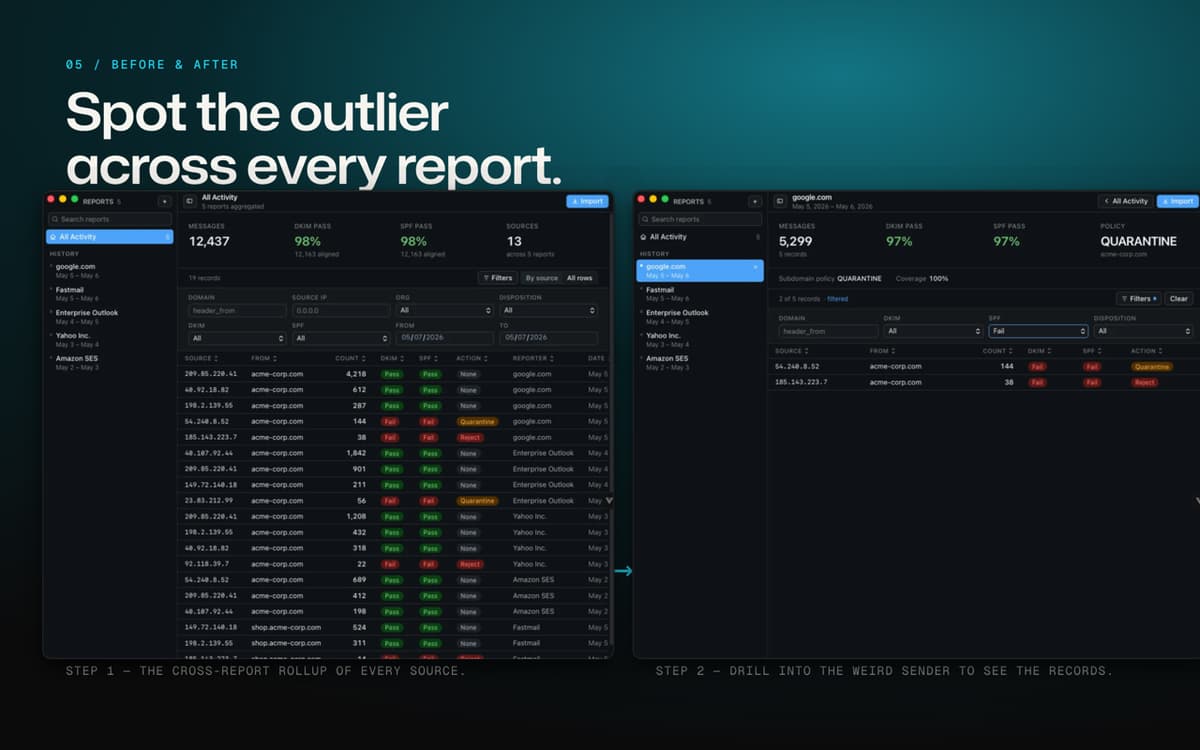
Per-source IP breakdown
See exactly which servers are sending mail on your domain's behalf, what disposition each one got, and whether it's authenticating properly — then trace any IP across your entire report history.
Know who's really sending your mail
Reverse-DNS lookups match source IPs to the services behind them, so you're not left guessing whether that IP belongs to Google, Microsoft 365, or something less friendly.
A policy advisor built in
DMARC Report Reader watches your pass rates and tells you when it's actually safe to tighten your policy — from p=none to quarantine to reject — plus live DNS checks on your published SPF and DMARC records.
Trends over time
Watch your pass rates and mail volume charted across every report you've imported, and export any filtered view to CSV when you need the numbers elsewhere.
Erhalten Sie Hunderte von Apps mit Membership
Werden Sie Setapp Member und nutzen Sie mit nur einem Abonnement hunderte genialer Apps.
Testen Sie 7 Tage kostenlos, im Anschluss nur eine einfach monatliche Gebühr.
Setapp auf dem Mac installieren
Erkunden Sie Apps für Mac, iOS und Web. Finden Sie einfache Möglichkeiten für die Bewältigung täglicher Aufgaben.

Die gesuchte App finden
In Setapp wartet eine wunderbare App auf Sie. Installieren Sie sie mit einem Klick.

DMARC Report Reader
Abonnement wählen
Eine App oder mehr mit der Setapp Membership. Holen Sie sich Apps, so wie Sie es möchten.

Erhalten Sie Hunderte von Apps mit Membership
Werden Sie Setapp Member und nutzen Sie mit nur einem Abonnement hunderte genialer Apps.
Testen Sie 7 Tage kostenlos, im Anschluss nur eine einfach monatliche Gebühr.
1
Setapp auf dem Mac installieren
Erkunden Sie Apps für Mac, iOS und Web. Finden Sie einfache Möglichkeiten für die Bewältigung täglicher Aufgaben.
2
Die gesuchte App finden
In Setapp wartet eine wunderbare App auf Sie. Installieren Sie sie mit einem Klick.
DMARC Report Reader
3
Abonnement wählen
Eine App oder mehr mit der Setapp Membership. Holen Sie sich Apps, so wie Sie es möchten.
Die besten Apps
Von Planung und Routineaufgaben bis hin zu kreativen Tätigkeiten und Programmieren – mit den Apps von Setapp sind Sie bestens für Aufgaben gerüstet.

TypingMind
KI-Chat mit alternativer UI
Text erzeugen oder zusammenfassen
Prompt-Bibliothek nutzen
KI

Spark Mail
E-Mails verwalten
KI

CleanMyMac
Datenmüll entfernen

Bartender
Menüleiste anpassen

CleanShot X
Vielseitige Bildschirmfotos aufnehmen

Luminar Neo
Fotos bearbeiten
KI

ClearVPN
Sichere Verbindung herstellen

Craft
Mit Dokumenten arbeiten
KI
DMARC Report Reader
Make DMARC reports readable