
FinderCraft
Finder, but more in control
Mac
Version 1.0.13
macOS 14.0 oder neuer
22.2 MB
1 Sprachen
FinderCraft — file manager for Mac. It adds a staging Shelf and a set of focused file tools right inside the Finder windows you already use, so moving, renaming, and organizing files feels calm instead of chaotic. Stage files from any Finder window, compare folders before copying anything, preview renames before they happen. FinderCraft is careful by default: it shows you what'll change, never silently overwrites, and keeps a log so you can undo. Everything runs locally — no account, no cloud, nothing leaves your Mac.
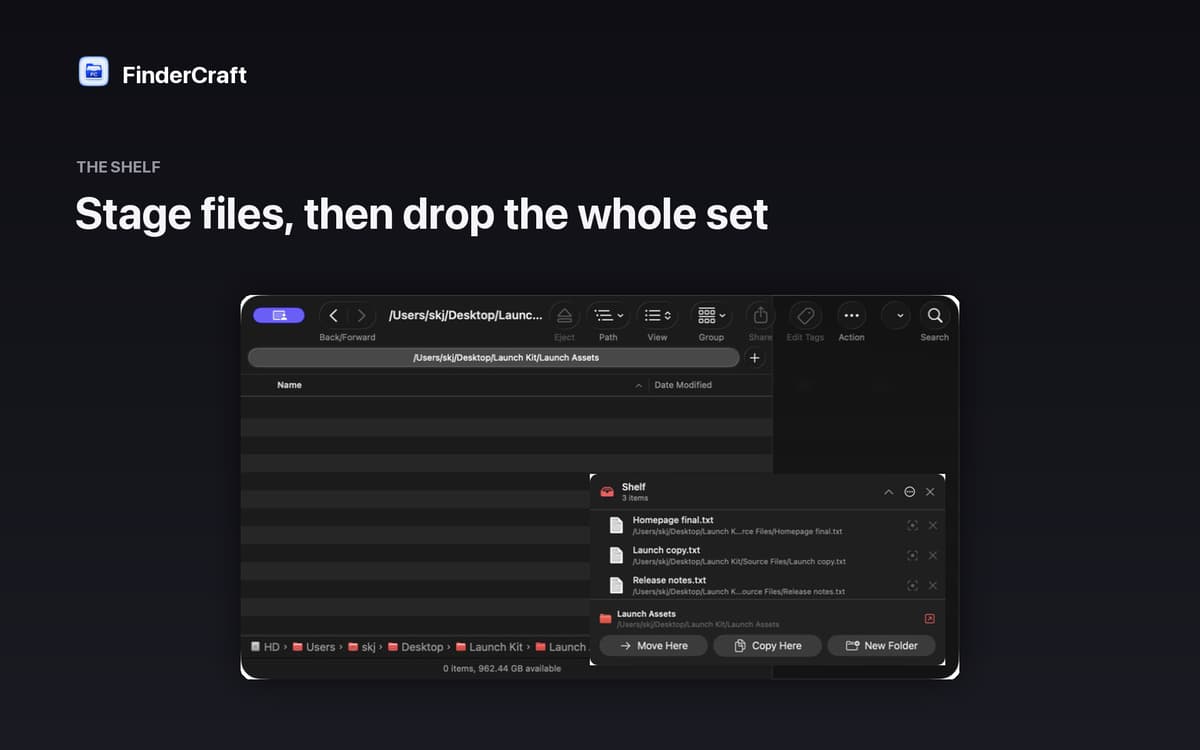
Stage files before you move them
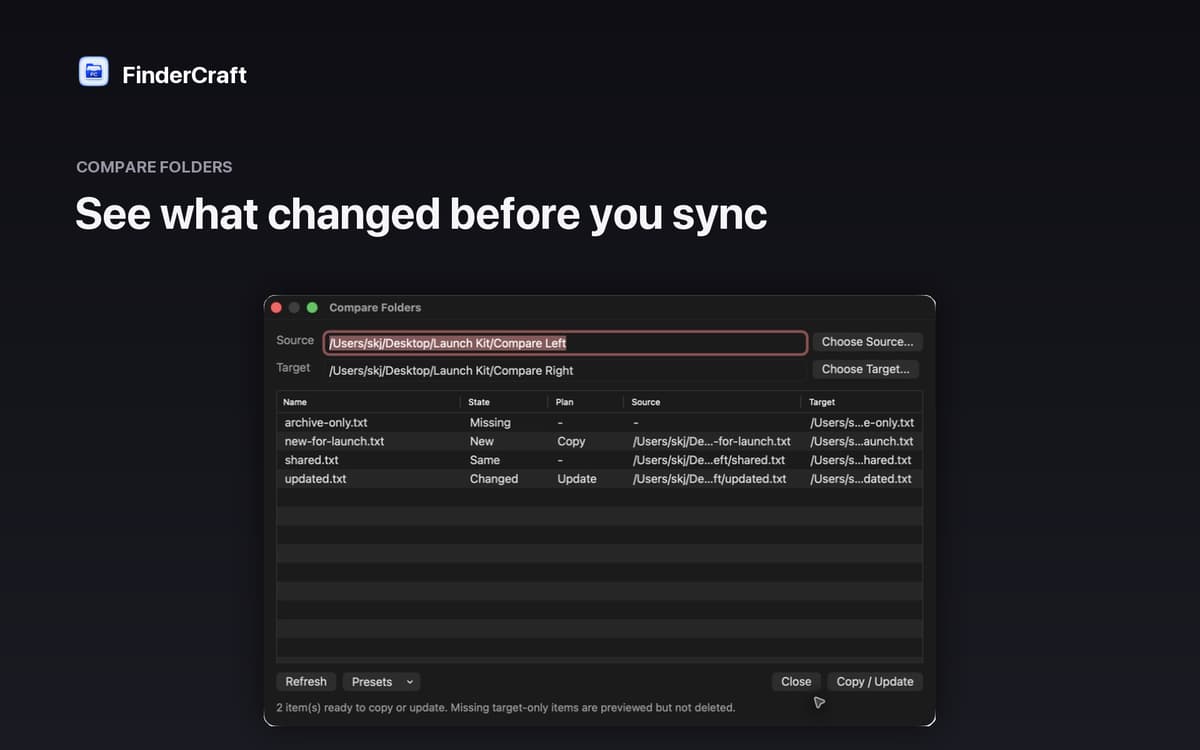
Compare two folders side by side
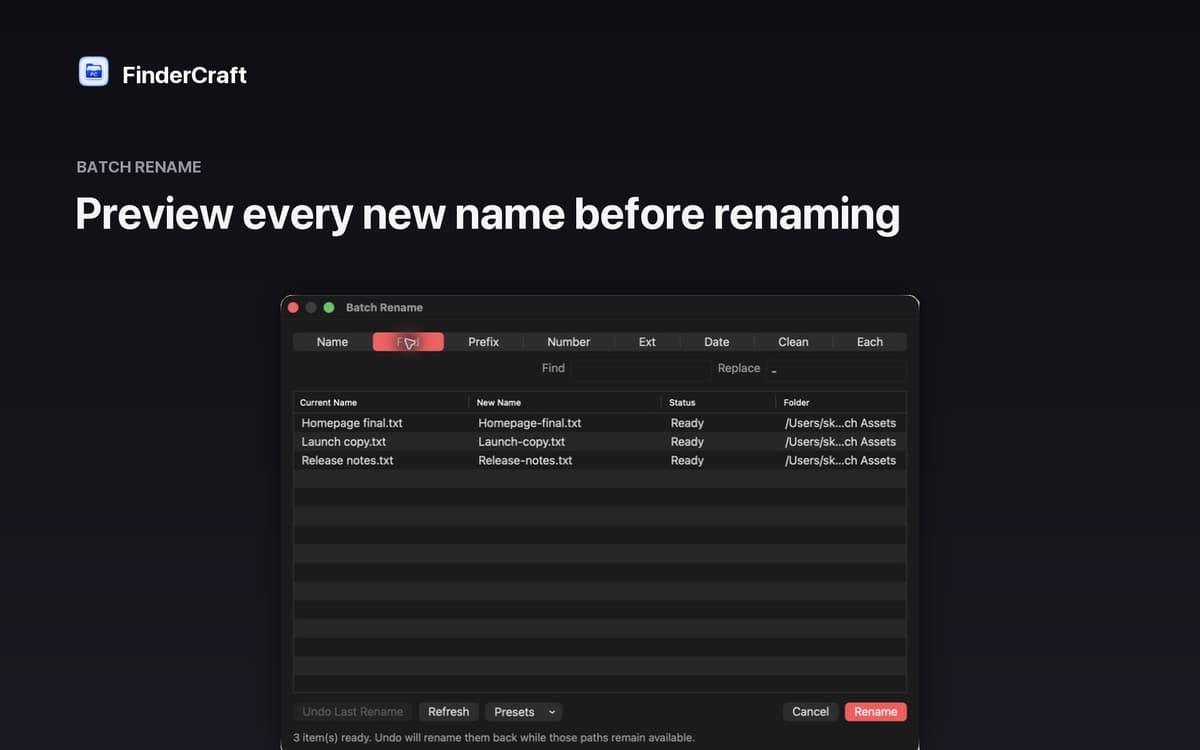
Batch rename with a live preview
Sort files into folders in one go
FinderCraft-Funktionen
The Shelf: your staging tray
Moving files between folders usually means juggling two windows at once. The Shelf gives you a neutral staging area instead. Drop files from any Finder window, then move the whole batch to its destination in one calm step. Less chaos, fewer mistakes.
Keyboard shuttle
Don't want to reach for the mouse every time? Stage your current Finder selection onto the Shelf with a single keystroke. It's a small thing that makes a big difference when you're working through a lot of files quickly.
Compare Folders
Not sure what's actually different between two folders? FinderCraft lines them up and tells you exactly what's missing, new, identical, or changed — before touching anything. You review the plan, then decide what to copy or update.
Batch Rename
Renaming files one by one is tedious. With Batch Rename, you see every new filename next to the original before committing. Adjust the pattern, check the preview, confirm — done. No surprises.
Tidy Up
Screenshots piling up on your Desktop? Tidy Up sorts files into clear folders by type — images, documents, audio, video, archives, code, and more. One action, instant order.
Safe by default
FinderCraft previews risky changes before they happen, never silently overwrites files, and records what it did so you can undo. Native AppKit, built for macOS 14 and later. Private by design: no account, no analytics, no trackers.
Erhalten Sie Hunderte von Apps mit Membership
Werden Sie Setapp Member und nutzen Sie mit nur einem Abonnement hunderte genialer Apps.
Testen Sie 7 Tage kostenlos, im Anschluss nur eine einfach monatliche Gebühr.
Setapp auf dem Mac installieren
Erkunden Sie Apps für Mac, iOS und Web. Finden Sie einfache Möglichkeiten für die Bewältigung täglicher Aufgaben.

Die gesuchte App finden
In Setapp wartet eine wunderbare App auf Sie. Installieren Sie sie mit einem Klick.

FinderCraft
Abonnement wählen
Eine App oder mehr mit der Setapp Membership. Holen Sie sich Apps, so wie Sie es möchten.

Erhalten Sie Hunderte von Apps mit Membership
Werden Sie Setapp Member und nutzen Sie mit nur einem Abonnement hunderte genialer Apps.
Testen Sie 7 Tage kostenlos, im Anschluss nur eine einfach monatliche Gebühr.
1
Setapp auf dem Mac installieren
Erkunden Sie Apps für Mac, iOS und Web. Finden Sie einfache Möglichkeiten für die Bewältigung täglicher Aufgaben.
2
Die gesuchte App finden
In Setapp wartet eine wunderbare App auf Sie. Installieren Sie sie mit einem Klick.
FinderCraft
3
Abonnement wählen
Eine App oder mehr mit der Setapp Membership. Holen Sie sich Apps, so wie Sie es möchten.
Die besten Apps
Von Planung und Routineaufgaben bis hin zu kreativen Tätigkeiten und Programmieren – mit den Apps von Setapp sind Sie bestens für Aufgaben gerüstet.

TypingMind
KI-Chat mit alternativer UI
Text erzeugen oder zusammenfassen
Prompt-Bibliothek nutzen
KI

Spark Mail
E-Mails verwalten
KI

CleanMyMac
Datenmüll entfernen

Bartender
Menüleiste anpassen

CleanShot X
Vielseitige Bildschirmfotos aufnehmen

Luminar Neo
Fotos bearbeiten
KI

ClearVPN
Sichere Verbindung herstellen

Craft
Mit Dokumenten arbeiten
KI
FinderCraft
Finder, but more in control