
Frame0
Von der Idee zum Wireframe – schnell

Mac
Version 1.7.0
macOS 11.0 oder neuer
919.5 MB
1 Sprachen
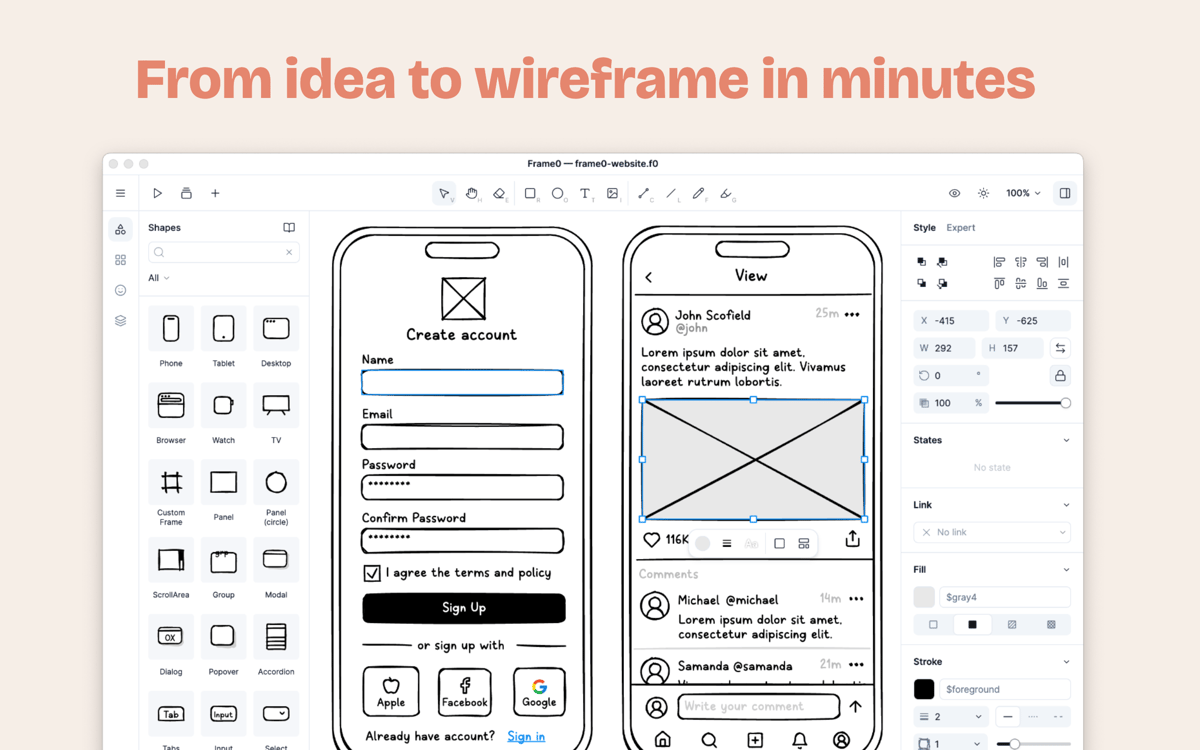
Frame0 ist eine elegante Wireframing-App für den Mac, die Ihnen hilft, Ihre digitalen Ideen festzuhalten, bevor sie verblassen. Statt sich in pixelgenauem Styling oder starren Layouts zu verlieren, können Sie sich ganz auf das Konzept konzentrieren. Der organische, handgezeichnete Look hält Ihr Team auf Struktur und Feedback fokussiert – nicht auf finale Designdetails. Von schnellen App-Entwürfen bis hin zu umfassenden Diagrammen bietet es alles, was Sie brauchen, um Ihre Vision klar und verständlich zu vermitteln.
Klare Lo-Fi-Wireframes skizzieren
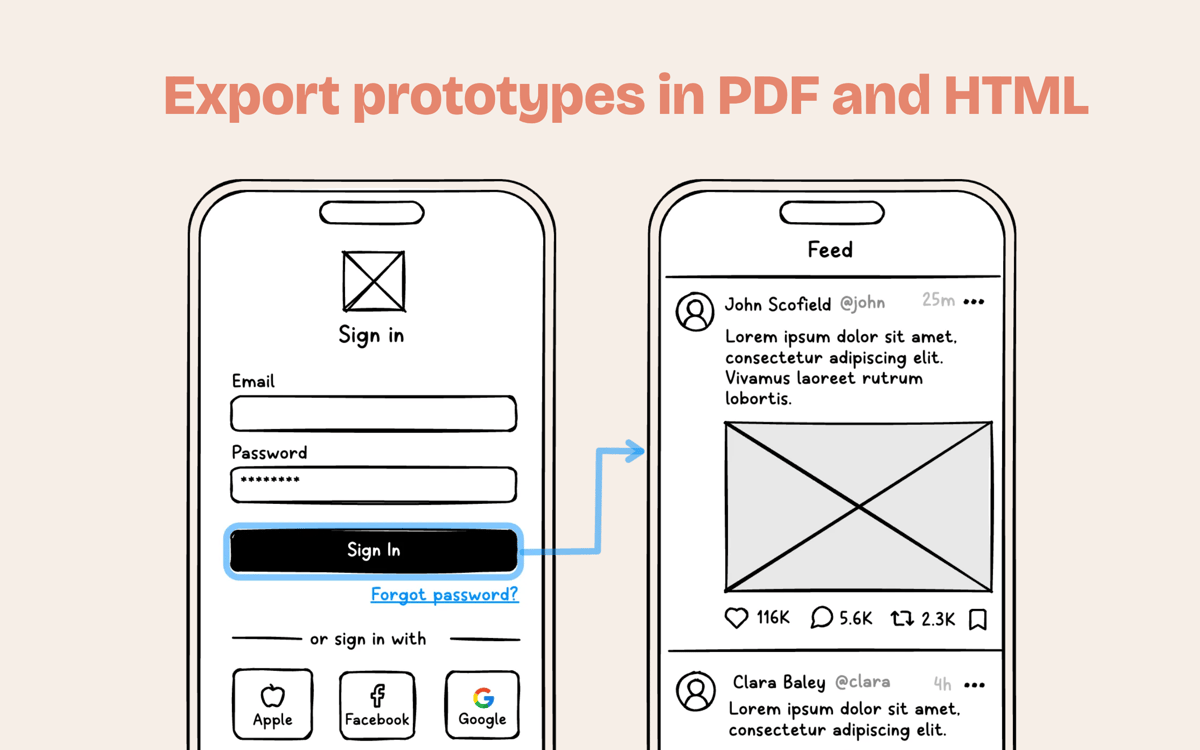
Erstellen Sie klickbare interaktive Prototypen
Layouts mit integrierter KI erstellen
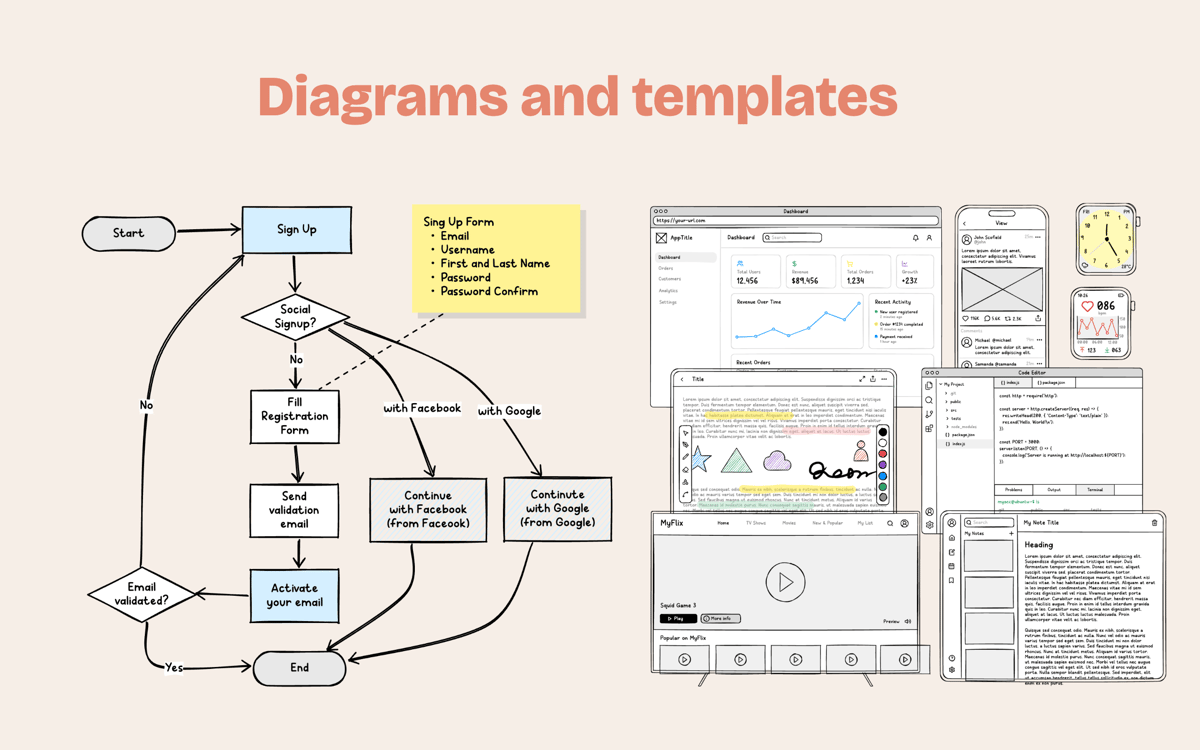
Schnelle User Flows und Diagramme entwerfen
Frame0-Funktionen
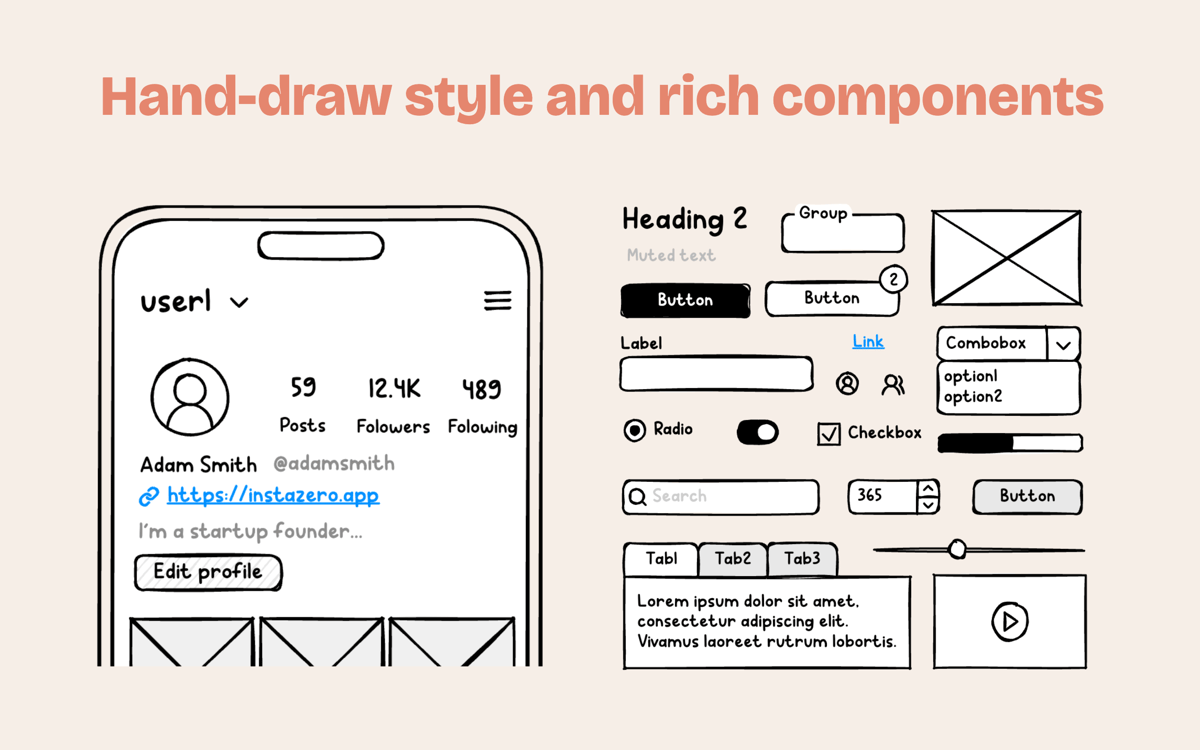
Entspannter, handgezeichneter Stil
Vergessen Sie den Druck, perfekte Layouts erstellen zu müssen. Der charakteristische Skizzen-Look signalisiert allen, dass Sie Konzepte erkunden – das lädt zu besserem Feedback ein und spart Ihnen wertvolle Zeit in frühen Phasen.
Tausende Komponenten und Symbole
Bringen Sie Ihre Projekte mit einer riesigen Bibliothek sofort einsatzbereiter Elemente für Web-, Mobile- und Desktop-Apps in Schwung. Außerdem stehen Ihnen über 1.500 einheitliche Icons im Skizzenstil direkt zur Hand.
Intelligente Frame-Spiegelung
Schluss damit, dieselbe Kopfzeile auf zwanzig verschiedenen Bildschirmen ständig zu ändern. Erstellen Sie einen Master-Frame, verwenden Sie ihn überall wieder, und sehen Sie, wie Ihre Updates sofort im gesamten Projekt synchronisiert werden.
Chatten Sie mit einem integrierten KI-Agenten
Sie möchten schneller vorankommen? Nutzen Sie Ihr bevorzugtes KI-Modell direkt in der App, um Layouts zu erstellen, Strukturen zu entwickeln oder sogar Ihre groben Ideen in funktionale Wireframes umzusetzen.
Klickbare Prototypen und Präsentationen
Verwandeln Sie statische Seiten in eine lebendige User Journey. Verknüpfen Sie Formen zu interaktiven Abläufen und präsentieren Sie Ihr Projekt als ansprechende Diashow für Ihr nächstes Meeting.
Umfassende Diagramm-Unterstützung
Frame0 kann mehr als nur Bildschirme gestalten. Bleiben Sie organisiert, indem Sie übersichtliche Benutzerabläufe, Flussdiagramme und Systemdiagramme in einer einzigen Projektdatei erstellen.
Bewertungen und Rezensionen
Frame0
•
22 Bewertungen
Sergio Alanis
3. Juli 2026
App-Version: 1.7.0
I really enjoy the app. Really ease to use, My suggestions. - Cloud account to save and sync files. - Abbility to connect own IA services like gemini or apple intelligence - Add more shortcuts speed is important on this apps. - A native desktop app.
Kolahn Garcia
20. Juni 2026
App-Version: 1.7.0
Awesome when you link it up to Codex via MCP. Been spitting out web projects over the last few days
Alejandro Morataya
19. Juni 2026
App-Version: 1.7.0
Great idea, but the implementation needs more refinement. The interactions don’t feel very smooth, especially the zoom behavior. It’s too easy to lose track of items because the zoom feels almost infinite, and scrolling/zooming with the tab does not update the visible zoom level correctly. Overall, the concept is strong, but the user experience needs more polish.
Erhalten Sie Hunderte von Apps mit Membership
Werden Sie Setapp Member und nutzen Sie mit nur einem Abonnement hunderte genialer Apps.
Testen Sie 7 Tage kostenlos, im Anschluss nur eine einfach monatliche Gebühr.
Setapp auf dem Mac installieren
Erkunden Sie Apps für Mac, iOS und Web. Finden Sie einfache Möglichkeiten für die Bewältigung täglicher Aufgaben.

Die gesuchte App finden
In Setapp wartet eine wunderbare App auf Sie. Installieren Sie sie mit einem Klick.

Frame0
Abonnement wählen
Eine App oder mehr mit der Setapp Membership. Holen Sie sich Apps, so wie Sie es möchten.

Erhalten Sie Hunderte von Apps mit Membership
Werden Sie Setapp Member und nutzen Sie mit nur einem Abonnement hunderte genialer Apps.
Testen Sie 7 Tage kostenlos, im Anschluss nur eine einfach monatliche Gebühr.
1
Setapp auf dem Mac installieren
Erkunden Sie Apps für Mac, iOS und Web. Finden Sie einfache Möglichkeiten für die Bewältigung täglicher Aufgaben.
2
Die gesuchte App finden
In Setapp wartet eine wunderbare App auf Sie. Installieren Sie sie mit einem Klick.
Frame0
3
Abonnement wählen
Eine App oder mehr mit der Setapp Membership. Holen Sie sich Apps, so wie Sie es möchten.
Die besten Apps
Von Planung und Routineaufgaben bis hin zu kreativen Tätigkeiten und Programmieren – mit den Apps von Setapp sind Sie bestens für Aufgaben gerüstet.

TypingMind
KI-Chat mit alternativer UI
Text erzeugen oder zusammenfassen
Prompt-Bibliothek nutzen
KI

Spark Mail
E-Mails verwalten
KI

CleanMyMac
Datenmüll entfernen

Bartender
Menüleiste anpassen

CleanShot X
Vielseitige Bildschirmfotos aufnehmen

Luminar Neo
Fotos bearbeiten
KI

ClearVPN
Sichere Verbindung herstellen

Craft
Mit Dokumenten arbeiten
KI
Frame0
Von der Idee zum Wireframe – schnell