
GetFerret
Find any file, any drive
Mac
Version 1.0.11
macOS 14.0 oder neuer
24.5 MB
1 Sprachen
GetFerret is a file finder for Mac with a long memory. Plug in a drive once and GetFerret catalogs it — after that, you can search it anytime, even when it's unplugged and sitting in a drawer. Type a few letters, and GetFerret finds the file, tells you which drive it's on, and reminds you where that drive is stored. It also checks that your important files are backed up and offloads camera cards with verified copies. Everything stays on your Mac, private, with nothing sent to a server.
Search drives plugged in or sitting in a drawer
Find files on disconnected drives
Check that important files are backed up safely
Offload camera cards with verified copies
GetFerret-Funktionen
Search across every drive
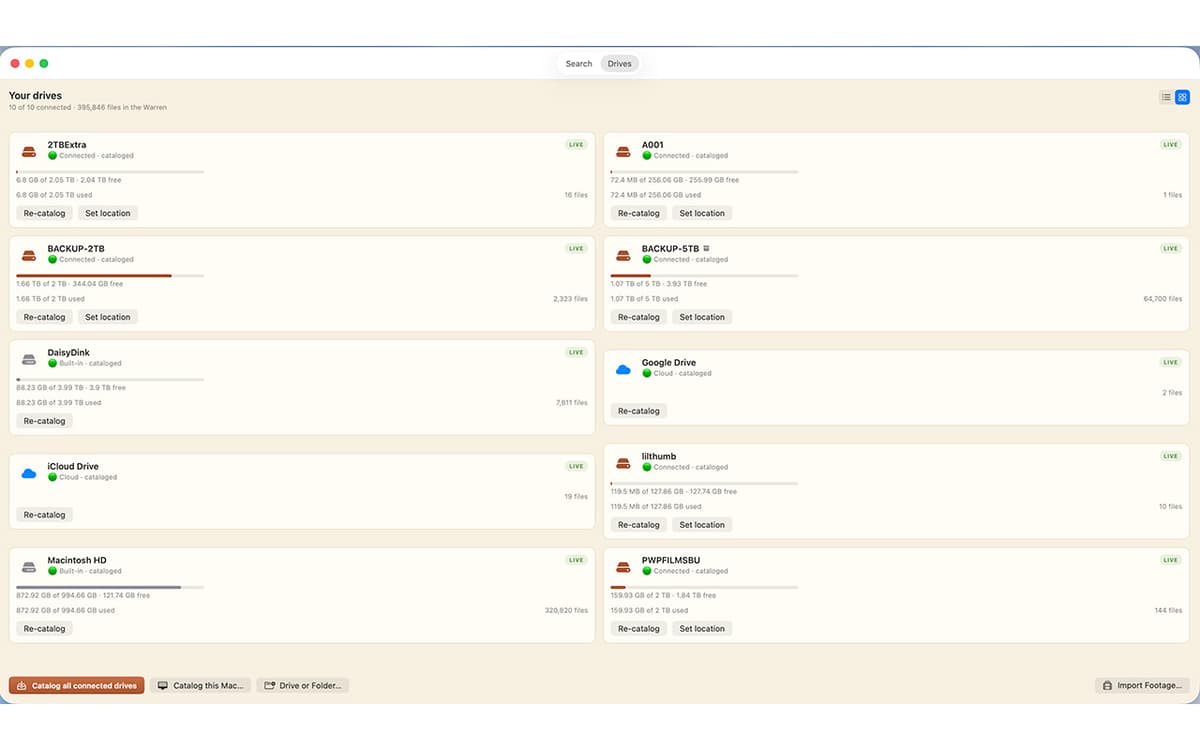
One bar covers every drive you've cataloged, whether it's plugged in or not. Results appear as you type, merged from live search and your catalog.
Find files on unplugged drives
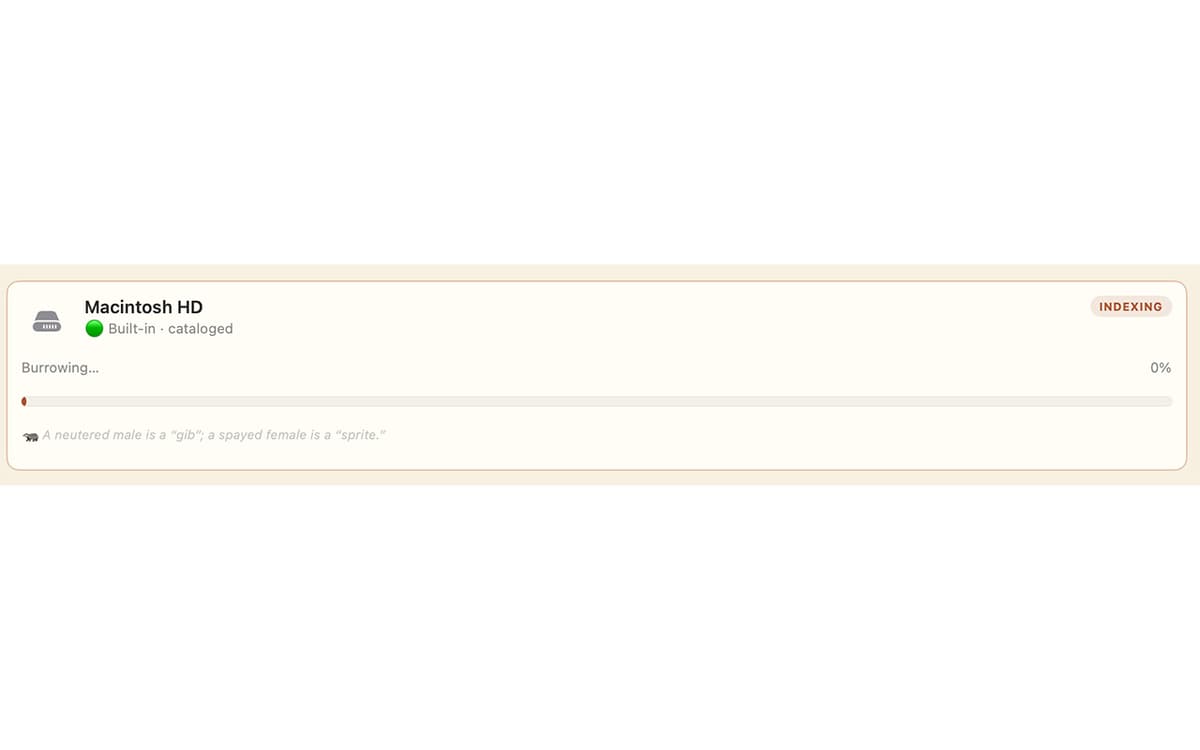
Catalog a drive once by plugging it in, and its files stay searchable after you unplug it. GetFerret even remembers which drawer you put the drive in.
Know your files are safe
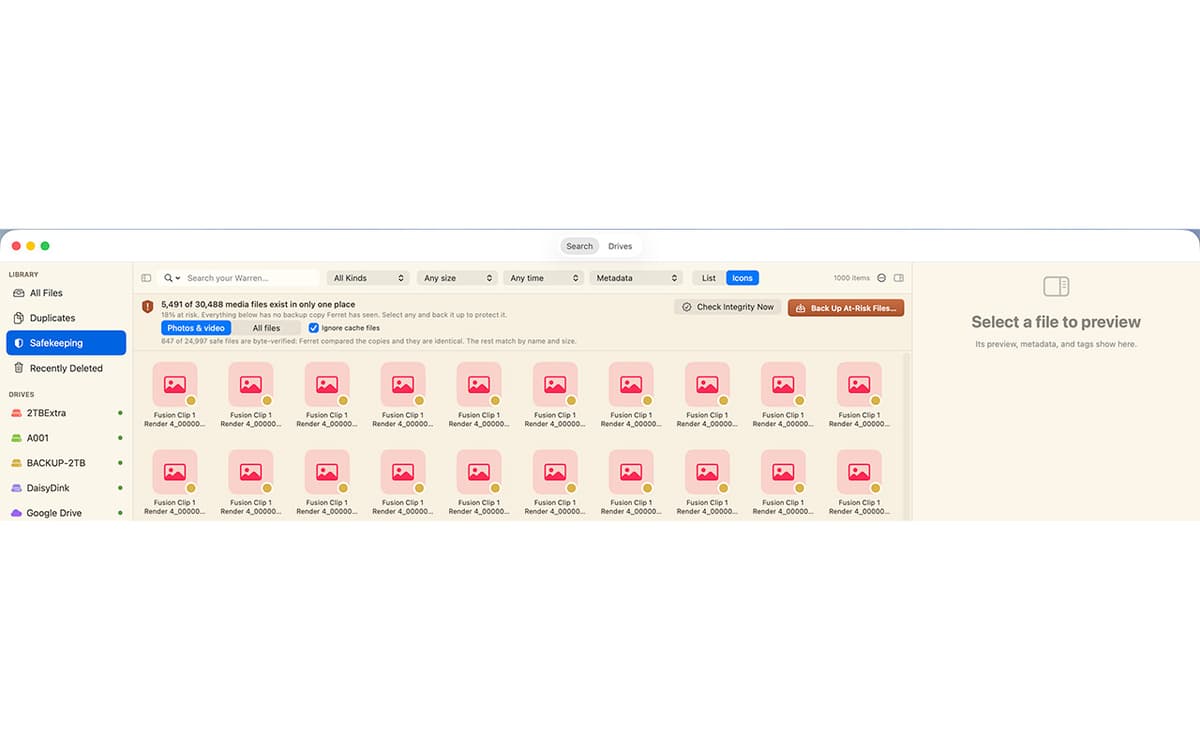
Safekeeping checks that your important files live on more than one drive, verifies the copies by their actual contents, and catches silent corruption before it spreads.
Verified camera-card offload
Copy footage off a card to as many drives as you like. Every file is hashed and read back to confirm it landed intact, with a checksum manifest saved beside it.
Back up a drive, the safe way
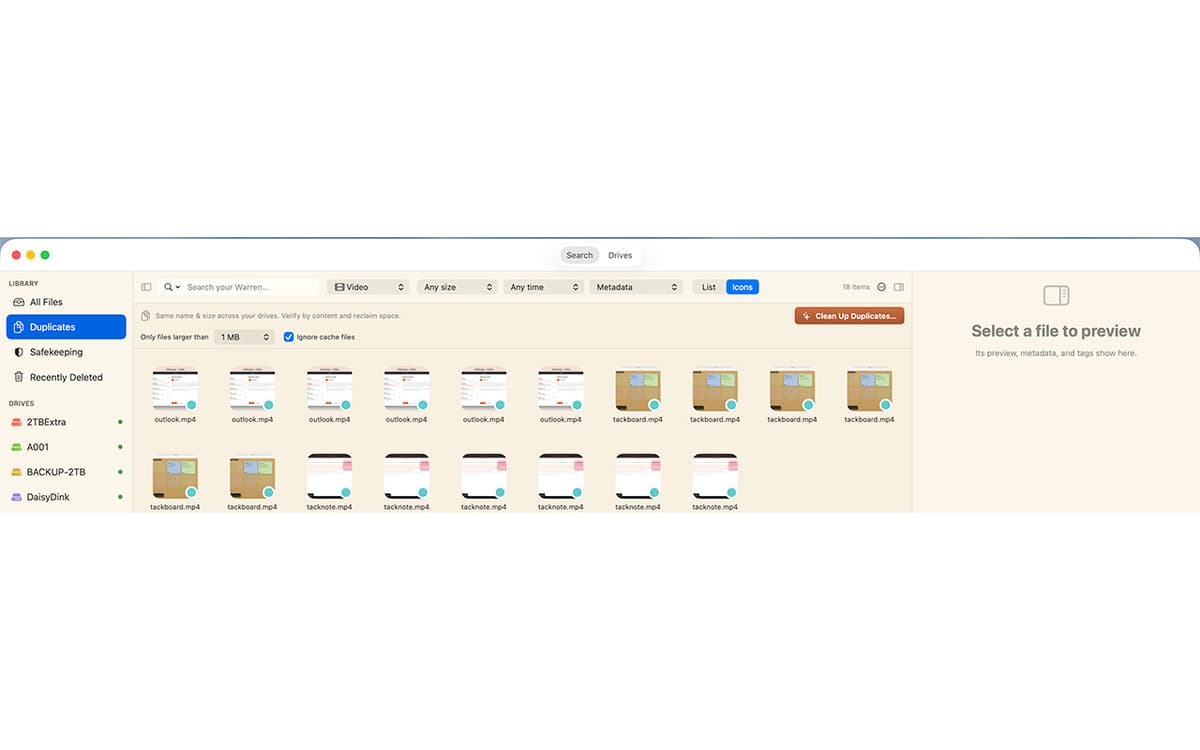
Make a 1-for-1 backup to another drive. GetFerret copies only what changed, never deletes anything, and confirms every file by content.
Private by design
Your files and their catalog stay on your Mac, encrypted. No account, no cloud, nothing sent to us.
Erhalten Sie Hunderte von Apps mit Membership
Werden Sie Setapp Member und nutzen Sie mit nur einem Abonnement hunderte genialer Apps.
Testen Sie 7 Tage kostenlos, im Anschluss nur eine einfach monatliche Gebühr.
Setapp auf dem Mac installieren
Erkunden Sie Apps für Mac, iOS und Web. Finden Sie einfache Möglichkeiten für die Bewältigung täglicher Aufgaben.

Die gesuchte App finden
In Setapp wartet eine wunderbare App auf Sie. Installieren Sie sie mit einem Klick.

GetFerret
Abonnement wählen
Eine App oder mehr mit der Setapp Membership. Holen Sie sich Apps, so wie Sie es möchten.

Erhalten Sie Hunderte von Apps mit Membership
Werden Sie Setapp Member und nutzen Sie mit nur einem Abonnement hunderte genialer Apps.
Testen Sie 7 Tage kostenlos, im Anschluss nur eine einfach monatliche Gebühr.
1
Setapp auf dem Mac installieren
Erkunden Sie Apps für Mac, iOS und Web. Finden Sie einfache Möglichkeiten für die Bewältigung täglicher Aufgaben.
2
Die gesuchte App finden
In Setapp wartet eine wunderbare App auf Sie. Installieren Sie sie mit einem Klick.
GetFerret
3
Abonnement wählen
Eine App oder mehr mit der Setapp Membership. Holen Sie sich Apps, so wie Sie es möchten.
Die besten Apps
Von Planung und Routineaufgaben bis hin zu kreativen Tätigkeiten und Programmieren – mit den Apps von Setapp sind Sie bestens für Aufgaben gerüstet.

TypingMind
KI-Chat mit alternativer UI
Text erzeugen oder zusammenfassen
Prompt-Bibliothek nutzen
KI

Spark Mail
E-Mails verwalten
KI

CleanMyMac
Datenmüll entfernen

Bartender
Menüleiste anpassen

CleanShot X
Vielseitige Bildschirmfotos aufnehmen

Luminar Neo
Fotos bearbeiten
KI

ClearVPN
Sichere Verbindung herstellen

Craft
Mit Dokumenten arbeiten
KI
GetFerret
Find any file, any drive