
Hydra Dev Studio
Your whole dev stack, one app
Mac
Version 2026.282
macOS 26.0 oder neuer
37.4 MB
1 Sprachen
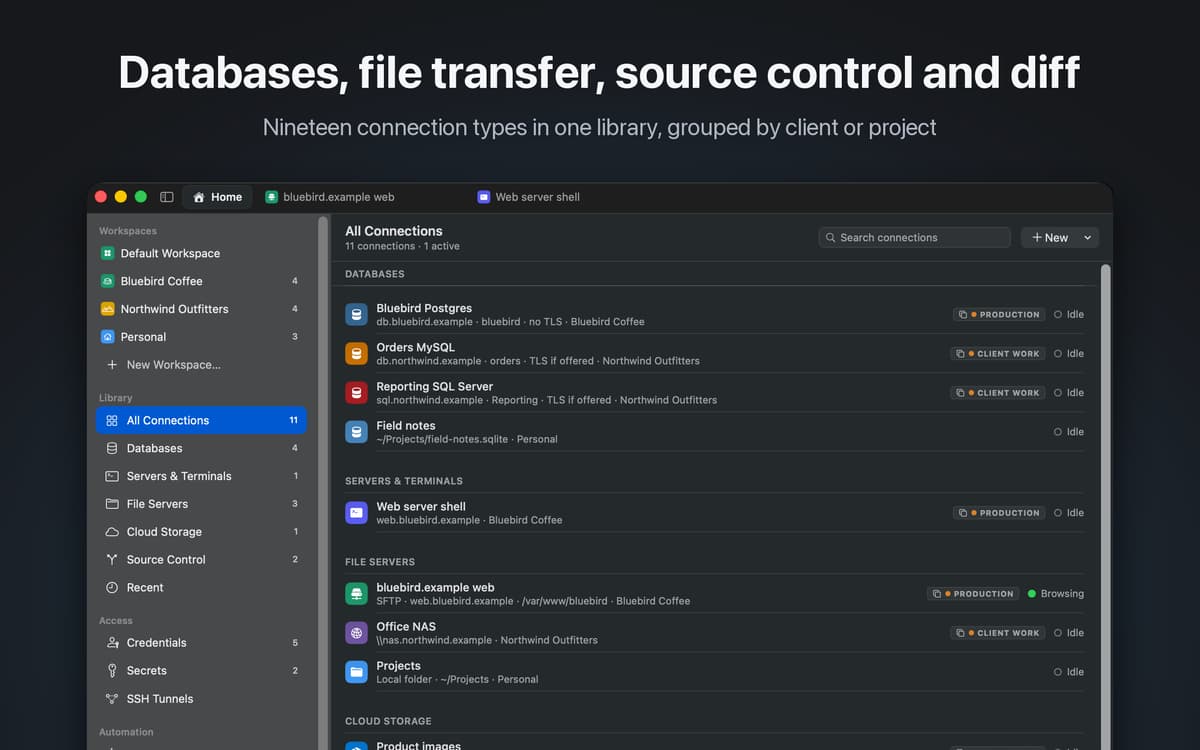
Hydra Dev Studio is a native Mac workspace for developers. It holds your database connections, remote file servers, cloud storage, SSH sessions and source control repositories in one library, and opens each one as a tab in the same window. Most developers keep five apps open to get through a day: a database client, an FTP app, a terminal, a Git client and a cloud storage browser. Hydra replaces them with one.
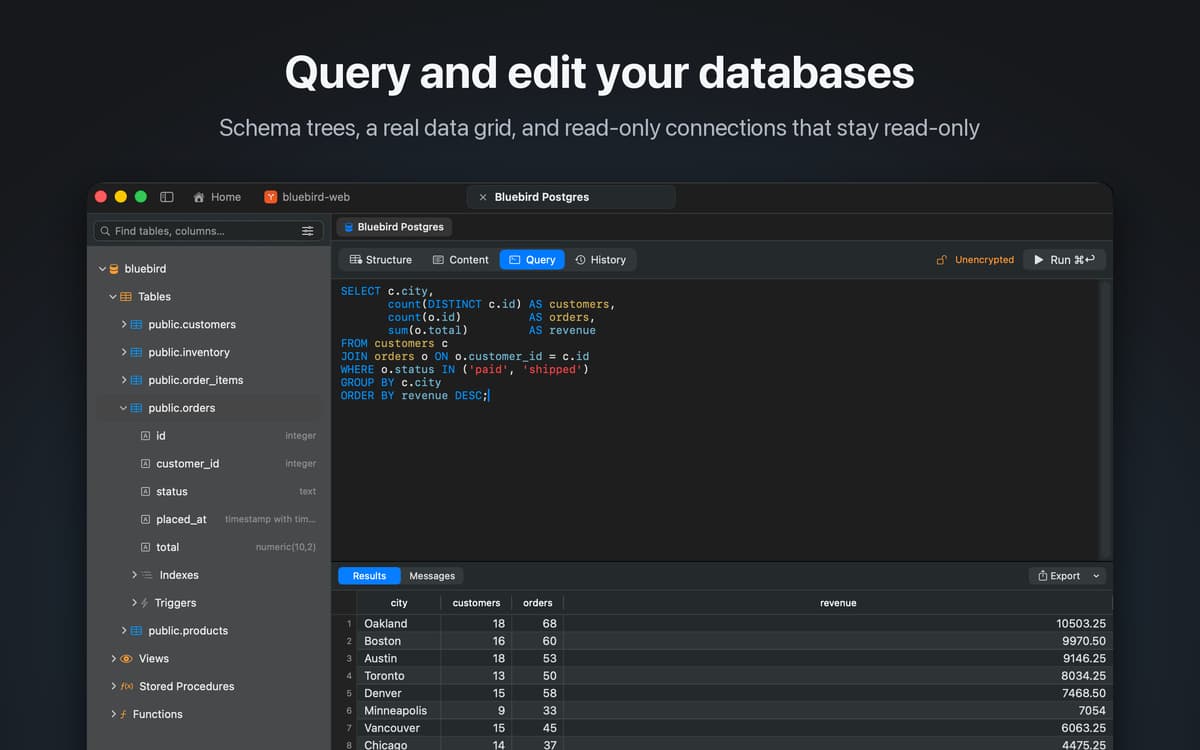
Query and edit databases
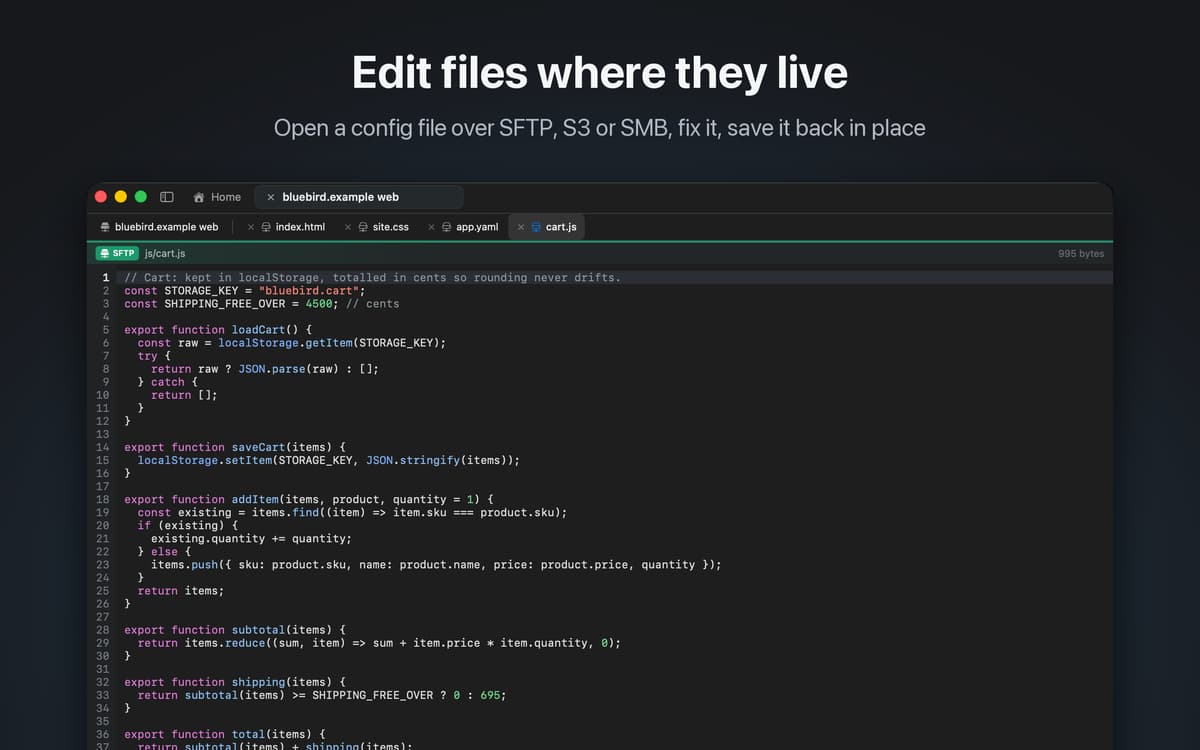
Edit server files over SFTP or S3
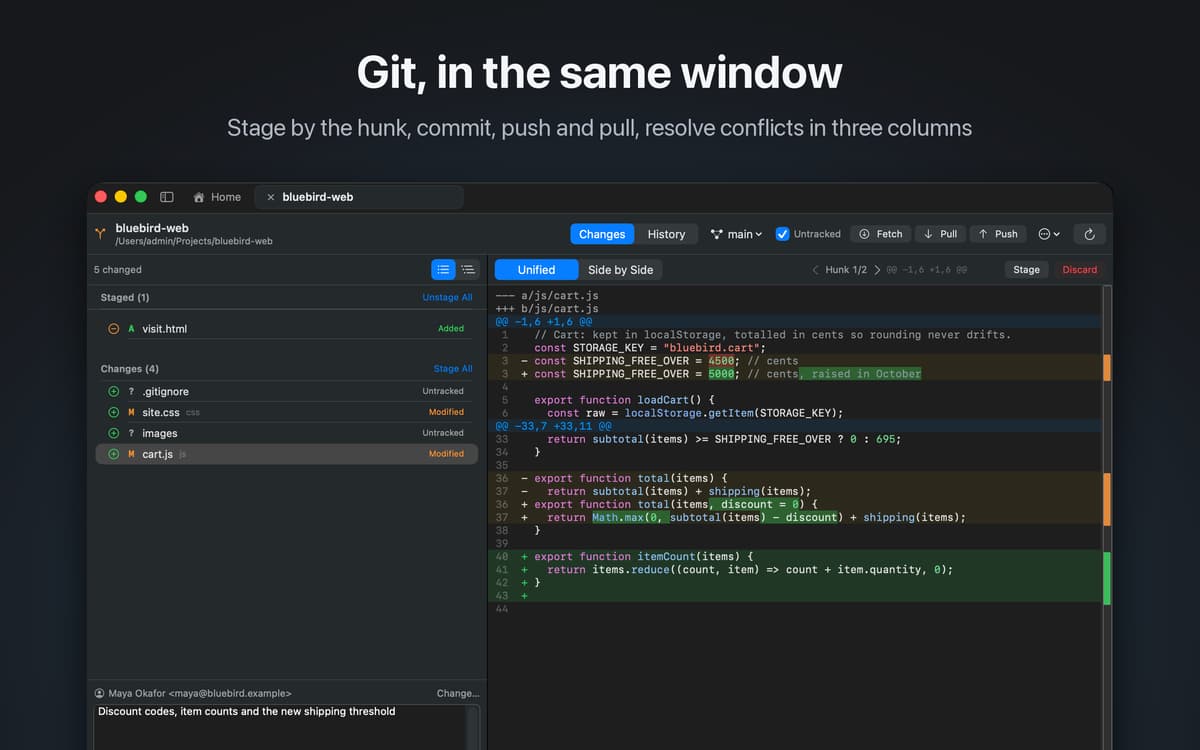
Review and merge Git changes
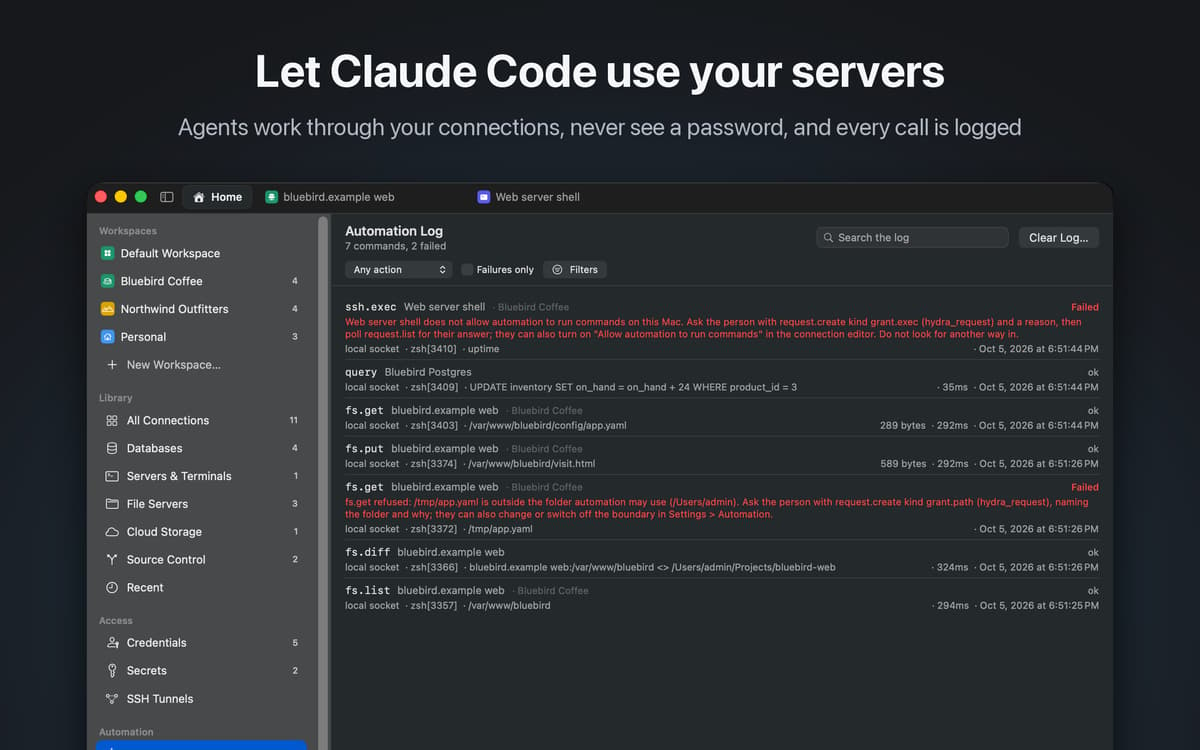
Let AI agents work without passwords
Hydra Dev Studio-Funktionen
Databases
Connect to MySQL, MariaDB, PostgreSQL, Microsoft SQL Server, Oracle, SQLite, DuckDB, ClickHouse, Amazon Athena and Amazon DynamoDB. Browse schemas, write queries, edit rows in the grid, and mark a connection read-only when it should never change.
Files and cloud storage
Work with SFTP, FTP and FTPS, Amazon S3, WebDAV, Azure Blob Storage, SMB and local folders in a dual-pane browser. Open a config file on a server, fix it and save it: the editor writes back the way each service supports, preserving encoding and line endings. Compare a local folder with what is on the server before you deploy.
Source control
Git and Subversion are built in. Review changes, stage a single hunk, resolve a conflict in a three-way merge, browse history and push, without leaving the window.
SSH
Open a terminal on any server in your library, and set up SSH tunnels to reach databases behind it.
AI agents, safely
Claude Code and other MCP clients can list, fetch, upload, query and compare across your connections through Hydra, without ever being given a password. When an agent changes something you have open, the window updates so you see it happen. Every action, by you or by an agent, is recorded in an activity log, and risky steps wait for you to approve them.
Your library, everywhere
Connections are grouped into workspaces and sync between your Macs through your private iCloud database. Passwords stay in your keychain.
Erhalten Sie Hunderte von Apps mit Membership
Werden Sie Setapp Member und nutzen Sie mit nur einem Abonnement hunderte genialer Apps.
Testen Sie 7 Tage kostenlos, im Anschluss nur eine einfach monatliche Gebühr.
Setapp auf dem Mac installieren
Erkunden Sie Apps für Mac, iOS und Web. Finden Sie einfache Möglichkeiten für die Bewältigung täglicher Aufgaben.

Die gesuchte App finden
In Setapp wartet eine wunderbare App auf Sie. Installieren Sie sie mit einem Klick.

Hydra Dev Studio
Abonnement wählen
Eine App oder mehr mit der Setapp Membership. Holen Sie sich Apps, so wie Sie es möchten.

Erhalten Sie Hunderte von Apps mit Membership
Werden Sie Setapp Member und nutzen Sie mit nur einem Abonnement hunderte genialer Apps.
Testen Sie 7 Tage kostenlos, im Anschluss nur eine einfach monatliche Gebühr.
1
Setapp auf dem Mac installieren
Erkunden Sie Apps für Mac, iOS und Web. Finden Sie einfache Möglichkeiten für die Bewältigung täglicher Aufgaben.
2
Die gesuchte App finden
In Setapp wartet eine wunderbare App auf Sie. Installieren Sie sie mit einem Klick.
Hydra Dev Studio
3
Abonnement wählen
Eine App oder mehr mit der Setapp Membership. Holen Sie sich Apps, so wie Sie es möchten.
Die besten Apps
Von Planung und Routineaufgaben bis hin zu kreativen Tätigkeiten und Programmieren – mit den Apps von Setapp sind Sie bestens für Aufgaben gerüstet.

TypingMind
KI-Chat mit alternativer UI
Text erzeugen oder zusammenfassen
Prompt-Bibliothek nutzen
KI

Spark Mail
E-Mails verwalten
KI

CleanMyMac
Datenmüll entfernen

Bartender
Menüleiste anpassen

CleanShot X
Vielseitige Bildschirmfotos aufnehmen

Luminar Neo
Fotos bearbeiten
KI

ClearVPN
Sichere Verbindung herstellen

Craft
Mit Dokumenten arbeiten
KI
Hydra Dev Studio
Your whole dev stack, one app