
ImageWiz
Jedes Bild per Prompt
Web
Version 1.0
ImageWiz ist ein KI-Bildgenerator, der aus einem Prompt in einfacher Sprache innerhalb von Sekunden ein fertiges Bild erstellt. Wählen Sie aus Dutzenden Stilen – von fotorealistisch bis Pixelart – oder beschreiben Sie Ihren eigenen. Außerdem erstellt es App-Icons mit einem fein abgestimmten Look, der stets geschmackvoll bleibt. Um Änderungen vorzunehmen, laden Sie ein Bild hoch und teilen Sie ImageWiz mit, was geändert werden soll. Es läuft in Ihrem Browser, und Ihr Setapp-Plan deckt die KI-Credits bereits ab.
Bilder in jedem Stil generieren
Passende App-Icons entwerfen
Bilder per Textbefehl bearbeiten
Hintergründe entfernen, hochskalieren
ImageWiz-Funktionen
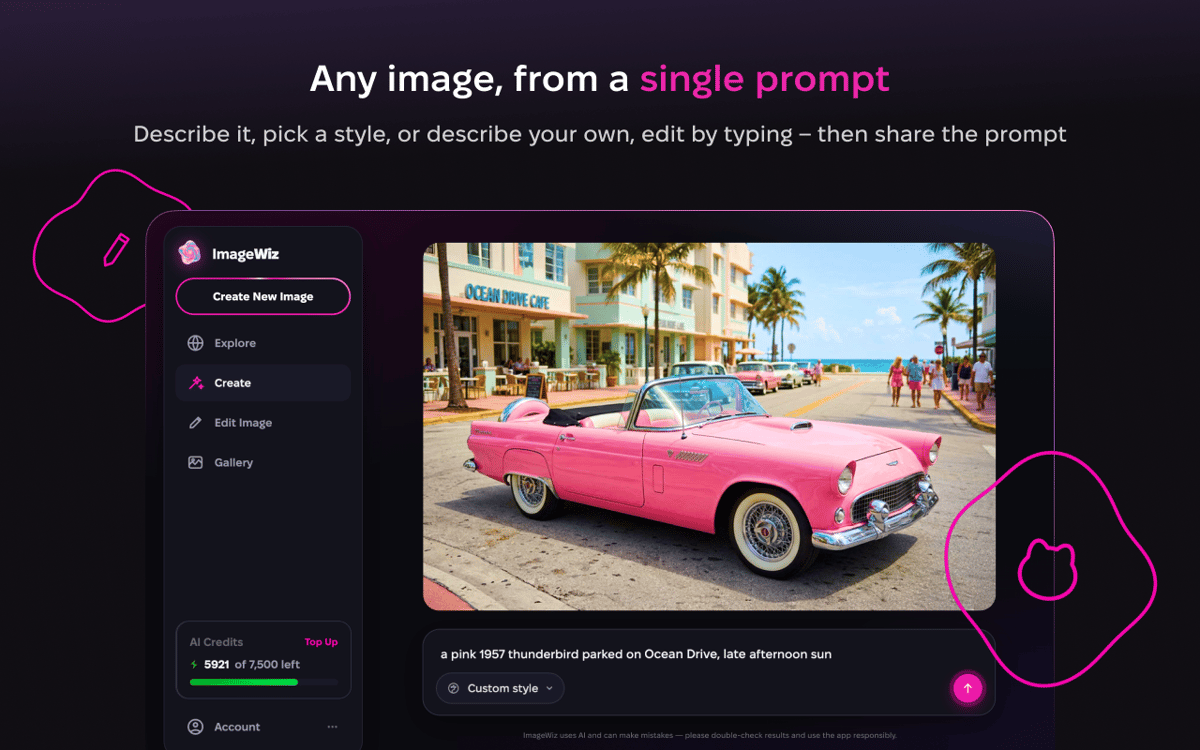
Eintippen und fertig
Keine Einstellungen zum Lernen, keine Tricks zum Merken. Geben Sie ein, was Sie möchten, zum Beispiel „einen Kompass für eine Wander-App“, und ImageWiz zeigt Ihnen sofort ein Ergebnis an. Nicht ganz richtig? Fordern Sie neue Variationen an, wechseln Sie den Stil oder verfeinern Sie das Ergebnis mit einer kurzen Anmerkung. Die meisten Bilder stammen von GPT Image 2.0, wobei jede Anfrage an das Modell weitergeleitet wird, das für Ihre Eingabe die besten Ergebnisse liefert.
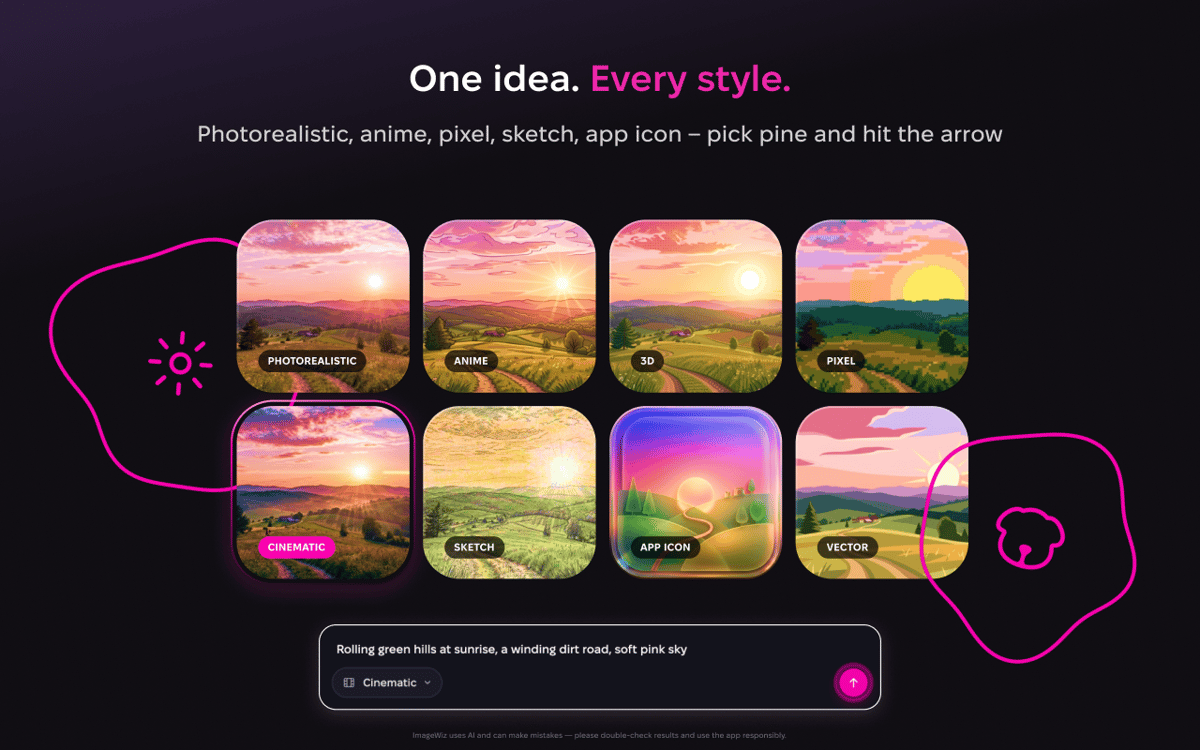
Ein Prompt, viele Looks
Dieselbe Idee kann als Aquarell, 3D-Render, flache Illustration oder Pixel-Art-Sprite umgesetzt werden. Blättern Sie durch die integrierten Stile, bis der richtige dabei ist. Lust auf einen Look, den noch niemand benannt hat? Starten Sie mit „Benutzerdefiniert“ und beschreiben Sie es selbst.
App-Icons, die einfach passen
Icons folgen ihren eigenen Regeln – deshalb bietet ImageWiz eigene Stile dafür. Jedes davon ist ein fein abgestimmtes Rezept für Licht, Material und Farbe. Geben Sie das Konzept einmal ein, erkunden Sie ein paar Richtungen und exportieren Sie eine saubere, versandfertige Datei.
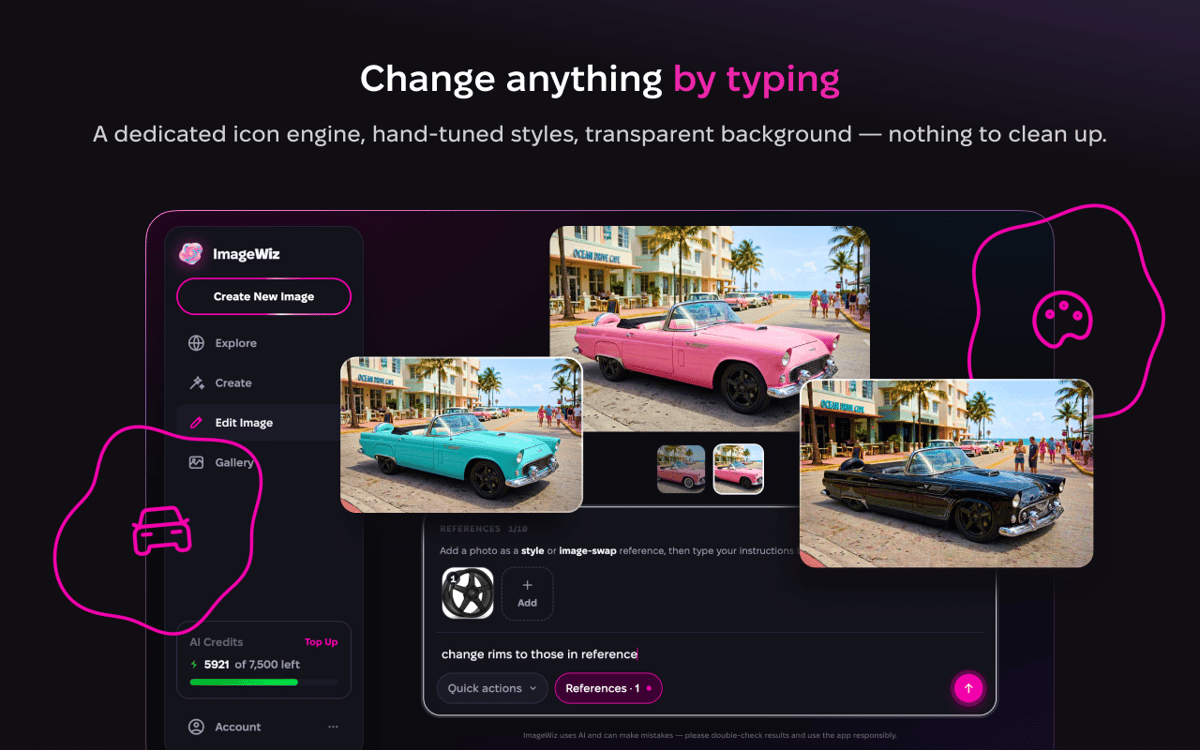
Bearbeiten per Texteingabe
Bringen Sie ein beliebiges Bild mit oder starten Sie mit einem, das Sie gerade erstellt haben, und sagen Sie, was geändert werden soll. Tauschen Sie den Hintergrund aus, verändern Sie die Stimmung, korrigieren Sie die Stelle, die Sie stört. Ein-Klick-Tools wie Hintergrund entfernen, Hochskalieren, Erweitern, Verschönern, Retro und Schwarzweiß decken die alltäglichen Aufgaben ab. Neue kommen regelmäßig dazu.
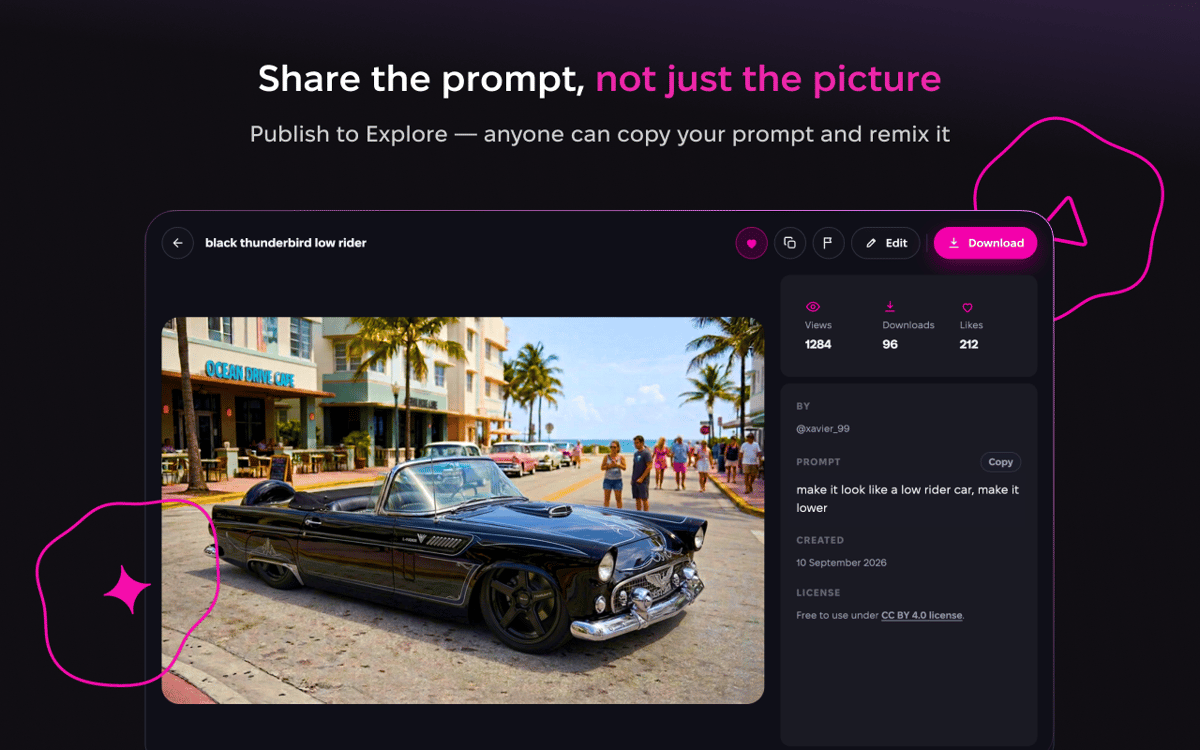
Veröffentlichen und entdecken
Haben Sie etwas Gutes erschaffen? Veröffentlichen Sie es in „Entdecken“, wo Sie Bilder und Prompts von allen anderen durchstöbern und die Gedanken hinter Ihren eigenen teilen können. Das ist der schnellste Weg, um Prompt-Ideen aufzuschnappen und zu sehen, was ein Stil bewirken kann, bevor Sie ihn selbst ausprobieren.
Nichts zu installieren
ImageWiz läuft direkt in Ihrem Browser, also ist kein Download und keine zusätzliche Anmeldung nötig. Melden Sie sich mit Setapp an und legen Sie los. Jeder Plan enthält ein monatliches Kontingent an KI-Credits, mit denen Sie nach Belieben generieren können.
Erhalten Sie Hunderte von Apps mit Membership
Werden Sie Setapp Member und nutzen Sie mit nur einem Abonnement hunderte genialer Apps.
Testen Sie 7 Tage kostenlos, im Anschluss nur eine einfach monatliche Gebühr.
Setapp auf dem Mac installieren
Erkunden Sie Apps für Mac, iOS und Web. Finden Sie einfache Möglichkeiten für die Bewältigung täglicher Aufgaben.

Die gesuchte App finden
In Setapp wartet eine wunderbare App auf Sie. Installieren Sie sie mit einem Klick.

ImageWiz
Abonnement wählen
Eine App oder mehr mit der Setapp Membership. Holen Sie sich Apps, so wie Sie es möchten.

Erhalten Sie Hunderte von Apps mit Membership
Werden Sie Setapp Member und nutzen Sie mit nur einem Abonnement hunderte genialer Apps.
Testen Sie 7 Tage kostenlos, im Anschluss nur eine einfach monatliche Gebühr.
1
Setapp auf dem Mac installieren
Erkunden Sie Apps für Mac, iOS und Web. Finden Sie einfache Möglichkeiten für die Bewältigung täglicher Aufgaben.
2
Die gesuchte App finden
In Setapp wartet eine wunderbare App auf Sie. Installieren Sie sie mit einem Klick.
ImageWiz
3
Abonnement wählen
Eine App oder mehr mit der Setapp Membership. Holen Sie sich Apps, so wie Sie es möchten.
Die besten Apps
Von Planung und Routineaufgaben bis hin zu kreativen Tätigkeiten und Programmieren – mit den Apps von Setapp sind Sie bestens für Aufgaben gerüstet.

TypingMind
KI-Chat mit alternativer UI
Text erzeugen oder zusammenfassen
Prompt-Bibliothek nutzen
KI

Spark Mail
E-Mails verwalten
KI

CleanMyMac
Datenmüll entfernen

Bartender
Menüleiste anpassen

CleanShot X
Vielseitige Bildschirmfotos aufnehmen

Luminar Neo
Fotos bearbeiten
KI

ClearVPN
Sichere Verbindung herstellen

Craft
Mit Dokumenten arbeiten
KI
ImageWiz
Jedes Bild per Prompt