
Insomniac
Halten Sie Ihren Mac clever wach
Mac
Version 1.0.2
macOS 13.5 oder neuer
21.8 MB
15 Sprachen
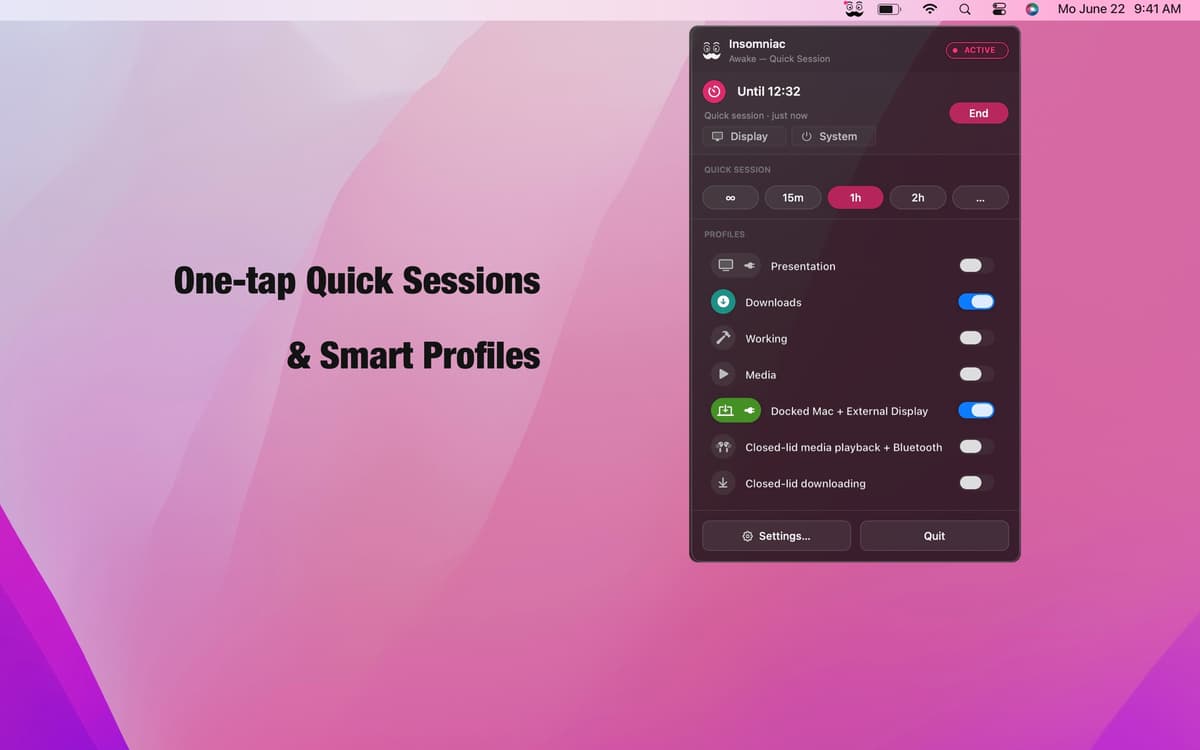
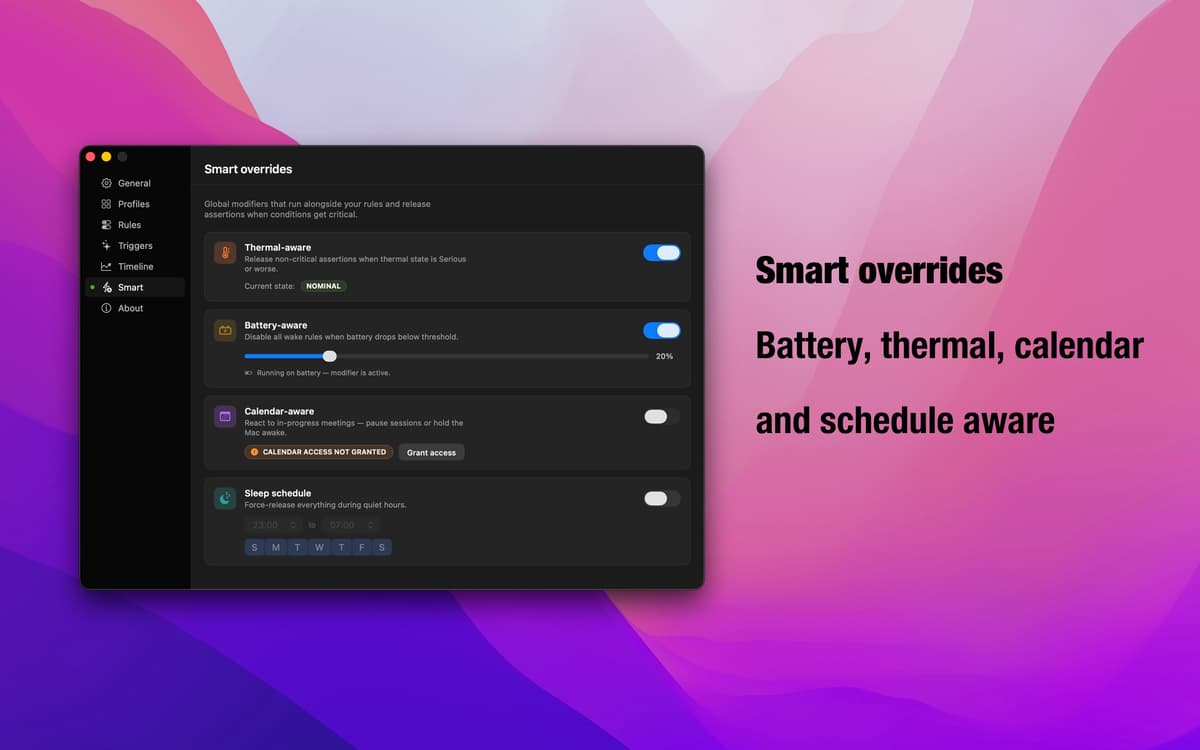
Insomniac ist eine kontextsensitive App, die verhindert, dass Ihr Mac in den Ruhezustand wechselt. Kein einfacher Always-On-Schalter – stattdessen arbeitet die App mit einem intelligenten Regelsystem. Erstellen Sie Profile aus mehr als 30 Auslösern wie Deckelstatus, Audiowiedergabe, CPU-Auslastung, Kalenderereignisse und Netzstromversorgung – Insomniac erledigt den Rest: Der Mac wacht auf, wenn eine Bedingung zutrifft, und schläft, wenn sie es nicht tut. Intelligente Anpassungen für Akku, Wärme und Kalender sorgen dafür, dass die App nie gegen Sie arbeitet. Lebt in Ihrer Menüleiste. Arbeitet im Hintergrund.
Mac während Präsentationen wach halten
Einschlafen während Downloads verhindern
Wach bleiben, wenn externes Display aktiv ist
Automatisch pausieren bei niedrigem Akkustand
Insomniac-Funktionen
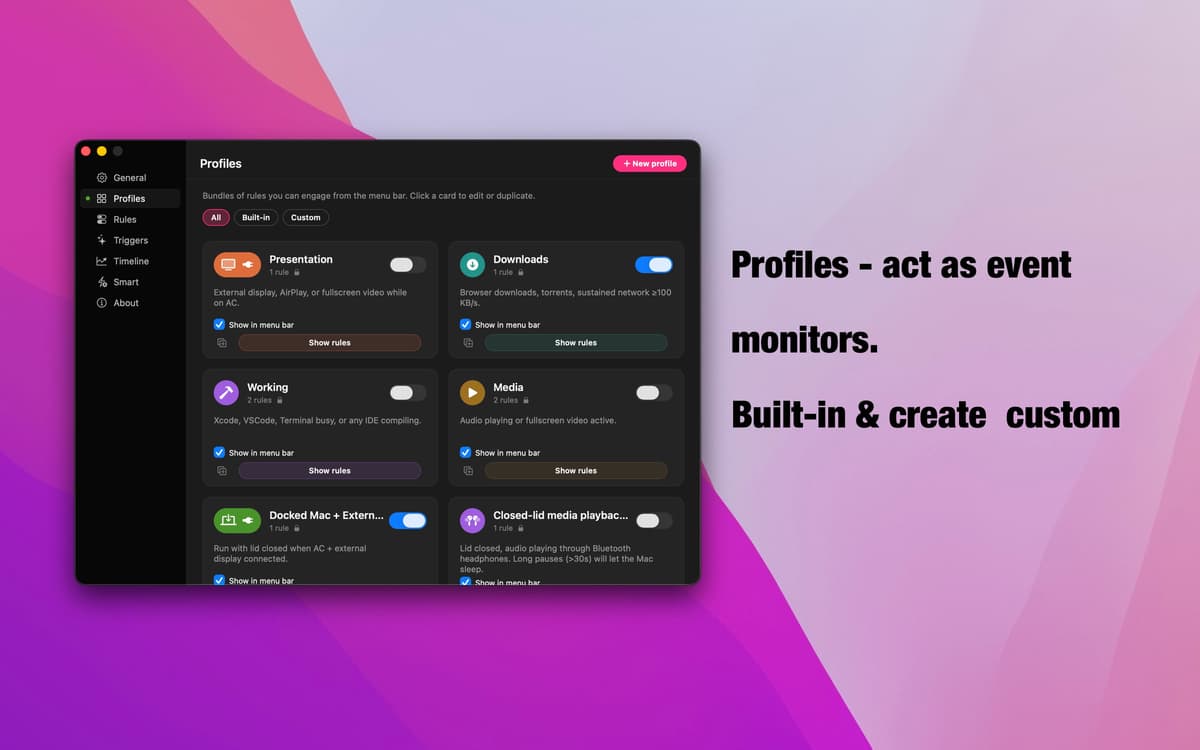
Profile – ereignisgesteuerte Überwachung
Sieben sofort einsatzbereite Profile decken die häufigsten Szenarien ab: Präsentationen, Downloads, Medienwiedergabe, angedockte Setups, Modus bei geschlossenem Deckel und mehr. Jeder Auslöser überwacht ein bestimmtes Signal, springt automatisch an, sobald es ausgelöst wird, und zieht sich zurück, wenn es erledigt ist. Erstellen Sie Ihre eigene in Sekunden – benennen Sie sie, fügen Sie Regeln hinzu, und fertig.
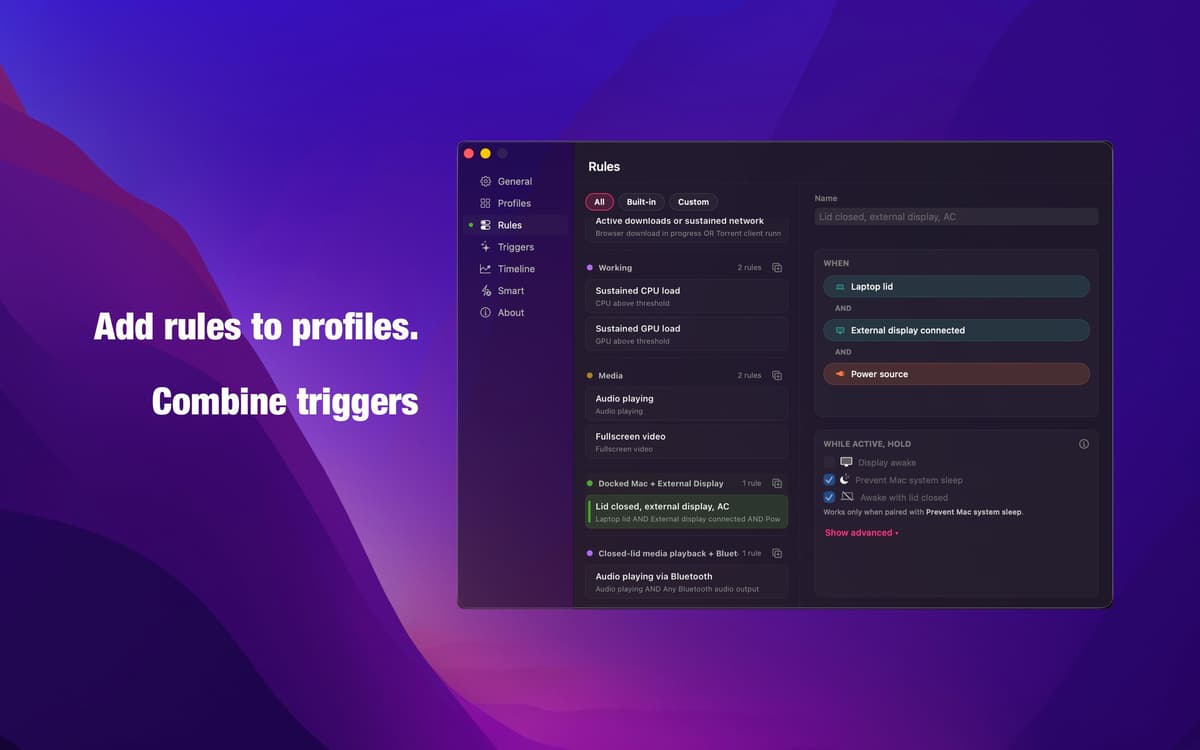
Regeleditor – Logik, die genau das tut, was Sie meinen
Kombinieren Sie beliebige Auslöser mit UND-, ODER- und NICHT-Logik, um genau die gewünschte Bedingung zu erstellen. Keine ungenauen Automatikmodi, kein Rätselraten. Dieselbe Engine, die jedem integrierten Profil zugrunde liegt, steht Ihnen vollständig zur Verfügung – präzise, transparent und von Ihnen konfigurierbar.
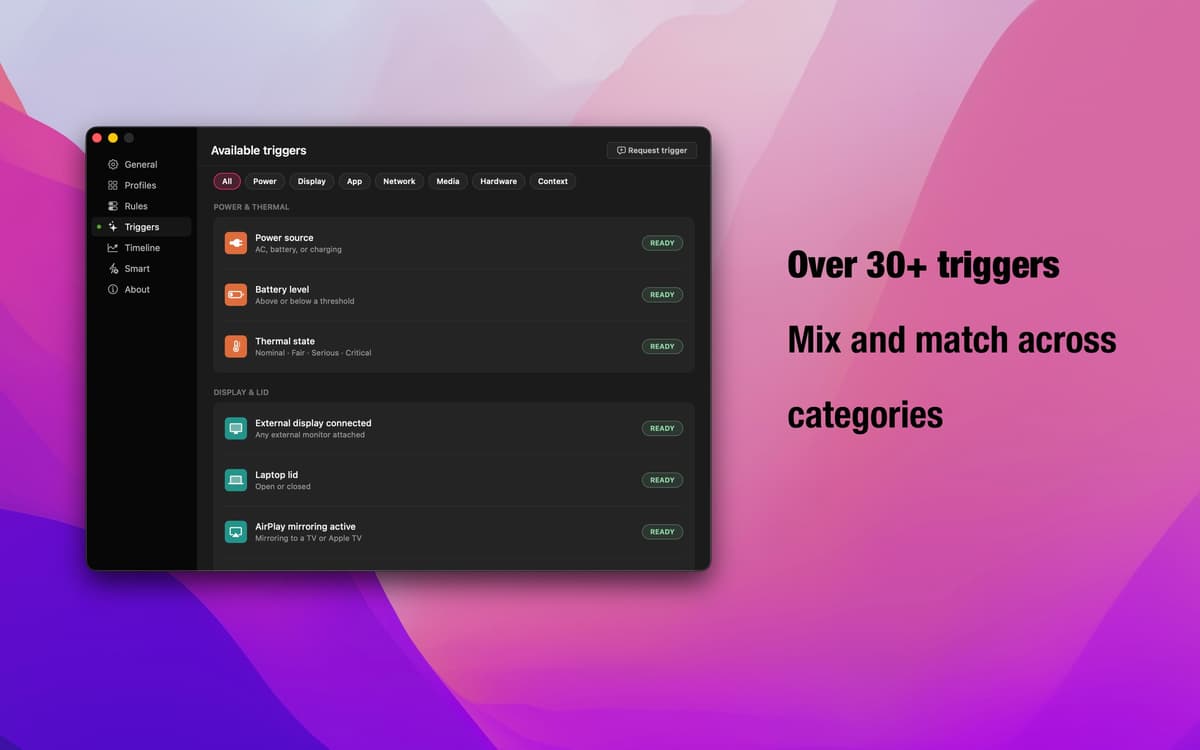
30+ Auslöser – jedes Signal, das macOS hat
Deckelstatus, externes Display, AirPlay, laufende Apps, Browser-Downloads, Audiowiedergabe, Bluetooth-Verbindungen, Kalenderereignisse, CPU- und GPU-Auslastung, Tageszeitfenster, Netzstrom, Netzwerkdurchsatz – und mehr. Kombinieren Sie Kategorien frei, um jeden Workflow abzudecken.
Intelligente Ausnahmen — Ihr Sicherheitsnetz
Akku fast leer? Mac drosselt Leistung aufgrund von Überhitzung? Direkt aufeinanderfolgende Treffen? Intelligente Überschreibungen erkennen diese Bedingungen und halten aktive Profile automatisch an. Sie entscheiden, ob ein Override den Ruhezustand ermöglicht oder den Mac wachhält. Insomniac passt sich dem tatsächlichen Geschehen an.
Menüleisten-App – immer verfügbar, nie störend
Insomniac läuft unauffällig in Ihrer Menüleiste. Prüfen Sie, was aktiv ist, wechseln Sie Profile oder passen Sie Einstellungen an, ohne Ihren Workflow zu unterbrechen. Kein Dock-Symbol, keine Vollbild-Einrichtungsfenster – nur die Steuerelemente, die Sie brauchen, genau dann, wenn Sie sie brauchen.
Erhalten Sie Hunderte von Apps mit Membership
Werden Sie Setapp Member und nutzen Sie mit nur einem Abonnement hunderte genialer Apps.
Testen Sie 7 Tage kostenlos, im Anschluss nur eine einfach monatliche Gebühr.
Setapp auf dem Mac installieren
Erkunden Sie Apps für Mac, iOS und Web. Finden Sie einfache Möglichkeiten für die Bewältigung täglicher Aufgaben.

Die gesuchte App finden
In Setapp wartet eine wunderbare App auf Sie. Installieren Sie sie mit einem Klick.

Insomniac
Abonnement wählen
Eine App oder mehr mit der Setapp Membership. Holen Sie sich Apps, so wie Sie es möchten.

Erhalten Sie Hunderte von Apps mit Membership
Werden Sie Setapp Member und nutzen Sie mit nur einem Abonnement hunderte genialer Apps.
Testen Sie 7 Tage kostenlos, im Anschluss nur eine einfach monatliche Gebühr.
1
Setapp auf dem Mac installieren
Erkunden Sie Apps für Mac, iOS und Web. Finden Sie einfache Möglichkeiten für die Bewältigung täglicher Aufgaben.
2
Die gesuchte App finden
In Setapp wartet eine wunderbare App auf Sie. Installieren Sie sie mit einem Klick.
Insomniac
3
Abonnement wählen
Eine App oder mehr mit der Setapp Membership. Holen Sie sich Apps, so wie Sie es möchten.
Die besten Apps
Von Planung und Routineaufgaben bis hin zu kreativen Tätigkeiten und Programmieren – mit den Apps von Setapp sind Sie bestens für Aufgaben gerüstet.

TypingMind
KI-Chat mit alternativer UI
Text erzeugen oder zusammenfassen
Prompt-Bibliothek nutzen
KI

Spark Mail
E-Mails verwalten
KI

CleanMyMac
Datenmüll entfernen

Bartender
Menüleiste anpassen

CleanShot X
Vielseitige Bildschirmfotos aufnehmen

Luminar Neo
Fotos bearbeiten
KI

ClearVPN
Sichere Verbindung herstellen

Craft
Mit Dokumenten arbeiten
KI
Insomniac
Halten Sie Ihren Mac clever wach