
InSpec
The inspector that remembers
Mac
Version 1.8
macOS 14.0 oder neuer
31.9 MB
13 Sprachen
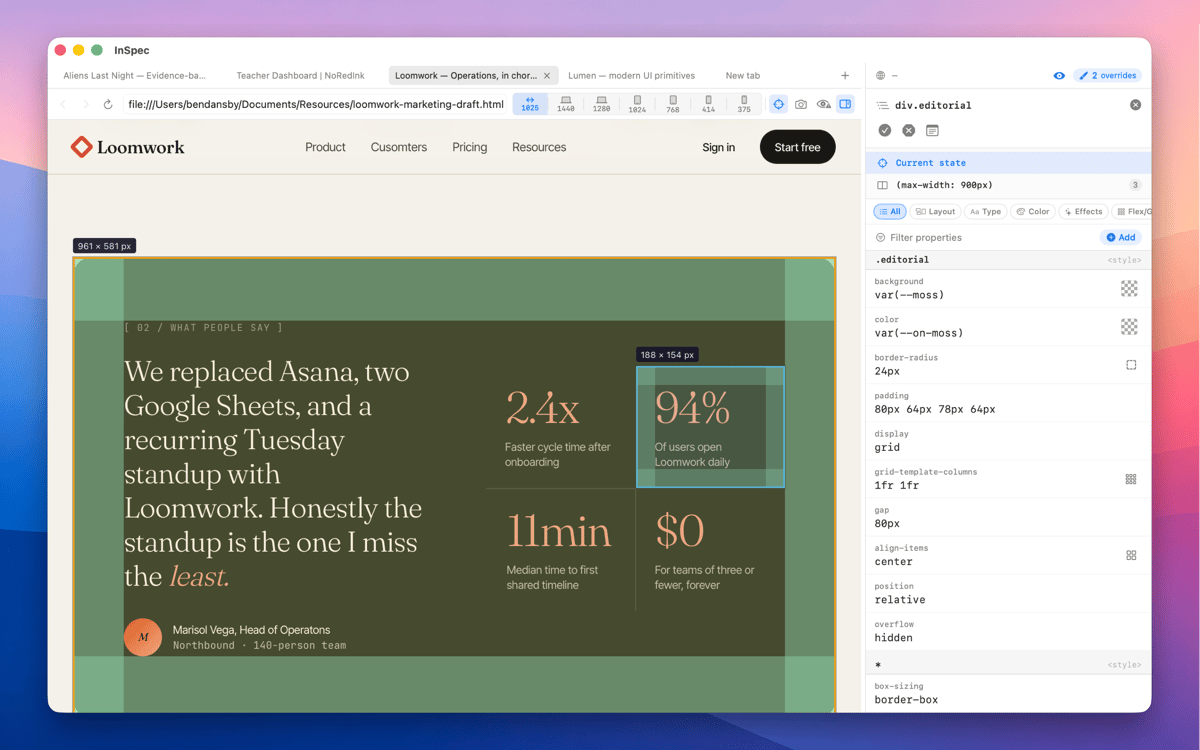
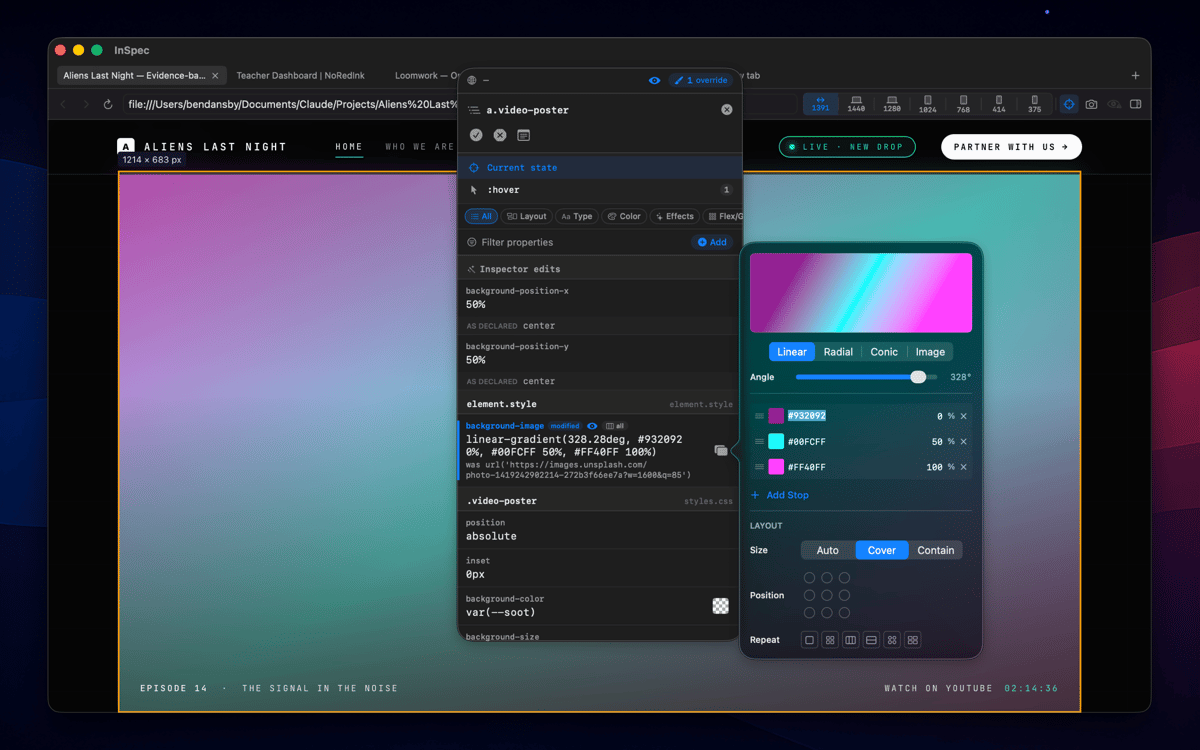
InSpec is a standalone Mac CSS editor for live web pages. Click any element to see every matching ruleset, edit declarations with real visual controls, and save your changes straight back to the right stylesheet — or into the HTML itself. Unlike browser DevTools, InSpec's edits survive reloads, tab closes, even a quit and relaunch.
Edit live CSS without losing changes
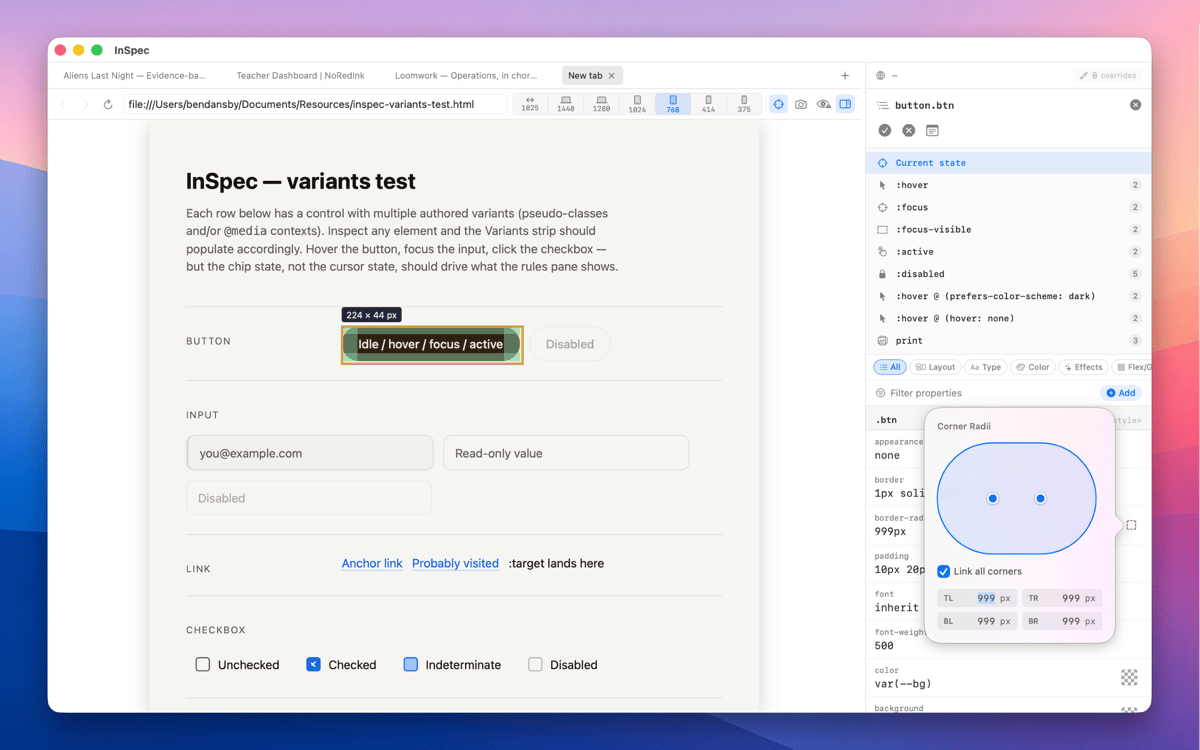
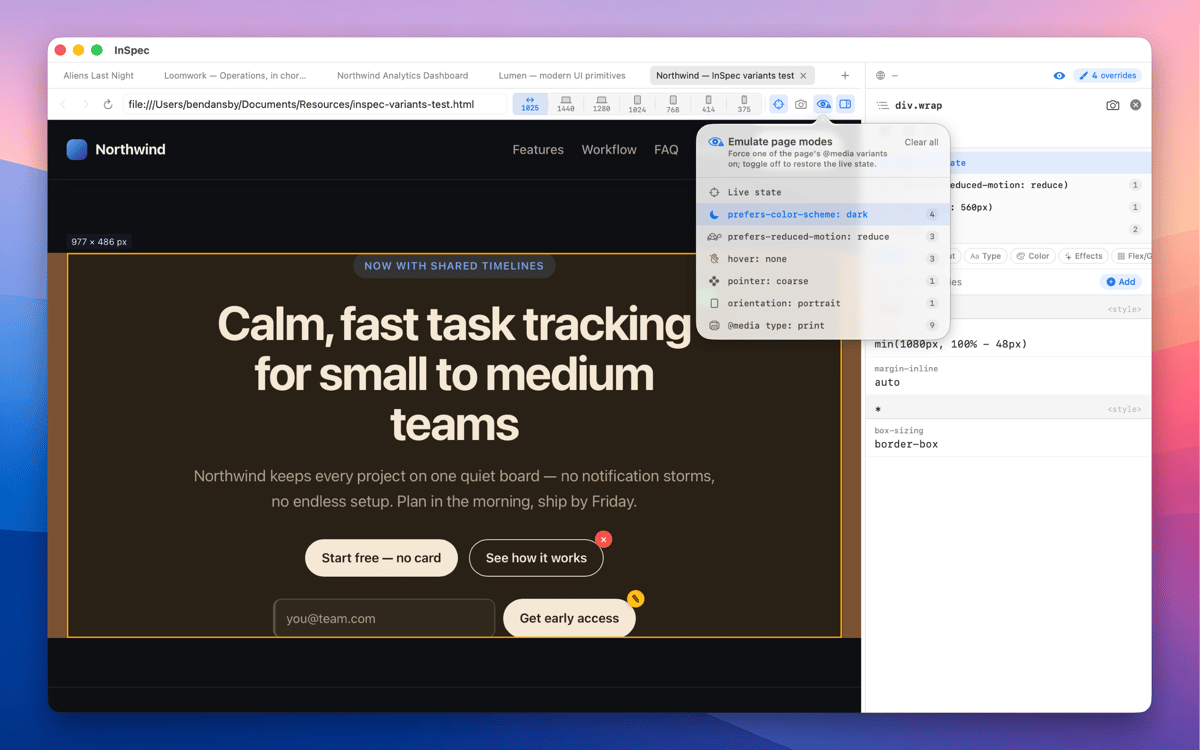
Inspect hover & dark mode states
Save style edits straight to source
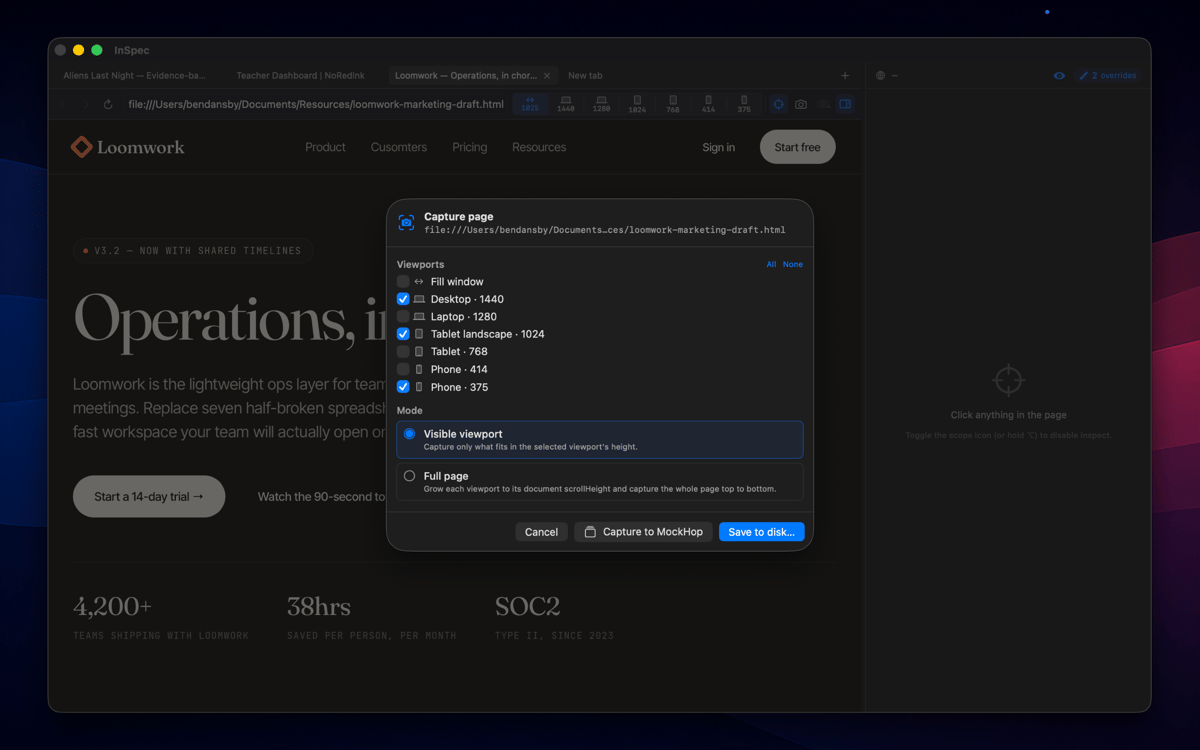
Capture styled pages at any viewport
InSpec-Funktionen
Every variant, one click away
Switch into :hover, :focus-visible, dark mode, and other states without holding a key or freezing the DOM. InSpec just shows you the element as it actually behaves — so you can edit the styles that matter, not just the ones that are easy to reach.
Edits that survive a reload
Close the tab, reload the page, quit and relaunch — InSpec's overrides are still there. Browser DevTools forgets everything the moment the page moves. InSpec doesn't, which means you can work iteratively without starting from scratch every time.
Built for the handoff
Done tweaking? Copy your edits as clean, ready-to-paste CSS, or save them straight back to the right stylesheet or HTML file. No manual transcription, no diffing what changed. InSpec gets your edits where they need to go.
Visual editing, not just reading
Every CSS property gets the control it deserves — sliders for spacing and sizing, a color picker for anything color-related, shorthand builders for properties like border or transition. You're editing visually, not typing values blind and hoping for the best.
A spacious dedicated window
InSpec lives in its own Mac window, not squeezed into a browser sidebar you have to keep resizing. More room to see your ruleset, more room to edit, and it stays exactly where you left it.
Capture as image
Screenshot any page at any viewport size — mobile, tablet, desktop — and bake your annotations straight into the image. Useful for documentation, async feedback, or handing off exactly what you saw to a developer or client.
Erhalten Sie Hunderte von Apps mit Membership
Werden Sie Setapp Member und nutzen Sie mit nur einem Abonnement hunderte genialer Apps.
Testen Sie 7 Tage kostenlos, im Anschluss nur eine einfach monatliche Gebühr.
Setapp auf dem Mac installieren
Erkunden Sie Apps für Mac, iOS und Web. Finden Sie einfache Möglichkeiten für die Bewältigung täglicher Aufgaben.

Die gesuchte App finden
In Setapp wartet eine wunderbare App auf Sie. Installieren Sie sie mit einem Klick.

InSpec
Abonnement wählen
Eine App oder mehr mit der Setapp Membership. Holen Sie sich Apps, so wie Sie es möchten.

Erhalten Sie Hunderte von Apps mit Membership
Werden Sie Setapp Member und nutzen Sie mit nur einem Abonnement hunderte genialer Apps.
Testen Sie 7 Tage kostenlos, im Anschluss nur eine einfach monatliche Gebühr.
1
Setapp auf dem Mac installieren
Erkunden Sie Apps für Mac, iOS und Web. Finden Sie einfache Möglichkeiten für die Bewältigung täglicher Aufgaben.
2
Die gesuchte App finden
In Setapp wartet eine wunderbare App auf Sie. Installieren Sie sie mit einem Klick.
InSpec
3
Abonnement wählen
Eine App oder mehr mit der Setapp Membership. Holen Sie sich Apps, so wie Sie es möchten.
Die besten Apps
Von Planung und Routineaufgaben bis hin zu kreativen Tätigkeiten und Programmieren – mit den Apps von Setapp sind Sie bestens für Aufgaben gerüstet.

TypingMind
KI-Chat mit alternativer UI
Text erzeugen oder zusammenfassen
Prompt-Bibliothek nutzen
KI

Spark Mail
E-Mails verwalten
KI

CleanMyMac
Datenmüll entfernen

Bartender
Menüleiste anpassen

CleanShot X
Vielseitige Bildschirmfotos aufnehmen

Luminar Neo
Fotos bearbeiten
KI

ClearVPN
Sichere Verbindung herstellen

Craft
Mit Dokumenten arbeiten
KI
InSpec
The inspector that remembers