
JoyMix
Der fehlende macOS-Soundmixer
Mac
Version 26.5.13.0
macOS 15.0 oder neuer
5.1 MB
1 Sprachen
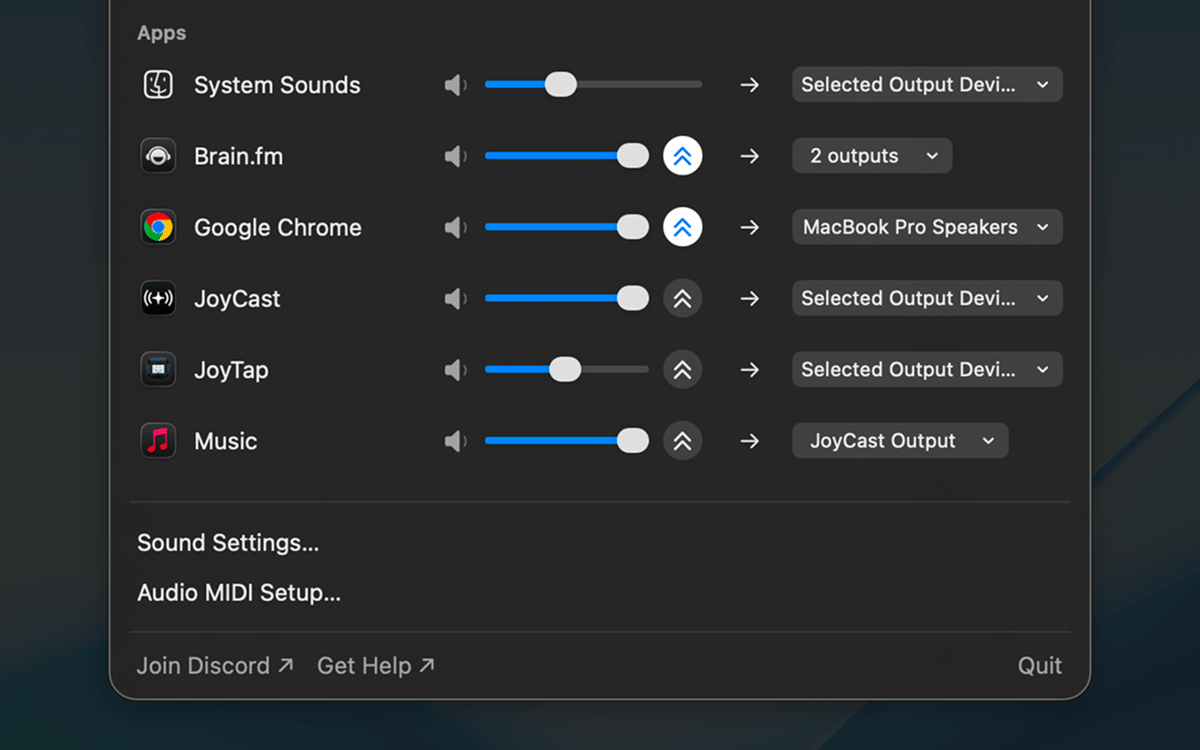
JoyMix ist ein anwendungsspezifischer Audio-Mixer für Mac, der in der Menüleiste verfügbar ist. Stellen Sie Lautstärke, Stummschaltung und Audio-Routing für jede App separat ein – leiten Sie YouTube an die Lautsprecher weiter, während Zoom über die AirPods läuft, schalten Sie Slack stumm, ohne die Musik zu beeinträchtigen, und verstärken Sie einen leisen Podcast über das Systemmaximum hinaus. Wechseln Sie Mikrofone oder Ausgänge direkt über dasselbe Popup-Fenster, ohne Umweg über die Soundeinstellungen. Ein Klick in der Menüleiste, dann zurück an die Arbeit.
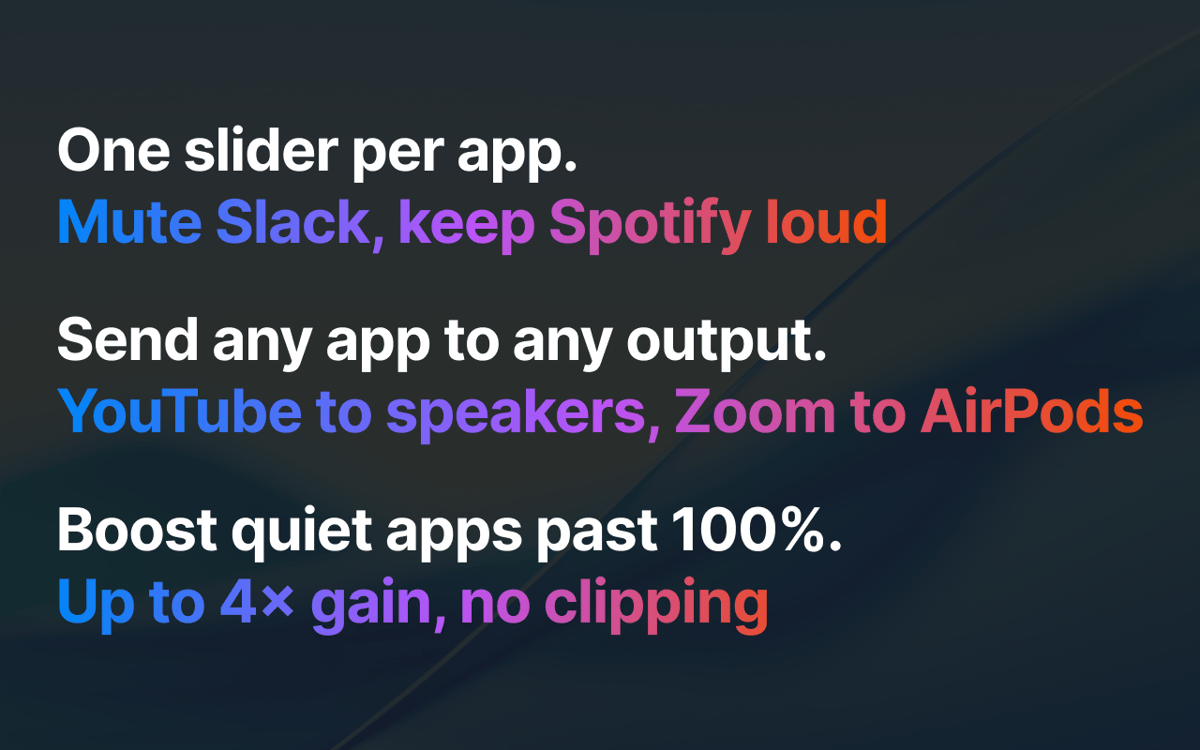
Slack stummschalten, während Spotify weiterläuft
YouTube an Lautsprecher senden, Zoom an AirPods
Mikrofon/Lautsprecher per Menüleiste wechseln
Leisen Podcast über 100 % hinaus verstärken
JoyMix-Funktionen
Jede App einzeln mischen
Jede App erhält einen eigenen Lautstärkeregler und eine Stummschaltung. Slack leiser als Spotify, Zoom stummgeschaltet, während ein Podcast läuft, Systemsounds dezent im Hintergrund – einmal eingestellt, JoyMix merkt sich die Einstellungen beim nächsten App-Start.
Jede App an den entsprechenden Ausgang senden
Leiten Sie jede laufende App an jeden beliebigen Lautsprecher, Kopfhörer oder jedes virtuelle Gerät weiter. YouTube läuft über die Schreibtischlautsprecher, während Zoom über die AirPods läuft. Apps, die Sie nicht umgeleitet haben, verwenden weiterhin wie gewohnt Ihren Systemstandard.
Ein- und Ausgabe über die Menüleiste wechseln
Wählen Sie das aktive Mikrofon, die Systemausgabe und das Gerät für Systemtöne aus – ohne in die Systemeinstellungen eintauchen zu müssen. Jeder Vorgang erfolgt mit einem einzigen Klick im selben Popup-Fenster.
Leise Apps über 100 % verstärken
Wenn eine App einfach zu leise ist, egal wie hoch Sie das System einstellen, hebt JoyMix sie mit einem eingebauten Schutzmechanismus über das Maximum hinaus, sodass der Sound nicht übersteuert oder verzerrt wird. Bis zu 4-fache Steigerung pro App.
Was Sie nicht geändert haben, bleibt unberührt
Apps, die Sie nicht angepasst haben, laufen unter macOS unverändert. JoyMix greift nur bei Apps ein, die Sie tatsächlich konfiguriert haben – schieben Sie die Lautstärke auf 100 % zurück, leiten Sie zurück zur Standardeinstellung, und diese App verhält sich genau so, als wäre JoyMix nicht installiert. Keine Überraschung beim Sound, kein zusätzlicher Batterieverbrauch.
Bewertungen und Rezensionen
JoyMix
•
70 Bewertungen
Nadir Palacios
30. Sept. 2026
App-Version: 26.5.13.0
Works great
Lee
24. Sept. 2026
App-Version: 26.5.13.0
Loads and works straightaway for me on MacOS 27.
Mohamed Kawsara
29. Aug. 2026
App-Version: 26.5.13.0
It doesn't work. The app doesn't even open at all
Erhalten Sie Hunderte von Apps mit Membership
Werden Sie Setapp Member und nutzen Sie mit nur einem Abonnement hunderte genialer Apps.
Testen Sie 7 Tage kostenlos, im Anschluss nur eine einfach monatliche Gebühr.
Setapp auf dem Mac installieren
Erkunden Sie Apps für Mac, iOS und Web. Finden Sie einfache Möglichkeiten für die Bewältigung täglicher Aufgaben.

Die gesuchte App finden
In Setapp wartet eine wunderbare App auf Sie. Installieren Sie sie mit einem Klick.

JoyMix
Abonnement wählen
Eine App oder mehr mit der Setapp Membership. Holen Sie sich Apps, so wie Sie es möchten.

Erhalten Sie Hunderte von Apps mit Membership
Werden Sie Setapp Member und nutzen Sie mit nur einem Abonnement hunderte genialer Apps.
Testen Sie 7 Tage kostenlos, im Anschluss nur eine einfach monatliche Gebühr.
1
Setapp auf dem Mac installieren
Erkunden Sie Apps für Mac, iOS und Web. Finden Sie einfache Möglichkeiten für die Bewältigung täglicher Aufgaben.
2
Die gesuchte App finden
In Setapp wartet eine wunderbare App auf Sie. Installieren Sie sie mit einem Klick.
JoyMix
3
Abonnement wählen
Eine App oder mehr mit der Setapp Membership. Holen Sie sich Apps, so wie Sie es möchten.
Die besten Apps
Von Planung und Routineaufgaben bis hin zu kreativen Tätigkeiten und Programmieren – mit den Apps von Setapp sind Sie bestens für Aufgaben gerüstet.

TypingMind
KI-Chat mit alternativer UI
Text erzeugen oder zusammenfassen
Prompt-Bibliothek nutzen
KI

Spark Mail
E-Mails verwalten
KI

CleanMyMac
Datenmüll entfernen

Bartender
Menüleiste anpassen

CleanShot X
Vielseitige Bildschirmfotos aufnehmen

Luminar Neo
Fotos bearbeiten
KI

ClearVPN
Sichere Verbindung herstellen

Craft
Mit Dokumenten arbeiten
KI
JoyMix
Der fehlende macOS-Soundmixer