JoyTap
Tastaturgeräusche hinzufügen
Mac
Version 26.1.30.0
macOS 14.0 oder neuer
21.6 MB
1 Sprachen
JoyTap bringt die Geräusche einer mechanischen Tastatur auf die leise Tastatur Ihres Macs. Diese einfache Menüleisten-App spielt beim Tippen authentische Schaltergeräusche ab – in jeder App, von Code-Editoren bis hin zu E-Mails. Egal, ob Sie als Entwickler Code schreiben oder als Autor an Ihrem nächsten Artikel arbeiten: Das akustische Feedback macht das Tippen angenehmer und hilft Ihnen, sich länger zu konzentrieren.
Geben Sie Ihrem Mac mechanische Tastaturgeräusche
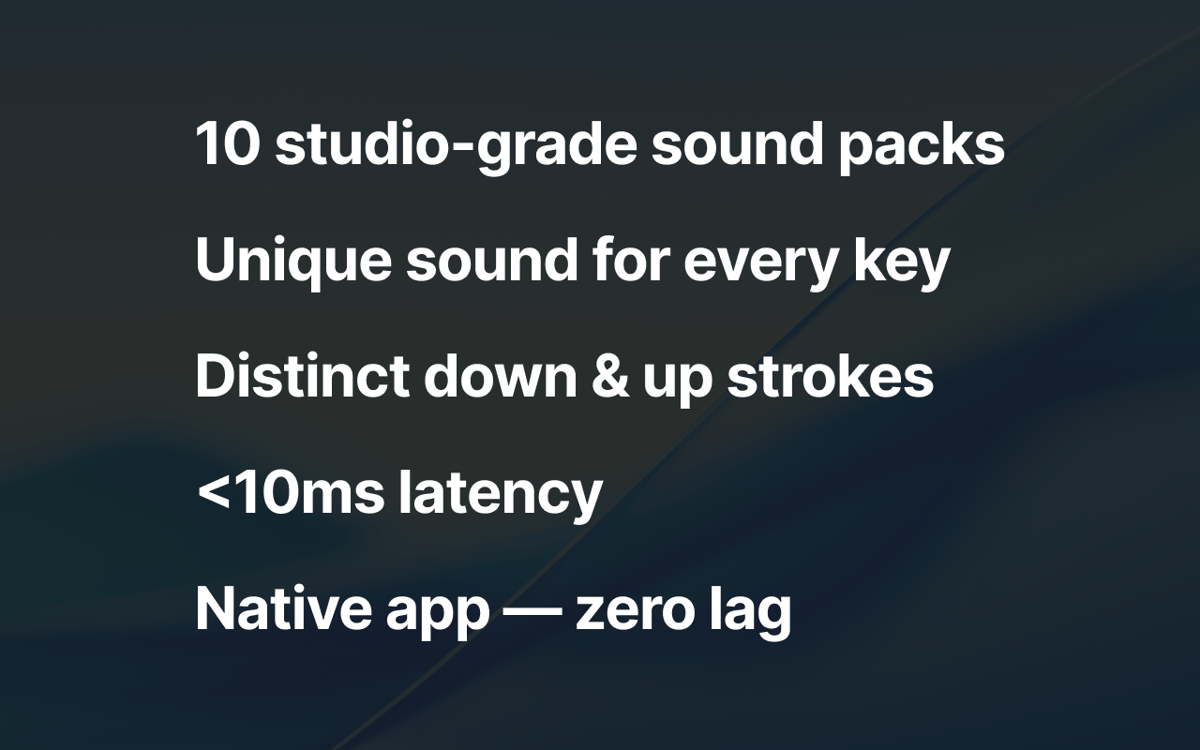
Über 10 authentische Schalterprofile
Lautstärke und Zugriff über die Menüleiste steuern
Genießen Sie das Tippen in jeder App unter macOS
JoyTap-Funktionen
Wählen Sie aus authentischen mechanischen Schaltergeräuschen
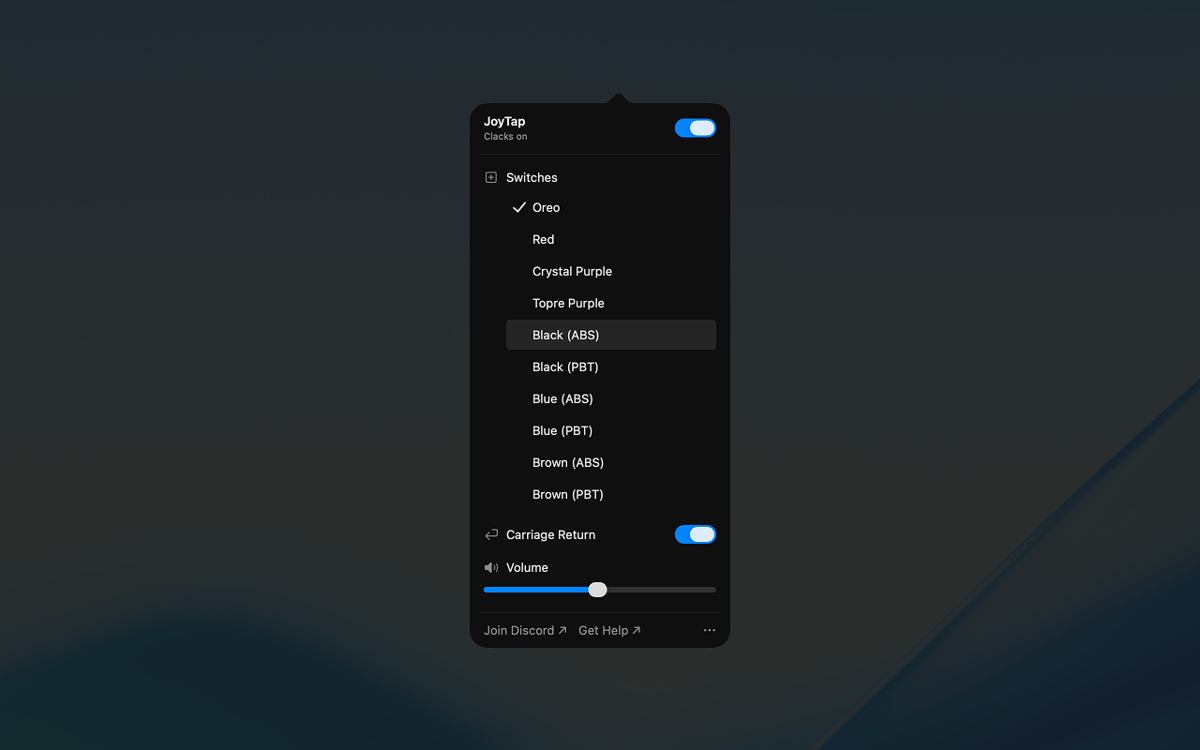
Wählen Sie aus über 10 realistischen Schalterprofilen, die auf echten mechanischen Schaltern basieren – Oreo, Crystal Purple, Topre Purple sowie klassische lineare und taktile Schalter in ABS- und PBT-Varianten. Jedes Profil fängt die charakteristischen Klangeigenschaften seines physischen Gegenstücks ein, von tiefen Schlägen bis hin zu knackigen Klicks.
Steuerung über die Menüleiste
JoyTap ist für den schnellen Zugriff in Ihrer Menüleiste integriert. Schalten Sie Töne im Handumdrehen ein oder aus, wenn Sie Ruhe benötigen, wechseln Sie mit einem Klick zwischen verschiedenen Schalterprofilen und passen Sie die Einstellungen an, ohne Ihren Arbeitsablauf zu unterbrechen.
Passen Sie die Lautstärke präzise an Ihre Umgebung an
Stellen Sie die Lautstärke individuell für jede Situation ein. Erhöhen Sie die Lautstärke, wenn Sie alleine arbeiten, für maximalen Komfort, oder verringern Sie sie, wenn Sie in Gemeinschaftsräumen oder während Telefonaten leise sein müssen.
Bewertungen und Rezensionen
JoyTap
•
141 Bewertungen
Rach Safdieh
26. Aug. 2026
App-Version: 26.1.30.0
It’s a great app but uses a tonnnn of memory
Bikram Choudhury
5. Aug. 2026
App-Version: 26.1.30.0
It’s fun. I never realised that I typed so fast!
Aditya Balasubramanian
29. Juni 2026
App-Version: 26.1.30.0
4.5/5
Erhalten Sie Hunderte von Apps mit Membership
Werden Sie Setapp Member und nutzen Sie mit nur einem Abonnement hunderte genialer Apps.
Testen Sie 7 Tage kostenlos, im Anschluss nur eine einfach monatliche Gebühr.
Setapp auf dem Mac installieren
Erkunden Sie Apps für Mac, iOS und Web. Finden Sie einfache Möglichkeiten für die Bewältigung täglicher Aufgaben.

Die gesuchte App finden
In Setapp wartet eine wunderbare App auf Sie. Installieren Sie sie mit einem Klick.

JoyTap
Abonnement wählen
Eine App oder mehr mit der Setapp Membership. Holen Sie sich Apps, so wie Sie es möchten.

Erhalten Sie Hunderte von Apps mit Membership
Werden Sie Setapp Member und nutzen Sie mit nur einem Abonnement hunderte genialer Apps.
Testen Sie 7 Tage kostenlos, im Anschluss nur eine einfach monatliche Gebühr.
1
Setapp auf dem Mac installieren
Erkunden Sie Apps für Mac, iOS und Web. Finden Sie einfache Möglichkeiten für die Bewältigung täglicher Aufgaben.
2
Die gesuchte App finden
In Setapp wartet eine wunderbare App auf Sie. Installieren Sie sie mit einem Klick.
JoyTap
3
Abonnement wählen
Eine App oder mehr mit der Setapp Membership. Holen Sie sich Apps, so wie Sie es möchten.
Die besten Apps
Von Planung und Routineaufgaben bis hin zu kreativen Tätigkeiten und Programmieren – mit den Apps von Setapp sind Sie bestens für Aufgaben gerüstet.

TypingMind
KI-Chat mit alternativer UI
Text erzeugen oder zusammenfassen
Prompt-Bibliothek nutzen
KI

Spark Mail
E-Mails verwalten
KI

CleanMyMac
Datenmüll entfernen

Bartender
Menüleiste anpassen

CleanShot X
Vielseitige Bildschirmfotos aufnehmen

Luminar Neo
Fotos bearbeiten
KI

ClearVPN
Sichere Verbindung herstellen

Craft
Mit Dokumenten arbeiten
KI
JoyTap
Tastaturgeräusche hinzufügen