
Juicy
Akkuwarnungen, die Ihnen nicht entgehen


Mac
Version 1.6.2
macOS 15.0 oder neuer
50.3 MB
10 Sprachen
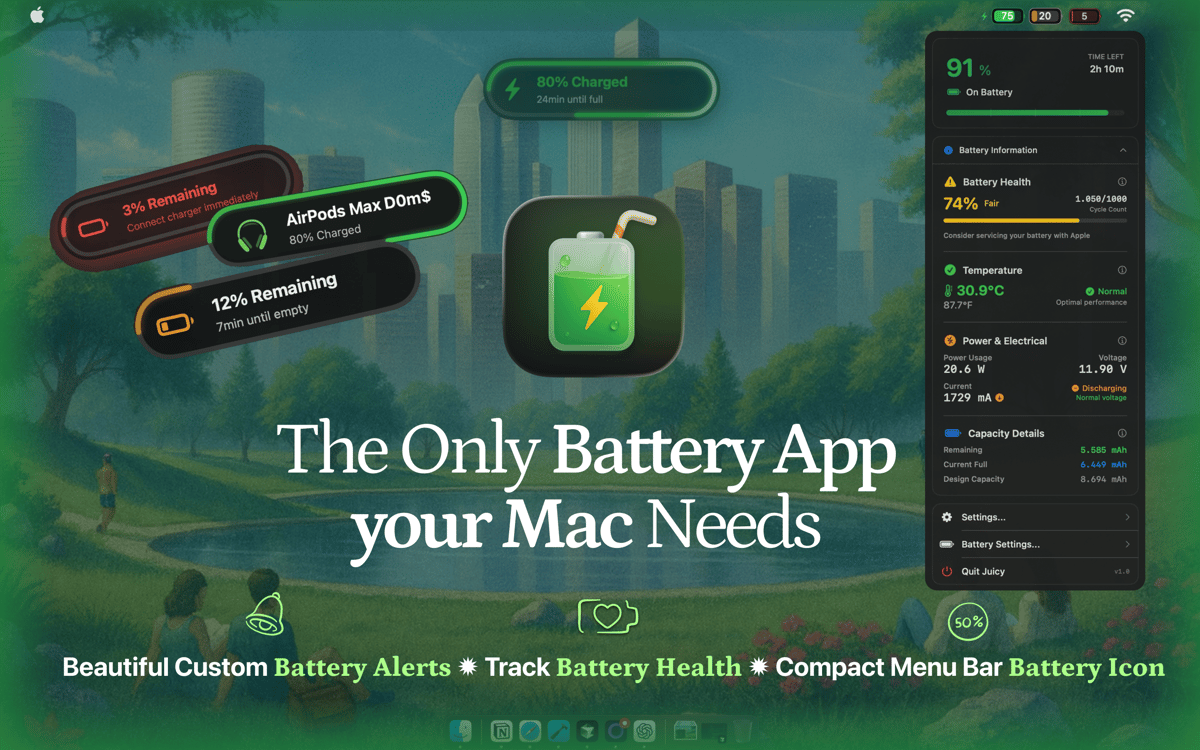
Juicy ist eine Batterieverwaltungsapp für Mac, die Apples einfache Akkuwarnungen durch schöne, anpassbare Benachrichtigungen ersetzt, die Sie garantiert nicht verpassen. Das Problem mit macOS? Es warnt nur bei vordefinierten %-Werten. Diese Stufen lassen sich nicht anpassen, und die Warnmeldungen sind leicht zu übersehen, was zu unerwarteten Systemabstürzen während wichtiger Arbeiten führt. Es gibt keine Gesundheitsüberwachung, keine Anpassungsoptionen und keine Möglichkeit, Benachrichtigungen einzurichten, die wirklich zu Ihrem Arbeitsablauf passen. Juicy behebt all das.
Benachrichtigung bei jedem Akkustand festlegen
Nie wieder niedrigen Akkustand verpassen
Schützen Sie die Batteriegesundheit Ihres Macs
Standard-Batterie-Warnungen ersetzen
Juicy-Funktionen
Benachrichtigungen individuell einrichten
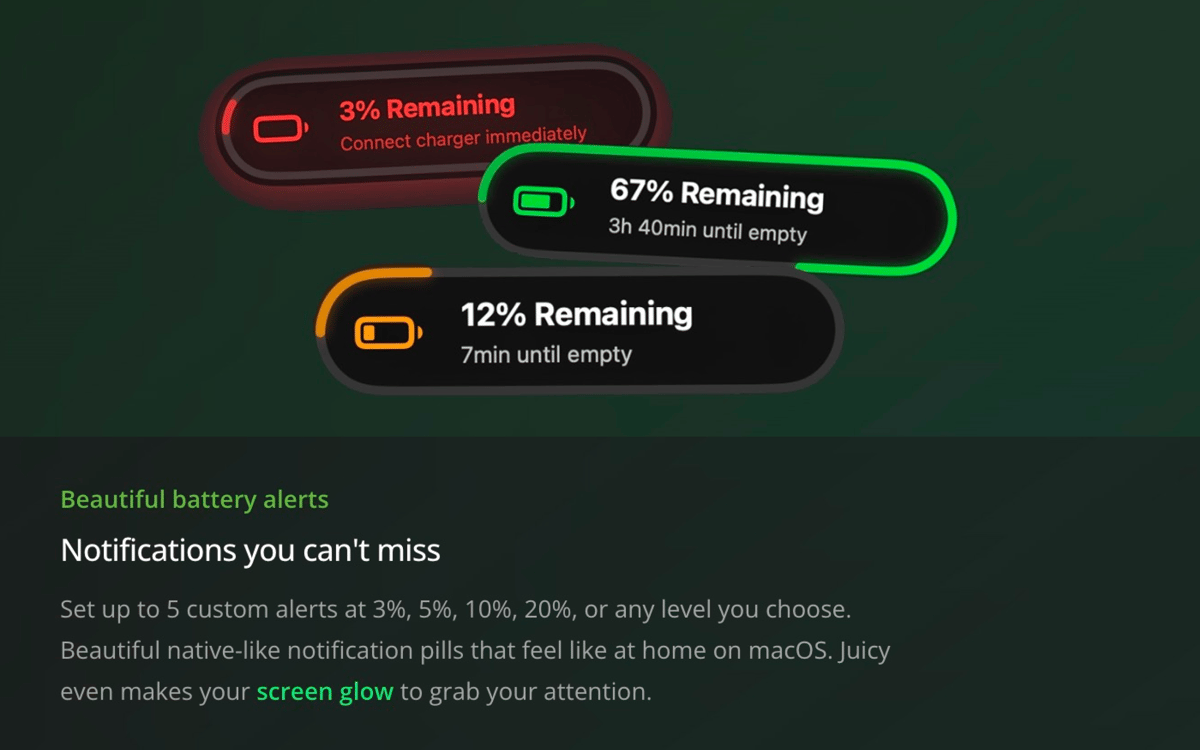
Wählen Sie einen beliebigen Batteriestand und lassen Sie sich rechtzeitig benachrichtigen – 5 %, 20 %, 80 %, ganz wie es Ihnen passt. Erinnerung vor Meetings setzen oder Hinweis zum Trennen des Netzteils für Akkuschutz. Sie können auch Benachrichtigungen erhalten, wenn der Ladevorgang startet oder stoppt.
Benachrichtigungen, die du nicht verpasst
Juicy zeigt klare, native Benachrichtigungen, die perfekt zu macOS passen. Mit dezenten Leuchteffekten und individuellen Sounds sind sie auffällig, ohne störend zu wirken – so reagierst du rechtzeitig, bevor dein Akku leer ist.
Akku-Gesundheit erhalten
Behalten Sie den Überblick über den tatsächlichen Zustand Ihres Akkus. Juicy zeigt in Echtzeit Akkuzustand in %, Zyklen, Temperatur und Stromverbrauch direkt in der Menüleiste an. Es kennzeichnet auch potenzielle Probleme wie Überhitzung oder reduzierte Kapazität — und informiert Sie darüber, wann eine Wartung möglicherweise erforderlich ist.
macOS-Benachrichtigungen bereinigen
Standard-Batteriebenachrichtigungen lassen sich leicht übersehen und sind umständlich zu verwalten. Juicy schließt sie automatisch, sodass Sie sich nicht mit zusätzlichen Klicks oder Unterbrechungen befassen müssen.
Erweitern Sie Ihre Menüleiste
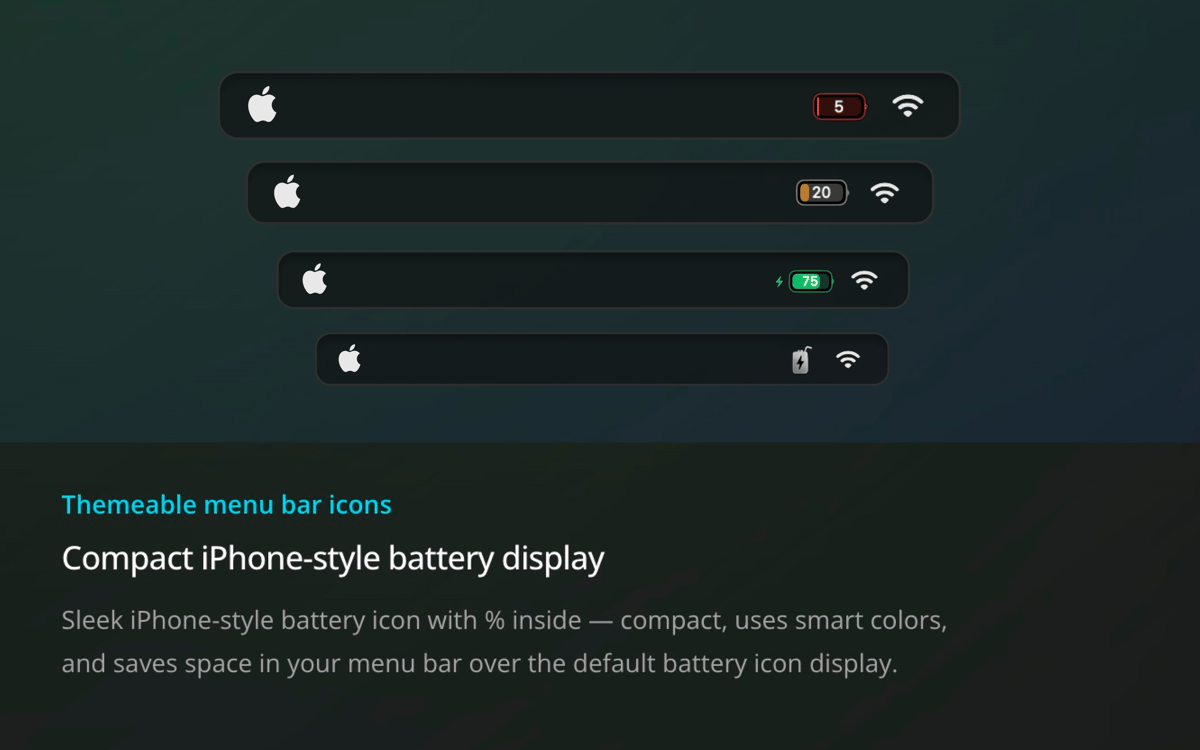
Das Standard-Batteriesymbol von macOS durch eine übersichtlichere, nützlichere Version ersetzen. Das kompakte Symbol von Juicy im iPhone-Stil zeigt die Prozentangabe innen an, nutzt intelligente Farbkodierung und benötigt weniger Platz – und liefert Ihnen trotzdem alle nötigen Informationen auf einen Blick.
Schnell, nativ, leichtgewichtig
Juicy ist in Swift entwickelt und für Apple Silicon optimiert. Es beansprucht weniger als 0,1 % der CPU, läuft leise im Hintergrund und fühlt sich wie ein natürlicher Bestandteil von macOS an – nicht wie ein Add-on.
Bewertungen und Rezensionen
Juicy
•
84 Bewertungen
Michel ARNOULD
15. Sept. 2026
App-Version: 1.5.6
Fait exactement ce pourquoi elle est proposée avec ergonomie et efficacité. 🇫🇷 It does exactly what it's designed to do, with both ergonomics and efficiency. 🇬🇧
François Cuneo
5. Aug. 2026
App-Version: 1.5.5
Superbe application. Il ne lui manque plus que la recalibration des applications et elles sera absolument complète. Belle interface, plus moderne que celle d’AlDente Pro.
Harry Lyu
1. Aug. 2026
App-Version: 1.5.4
Absolutely perfect!
Erhalten Sie Hunderte von Apps mit Membership
Werden Sie Setapp Member und nutzen Sie mit nur einem Abonnement hunderte genialer Apps.
Testen Sie 7 Tage kostenlos, im Anschluss nur eine einfach monatliche Gebühr.
Setapp auf dem Mac installieren
Erkunden Sie Apps für Mac, iOS und Web. Finden Sie einfache Möglichkeiten für die Bewältigung täglicher Aufgaben.

Die gesuchte App finden
In Setapp wartet eine wunderbare App auf Sie. Installieren Sie sie mit einem Klick.

Juicy
Abonnement wählen
Eine App oder mehr mit der Setapp Membership. Holen Sie sich Apps, so wie Sie es möchten.

Erhalten Sie Hunderte von Apps mit Membership
Werden Sie Setapp Member und nutzen Sie mit nur einem Abonnement hunderte genialer Apps.
Testen Sie 7 Tage kostenlos, im Anschluss nur eine einfach monatliche Gebühr.
1
Setapp auf dem Mac installieren
Erkunden Sie Apps für Mac, iOS und Web. Finden Sie einfache Möglichkeiten für die Bewältigung täglicher Aufgaben.
2
Die gesuchte App finden
In Setapp wartet eine wunderbare App auf Sie. Installieren Sie sie mit einem Klick.
Juicy
3
Abonnement wählen
Eine App oder mehr mit der Setapp Membership. Holen Sie sich Apps, so wie Sie es möchten.
Die besten Apps
Von Planung und Routineaufgaben bis hin zu kreativen Tätigkeiten und Programmieren – mit den Apps von Setapp sind Sie bestens für Aufgaben gerüstet.

TypingMind
KI-Chat mit alternativer UI
Text erzeugen oder zusammenfassen
Prompt-Bibliothek nutzen
KI

Spark Mail
E-Mails verwalten
KI

CleanMyMac
Datenmüll entfernen

Bartender
Menüleiste anpassen

CleanShot X
Vielseitige Bildschirmfotos aufnehmen

Luminar Neo
Fotos bearbeiten
KI

ClearVPN
Sichere Verbindung herstellen

Craft
Mit Dokumenten arbeiten
KI
Juicy
Akkuwarnungen, die Ihnen nicht entgehen