
KeyComposer
Vom Prompt zur ausgefeilten Präsentation
Mac
Version 1.3.0
macOS 15.0 oder neuer
20.6 MB
6 Sprachen
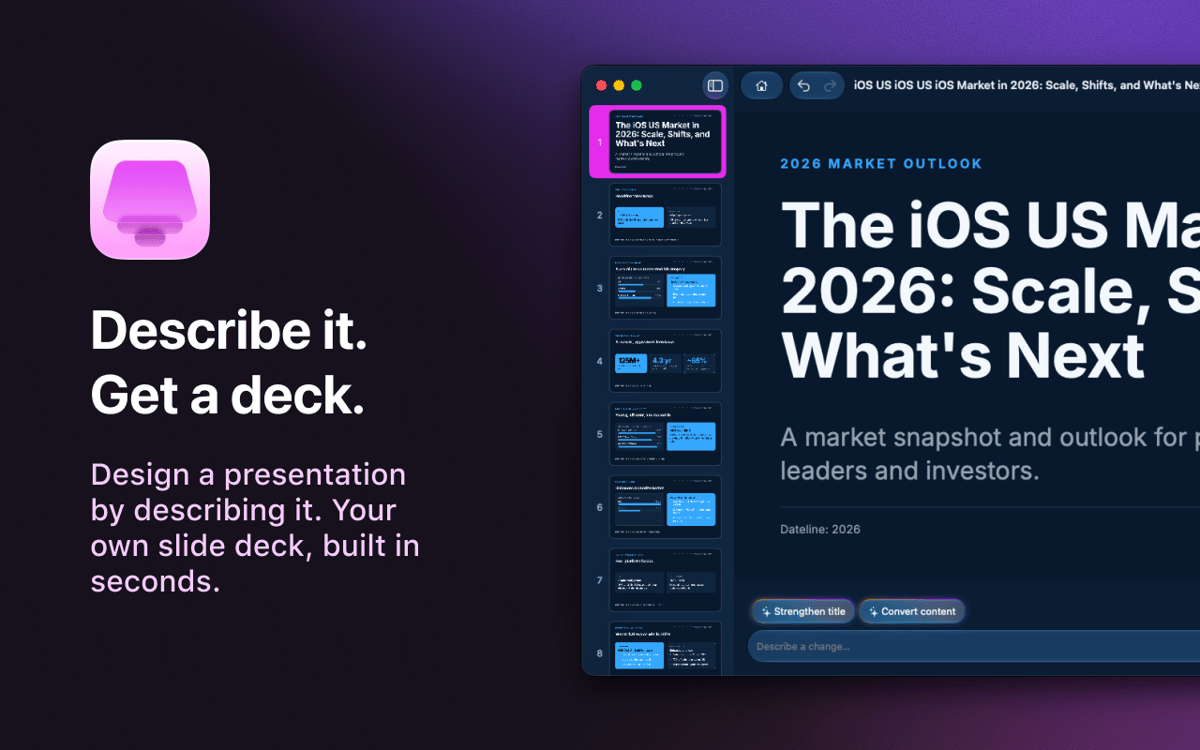
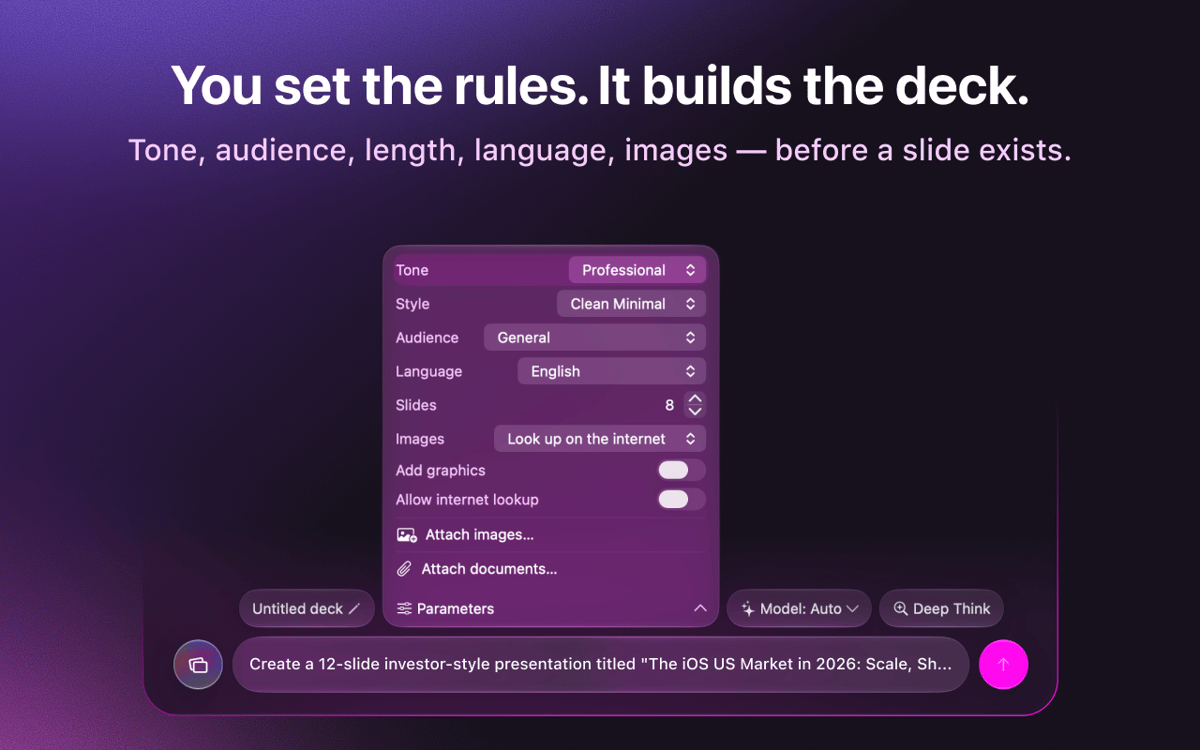
KeyComposer – KI-Präsentationsgenerator für Mac. Beschreiben Sie die gewünschte Präsentation, und es werden bearbeitbare Folien generiert, die Sie wirklich frei gestalten können – keine Angst vor der leeren Leinwand, kein Kampf mit Layouts. Fügen Sie eigene Notizen oder Dokumente hinzu, damit der Inhalt zielgerichtet bleibt, und tauschen Sie Bilder aus, passen Sie Texte an und ordnen Sie Folien direkt in der App neu an. Wenn alles fertig ist, exportieren Sie als PDF, PPTX, Keynote oder HTML und präsentieren Sie überall.
Pitch-Präsentation aus einem Prompt erstellen
Verwandeln Sie grobe Notizen in echte Folien
Exportieren Sie nach PDF, PPTX oder Keynote
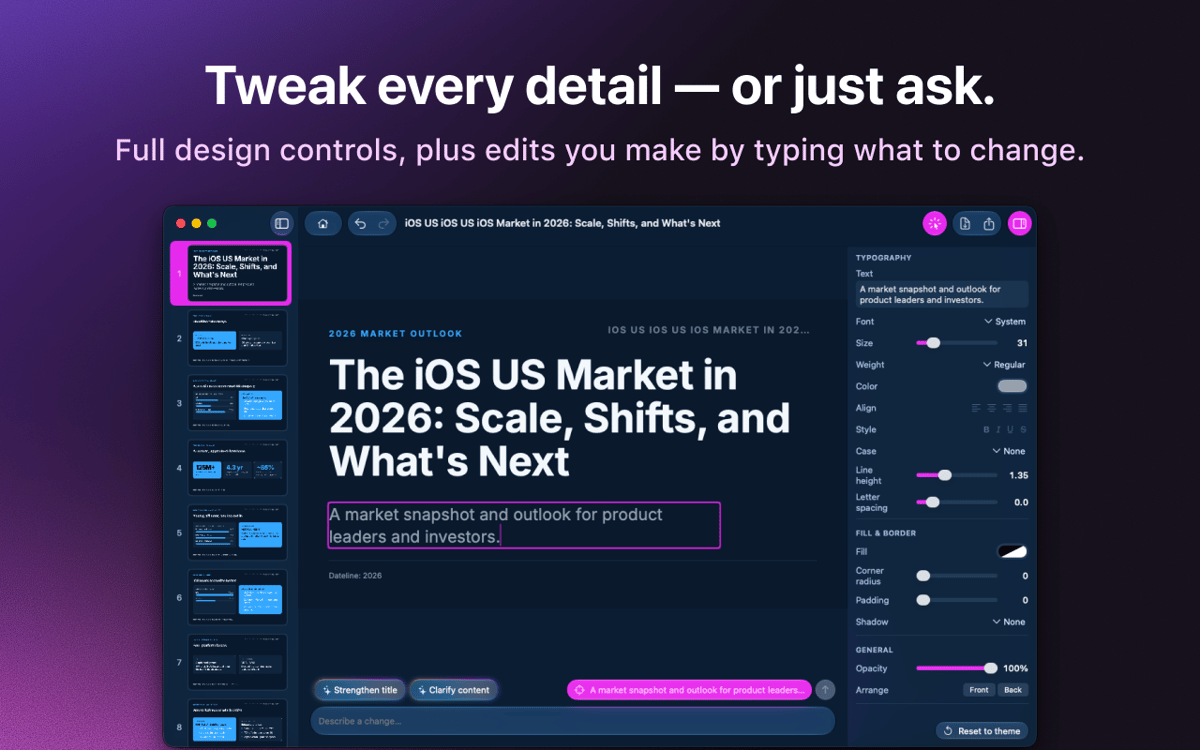
Bearbeiten Sie Bilder und Texte mühelos
KeyComposer-Funktionen
Präsentationen aus einem einzigen Prompt
Geben Sie ein, was Sie benötigen. KeyComposer erstellt in einem Durchgang eine vollständige Präsentation inklusive Struktur und Text.
Alles bearbeiten, nichts kaputt machen
Texte umschreiben, Folien neu anordnen und Layouts in einem visuellen Editor umgestalten. Kein HTML, kein Code.
Ihre Inhalte, Ihre Fakten
Fügen Sie Notizen, PDFs oder Dokumente hinzu, und KeyComposer erstellt die Präsentation darum herum, sodass die Folien immer korrekt bleiben.
Lizenzierte Bilder, sofort einsatzbereit
Durchsuchen Sie sorgfältig ausgewählte, ordnungsgemäß lizenzierte Stockfotos und platzieren Sie sie direkt auf einer Folie.
Export in jedes beliebige Format
Exportieren Sie Ihre Präsentation als PDF, PPTX, Keynote oder eigenständige HTML-Datei und öffnen Sie sie überall dort, wo Sie präsentieren.
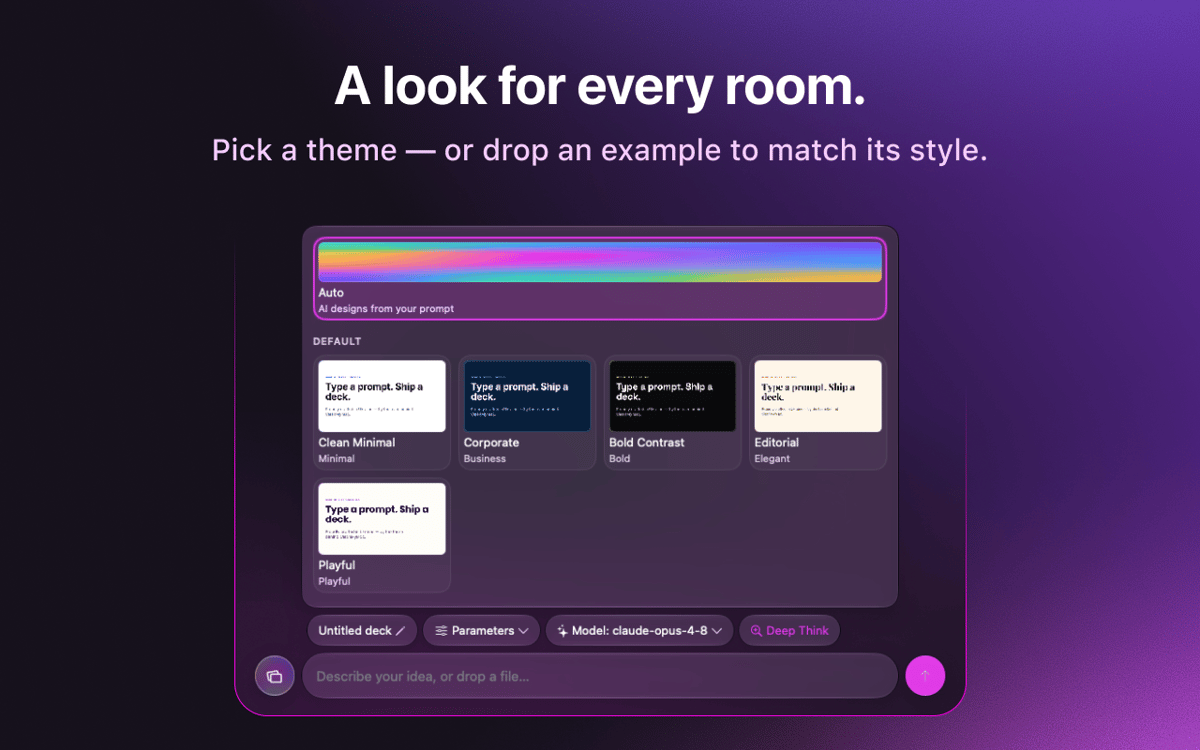
Markenvorlagen, die bestehen bleiben
Importieren Sie das Erscheinungsbild Ihrer Marke einmal und verwenden Sie es in allen Präsentationen wieder, um einen einheitlichen Look zu erzielen.
Bewertungen und Rezensionen
KeyComposer
•
18 Bewertungen
Anja
27. Aug. 2026
App-Version: 1.1.0
I love it! useful app, helps with your presentation in minutes
Nadir Palacios
19. Aug. 2026
App-Version: 1.1.0
Great app
Marek Skrabak
10. Aug. 2026
App-Version: 1.1.0
Wiped out 300 ai credits. did nothing.
Antwort vom Entwickler
11. Aug. 2026
Thank you for the feedback! To dig into your case, it would really help if you could email us at [email protected] and share how you built your deck — what you were creating and which settings you used. We appreciate you taking the time to try it.
Erhalten Sie Hunderte von Apps mit Membership
Werden Sie Setapp Member und nutzen Sie mit nur einem Abonnement hunderte genialer Apps.
Testen Sie 7 Tage kostenlos, im Anschluss nur eine einfach monatliche Gebühr.
Setapp auf dem Mac installieren
Erkunden Sie Apps für Mac, iOS und Web. Finden Sie einfache Möglichkeiten für die Bewältigung täglicher Aufgaben.

Die gesuchte App finden
In Setapp wartet eine wunderbare App auf Sie. Installieren Sie sie mit einem Klick.

KeyComposer
Abonnement wählen
Eine App oder mehr mit der Setapp Membership. Holen Sie sich Apps, so wie Sie es möchten.

Erhalten Sie Hunderte von Apps mit Membership
Werden Sie Setapp Member und nutzen Sie mit nur einem Abonnement hunderte genialer Apps.
Testen Sie 7 Tage kostenlos, im Anschluss nur eine einfach monatliche Gebühr.
1
Setapp auf dem Mac installieren
Erkunden Sie Apps für Mac, iOS und Web. Finden Sie einfache Möglichkeiten für die Bewältigung täglicher Aufgaben.
2
Die gesuchte App finden
In Setapp wartet eine wunderbare App auf Sie. Installieren Sie sie mit einem Klick.
KeyComposer
3
Abonnement wählen
Eine App oder mehr mit der Setapp Membership. Holen Sie sich Apps, so wie Sie es möchten.
Die besten Apps
Von Planung und Routineaufgaben bis hin zu kreativen Tätigkeiten und Programmieren – mit den Apps von Setapp sind Sie bestens für Aufgaben gerüstet.

TypingMind
KI-Chat mit alternativer UI
Text erzeugen oder zusammenfassen
Prompt-Bibliothek nutzen
KI

Spark Mail
E-Mails verwalten
KI

CleanMyMac
Datenmüll entfernen

Bartender
Menüleiste anpassen

CleanShot X
Vielseitige Bildschirmfotos aufnehmen

Luminar Neo
Fotos bearbeiten
KI

ClearVPN
Sichere Verbindung herstellen

Craft
Mit Dokumenten arbeiten
KI
KeyComposer
Vom Prompt zur ausgefeilten Präsentation