
Leftovers
Dateien mühelos sortieren
Mac
Version 1.3
macOS 14.6 oder neuer
26.3 MB
1 Sprachen
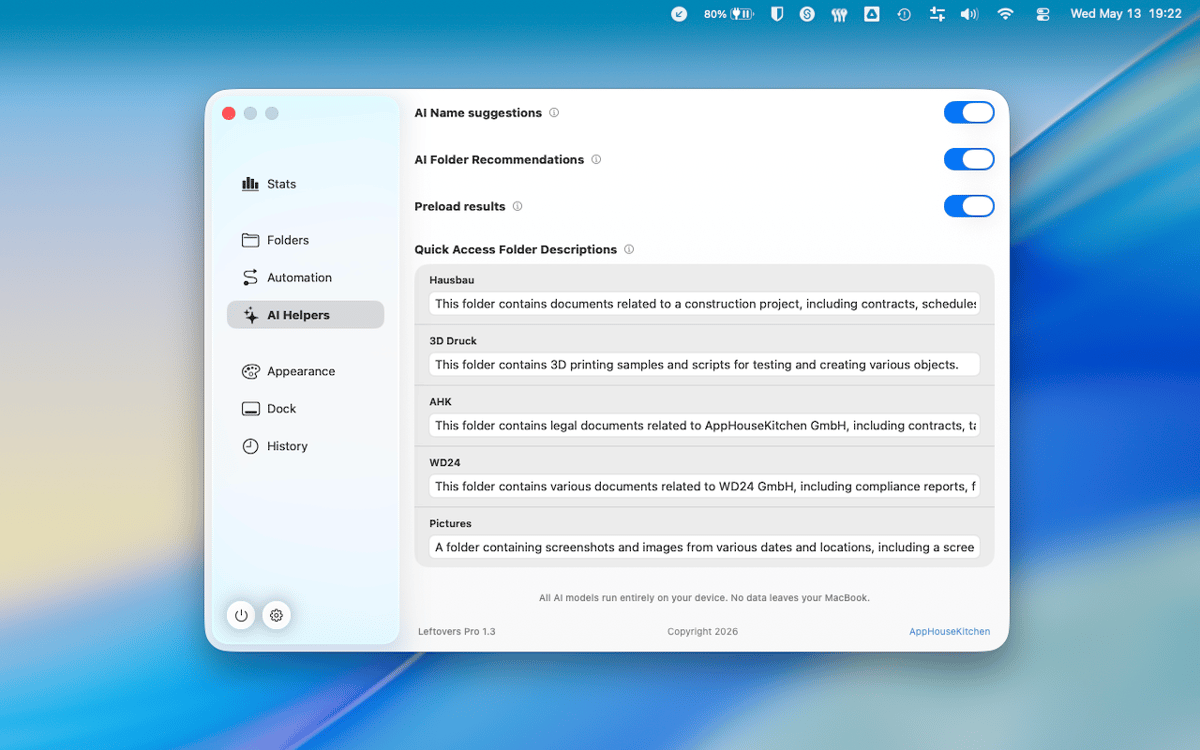
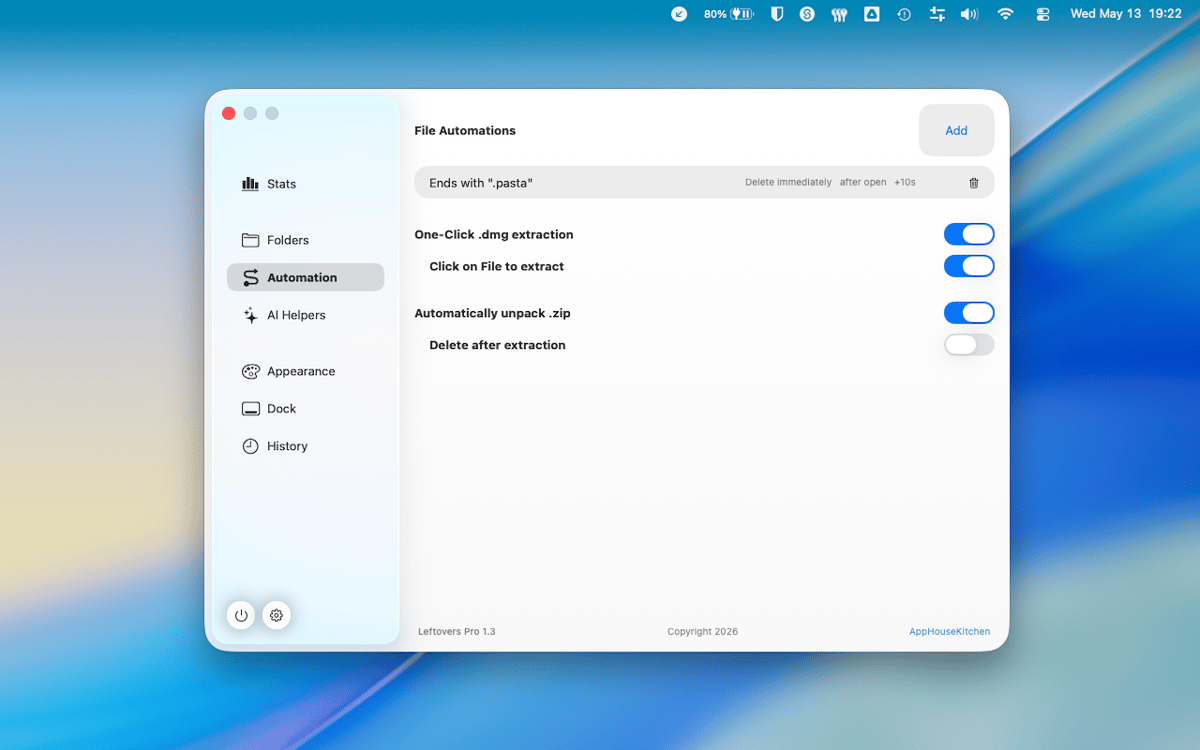
Leftovers ist ein Organizer für den Downloads-Ordner auf dem Mac. Ihr Downloads-Ordner ist wahrscheinlich ein Friedhof alter DMG-Dateien, zufälliger PDFs und Dateien, die Sie eigentlich schon vor sechs Monaten hätten aussortieren wollen. Leftovers behebt das mit einem Wisch – behalten Sie Dateien, löschen Sie sie oder verschieben Sie sie einzeln, ohne dass es sich wie eine lästige Pflicht anfühlt. Ein Popup-Fenster in der Notch benachrichtigt Sie Sekunden nach dem Eingang einer Datei, sodass sich gar nicht erst etwas ansammelt.
Räumen Sie Ihren Downloads-Ordner schnell auf
Sortieren Sie neue Dateien direkt bei der Ankunft
Dateien umbenennen und teilen ohne Finder
Behalten Sie nur das, was Sie wirklich brauchen
Leftovers-Funktionen
Zum Sortieren wischen
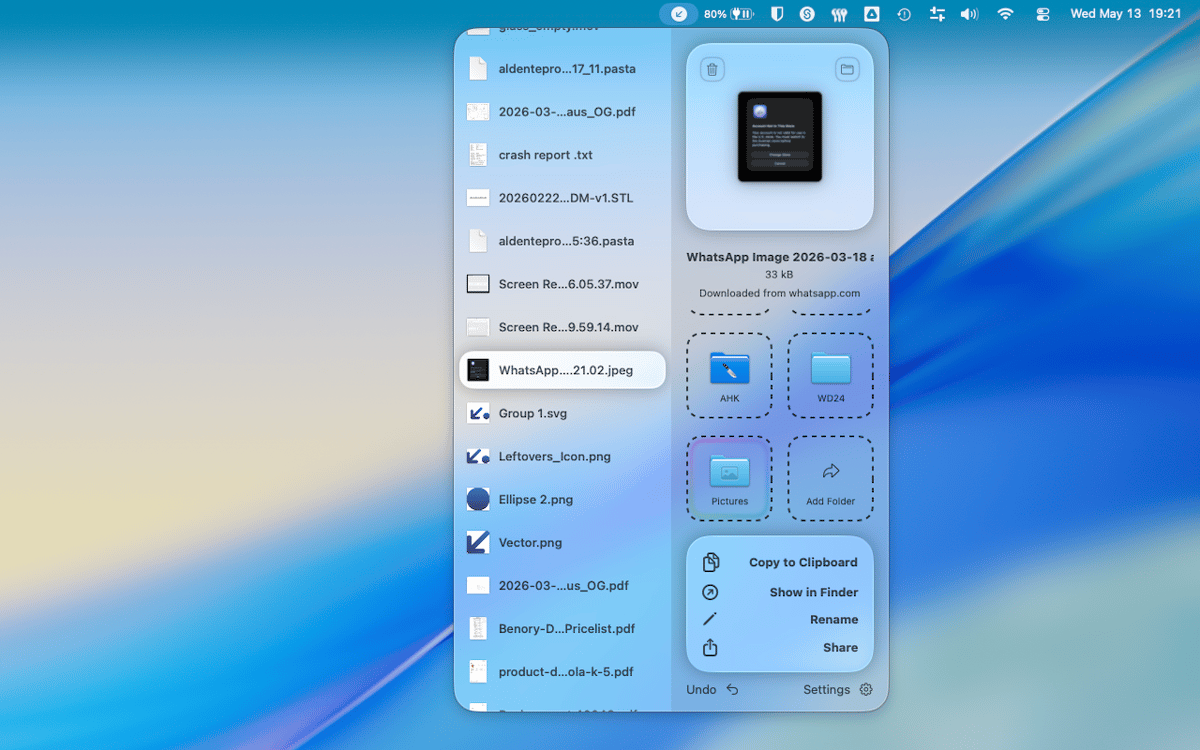
Räumen Sie Ihren Downloads-Ordner auf, als würden Sie durch Karten wischen. Wischen Sie eine Datei nach links, um sie in den Papierkorb zu verschieben, nach rechts, um sie zu behalten, oder ziehen Sie sie direkt in einen Ordner. Es ist schnell, befriedigend und überraschend schwer zu vermasseln.
Notch-Popup für neue Downloads
Wenige Sekunden nachdem eine Datei in Ihrem Downloads-Ordner gelandet ist, erscheint Leftovers in der Notch und fragt Sie, was Sie damit tun möchten. Kümmern Sie sich jetzt darum oder verschieben Sie es auf später – so oder so geht nichts verloren.
Schneller Zugriff, überall
Kopieren Sie eine Datei in die Zwischenablage, benennen Sie sie um oder teilen Sie sie – alles ohne Leftovers zu verlassen oder Finder zu öffnen. Schnellzugriffsfunktionen sind da, wenn Sie sie brauchen, und verschwinden, wenn Sie sie nicht benötigen.
Alles rückgängig machen
Einen Fehler gemacht? Jede Aktion in Leftovers kann rückgängig gemacht werden. Haben Sie etwas in den falschen Ordner verschoben oder die falsche Datei gelöscht? Einfach rückgängig machen und weitermachen. Kein Grund zur Panik.
Funktioniert mit jedem Ordner
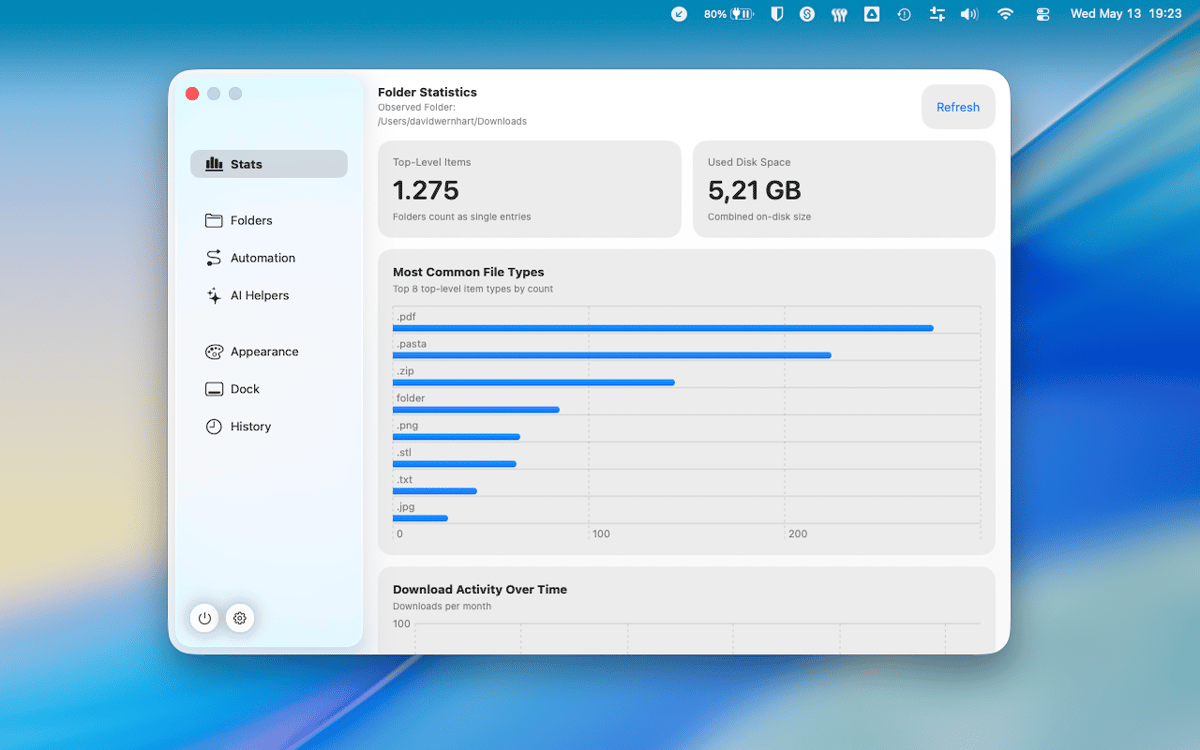
Der Download-Ordner ist die Standardeinstellung, aber Leftovers funktioniert mit jedem beliebigen Ordner, den Sie auswählen. Desktop-Chaos, Projektordner, Screenshot-Sammlungen – derselbe Durchblätter-Workflow, überall auf Ihrem Mac.
Keine Daten erfasst
Leftovers sammelt keine Daten von Ihnen. Was auf Ihrem Mac ist, bleibt auf Ihrem Mac. Punkt.
Erhalten Sie Hunderte von Apps mit Membership
Werden Sie Setapp Member und nutzen Sie mit nur einem Abonnement hunderte genialer Apps.
Testen Sie 7 Tage kostenlos, im Anschluss nur eine einfach monatliche Gebühr.
Setapp auf dem Mac installieren
Erkunden Sie Apps für Mac, iOS und Web. Finden Sie einfache Möglichkeiten für die Bewältigung täglicher Aufgaben.

Die gesuchte App finden
In Setapp wartet eine wunderbare App auf Sie. Installieren Sie sie mit einem Klick.

Leftovers
Abonnement wählen
Eine App oder mehr mit der Setapp Membership. Holen Sie sich Apps, so wie Sie es möchten.

Erhalten Sie Hunderte von Apps mit Membership
Werden Sie Setapp Member und nutzen Sie mit nur einem Abonnement hunderte genialer Apps.
Testen Sie 7 Tage kostenlos, im Anschluss nur eine einfach monatliche Gebühr.
1
Setapp auf dem Mac installieren
Erkunden Sie Apps für Mac, iOS und Web. Finden Sie einfache Möglichkeiten für die Bewältigung täglicher Aufgaben.
2
Die gesuchte App finden
In Setapp wartet eine wunderbare App auf Sie. Installieren Sie sie mit einem Klick.
Leftovers
3
Abonnement wählen
Eine App oder mehr mit der Setapp Membership. Holen Sie sich Apps, so wie Sie es möchten.
Die besten Apps
Von Planung und Routineaufgaben bis hin zu kreativen Tätigkeiten und Programmieren – mit den Apps von Setapp sind Sie bestens für Aufgaben gerüstet.

TypingMind
KI-Chat mit alternativer UI
Text erzeugen oder zusammenfassen
Prompt-Bibliothek nutzen
KI

Spark Mail
E-Mails verwalten
KI

CleanMyMac
Datenmüll entfernen

Bartender
Menüleiste anpassen

CleanShot X
Vielseitige Bildschirmfotos aufnehmen

Luminar Neo
Fotos bearbeiten
KI

ClearVPN
Sichere Verbindung herstellen

Craft
Mit Dokumenten arbeiten
KI
Leftovers
Dateien mühelos sortieren