
Mint
Your Mac, tidy by default

Mac
Version 1.0.83
macOS 14.0 oder neuer
140.8 MB
11 Sprachen
Mint is a Mac cleanup and file organizer app. Pick any folder, set rules for how it should stay organized, and let Mint handle the rest — on schedule, from the menu bar. It also helps you reclaim storage, free up memory, remove apps cleanly, and redact sensitive details before sharing files. Everything happens on-device, every action is logged, and nothing moves without your say-so.
Organize files by type, date, or topic
Find and remove storage hogs
Uninstall apps without leftovers
Redact sensitive data before sharing
Mint-Funktionen
Keep your folders organized, automatically
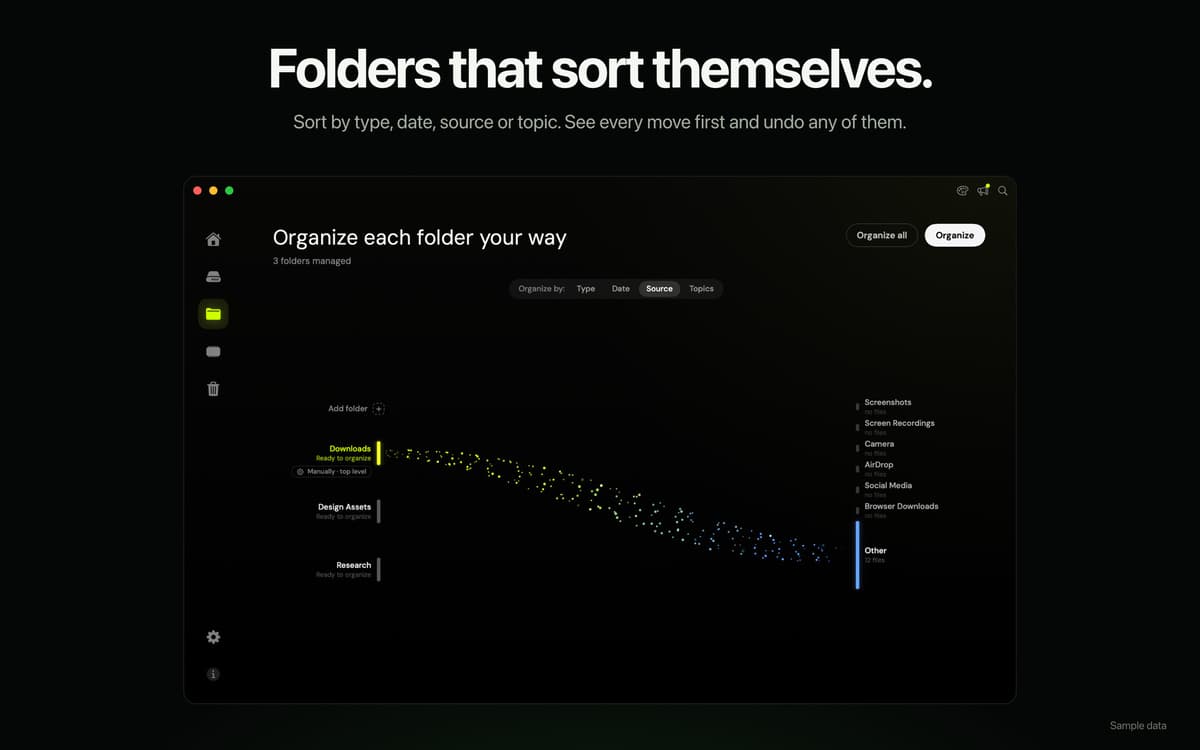
Choose any folder and tell Mint how to sort it — by file type, date, source, or topic. Mint shows you a preview before moving anything, remembers your rules per folder, and can run them on a schedule straight from the menu bar. Your Downloads folder will never be a mystery again.
Reclaim storage without the guesswork
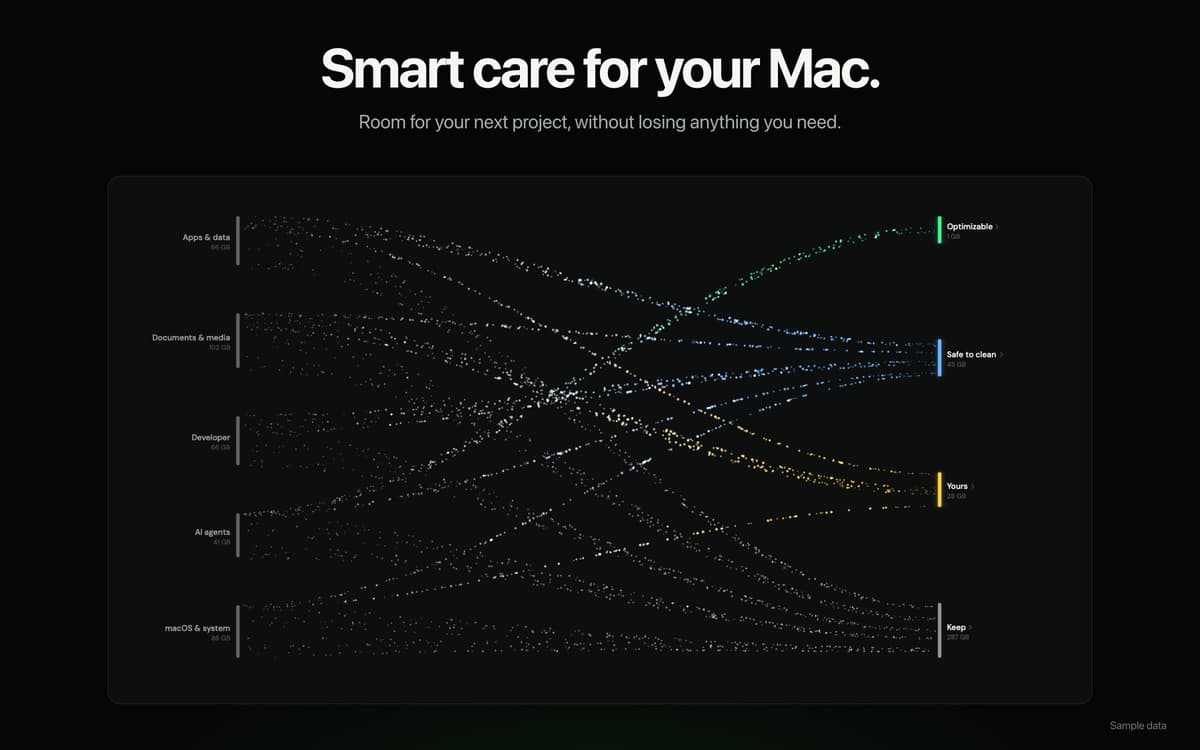
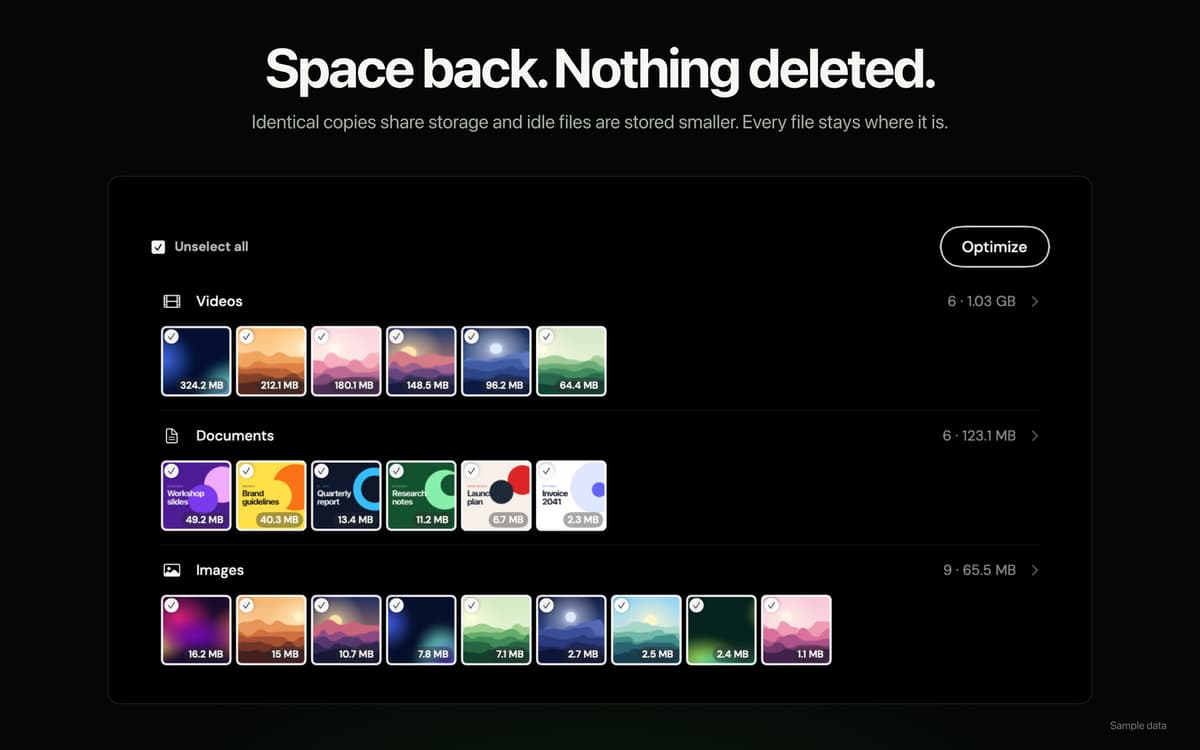
Mint scans for caches, duplicates, large files, old installers, and other things quietly eating up your disk. See exactly what's taking up space and clear it out — no random deletion, no surprises. Just a cleaner Mac with more room to breathe.
Free up memory when it matters
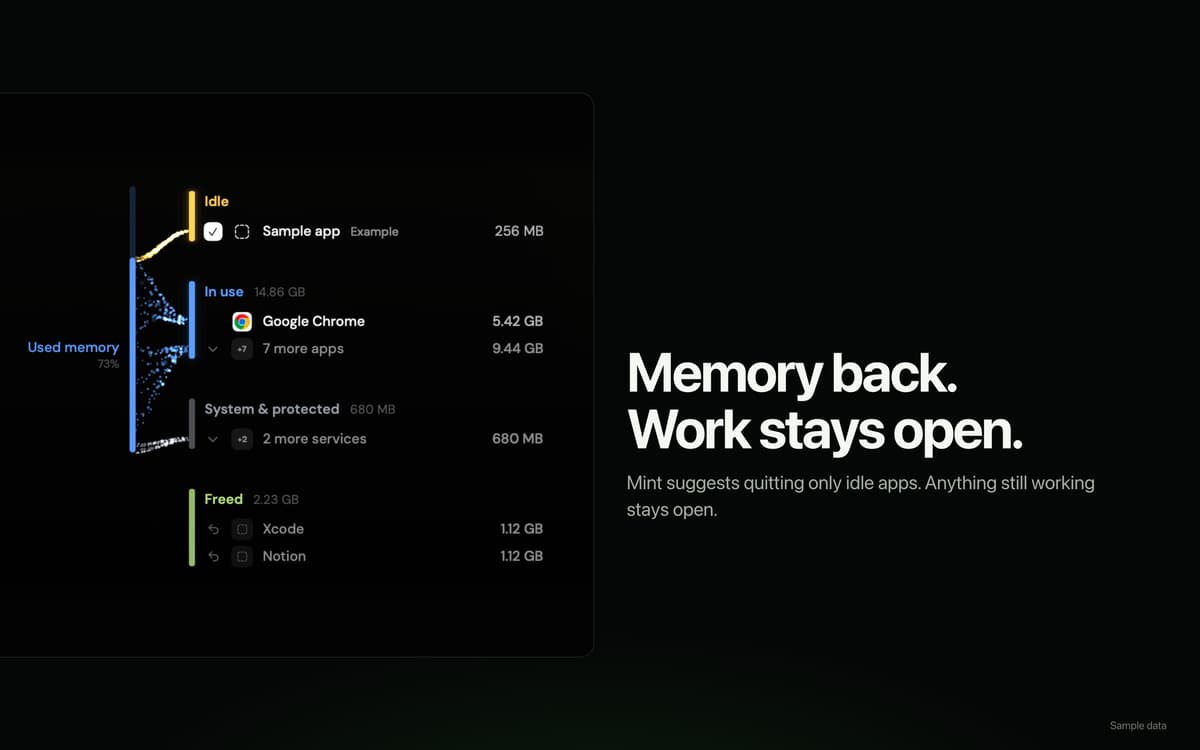
See memory usage broken down by app, and politely quit background processes that are hogging resources. Mint keeps things running smoothly without you having to open Activity Monitor every time your Mac starts dragging.
Uninstall apps the right way
Moving an app to Trash doesn't actually remove everything it left behind. Mint finds and removes the support files, preferences, and caches that go along with it — so your Mac stays genuinely clean, not just tidier on the surface.
Redact sensitive details before you share
Need to send a file but want to scrub out account numbers, IDs, or other private details first? Mint lets you redact sensitive content before sharing, so you don't have to worry about what slips through.
Safe by design, private by default
File analysis and content processing happen entirely on-device. Mint doesn't upload your filenames, folder structure, file contents, or activity history. Every operation is logged in a searchable activity log, and anything Mint touches can be undone or restored from Trash.
Bewertungen und Rezensionen
Mint
•
1 Bewertungen
Rachel
6. Okt. 2026
App-Version: 1.0.83
Love the disk optimization and automation! Frees up space without deleting my files
Erhalten Sie Hunderte von Apps mit Membership
Werden Sie Setapp Member und nutzen Sie mit nur einem Abonnement hunderte genialer Apps.
Testen Sie 7 Tage kostenlos, im Anschluss nur eine einfach monatliche Gebühr.
Setapp auf dem Mac installieren
Erkunden Sie Apps für Mac, iOS und Web. Finden Sie einfache Möglichkeiten für die Bewältigung täglicher Aufgaben.

Die gesuchte App finden
In Setapp wartet eine wunderbare App auf Sie. Installieren Sie sie mit einem Klick.

Mint
Abonnement wählen
Eine App oder mehr mit der Setapp Membership. Holen Sie sich Apps, so wie Sie es möchten.

Erhalten Sie Hunderte von Apps mit Membership
Werden Sie Setapp Member und nutzen Sie mit nur einem Abonnement hunderte genialer Apps.
Testen Sie 7 Tage kostenlos, im Anschluss nur eine einfach monatliche Gebühr.
1
Setapp auf dem Mac installieren
Erkunden Sie Apps für Mac, iOS und Web. Finden Sie einfache Möglichkeiten für die Bewältigung täglicher Aufgaben.
2
Die gesuchte App finden
In Setapp wartet eine wunderbare App auf Sie. Installieren Sie sie mit einem Klick.
Mint
3
Abonnement wählen
Eine App oder mehr mit der Setapp Membership. Holen Sie sich Apps, so wie Sie es möchten.
Die besten Apps
Von Planung und Routineaufgaben bis hin zu kreativen Tätigkeiten und Programmieren – mit den Apps von Setapp sind Sie bestens für Aufgaben gerüstet.

TypingMind
KI-Chat mit alternativer UI
Text erzeugen oder zusammenfassen
Prompt-Bibliothek nutzen
KI

Spark Mail
E-Mails verwalten
KI

CleanMyMac
Datenmüll entfernen

Bartender
Menüleiste anpassen

CleanShot X
Vielseitige Bildschirmfotos aufnehmen

Luminar Neo
Fotos bearbeiten
KI

ClearVPN
Sichere Verbindung herstellen

Craft
Mit Dokumenten arbeiten
KI
Mint
Your Mac, tidy by default