
Mirror Input
Any device. Any app. Live
Mac
Version 1.2.3
macOS 14.0 oder neuer
18.1 MB
1 Sprachen
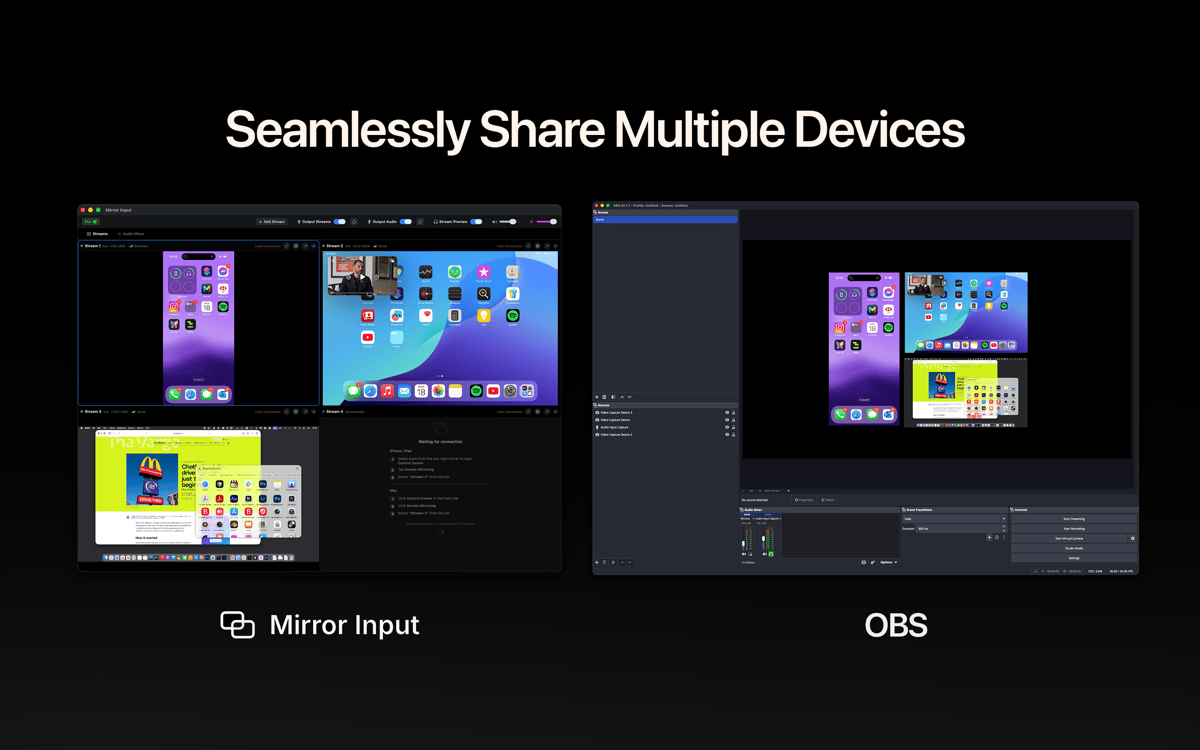
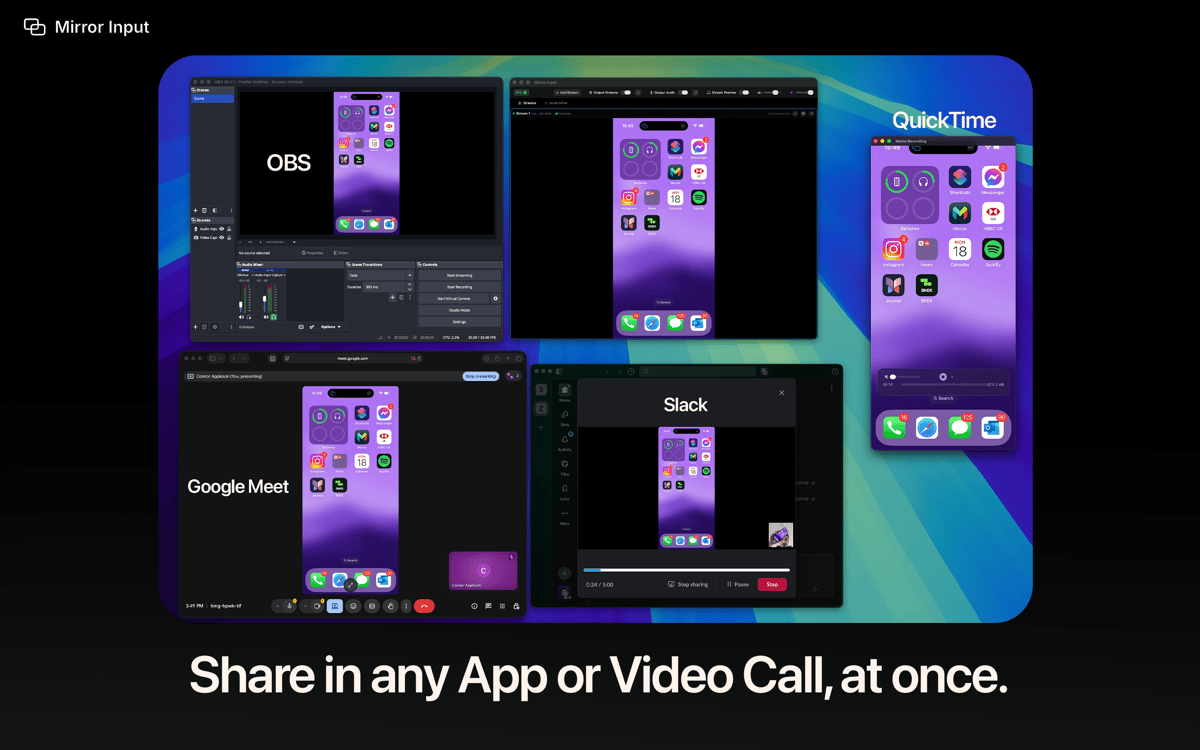
Mirror Input — Turn your iPhone, iPad, Vision Pro, or another Mac into a real camera source in Zoom, Teams, OBS, FaceTime, and any app with a camera picker — or share any stream as a window straight from your video app's screen-share picker. It's all wireless over Apple's built-in Screen Mirroring, so there's nothing to install on the sending device — no cables, no capture cards. Pick it like a camera | share it like a window. You're live in under a minute.
Demo iPhone apps with 1:1 touch mirroring
Record a 4K Vision Pro preview video
Turn your iPad into a teaching whiteboard
Run a wireless multi-Mac studio
Mirror Input-Funktionen
Virtual Camera | Shareable Window
Pick any device as a camera source, or share it as a window from your video app's screen-share picker. Two ways, ultimate flexibility. No plugins needed.
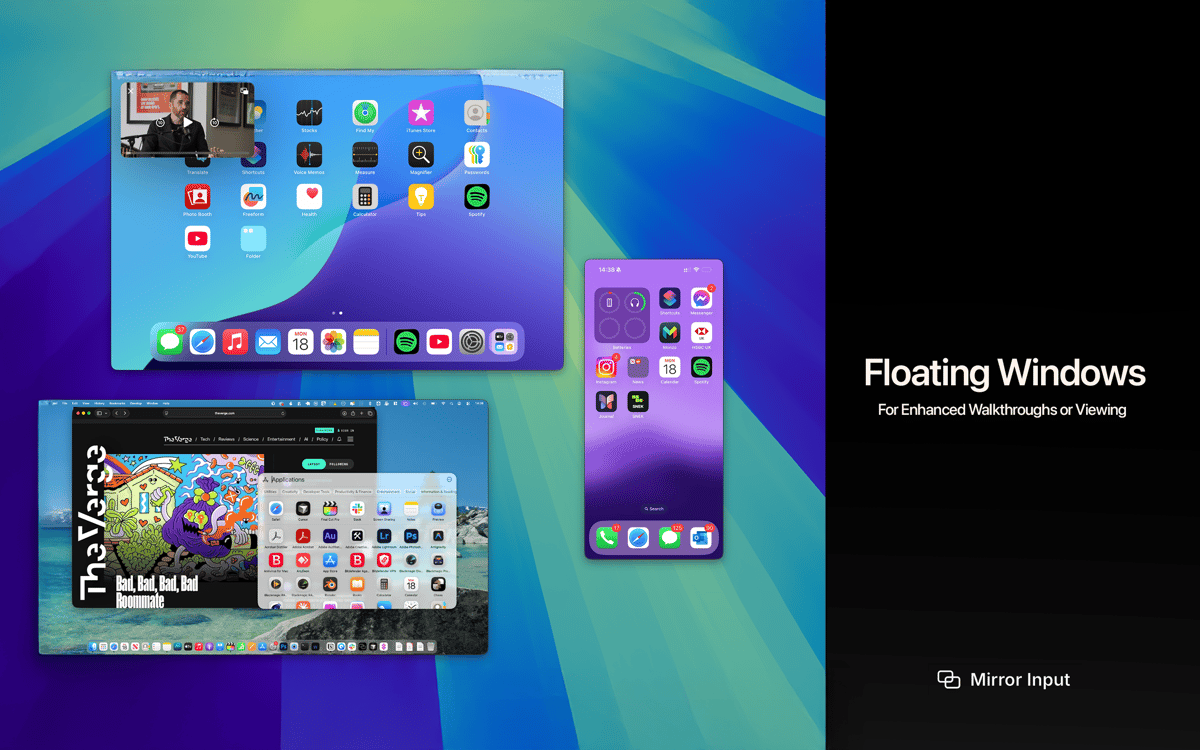
Floating Window
Pin any stream above every app and follow it across Spaces — perfect for keeping your iPad in the corner of the screen while you record, or floating a reference device through a presentation. Resizable, aspect-locked, no black bars.
Up to six devices, one Mac
Stream iPhones, iPads, Vision Pros, and other Macs into the same scene — each with its own dedicated feed. Ideal for multi-device demos, tutorials, and that fully wireless Apple studio.
4K at 60 fps
Hardware-accelerated decoding and direct GPU rendering keep multiple streams smooth, even on a busy network. Smart sync keeps audio and video aligned through bumps and dropped frames.
Wireless audio mixer
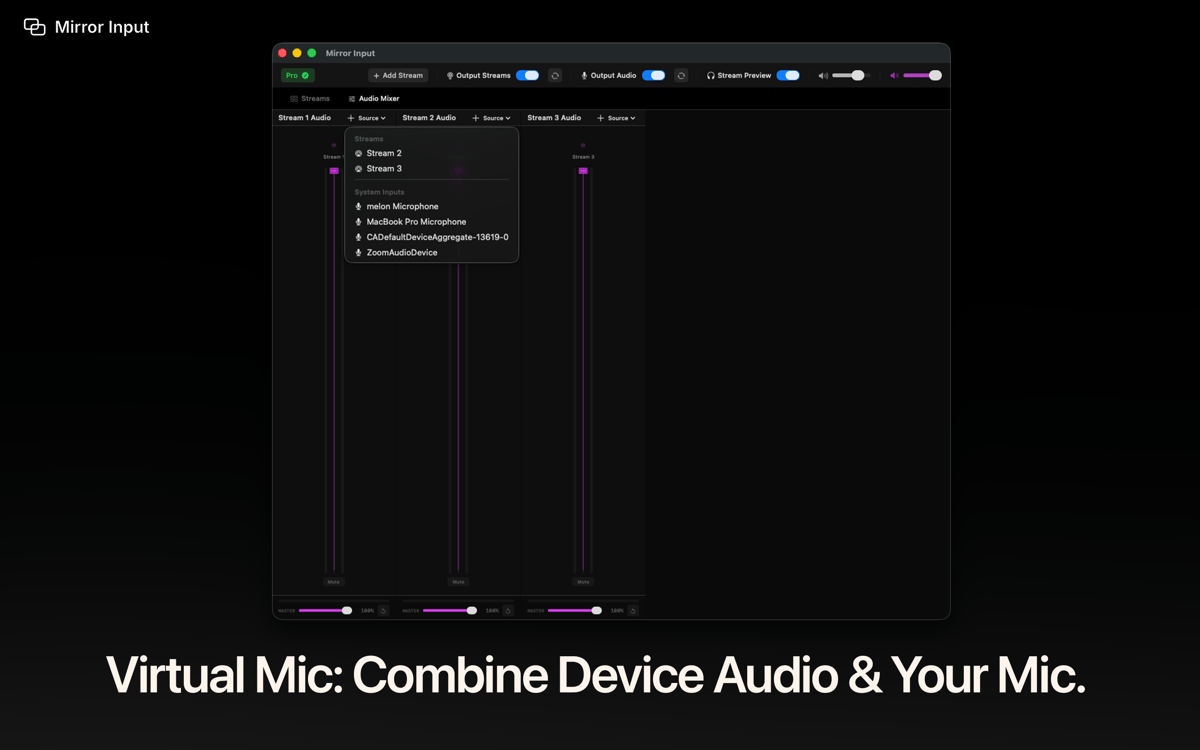
Blend device audio with your microphone into one clean virtual mic any app can pick up. Perfect for gameplay, demos, and live presentations.
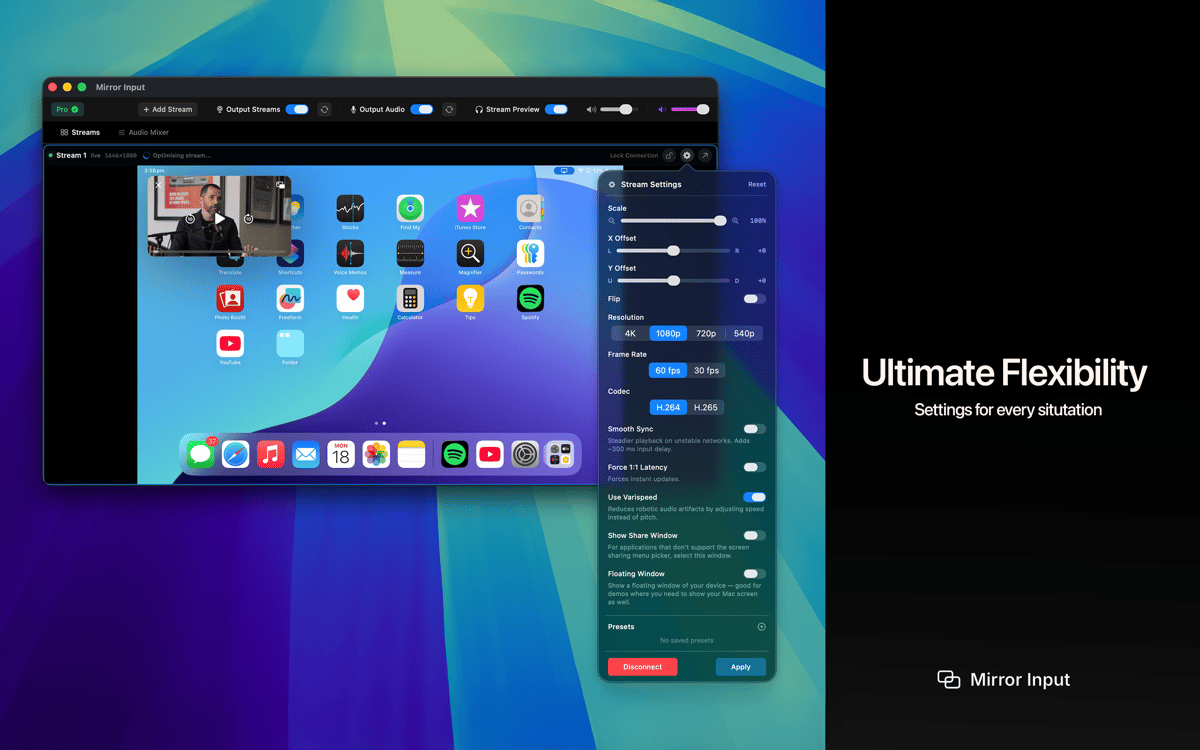
Transform controls
Scale, crop, offset, rotate, or flip each stream independently. Save presets and switch setups instantly between calls.
Erhalten Sie Hunderte von Apps mit Membership
Werden Sie Setapp Member und nutzen Sie mit nur einem Abonnement hunderte genialer Apps.
Testen Sie 7 Tage kostenlos, im Anschluss nur eine einfach monatliche Gebühr.
Setapp auf dem Mac installieren
Erkunden Sie Apps für Mac, iOS und Web. Finden Sie einfache Möglichkeiten für die Bewältigung täglicher Aufgaben.

Die gesuchte App finden
In Setapp wartet eine wunderbare App auf Sie. Installieren Sie sie mit einem Klick.

Mirror Input
Abonnement wählen
Eine App oder mehr mit der Setapp Membership. Holen Sie sich Apps, so wie Sie es möchten.

Erhalten Sie Hunderte von Apps mit Membership
Werden Sie Setapp Member und nutzen Sie mit nur einem Abonnement hunderte genialer Apps.
Testen Sie 7 Tage kostenlos, im Anschluss nur eine einfach monatliche Gebühr.
1
Setapp auf dem Mac installieren
Erkunden Sie Apps für Mac, iOS und Web. Finden Sie einfache Möglichkeiten für die Bewältigung täglicher Aufgaben.
2
Die gesuchte App finden
In Setapp wartet eine wunderbare App auf Sie. Installieren Sie sie mit einem Klick.
Mirror Input
3
Abonnement wählen
Eine App oder mehr mit der Setapp Membership. Holen Sie sich Apps, so wie Sie es möchten.
Die besten Apps
Von Planung und Routineaufgaben bis hin zu kreativen Tätigkeiten und Programmieren – mit den Apps von Setapp sind Sie bestens für Aufgaben gerüstet.

TypingMind
KI-Chat mit alternativer UI
Text erzeugen oder zusammenfassen
Prompt-Bibliothek nutzen
KI

Spark Mail
E-Mails verwalten
KI

CleanMyMac
Datenmüll entfernen

Bartender
Menüleiste anpassen

CleanShot X
Vielseitige Bildschirmfotos aufnehmen

Luminar Neo
Fotos bearbeiten
KI

ClearVPN
Sichere Verbindung herstellen

Craft
Mit Dokumenten arbeiten
KI
Mirror Input
Any device. Any app. Live