Moonlock
Protect Mac from cyber threats

Mac
Version 1.0.18
macOS 13.0 oder neuer
575.4 MB
12 Sprachen
Don’t you feel that cybersecurity software has become too complex? Something we’re expected to trust blindly and never truly understand. Moonlock is here to make cybersecurity more user-friendly. Forget the vague and scary ways of security software. Finally, it speaks, looks, and feels uncomplicated.
Check how well-protected you are
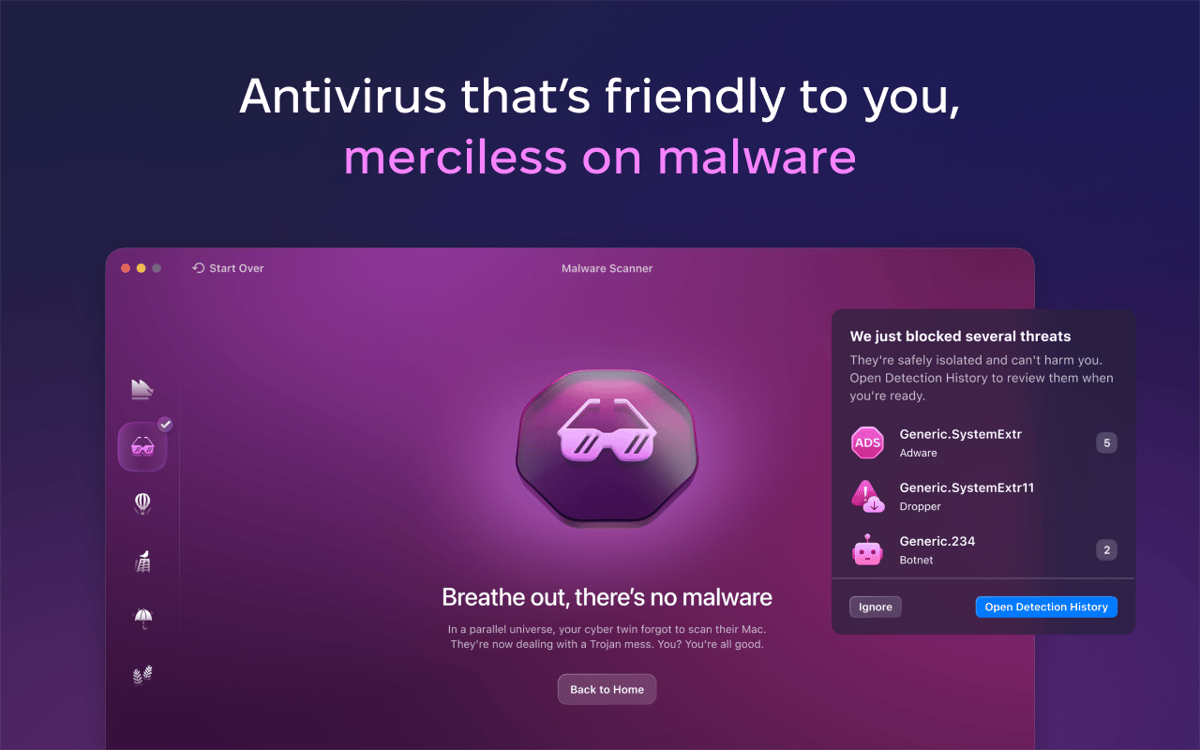
Find hidden malware
Reduce the risk of cyber attacks
Never doubt your Mac’s security again
Moonlock-Funktionen
Find out your protection level
Moonlock checks how many security tools are active on your Mac and gives personalized recommendations on how to improve your security posture. As you’re following Moonlock’s advice or neutralizing cyber threats, your level changes, showing your progress toward a safer Mac.
Get to know malware
When Moonlock finds malware, you’ll see what type it is, how it’s dangerous, and what to do next. Track all removed malware to see if there’s a pattern and use this knowledge to avoid risky files in the future.
Check macOS security settings
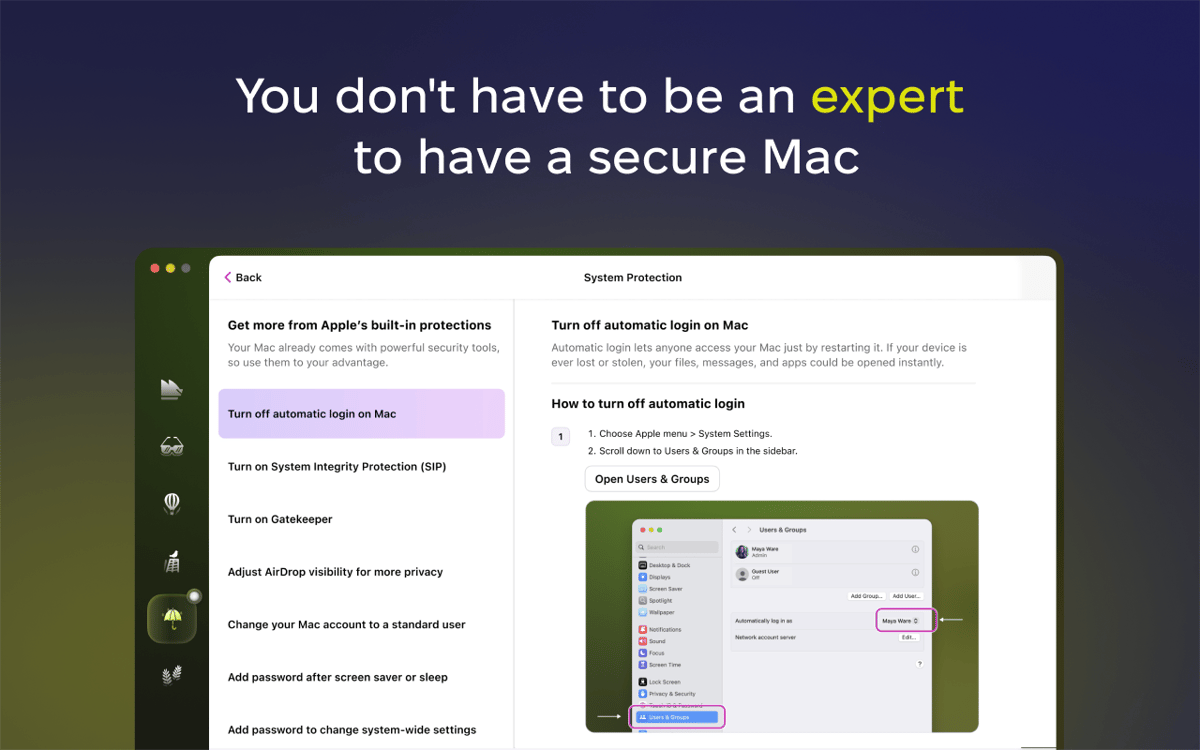
Set up all Apple security tools without taking your Mac to the Apple Store or searching for tutorials online. Moonlock has it all ready for you. Follow its step-by-step instructions to turn on Mac settings that keep you safe — and turn off those that put you at risk.
Hide your browsing
Your IP address can reveal your approximate location, internet service provider, and even help hackers piece together your visits on different websites. Moonlock hides this address with a VPN, replacing it with one from a secure server somewhere else in the world.
Limit your Mac connections
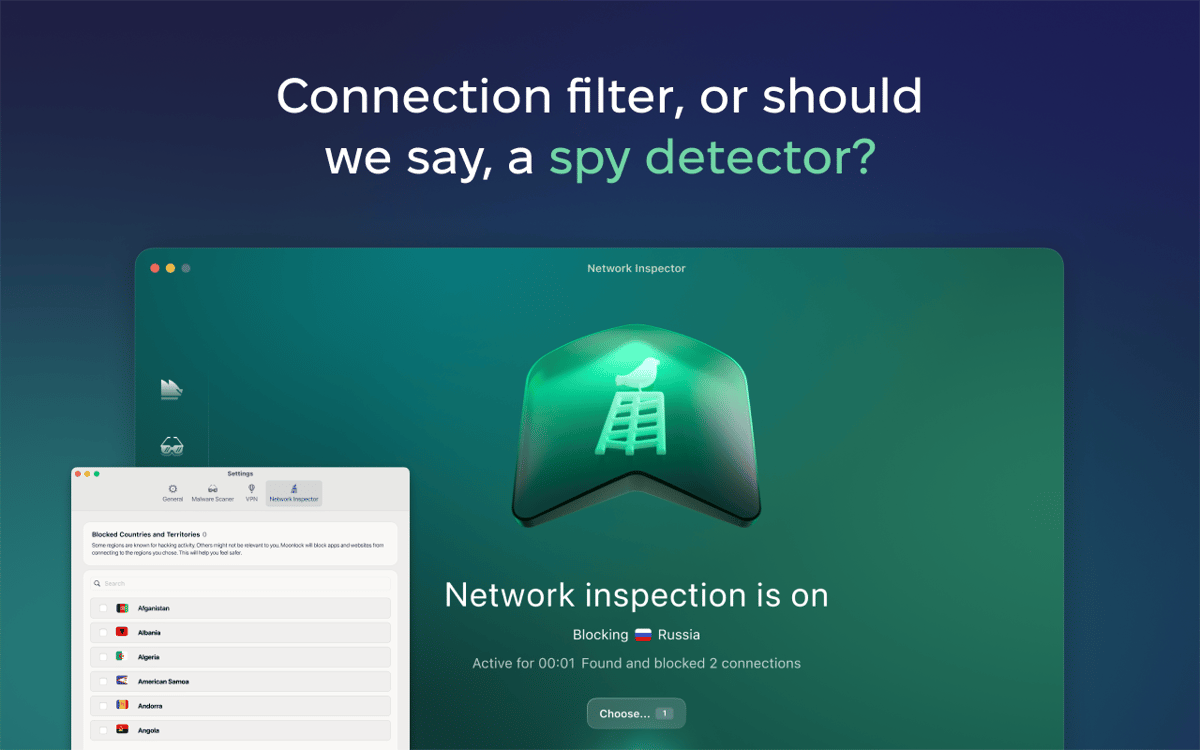
Some countries are known for hacking activity, and some are simply not relevant to you. If you never need to connect to those regions, why let them connect to your Mac? Use Moonlock to block these connections, and you’ll instantly cut off a major source of digital threats.
Learn cybersecurity fundamentals
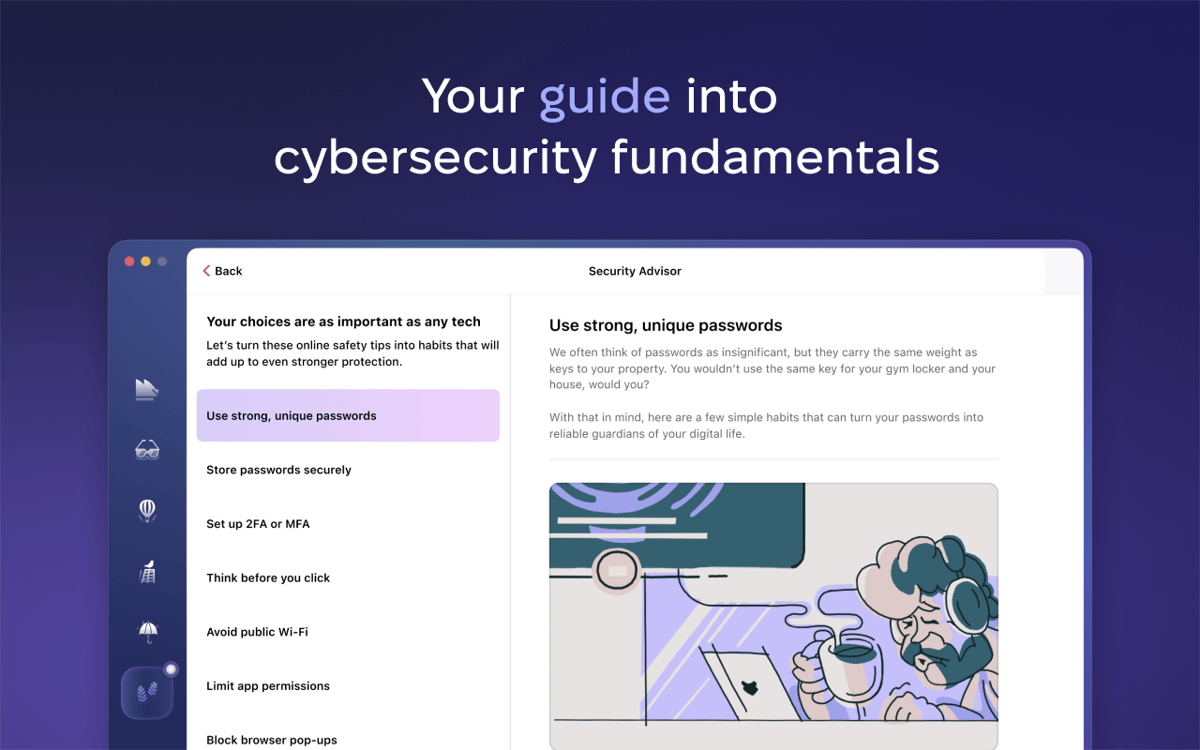
Moonlock comes with a collection of simple habits that anyone can adopt to stay safer online. When you follow them through, like choosing stronger passwords or checking links before clicking, you’re doing something no app can do for you: creating the most personalized online protection there is.
Bewertungen und Rezensionen
Moonlock
•
515 Bewertungen
Troy McCall
1. Okt. 2026
App-Version: 1.0.18
loving the deeper malware analysis
Abhishek Aryan
19. Sept. 2026
App-Version: 1.0.18
uses too many resources
Olaf Owens
19. Aug. 2026
App-Version: 1.0.16
Great App but I can not use VPN. The locations will not come up to be assed.
Erhalten Sie Hunderte von Apps mit Membership
Werden Sie Setapp Member und nutzen Sie mit nur einem Abonnement hunderte genialer Apps.
Testen Sie 7 Tage kostenlos, im Anschluss nur eine einfach monatliche Gebühr.
Setapp auf dem Mac installieren
Erkunden Sie Apps für Mac, iOS und Web. Finden Sie einfache Möglichkeiten für die Bewältigung täglicher Aufgaben.

Die gesuchte App finden
In Setapp wartet eine wunderbare App auf Sie. Installieren Sie sie mit einem Klick.

Moonlock
Abonnement wählen
Eine App oder mehr mit der Setapp Membership. Holen Sie sich Apps, so wie Sie es möchten.

Erhalten Sie Hunderte von Apps mit Membership
Werden Sie Setapp Member und nutzen Sie mit nur einem Abonnement hunderte genialer Apps.
Testen Sie 7 Tage kostenlos, im Anschluss nur eine einfach monatliche Gebühr.
1
Setapp auf dem Mac installieren
Erkunden Sie Apps für Mac, iOS und Web. Finden Sie einfache Möglichkeiten für die Bewältigung täglicher Aufgaben.
2
Die gesuchte App finden
In Setapp wartet eine wunderbare App auf Sie. Installieren Sie sie mit einem Klick.
Moonlock
3
Abonnement wählen
Eine App oder mehr mit der Setapp Membership. Holen Sie sich Apps, so wie Sie es möchten.
Die besten Apps
Von Planung und Routineaufgaben bis hin zu kreativen Tätigkeiten und Programmieren – mit den Apps von Setapp sind Sie bestens für Aufgaben gerüstet.

TypingMind
KI-Chat mit alternativer UI
Text erzeugen oder zusammenfassen
Prompt-Bibliothek nutzen
KI

Spark Mail
E-Mails verwalten
KI

CleanMyMac
Datenmüll entfernen

Bartender
Menüleiste anpassen

CleanShot X
Vielseitige Bildschirmfotos aufnehmen

Luminar Neo
Fotos bearbeiten
KI

ClearVPN
Sichere Verbindung herstellen

Craft
Mit Dokumenten arbeiten
KI
Moonlock
Protect Mac from cyber threats