
NameQuick
AI file renamer for Mac
Mac
Version 3.0.35
macOS 12.0 oder neuer
224.4 MB
4 Sprachen
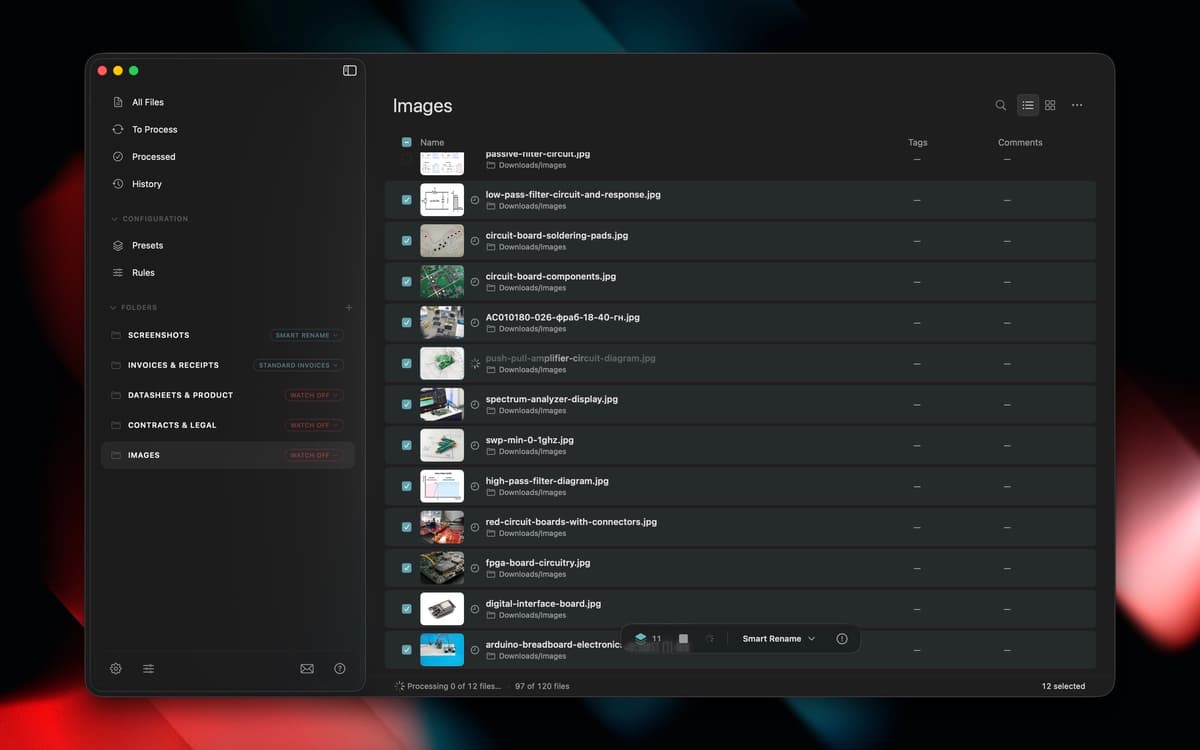
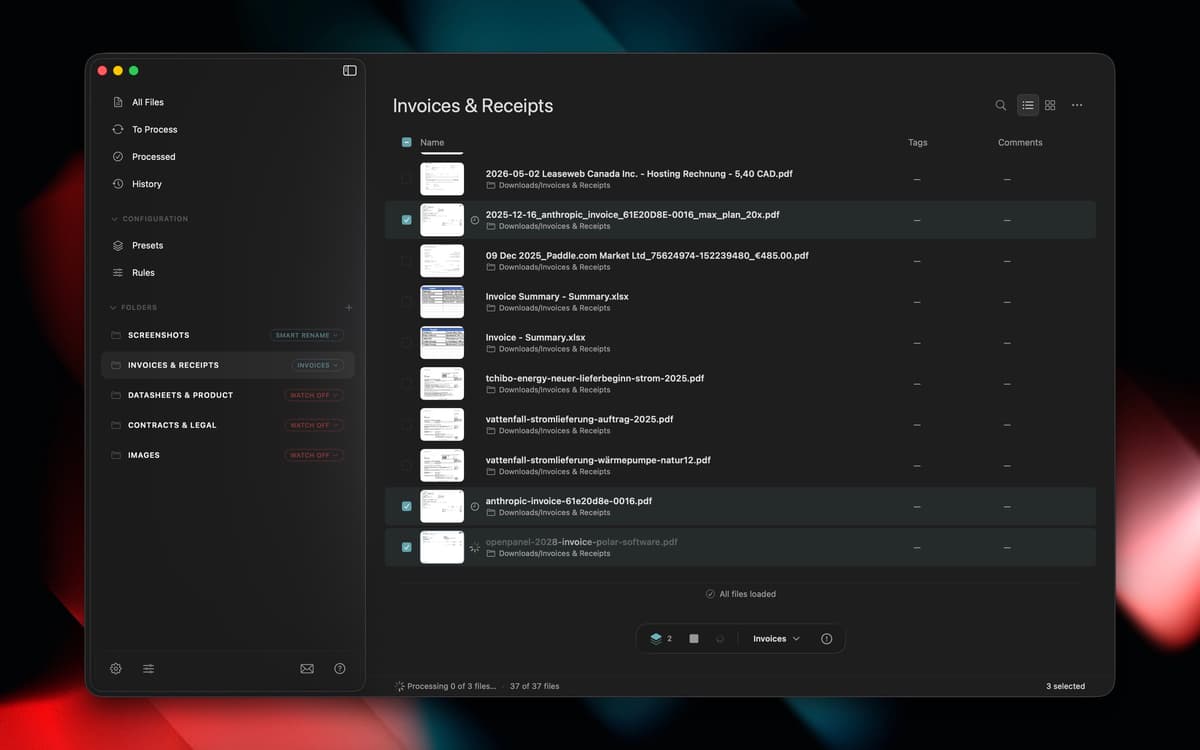
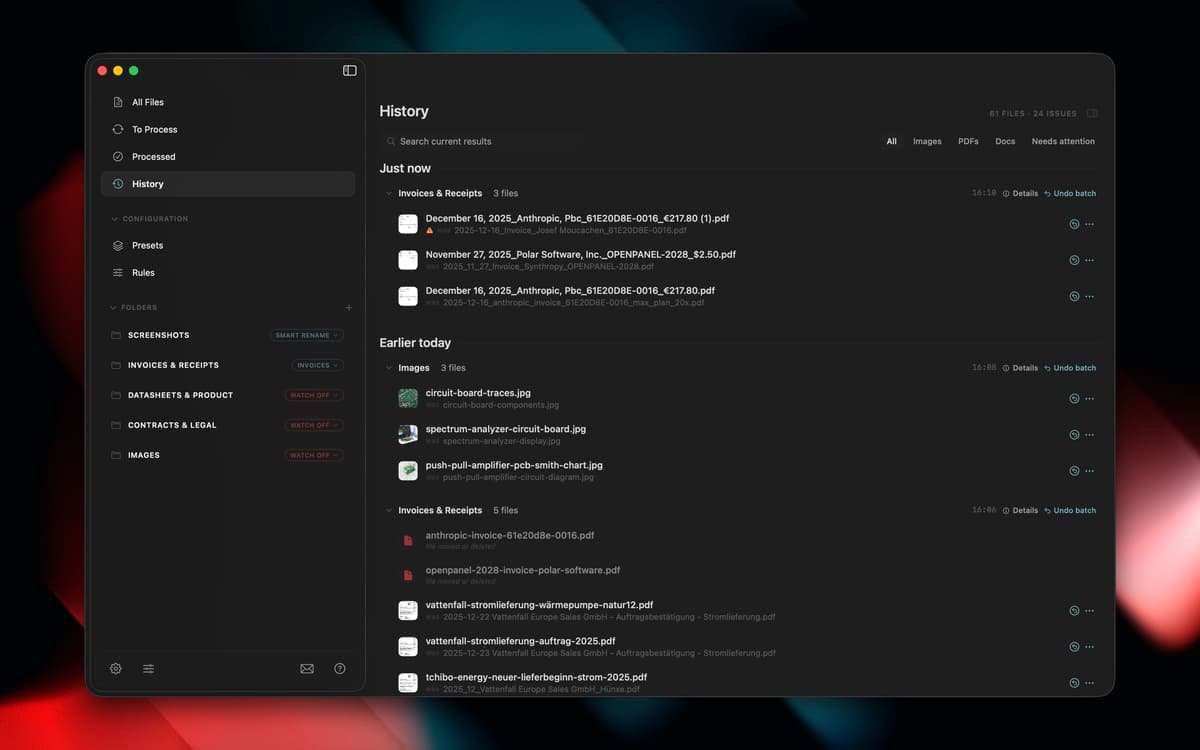
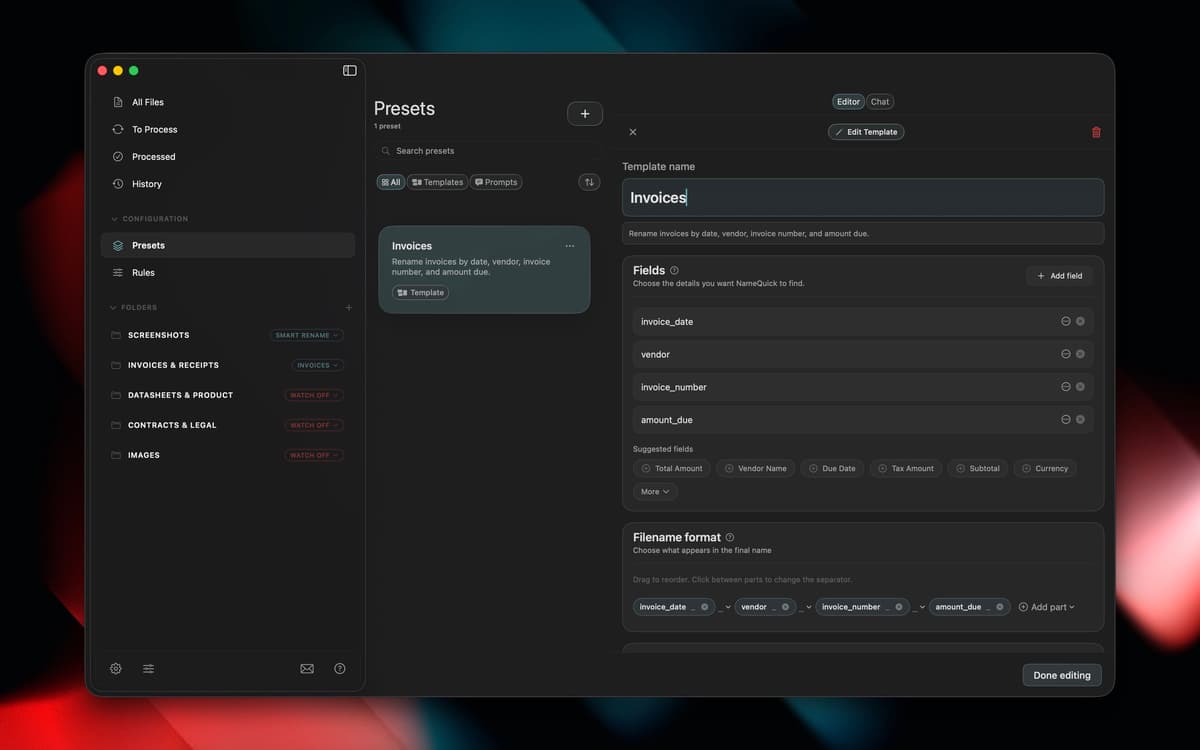
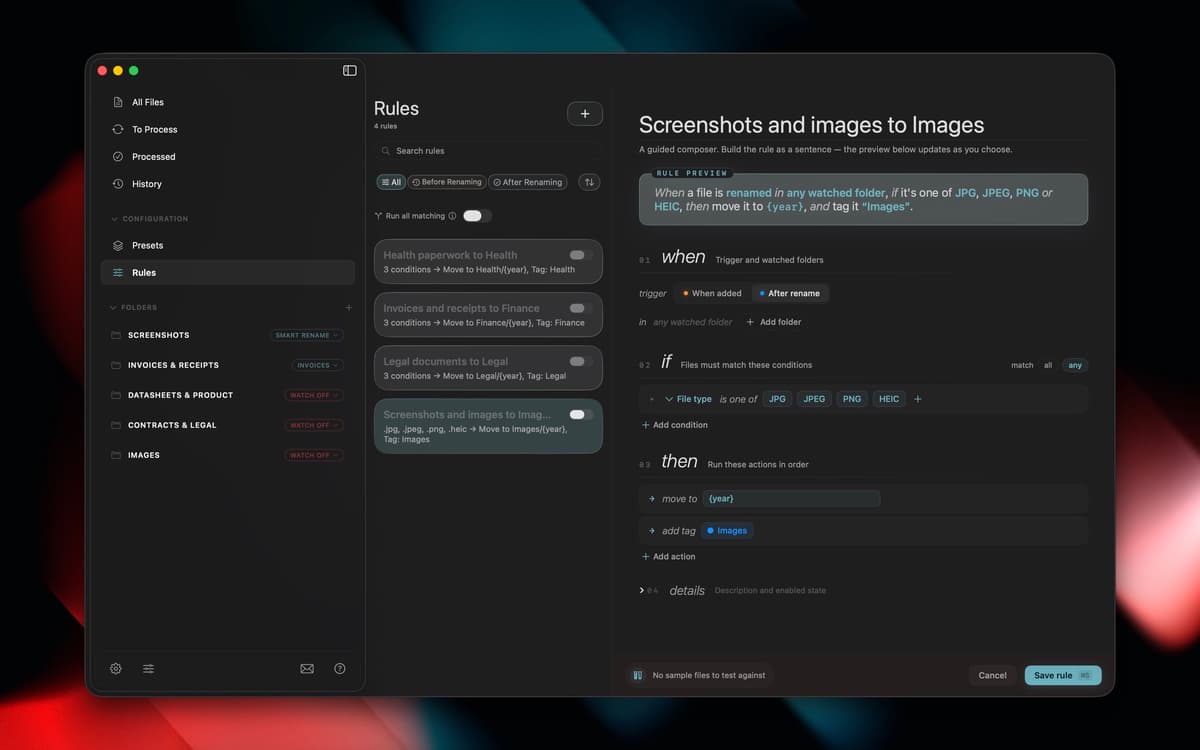
NameQuick reads what's actually inside your files, PDFs, invoices, screenshots, scans, and more, then renames them with something that makes sense. Use Smart Rename for a quick one-off cleanup, or set up templates for naming formats you use again and again. Watch folders handle new files automatically, moving, tagging, or sorting them in the background. Your Downloads folder finally stops running the show.
Rename files based on their content
Set up templates for naming formats
Auto-organize new files with watch folders
Move, tag, and sort files in background
NameQuick-Funktionen
Content-based renaming
NameQuick looks inside PDFs, invoices, scanned documents, screenshots, images, and Office files to figure out what they actually are, then gives them a clear name instead of "Scan_final_2.pdf."
Smart Rename
Got a folder full of vague filenames? Select them and let NameQuick clean things up in one pass, no manual renaming required.
Naming templates
Set a naming format once, like date, client, or document type, and reuse it every time you need consistent filenames across a project or client.
Watch folders
Point NameQuick at a folder, and it'll rename new files as they land, automatically, so you don't have to think about it again.
Background rules
Beyond renaming, rules can move, tag, or sort files as they come in, keeping folders organized without any extra clicks from you.
Bewertungen und Rezensionen
NameQuick
•
1 Bewertungen
Joe
27. Sept. 2026
App-Version: 3.0.13
This is exactly the kind of app I like finding on Setapp. Renaming files is one of those boring jobs I tend to put off, especially when there’s a folder full of PDFs and screenshots with names that mean absolutely nothing. Having NameQuick look at the contents and come up with a descriptive name makes that whole process much easier. I especially like being able to rename a batch of files and use presets to keep the names consistent. The real benefit comes later, when I’m looking for something and can tell what a file is without opening three or four documents first. It’s a fairly specific tool, but it solves a problem that comes up all the time. If your Downloads folder is anything like mine, it’s well worth trying through Setapp.
Erhalten Sie Hunderte von Apps mit Membership
Werden Sie Setapp Member und nutzen Sie mit nur einem Abonnement hunderte genialer Apps.
Testen Sie 7 Tage kostenlos, im Anschluss nur eine einfach monatliche Gebühr.
Setapp auf dem Mac installieren
Erkunden Sie Apps für Mac, iOS und Web. Finden Sie einfache Möglichkeiten für die Bewältigung täglicher Aufgaben.

Die gesuchte App finden
In Setapp wartet eine wunderbare App auf Sie. Installieren Sie sie mit einem Klick.

NameQuick
Abonnement wählen
Eine App oder mehr mit der Setapp Membership. Holen Sie sich Apps, so wie Sie es möchten.

Erhalten Sie Hunderte von Apps mit Membership
Werden Sie Setapp Member und nutzen Sie mit nur einem Abonnement hunderte genialer Apps.
Testen Sie 7 Tage kostenlos, im Anschluss nur eine einfach monatliche Gebühr.
1
Setapp auf dem Mac installieren
Erkunden Sie Apps für Mac, iOS und Web. Finden Sie einfache Möglichkeiten für die Bewältigung täglicher Aufgaben.
2
Die gesuchte App finden
In Setapp wartet eine wunderbare App auf Sie. Installieren Sie sie mit einem Klick.
NameQuick
3
Abonnement wählen
Eine App oder mehr mit der Setapp Membership. Holen Sie sich Apps, so wie Sie es möchten.
Die besten Apps
Von Planung und Routineaufgaben bis hin zu kreativen Tätigkeiten und Programmieren – mit den Apps von Setapp sind Sie bestens für Aufgaben gerüstet.

TypingMind
KI-Chat mit alternativer UI
Text erzeugen oder zusammenfassen
Prompt-Bibliothek nutzen
KI

Spark Mail
E-Mails verwalten
KI

CleanMyMac
Datenmüll entfernen

Bartender
Menüleiste anpassen

CleanShot X
Vielseitige Bildschirmfotos aufnehmen

Luminar Neo
Fotos bearbeiten
KI

ClearVPN
Sichere Verbindung herstellen

Craft
Mit Dokumenten arbeiten
KI
NameQuick
AI file renamer for Mac