
Notchkin
Notes that live in your notch
Mac
Version 1.3.0
macOS 14.0 oder neuer
22.3 MB
1 Sprachen
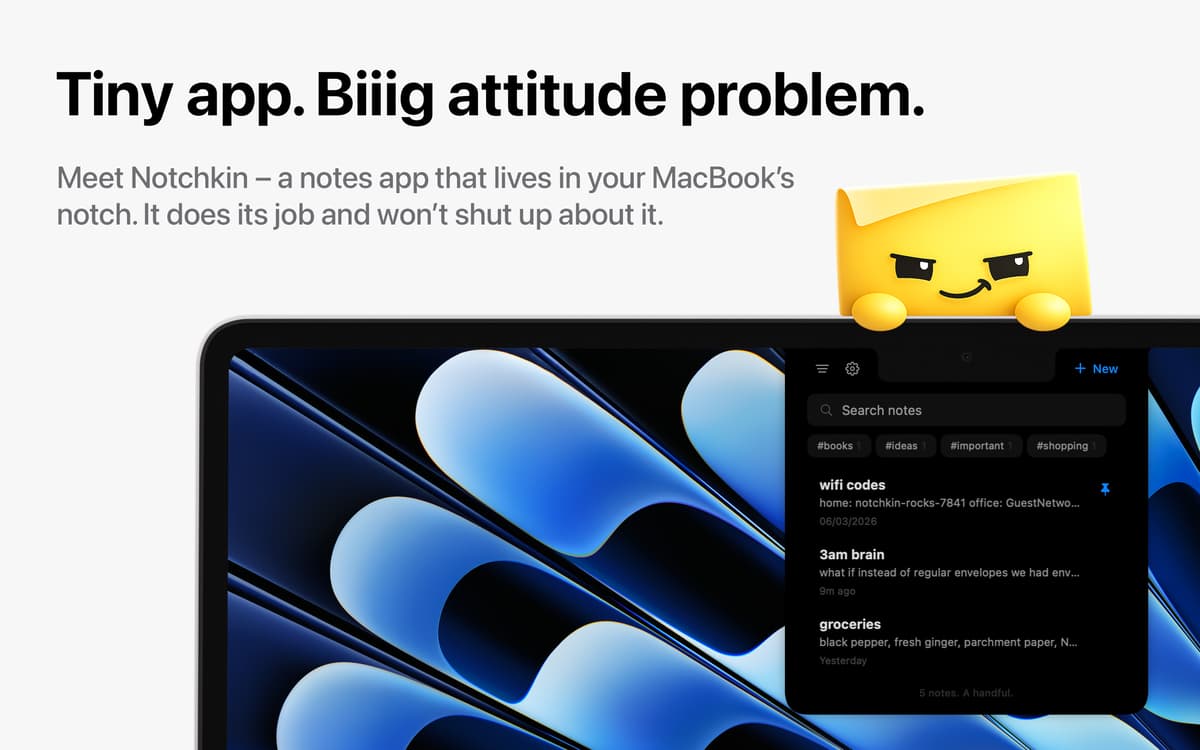
You have a thought. By the time you've picked which note app deserves it, it’s already gone. Notchkin is a note-taking app that removes the friction: hover over the notch, a panel slides down, and you’re already writing. Everything stays on your device, and a faintly passive-aggressive sticky-note mascot keeps you company whether you asked for one or not.
Capture thoughts without breaking flow
Turn your clipboard into a note
Keep to-dos right above your screen
Tag notes and find them instantly
Notchkin-Funktionen
Quick capture that’s actually quick
Hit a shortcut, and the notch panel drops instantly so you can start typing right away. No loading, no switching apps, no context lost. Close it just as fast and carry on.
Turn your clipboard into notes
Whatever you’ve just copied is one shortcut away from becoming a note. It skips the usual friction of pasting into the “right place” and simply saves it where it belongs.
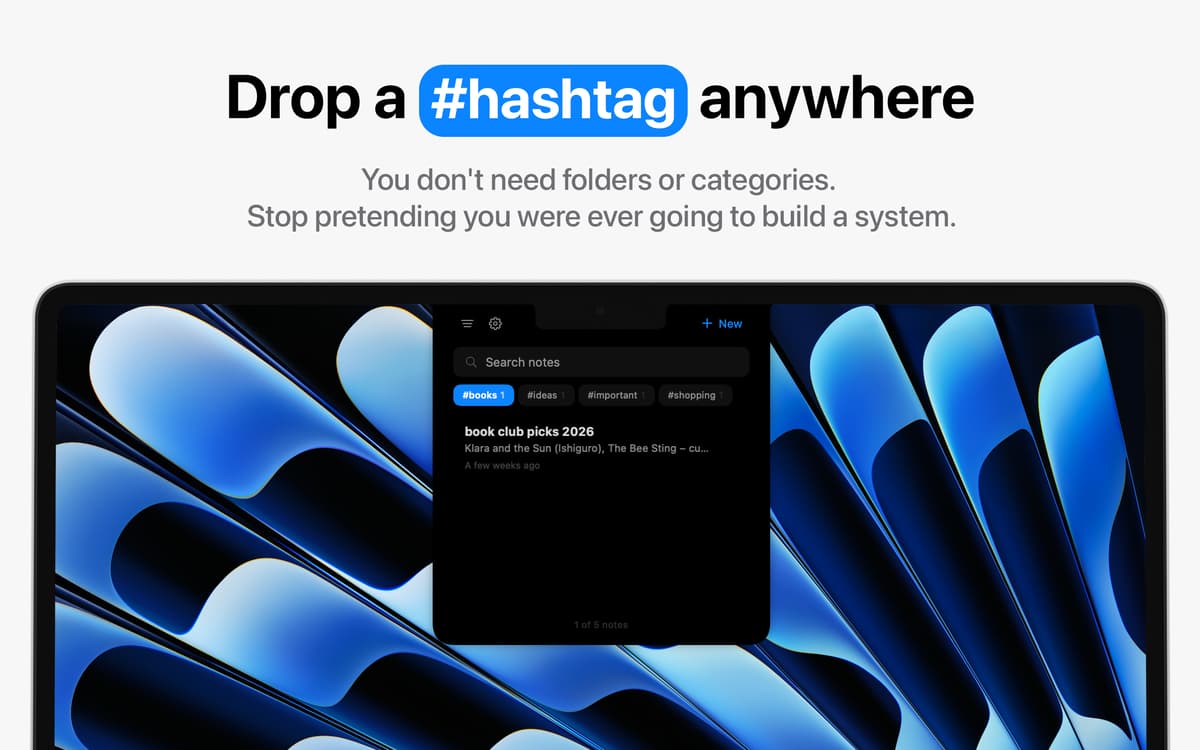
Hashtags instead of folders
Organize naturally by dropping a hashtag anywhere in your notes. Search is instant, so there’s no need to build complex folder structures you were never going to maintain anyway.
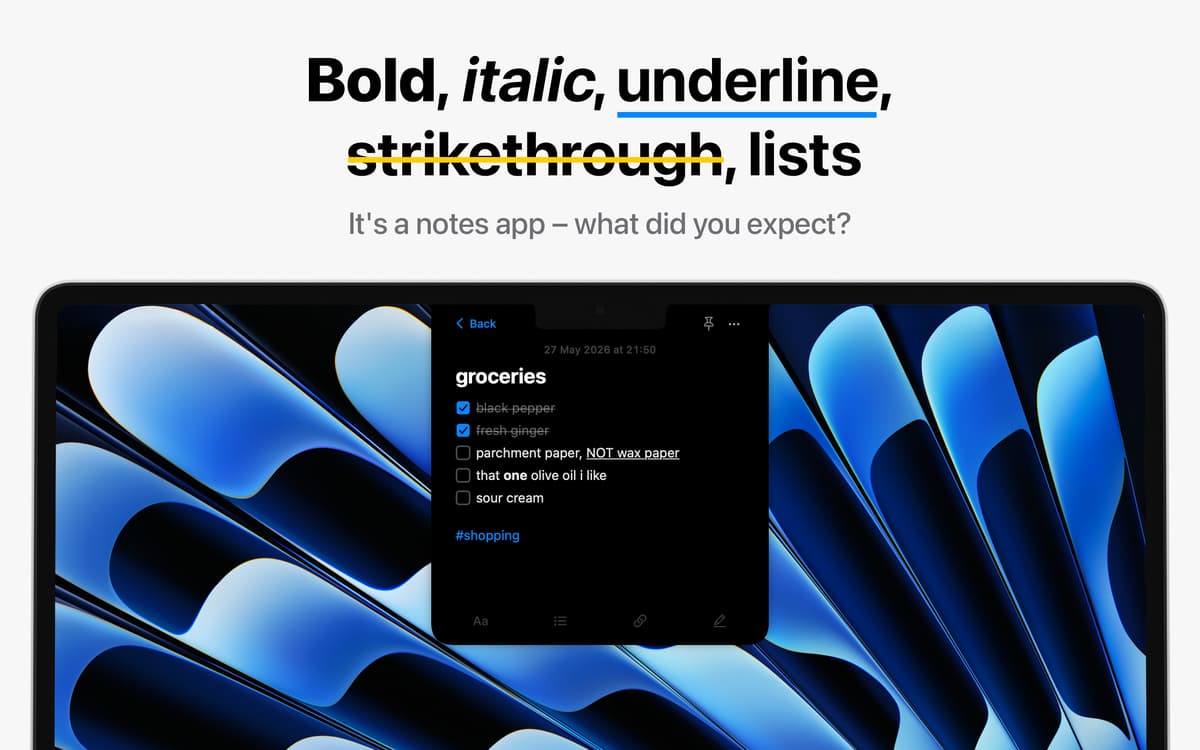
Rich text when you need it
Format notes with bold, italic, underline, strikethrough, checklists, bullet points, and numbered lists. It stays flexible, so you can structure ideas without overthinking the setup.
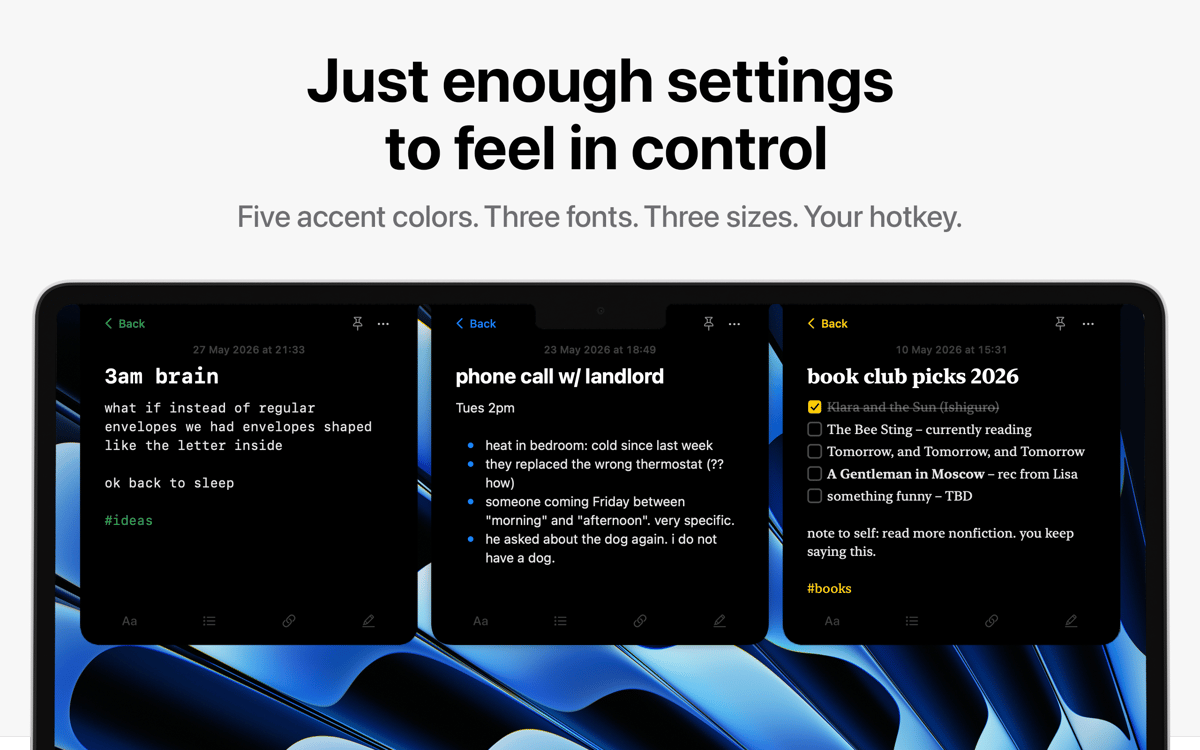
Customize just enough
Pick from a small set of accent colors, fonts, and sizes to make the app feel personal. Enough choice to make it yours, without turning settings into a project of their own.
Small things that matter
Pin important notes to keep them at the top, duplicate notes when you want to iterate quickly, and share when something needs to leave the app. Small tools that quietly remove friction.
Bewertungen und Rezensionen
Notchkin
•
2 Bewertungen
Natasha Mallone
5. Okt. 2026
App-Version: 1.3.0
This is a handy little app that does exactly what it says it will do.
Erhalten Sie Hunderte von Apps mit Membership
Werden Sie Setapp Member und nutzen Sie mit nur einem Abonnement hunderte genialer Apps.
Testen Sie 7 Tage kostenlos, im Anschluss nur eine einfach monatliche Gebühr.
Setapp auf dem Mac installieren
Erkunden Sie Apps für Mac, iOS und Web. Finden Sie einfache Möglichkeiten für die Bewältigung täglicher Aufgaben.

Die gesuchte App finden
In Setapp wartet eine wunderbare App auf Sie. Installieren Sie sie mit einem Klick.

Notchkin
Abonnement wählen
Eine App oder mehr mit der Setapp Membership. Holen Sie sich Apps, so wie Sie es möchten.

Erhalten Sie Hunderte von Apps mit Membership
Werden Sie Setapp Member und nutzen Sie mit nur einem Abonnement hunderte genialer Apps.
Testen Sie 7 Tage kostenlos, im Anschluss nur eine einfach monatliche Gebühr.
1
Setapp auf dem Mac installieren
Erkunden Sie Apps für Mac, iOS und Web. Finden Sie einfache Möglichkeiten für die Bewältigung täglicher Aufgaben.
2
Die gesuchte App finden
In Setapp wartet eine wunderbare App auf Sie. Installieren Sie sie mit einem Klick.
Notchkin
3
Abonnement wählen
Eine App oder mehr mit der Setapp Membership. Holen Sie sich Apps, so wie Sie es möchten.
Die besten Apps
Von Planung und Routineaufgaben bis hin zu kreativen Tätigkeiten und Programmieren – mit den Apps von Setapp sind Sie bestens für Aufgaben gerüstet.

TypingMind
KI-Chat mit alternativer UI
Text erzeugen oder zusammenfassen
Prompt-Bibliothek nutzen
KI

Spark Mail
E-Mails verwalten
KI

CleanMyMac
Datenmüll entfernen

Bartender
Menüleiste anpassen

CleanShot X
Vielseitige Bildschirmfotos aufnehmen

Luminar Neo
Fotos bearbeiten
KI

ClearVPN
Sichere Verbindung herstellen

Craft
Mit Dokumenten arbeiten
KI
Notchkin
Notes that live in your notch