
NowPlayingWidget
Music controls, always close

Mac
Version 1.5.0
macOS 13.0 oder neuer
7.3 MB
1 Sprachen
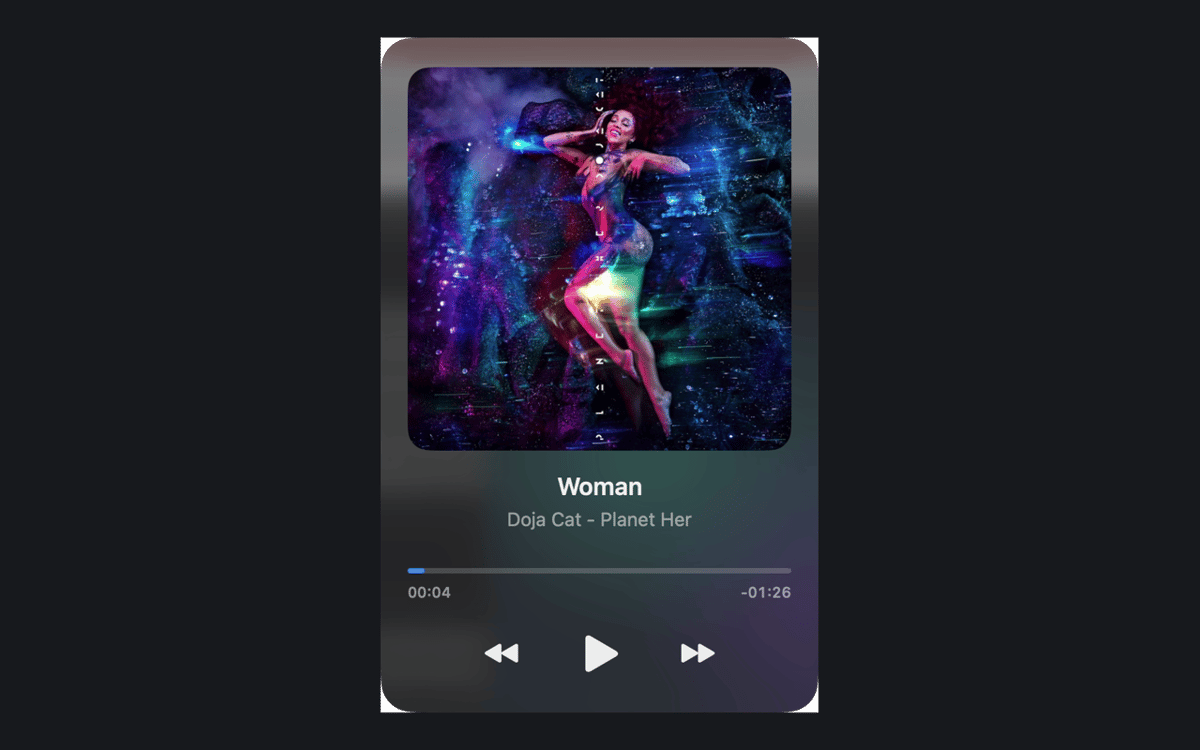
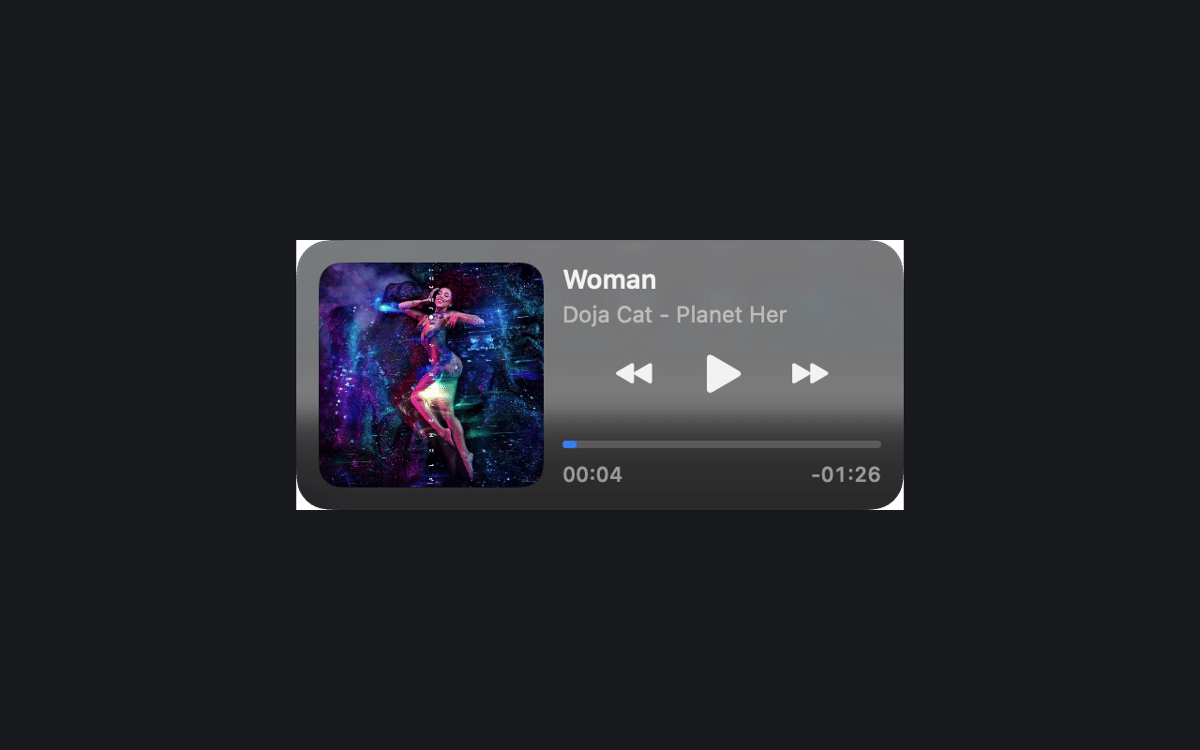
NowPlayingWidget is a music control widget for Mac. It floats above your windows and shows the current track, so you can pause, skip, or seek without leaving your work. Follow synced lyrics, dock the player at the top or the sides, and pick the size that suits your screen. Your play history and artwork stay on your Mac.
Pause music without switching apps
Sing along with synced lyrics
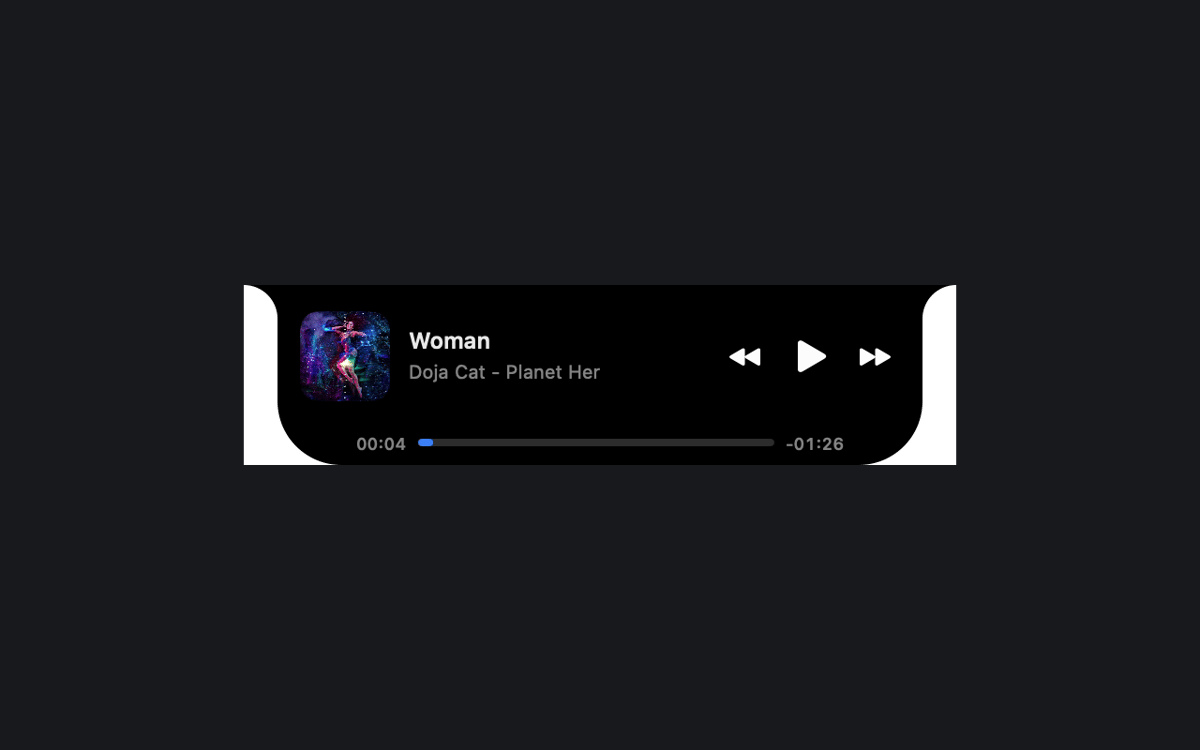
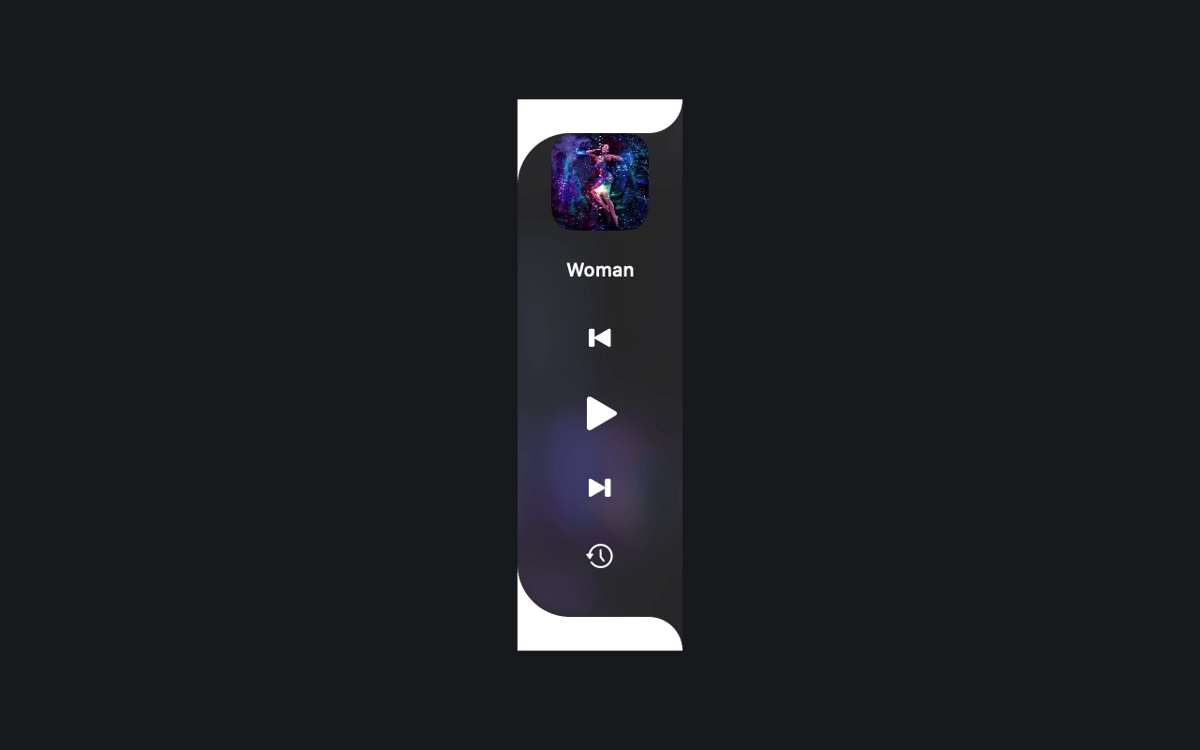
Dock a tidy player by the notch
Look back at what you played
NowPlayingWidget-Funktionen
Controls right where you work
See the current track and playback controls above your windows. Pause, resume, skip, or seek in compatible apps and browsers. What you see depends on what the source shares with macOS Now Playing.
Three sizes, easy docking
Pick Compact, Normal, or Full. Or drag the player to the top center or either screen edge to dock it. A preview and a smooth animation show you what's happening.
Lyrics that keep up
Follow synced lyrics when a provider has your recording. In Full mode, you can also scroll them yourself. The Setapp edition asks before it looks up lyrics online, so you stay in charge.
Play History, kept local
Revisit tracks you've played in your local history. The history and cached artwork stay on your Mac.
A look that fits your Mac
The notch-style player stays black. Floating players and side docks use translucent glass, with native Liquid Glass on macOS 26 or later. Choose Dark, Light, or System appearance.
Your language, your setup
Use any of the 24 official EU interface languages. Keep the player above other windows across Spaces, and launch it at login if you like.
Erhalten Sie Hunderte von Apps mit Membership
Werden Sie Setapp Member und nutzen Sie mit nur einem Abonnement hunderte genialer Apps.
Testen Sie 7 Tage kostenlos, im Anschluss nur eine einfach monatliche Gebühr.
Setapp auf dem Mac installieren
Erkunden Sie Apps für Mac, iOS und Web. Finden Sie einfache Möglichkeiten für die Bewältigung täglicher Aufgaben.

Die gesuchte App finden
In Setapp wartet eine wunderbare App auf Sie. Installieren Sie sie mit einem Klick.

NowPlayingWidget
Abonnement wählen
Eine App oder mehr mit der Setapp Membership. Holen Sie sich Apps, so wie Sie es möchten.

Erhalten Sie Hunderte von Apps mit Membership
Werden Sie Setapp Member und nutzen Sie mit nur einem Abonnement hunderte genialer Apps.
Testen Sie 7 Tage kostenlos, im Anschluss nur eine einfach monatliche Gebühr.
1
Setapp auf dem Mac installieren
Erkunden Sie Apps für Mac, iOS und Web. Finden Sie einfache Möglichkeiten für die Bewältigung täglicher Aufgaben.
2
Die gesuchte App finden
In Setapp wartet eine wunderbare App auf Sie. Installieren Sie sie mit einem Klick.
NowPlayingWidget
3
Abonnement wählen
Eine App oder mehr mit der Setapp Membership. Holen Sie sich Apps, so wie Sie es möchten.
Die besten Apps
Von Planung und Routineaufgaben bis hin zu kreativen Tätigkeiten und Programmieren – mit den Apps von Setapp sind Sie bestens für Aufgaben gerüstet.

TypingMind
KI-Chat mit alternativer UI
Text erzeugen oder zusammenfassen
Prompt-Bibliothek nutzen
KI

Spark Mail
E-Mails verwalten
KI

CleanMyMac
Datenmüll entfernen

Bartender
Menüleiste anpassen

CleanShot X
Vielseitige Bildschirmfotos aufnehmen

Luminar Neo
Fotos bearbeiten
KI

ClearVPN
Sichere Verbindung herstellen

Craft
Mit Dokumenten arbeiten
KI
NowPlayingWidget
Music controls, always close