
OrcaSheets
KI-gestützte Datenanalyse
Mac
Version 26.9.2
macOS 10.13 oder neuer
266 MB
1 Sprachen
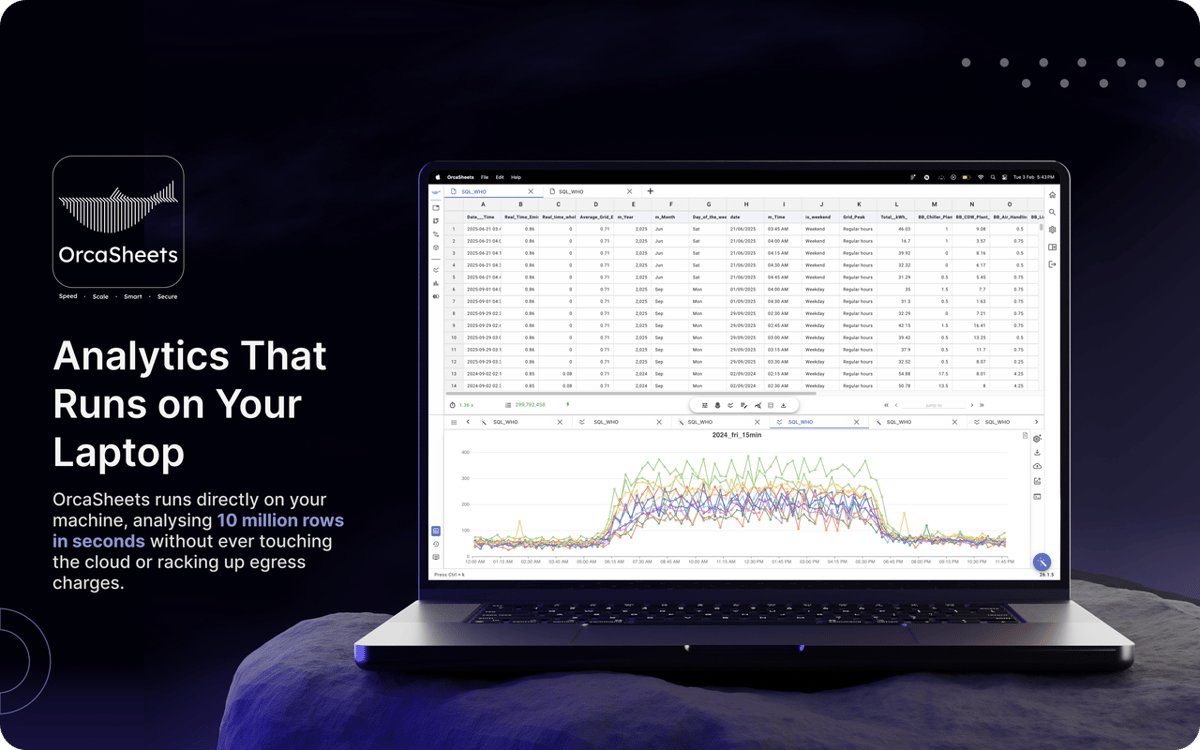
Die Verarbeitung riesiger Datensätze bedeutet normalerweise langes Warten auf Cloud-Uploads oder das Ausführen komplexer SQL-Abfragen. Wenn Sie einfach nur Antworten ohne Verzögerungen oder Datenschutzrisiken durch Drittanbieter-Server benötigen, ist OrcaSheets die Lösung. Diese lokale Analyse-Engine verarbeitet Milliarden von Zeilen direkt auf Ihrem Mac. Die App kombiniert die Geschwindigkeit einer Hochleistungsdatenbank mit einer einfachen Chat-Oberfläche, sodass Sie Ihre Daten so einfach abfragen können wie eine Slack-Nachricht.
Milliarden Zeilen in Sekunden analysieren
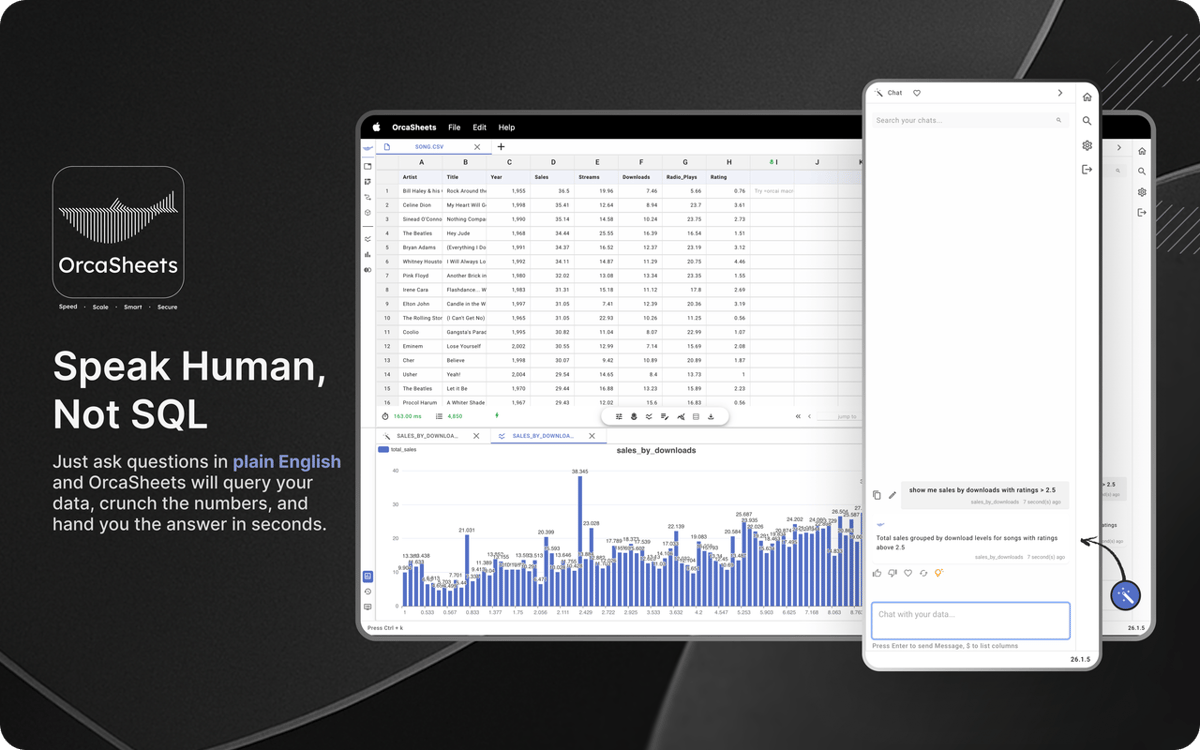
Daten in natürlicher Sprache analysieren
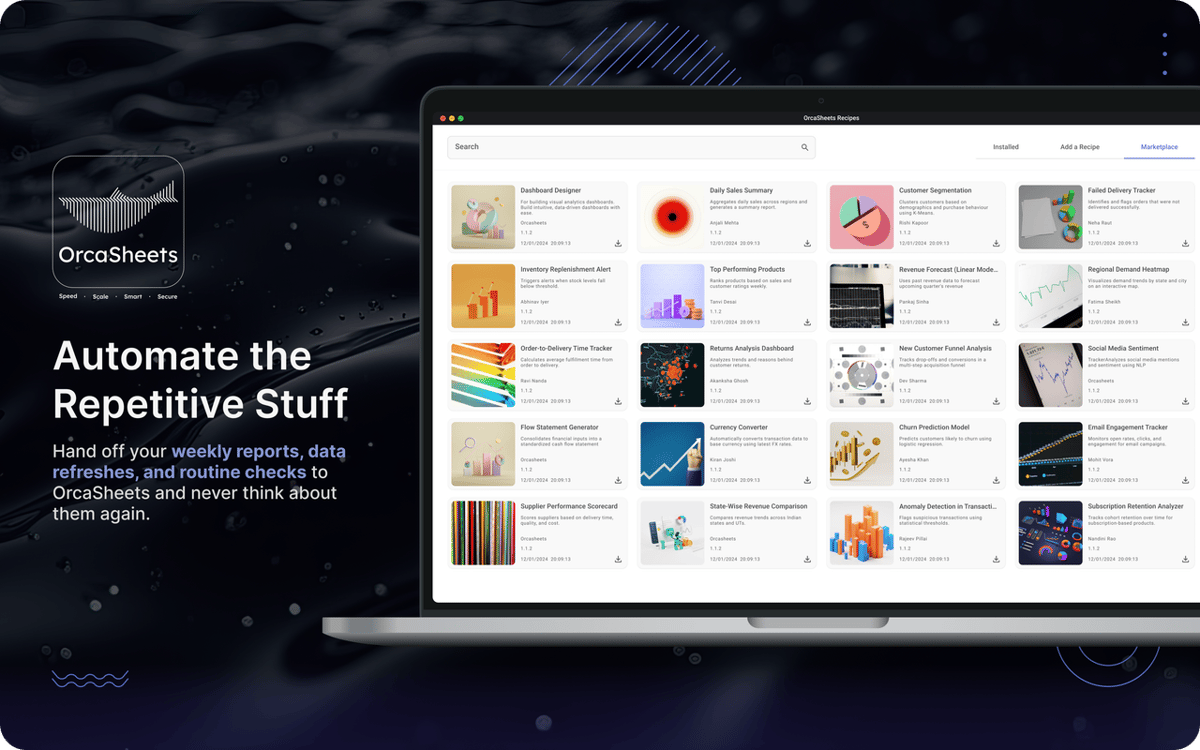
Workflows mit smarten Vorlagen automatisieren
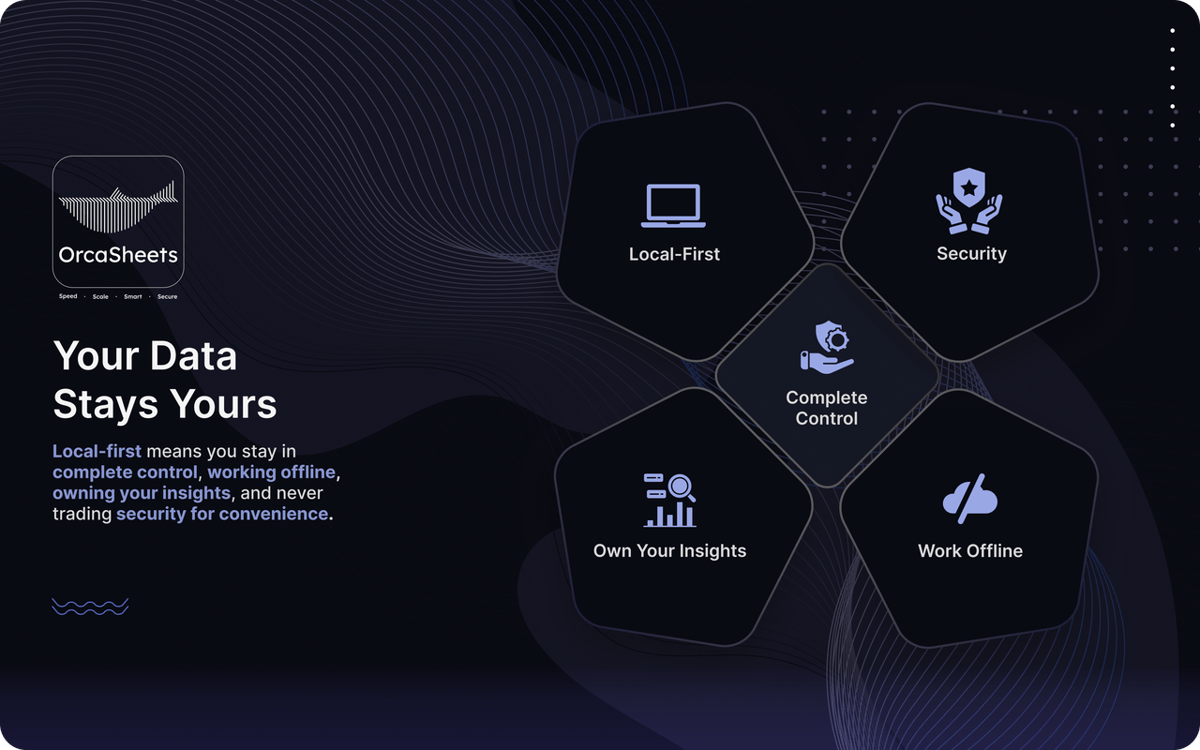
Alle sensiblen Daten 100 % offline speichern
OrcaSheets-Funktionen
Verarbeitung riesiger Datensätze lokal
Keine Wartezeiten mehr auf das Laden von Dashboards. OrcaSheets verarbeitet bis zu einer Milliarde Zeilen direkt auf Ihrem Rechner in Sekundenschnelle. Filter, Pivot-Tabellen und statistische Analysen laufen reibungslos und ohne Verzögerungen, da alles auf Ihrer Hardware und nicht auf entfernten Servern stattfindet.
Datentransformationen in einfacher Sprache generieren
Sie benötigen weder SQL noch Python oder komplexe Makros. Mit Connector + OrcAI beschreiben Sie Ihre Anforderungen in einfacher Sprache, und OrcaSheets generiert die Spalten oder Transformationen für Sie.
Mit Ihren Daten chatten
Anstatt Tabellen manuell zu durchsuchen, nutzen Sie den integrierten KI-Chat, um Ihre Datensätze zu erkunden. Stellen Sie Fragen, überprüfen Sie Trends oder fordern Sie Zusammenfassungen an. OrcaSheets behandelt Ihre Tabellenkalkulation wie eine lebendige Wissensdatenbank und liefert Ihnen innerhalb von Sekunden kontextbezogene Erkenntnisse.
Vorgefertigte Analysevorlagen nutzen
Beschleunigen Sie wiederkehrende Arbeitsabläufe mit vorgefertigten Analysevorlagen wie Kundenkohortenanalysen, Dashboards zur Vertriebsperformance und Marketing-Attributionsmodellen. Passen Sie diese an Ihre Daten an und vermeiden Sie, die gleiche Struktur jedes Mal neu erstellen zu müssen.
Offline arbeiten mit voller Privatsphäre
Ihre Daten verlassen niemals Ihr Gerät. OrcaSheets arbeitet mit einer Local-First-Architektur, d. h. ohne Server, Schattenkopien und Hintergrundverfolgung. Es funktioniert offline und stellt sicher, dass jede Berechnung und jede Erkenntnis vollständig unter Ihrer Kontrolle bleibt.
Bewertungen und Rezensionen
OrcaSheets
•
43 Bewertungen
aditya yadav
7. Okt. 2026
App-Version: 26.9.2
What I like most about orcaSheets is how quickly I can go from raw data to meaningful insights without spending hours building queries or reports manually. The natural language analysis combined with SQL gives me a great balance of simplicity and control, while the ability to connect data from different sources and turn insights into dashboards and reports makes the whole workflow really efficient. What stands out to me most, though, is the local first approach having more control over where my data is processed gives me greater confidence when working with sensitive or business critical information. Overall, it feels like a powerful, flexible, and security conscious approach to modern data analytics
Aditya Patil
7. Okt. 2026
App-Version: 26.9.2
This is very helpful for opening big heavy excel files, charts creation over here is smooth, great find on setapp. and that AI chat is making my life easier.
Antwort vom Entwickler
7. Okt. 2026
Thank you Aditya, for your encouraging words, we will keep improving and watch out for upcoming major release !!
Rohaan Ansari
7. Okt. 2026
App-Version: 26.9.2
amazing app. couldn’t recommend it enough
Antwort vom Entwickler
7. Okt. 2026
thank you Rohaan for unconditional review :) , we would appreciate any particular feature that you liked and also what you dont liked on which we can improve on :)
Erhalten Sie Hunderte von Apps mit Membership
Werden Sie Setapp Member und nutzen Sie mit nur einem Abonnement hunderte genialer Apps.
Testen Sie 7 Tage kostenlos, im Anschluss nur eine einfach monatliche Gebühr.
Setapp auf dem Mac installieren
Erkunden Sie Apps für Mac, iOS und Web. Finden Sie einfache Möglichkeiten für die Bewältigung täglicher Aufgaben.

Die gesuchte App finden
In Setapp wartet eine wunderbare App auf Sie. Installieren Sie sie mit einem Klick.

OrcaSheets
Abonnement wählen
Eine App oder mehr mit der Setapp Membership. Holen Sie sich Apps, so wie Sie es möchten.

Erhalten Sie Hunderte von Apps mit Membership
Werden Sie Setapp Member und nutzen Sie mit nur einem Abonnement hunderte genialer Apps.
Testen Sie 7 Tage kostenlos, im Anschluss nur eine einfach monatliche Gebühr.
1
Setapp auf dem Mac installieren
Erkunden Sie Apps für Mac, iOS und Web. Finden Sie einfache Möglichkeiten für die Bewältigung täglicher Aufgaben.
2
Die gesuchte App finden
In Setapp wartet eine wunderbare App auf Sie. Installieren Sie sie mit einem Klick.
OrcaSheets
3
Abonnement wählen
Eine App oder mehr mit der Setapp Membership. Holen Sie sich Apps, so wie Sie es möchten.
Die besten Apps
Von Planung und Routineaufgaben bis hin zu kreativen Tätigkeiten und Programmieren – mit den Apps von Setapp sind Sie bestens für Aufgaben gerüstet.

TypingMind
KI-Chat mit alternativer UI
Text erzeugen oder zusammenfassen
Prompt-Bibliothek nutzen
KI

Spark Mail
E-Mails verwalten
KI

CleanMyMac
Datenmüll entfernen

Bartender
Menüleiste anpassen

CleanShot X
Vielseitige Bildschirmfotos aufnehmen

Luminar Neo
Fotos bearbeiten
KI

ClearVPN
Sichere Verbindung herstellen

Craft
Mit Dokumenten arbeiten
KI
OrcaSheets
KI-gestützte Datenanalyse