
Origami
Switch projects without switching context
Mac
Version 0.28.0
macOS 14.0 oder neuer
32.3 MB
1 Sprachen
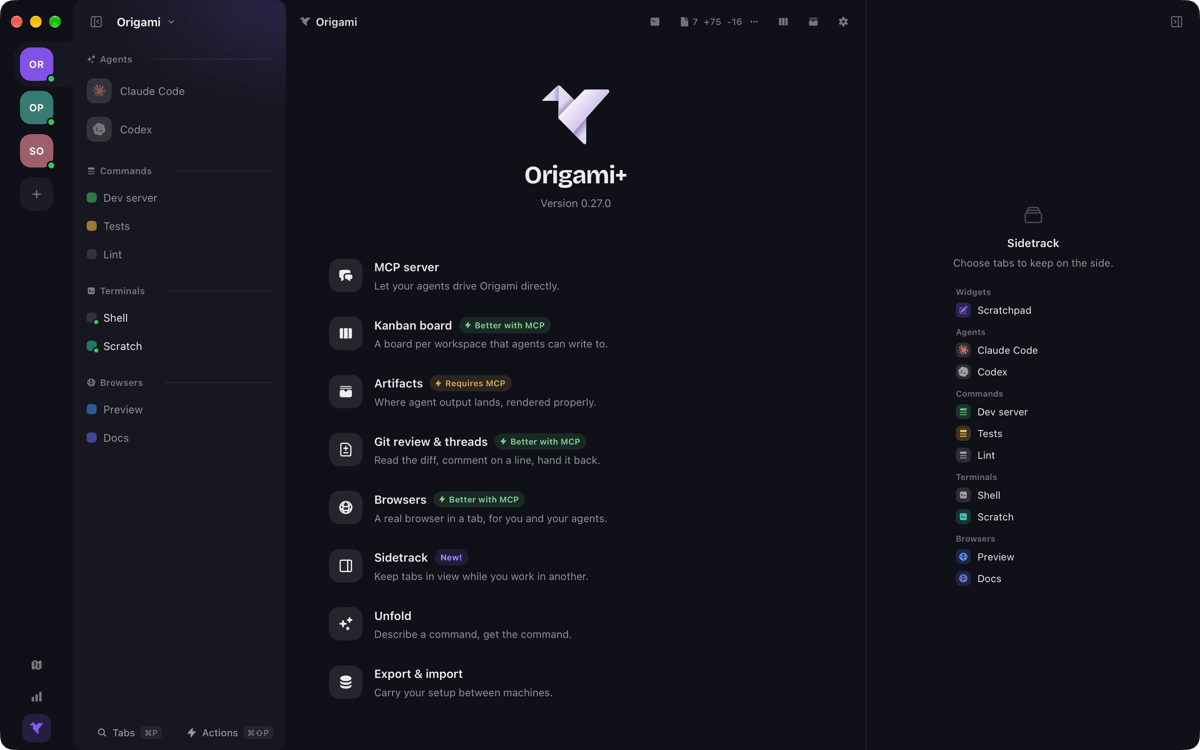
Origami is a workspace manager for Mac. Group your agents, terminals, and saved commands by project — so switching projects means switching workspaces, not scrambling to reassemble your setup. Every tab runs your own shell, with your config, dotfiles, and aliases right where you left them. Origami doesn't replace your terminal. It gives everything a shared home, with the tools you need already there.
Switch projects without rebuilding tabs
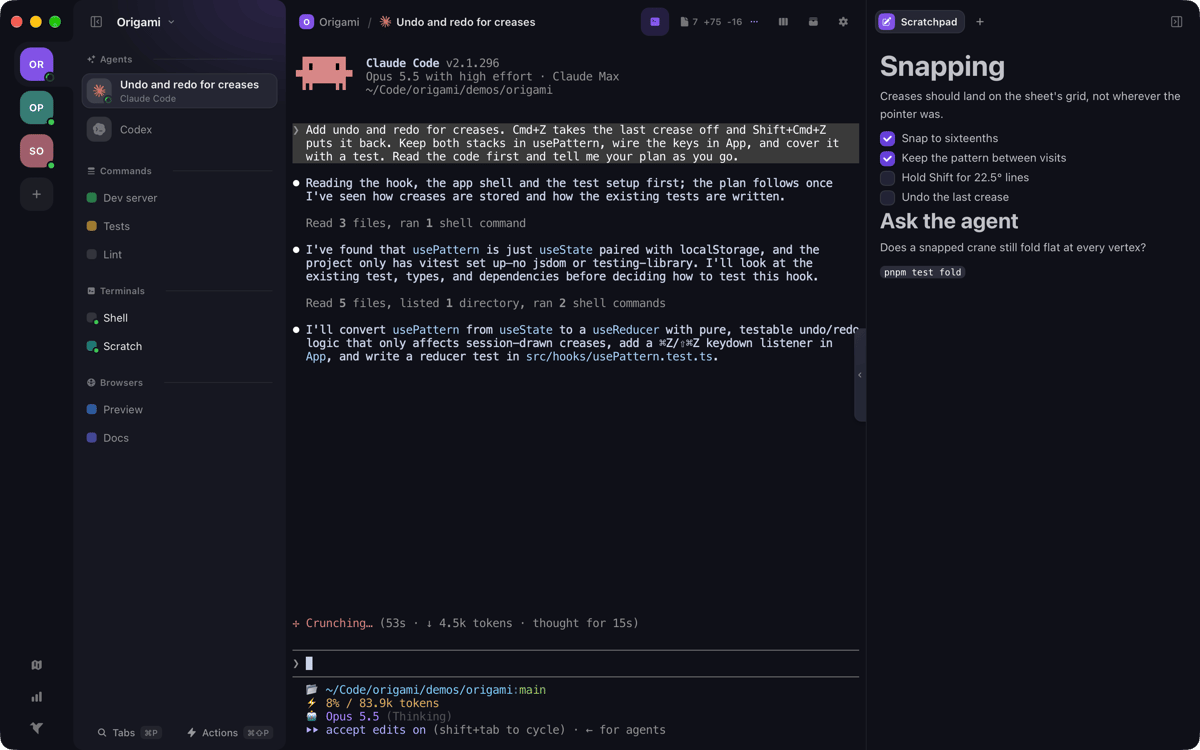
Run agents alongside your terminals
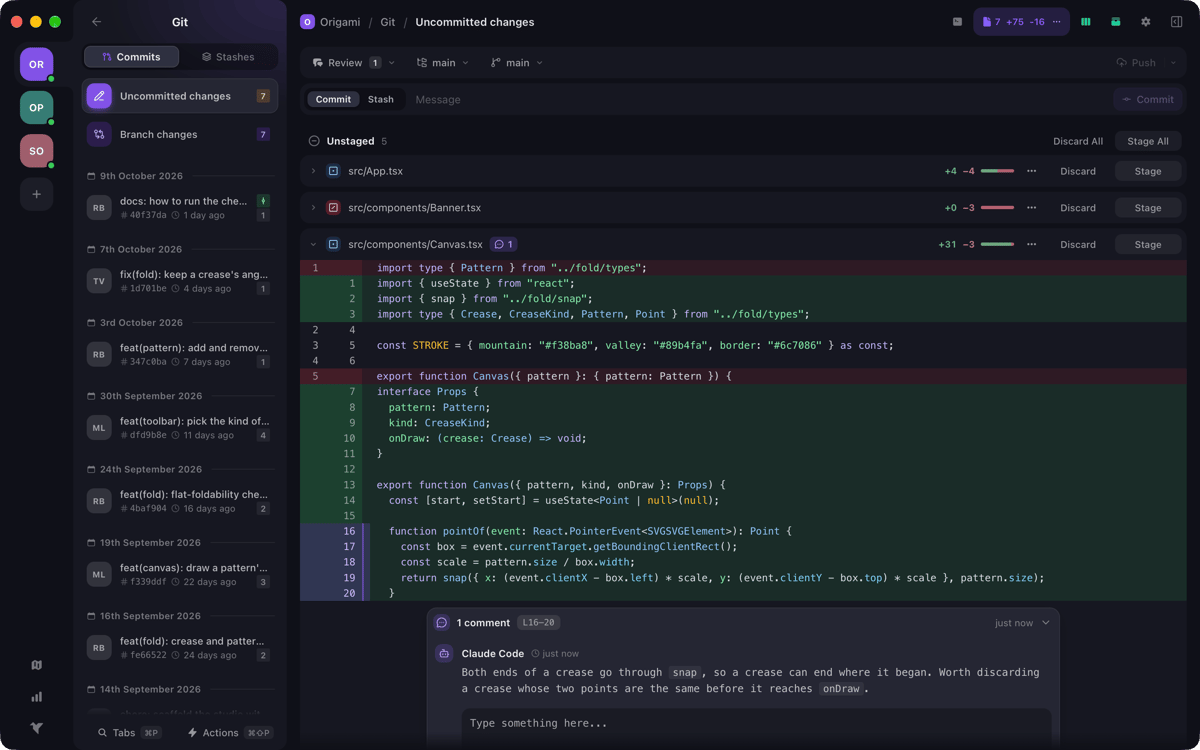
Review, stage, and push Git changes
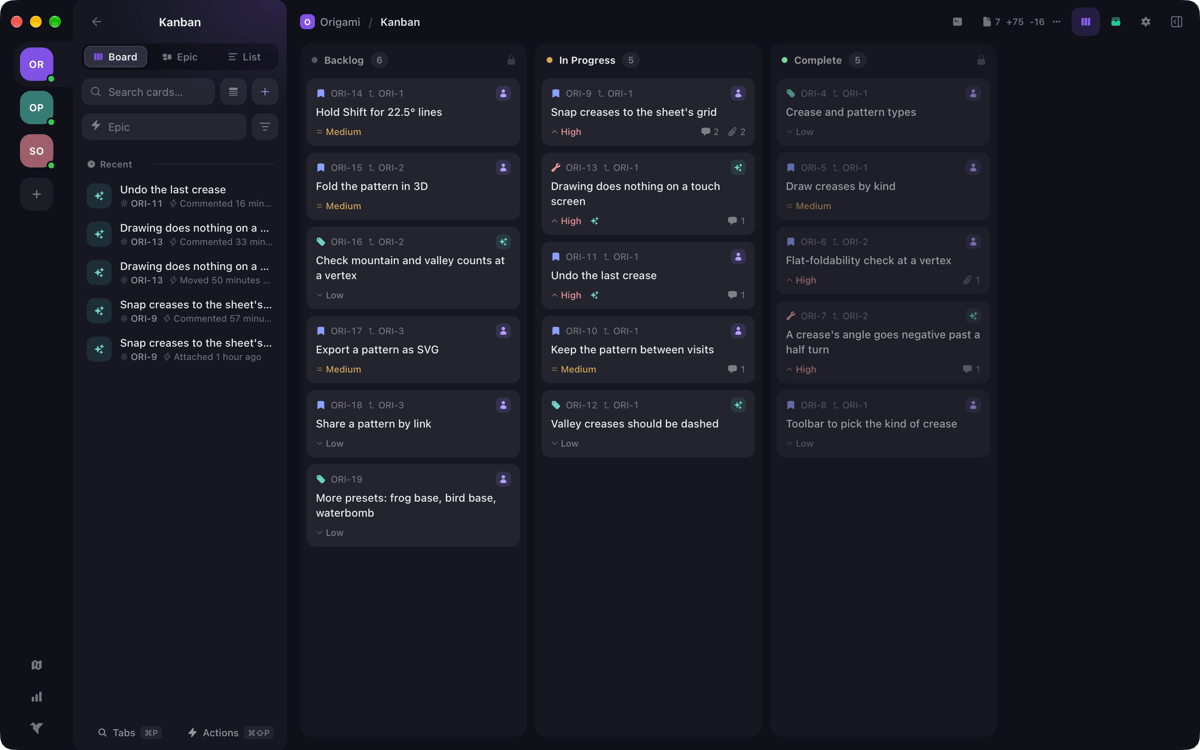
Track tasks on a per-project Kanban board
Origami-Funktionen
One workspace, everything it needs
Each workspace holds all the tabs a project requires — agents, terminals, and saved commands — each carrying its own folder. Open a project and everything's already there. No tab archaeology, no mental overhead. Just pick up where you left off.
Terminals that feel like yours
Your shell config, dotfiles, and aliases travel with every terminal tab. Origami doesn't impose a new environment — it organizes the one you already have. Run commands, read output, and stay in flow without touching your existing setup.
Git review without leaving the app
Read the diff, leave a line comment, then stage, commit, and push — all in one place. Stashes and worktrees are included too. Less context switching between your terminal and a separate Git client means more focus on the actual code.
A Kanban board per workspace
Every workspace gets its own board. Track epics down to individual bugs, add comments and attachments, and follow a full change log for every card. Your tasks stay close to the work they belong to.
Agents as first-class tabs
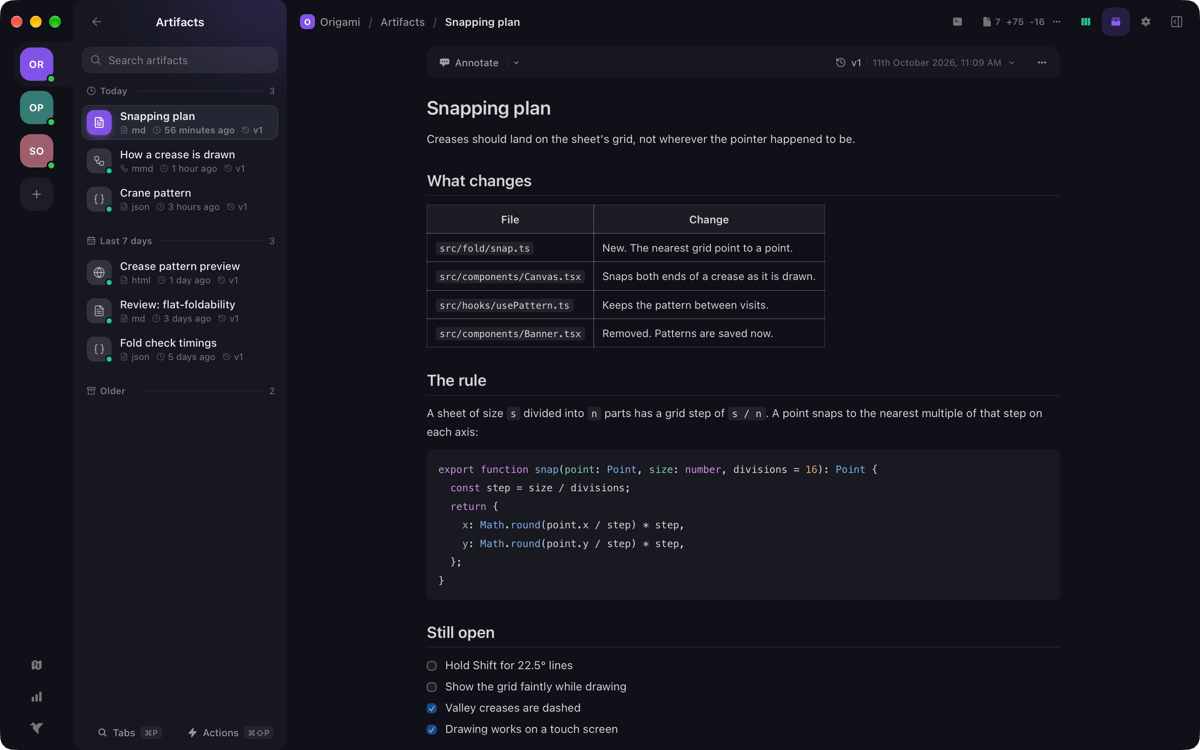
Bring your own agents and run them alongside your terminals. Markdown, JSON, HTML, and Mermaid artifacts your agent publishes render right in the app and are saved as versions. Your agent can also drive the whole workspace via MCP — running commands, moving cards, publishing artifacts, and replying to review comments.
Keyboard-first, command palette included
There's a shortcut for nearly everything, plus a command palette when you'd rather type than click. Describe a command in plain words with Unfold and get it pasted onto your prompt. The less your hands leave the keyboard, the faster you move.
Erhalten Sie Hunderte von Apps mit Membership
Werden Sie Setapp Member und nutzen Sie mit nur einem Abonnement hunderte genialer Apps.
Testen Sie 7 Tage kostenlos, im Anschluss nur eine einfach monatliche Gebühr.
Setapp auf dem Mac installieren
Erkunden Sie Apps für Mac, iOS und Web. Finden Sie einfache Möglichkeiten für die Bewältigung täglicher Aufgaben.

Die gesuchte App finden
In Setapp wartet eine wunderbare App auf Sie. Installieren Sie sie mit einem Klick.

Origami
Abonnement wählen
Eine App oder mehr mit der Setapp Membership. Holen Sie sich Apps, so wie Sie es möchten.

Erhalten Sie Hunderte von Apps mit Membership
Werden Sie Setapp Member und nutzen Sie mit nur einem Abonnement hunderte genialer Apps.
Testen Sie 7 Tage kostenlos, im Anschluss nur eine einfach monatliche Gebühr.
1
Setapp auf dem Mac installieren
Erkunden Sie Apps für Mac, iOS und Web. Finden Sie einfache Möglichkeiten für die Bewältigung täglicher Aufgaben.
2
Die gesuchte App finden
In Setapp wartet eine wunderbare App auf Sie. Installieren Sie sie mit einem Klick.
Origami
3
Abonnement wählen
Eine App oder mehr mit der Setapp Membership. Holen Sie sich Apps, so wie Sie es möchten.
Die besten Apps
Von Planung und Routineaufgaben bis hin zu kreativen Tätigkeiten und Programmieren – mit den Apps von Setapp sind Sie bestens für Aufgaben gerüstet.

TypingMind
KI-Chat mit alternativer UI
Text erzeugen oder zusammenfassen
Prompt-Bibliothek nutzen
KI

Spark Mail
E-Mails verwalten
KI

CleanMyMac
Datenmüll entfernen

Bartender
Menüleiste anpassen

CleanShot X
Vielseitige Bildschirmfotos aufnehmen

Luminar Neo
Fotos bearbeiten
KI

ClearVPN
Sichere Verbindung herstellen

Craft
Mit Dokumenten arbeiten
KI
Origami
Switch projects without switching context