
Pinchbar
Text im Handumdrehen transformieren
Mac
Version 1.0.18
macOS 15.6 oder neuer
20.3 MB
1 Sprachen
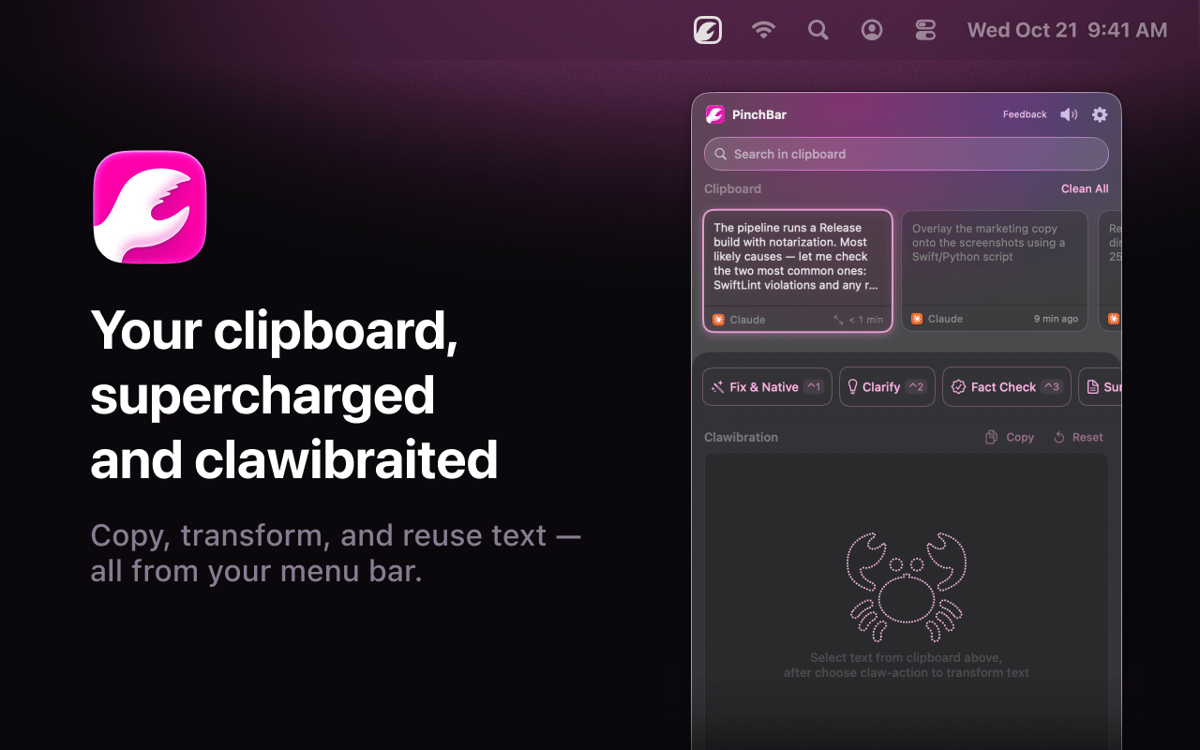
Pinchbar ist ein KI-gestütztes Zwischenablage-Tool für Mac. Kopieren Sie beliebigen Text, drücken Sie ⌥V, und Ihre Menüleiste zeigt smarte Aktionen an – umschreiben, zusammenfassen, übersetzen, Fakten prüfen oder Ihren Text in Sekunden strukturieren. Funktioniert mit Apple Intelligence (auf dem Gerät und privat), Setapp AI. Sensible Daten wie Passwörter und Token werden automatisch erkannt und gesperrt. Kein App-Wechsel. Keine zusätzlichen Tabs. Einfach kopieren, klicken, einfügen.
Text umwandeln ohne App-Wechsel
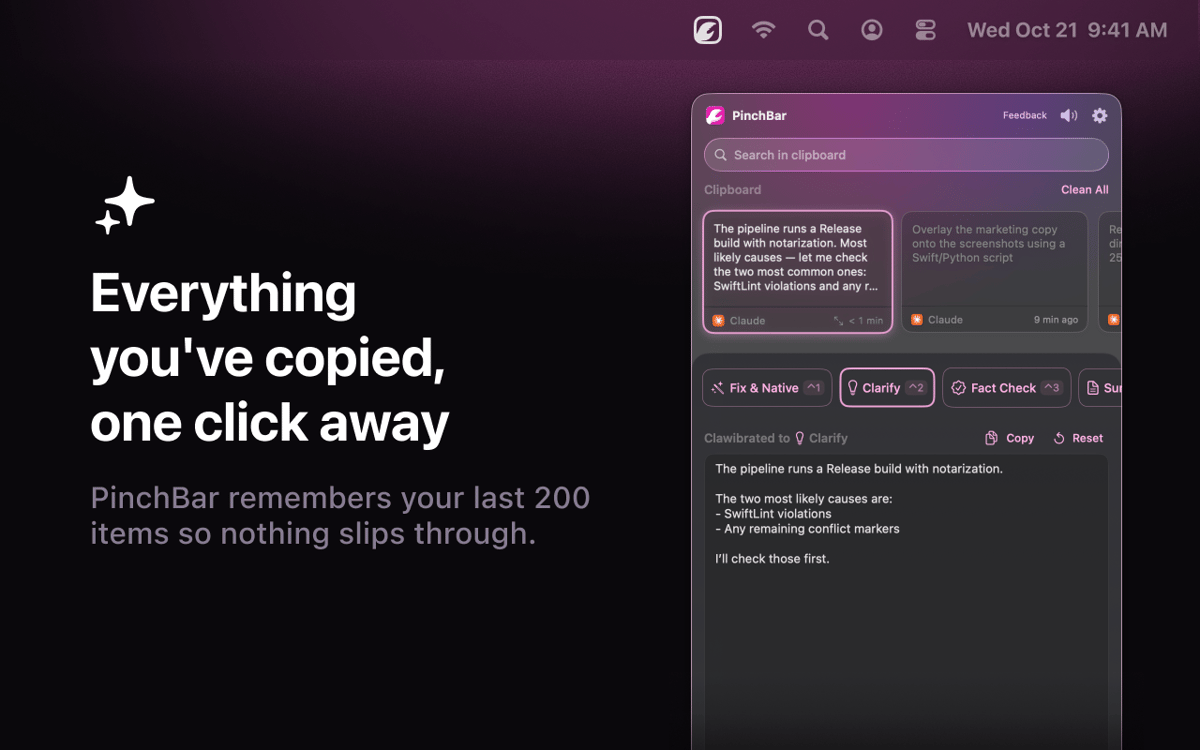
Kompletten Zwischenablage-Verlauf durchsuchen
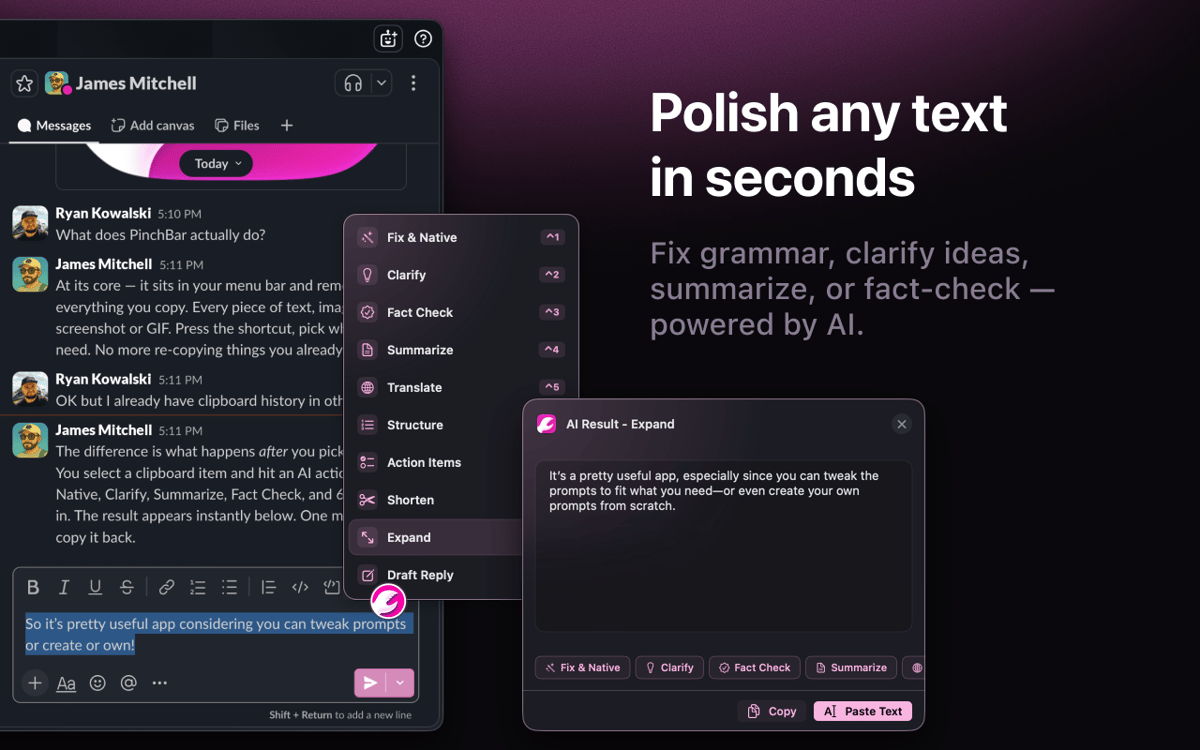
Neu schreiben oder zusammenfassen per Shortcut
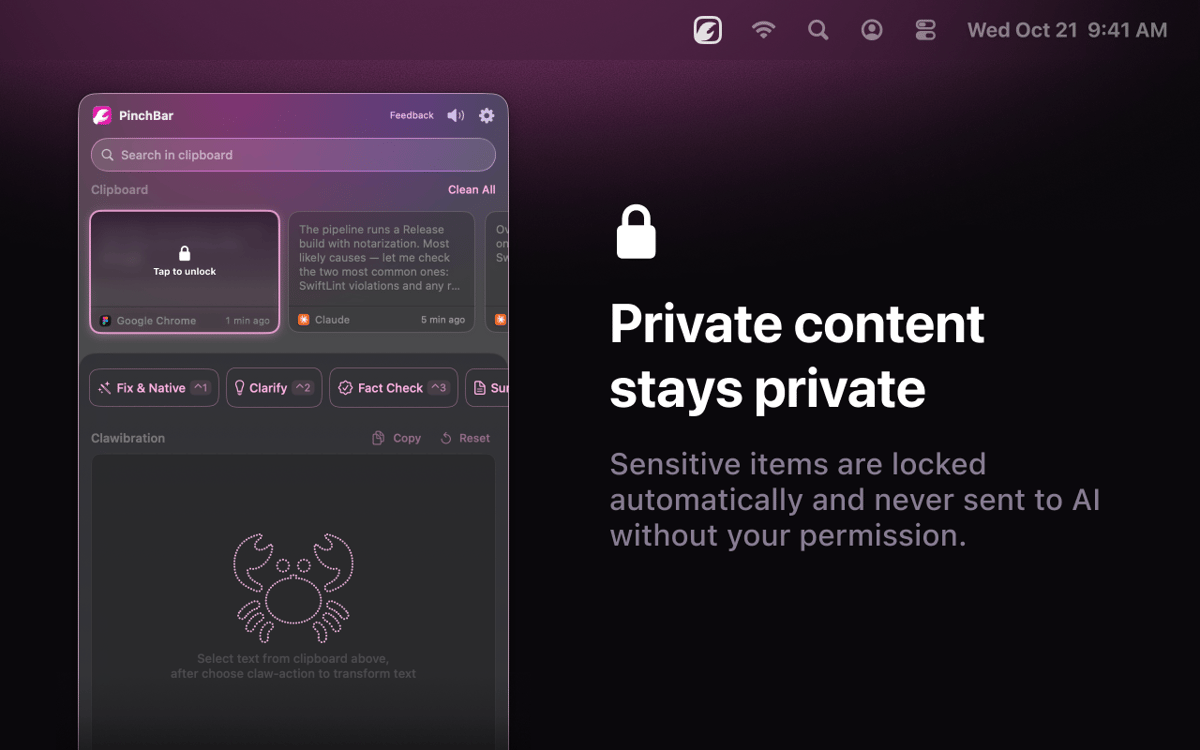
Sensible Daten immer privat halten
Pinchbar-Funktionen
Text transformieren ohne Kontextwechsel
Kopiere beliebige Inhalte, drücke ⌥V und wähle eine Aktion aus. Umschreiben, zusammenfassen, übersetzen, Fakten überprüfen – Pinchbar verarbeitet Ihren Text mit KI und legt das Ergebnis direkt in Ihre Zwischenablage. Keine Browser-Tabs, keine zusätzlichen Apps, keine Umwege.
Schreiben Sie direkt dort um, wo Sie arbeiten
Markieren Sie Text in einer beliebigen App, drücken Sie eine Tastenkombination, und Pinchbar ersetzt ihn direkt. Kein Fenster-Hin-und-Her, kein zusätzlicher Einfügeschritt. Genau dafür ist der Inline-Modus da – Ihr Schreibfluss bleibt genau dort, wo Sie aufgehört haben.
Ihre Zwischenablage-Historie, tatsächlich nützlich
Jedes Element, das Sie kopieren, wird gespeichert, ist durchsuchbar und einsatzbereit – sogar Inhalte, die Sie vor Stunden kopiert haben. Pinnen Sie was Sie brauchen, verwerfen Sie den Rest und wenden Sie per Klick KI-Aktionen auf jeden Clip in Ihrem Verlauf an.
Privatsphäre, die Sie nicht zum Kompromiss zwingt
Apple Intelligence führt standardmäßig alles lokal auf dem Gerät aus – nichts verlässt Ihren Mac. Setapp AI ist für Abonnenten ohne zusätzliche Einrichtung enthalten. Passwörter, API-Schlüssel und Token werden automatisch erkannt und gesperrt.
KI-Prompts rund um Ihre Arbeit
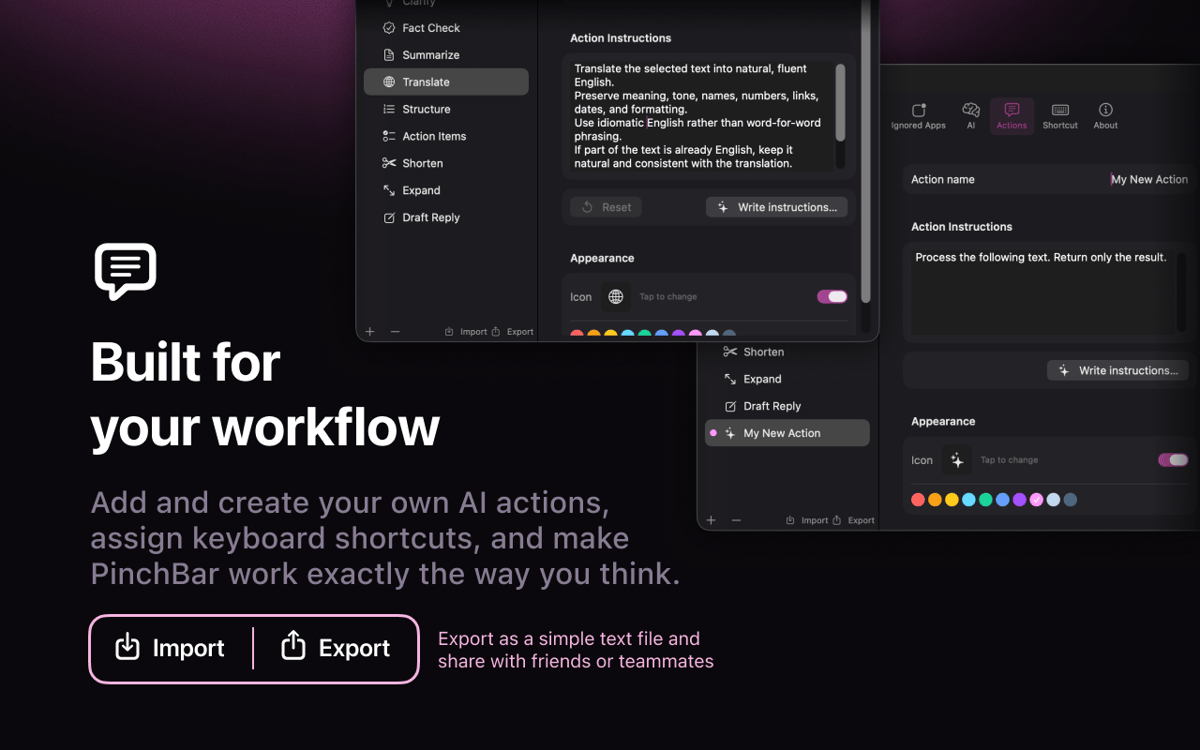
Sechs vorgefertigte Aktionen sind sofort verfügbar: Grammatik korrigieren, präzisieren, Fakten prüfen, zusammenfassen, übersetzen und strukturieren. Systemabfrage bearbeiten, Symbol ändern, eigenes erstellen und per Drag & Drop neu anordnen. Es liegt in Ihrer Hand.
Bewertungen und Rezensionen
Pinchbar
•
32 Bewertungen
Jacob Kotzee
14. Aug. 2026
App-Version: 1.0.15
It’s like it was created just for me! Brilliant!
Jay Chen
28. Juli 2026
App-Version: 1.0.15
It looks like this does not support the Books app on Mac, but I’m not sure if that is expected behavior or if there may be something wrong with my settings.
Antwort vom Entwickler
28. Juli 2026
Thanks for flagging this, and sorry PinchBar's button doesn't show up in Apple Books! The reason is a technical one: Books uses a special text view (the same kind Apple's iPad-style apps use) that doesn't report text selections to other apps the way most Mac apps do — so PinchBar's button doesn't detect when you've selected something there. It's on our radar to support it. In the meantime there's a simple workaround: just copy the text (Cmd+C) — it'll land in PinchBar's clipboard, and you can run any action on it from there. Really appreciate you taking the time to report it!
Hideaki Akama
23. Juli 2026
App-Version: 1.0.15
webやドキュメントのちょっとした、テキストの検索や翻訳に使っています。
Erhalten Sie Hunderte von Apps mit Membership
Werden Sie Setapp Member und nutzen Sie mit nur einem Abonnement hunderte genialer Apps.
Testen Sie 7 Tage kostenlos, im Anschluss nur eine einfach monatliche Gebühr.
Setapp auf dem Mac installieren
Erkunden Sie Apps für Mac, iOS und Web. Finden Sie einfache Möglichkeiten für die Bewältigung täglicher Aufgaben.

Die gesuchte App finden
In Setapp wartet eine wunderbare App auf Sie. Installieren Sie sie mit einem Klick.

Pinchbar
Abonnement wählen
Eine App oder mehr mit der Setapp Membership. Holen Sie sich Apps, so wie Sie es möchten.

Erhalten Sie Hunderte von Apps mit Membership
Werden Sie Setapp Member und nutzen Sie mit nur einem Abonnement hunderte genialer Apps.
Testen Sie 7 Tage kostenlos, im Anschluss nur eine einfach monatliche Gebühr.
1
Setapp auf dem Mac installieren
Erkunden Sie Apps für Mac, iOS und Web. Finden Sie einfache Möglichkeiten für die Bewältigung täglicher Aufgaben.
2
Die gesuchte App finden
In Setapp wartet eine wunderbare App auf Sie. Installieren Sie sie mit einem Klick.
Pinchbar
3
Abonnement wählen
Eine App oder mehr mit der Setapp Membership. Holen Sie sich Apps, so wie Sie es möchten.
Die besten Apps
Von Planung und Routineaufgaben bis hin zu kreativen Tätigkeiten und Programmieren – mit den Apps von Setapp sind Sie bestens für Aufgaben gerüstet.

TypingMind
KI-Chat mit alternativer UI
Text erzeugen oder zusammenfassen
Prompt-Bibliothek nutzen
KI

Spark Mail
E-Mails verwalten
KI

CleanMyMac
Datenmüll entfernen

Bartender
Menüleiste anpassen

CleanShot X
Vielseitige Bildschirmfotos aufnehmen

Luminar Neo
Fotos bearbeiten
KI

ClearVPN
Sichere Verbindung herstellen

Craft
Mit Dokumenten arbeiten
KI
Pinchbar
Text im Handumdrehen transformieren